Native AI brings together an AI that builds and edits whole sites, a complete visual builder, forms, popups, analytics, code snippets and site reports — in one WordPress plugin. Here’s all of it, with screenshots from a site built with it. Each section links to a page with more detail.
Describe what you want. The AI builds it with the same elements you edit by hand.
AI assistant
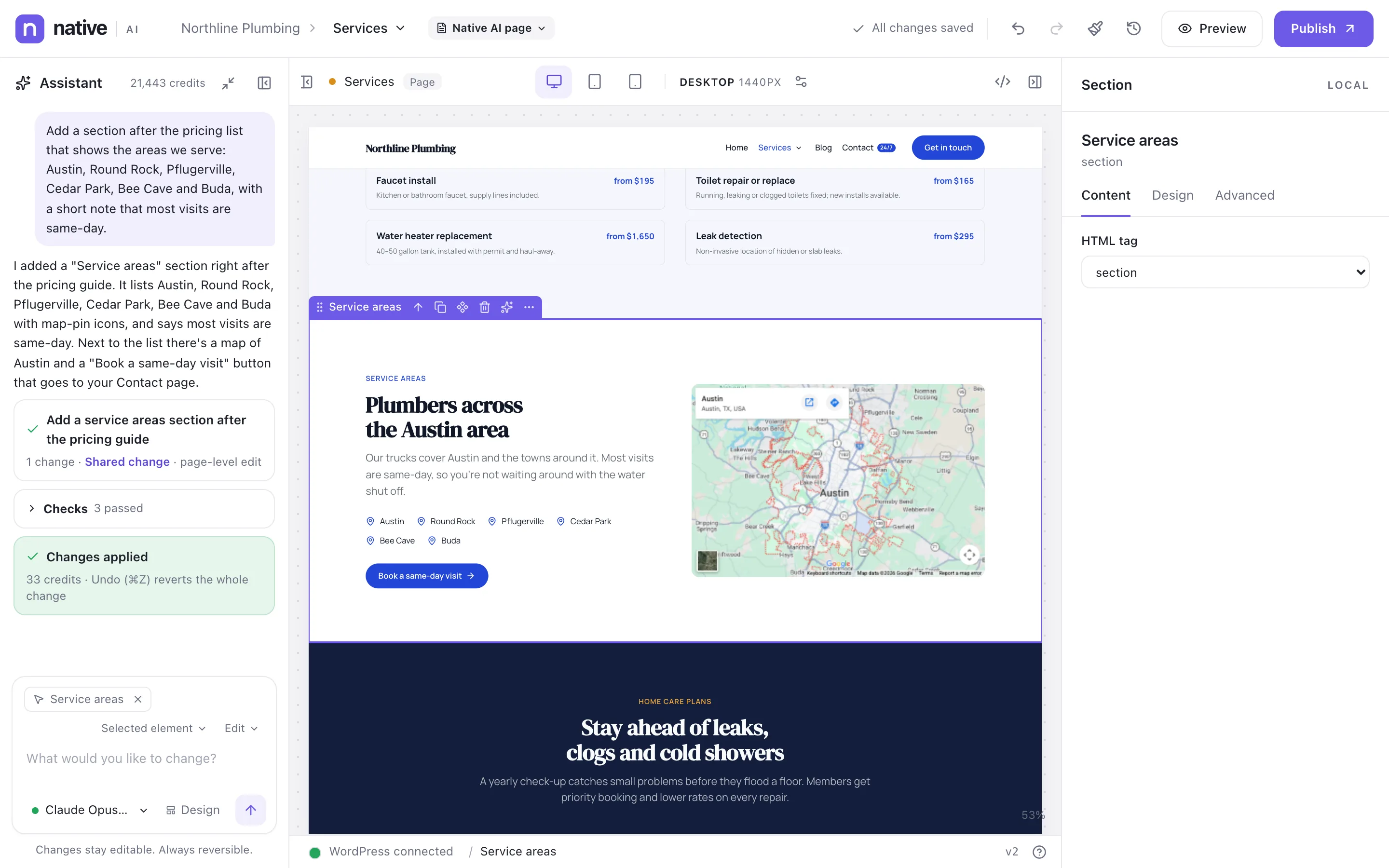
Ask for a section, a change or a redesign in plain words. The AI edits your page with real elements.
Select anything, or nothing, and describe what you want. The assistant reads the page and your design system, then adds and changes real Native AI elements — headings, images, forms, loops — styled with your own tokens and classes. Everything it does is ordinary, editable work, and one undo reverts it.
northline-plumbing.example/?nativeai=edit
Requests
Plain-language requests in any language you write
Scopes: element, section, page, template, Global Block, site
Modes: Edit, Refactor, Redesign, Generate
Suggestions based on the selection
Conversation history per page while you work
Quality
Uses your tokens, classes and Theme Styles
Checks after each change: accessibility and quality rules, layout at every breakpoint, contrast
Automatic fixes for problems it finds
Plans for broad changes, approved by you
Content
Writing tone, copy length and language settings
Brand guidelines and standing instructions
Facts you give (phone numbers, prices, hours) are used exactly
Stock photos (Openverse, plus Unsplash and Pexels when set up) and AI image generation
Control
Undo reverts the whole change
Credits shown per request and as a balance
Choose the model per request
Role permission: Use AI (off for roles you choose)
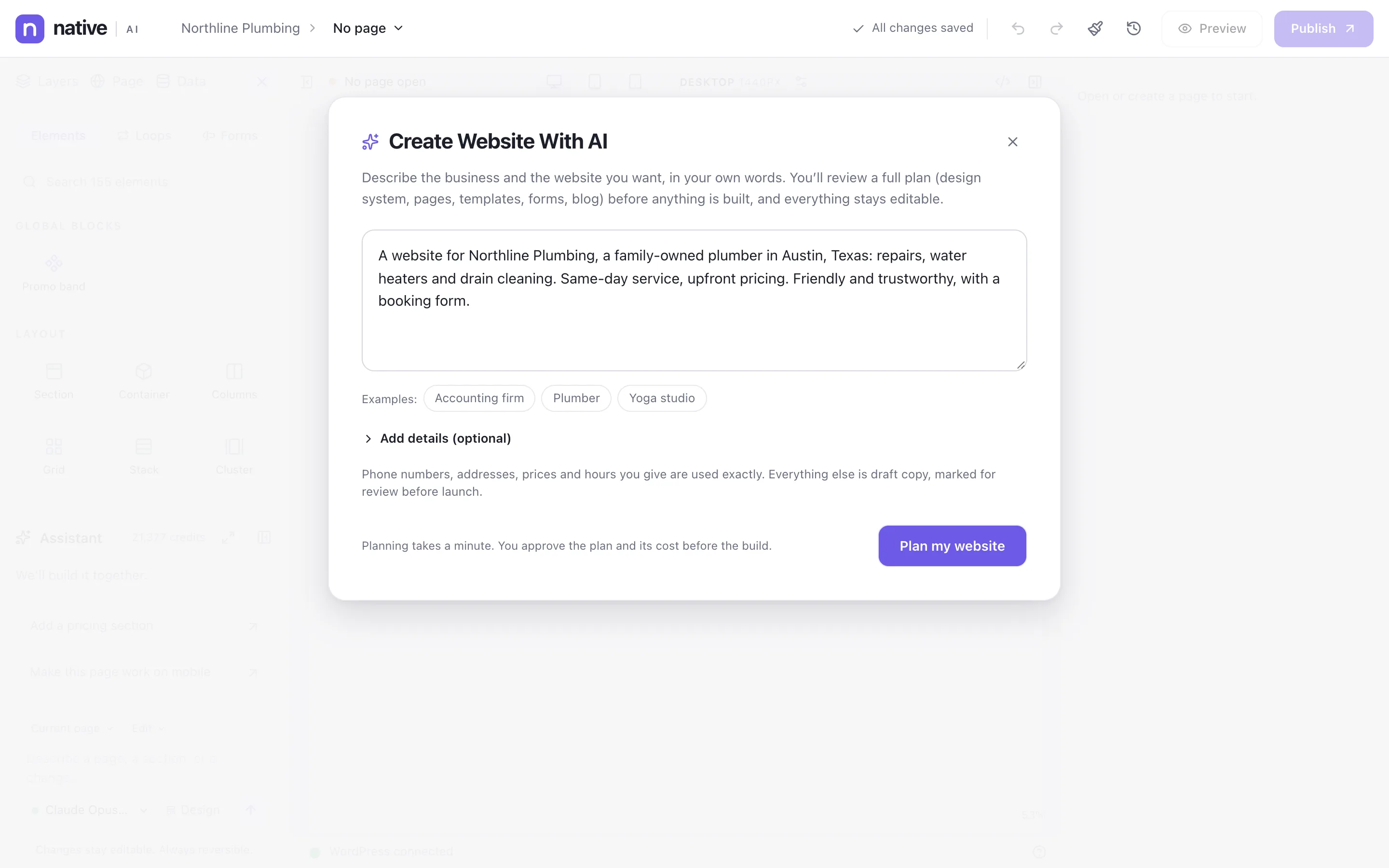
Describe the business; review the plan; get a complete, editable site: design system, pages, header, footer and forms.
Write a few sentences about the business and the website you want. Native AI proposes a plan — design direction, pages, templates, forms, blog — with its cost. Approve it and it builds everything as native elements: a design system, the header and footer, every page, the navigation and the forms. Then you edit anything, by hand or with the assistant.
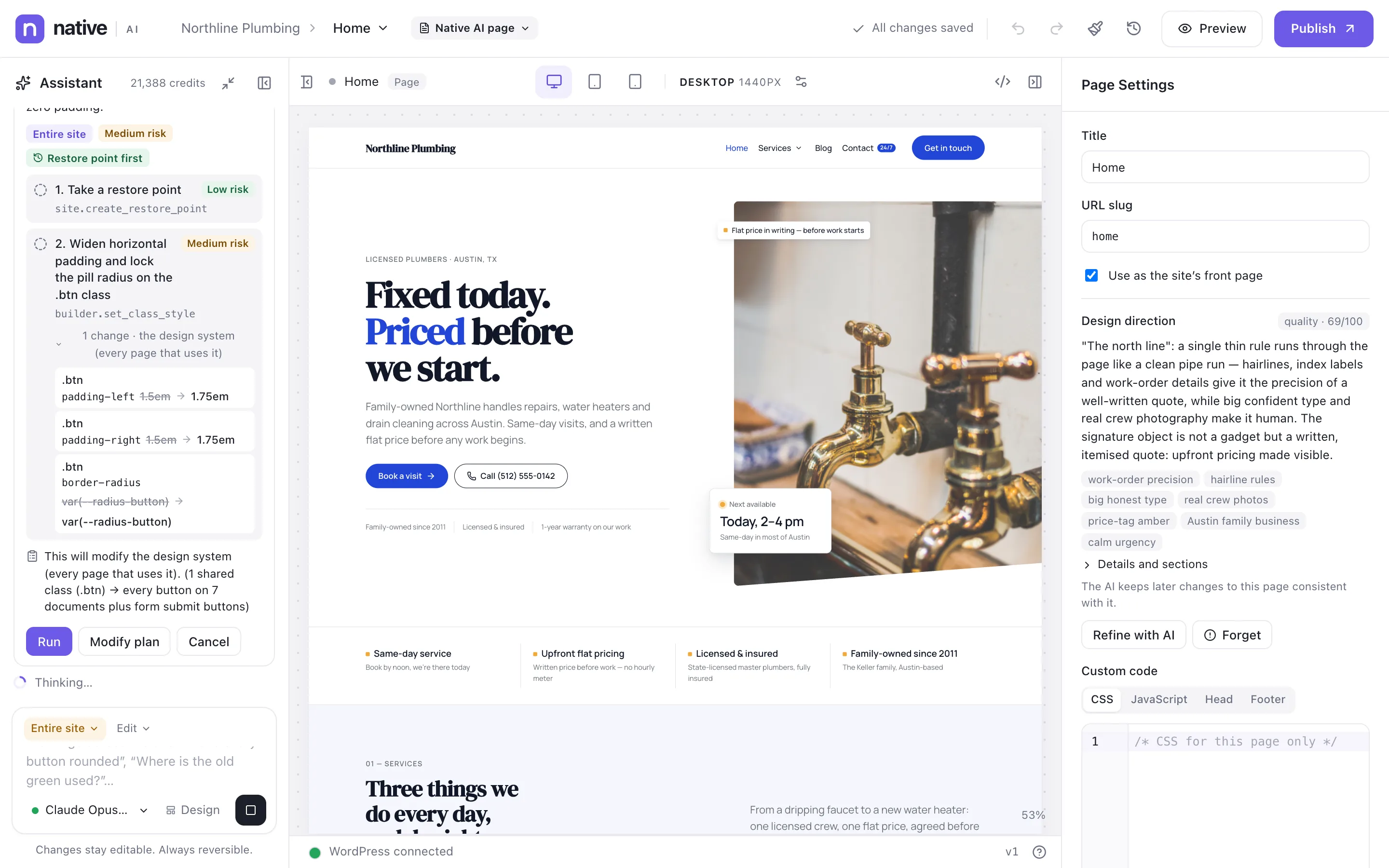
Ask for changes across the whole site. The AI plans them, waits for your approval, takes a restore point and reports back.
Some requests reach every page: “make every button pill-shaped”, “where is the old green still used?”, “add the new phone number everywhere”. With the scope Entire site, the AI works like an agent: it finds the right level to change (Theme Styles, a shared class, a template, a Global Block), proposes a plan with the risk of each step, takes a restore point, makes the changes, checks them and reports what it did.
northline-plumbing.example/?nativeai=edit
Understanding
Finds where something is used across the site
Chooses the highest shared level for a change
Reads the site model: pages, templates, blocks, menus, forms, popups
Reads analytics and reports when those features are on
Acting
More than 100 actions, depending on the features switched on
Edits pages, templates, Global Blocks and Theme Styles
Manages menus, forms, popups and code snippets (snippets as drafts)
A complete visual builder: elements, design system, templates, menus, data and motion.
Visual builder
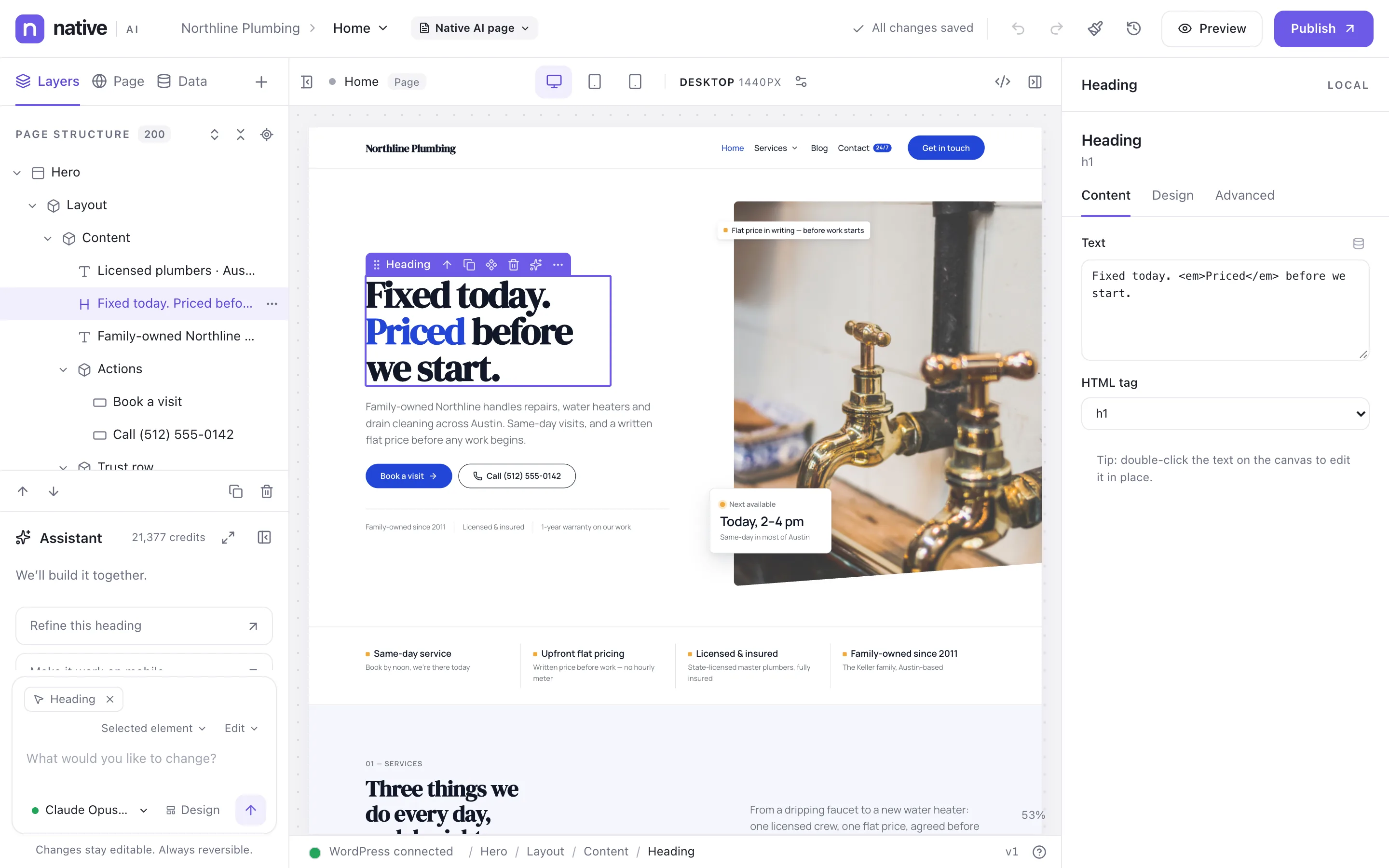
More than 120 elements, a layer tree, per-breakpoint styling, history and clean output — the builder professionals expect.
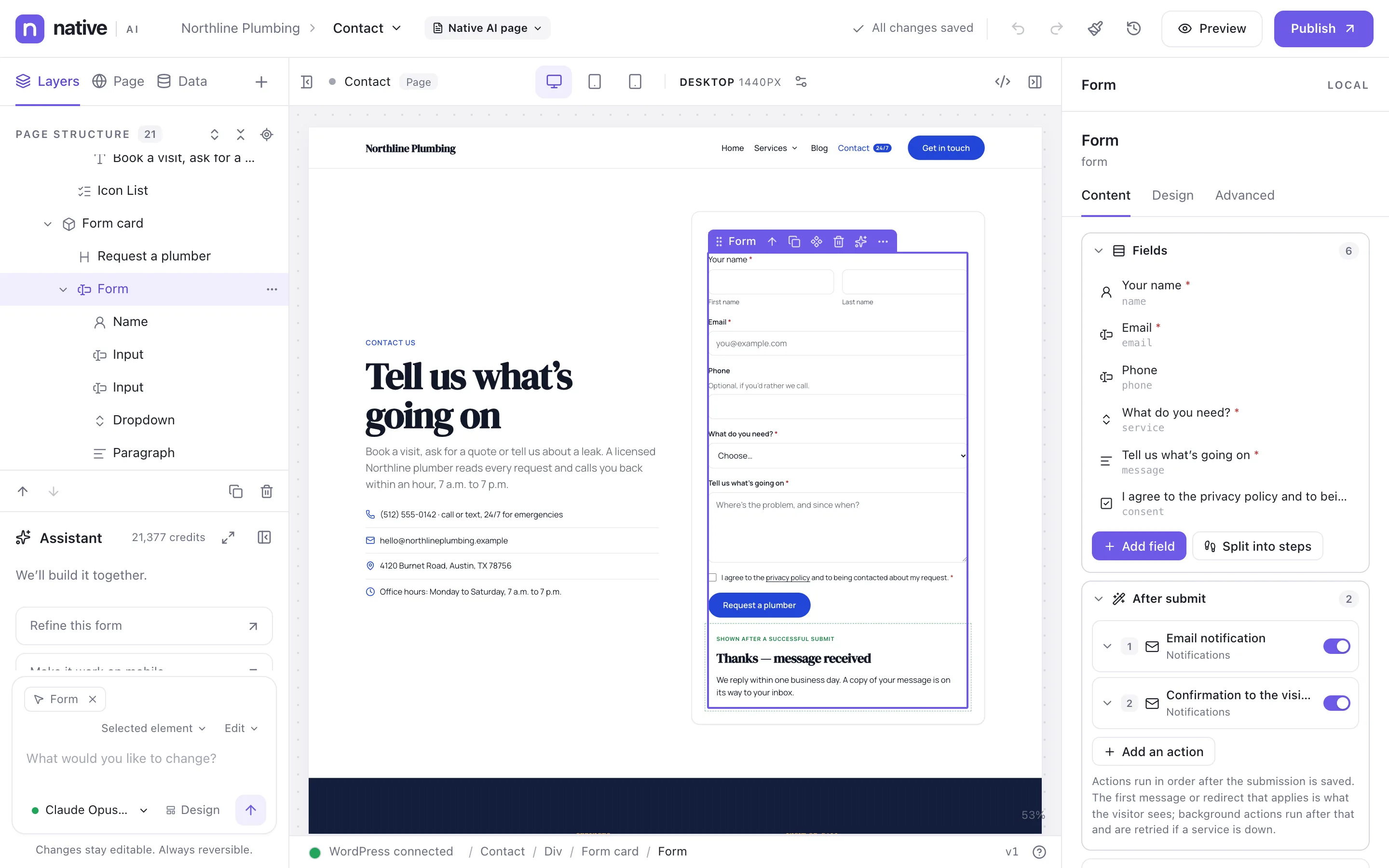
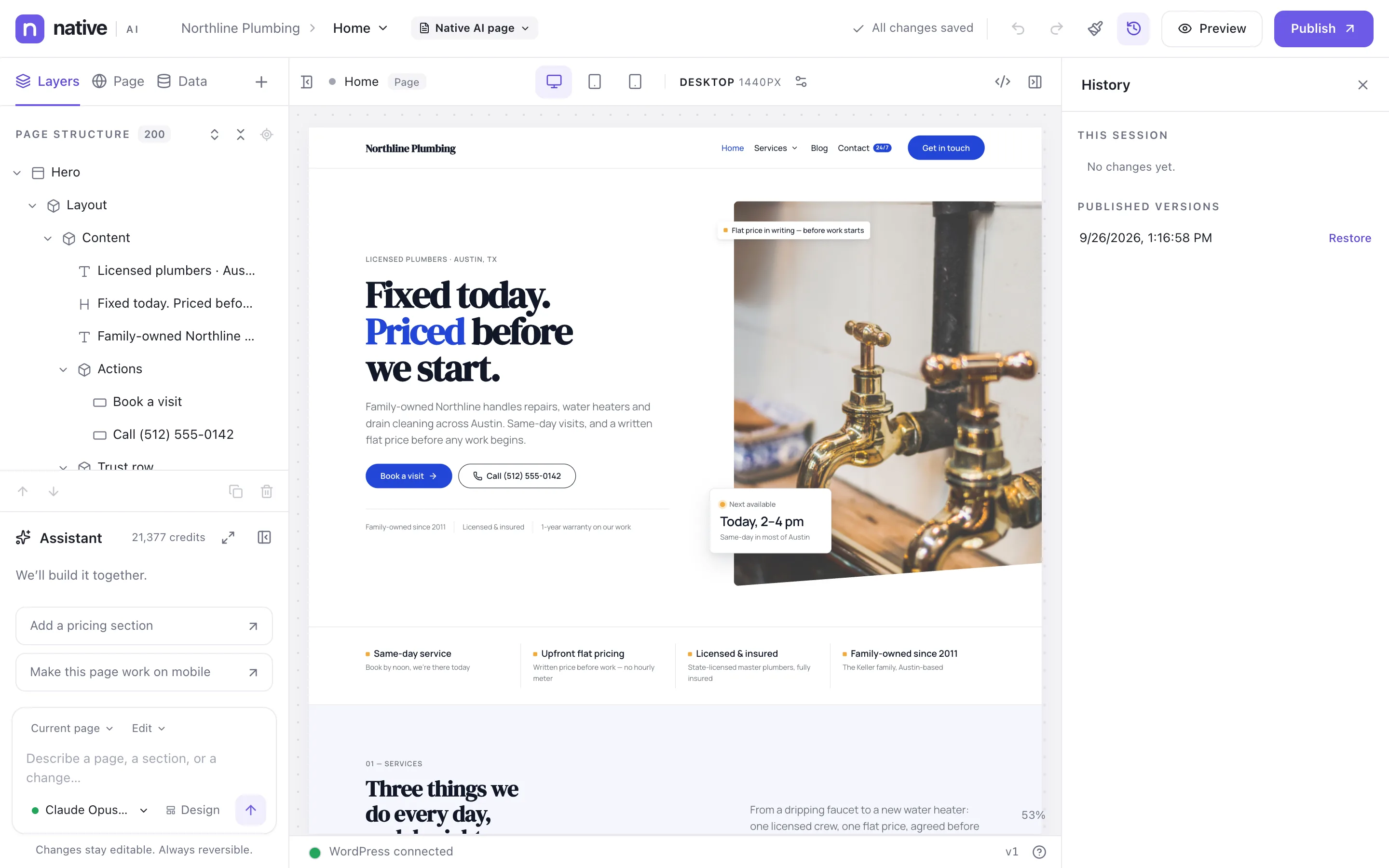
Native AI is a complete visual builder first. Drag elements onto the page, arrange them in the layer tree, style them per breakpoint and state, and publish. The canvas shows the real page — your header, footer, fonts and data — and what you publish is clean HTML and CSS.
northline-plumbing.example/?nativeai=edit
Editing
Drag and drop on the canvas and in the layer tree
Inline text editing
Copy, paste and duplicate across pages
Keyboard shortcuts and a context menu
Rename, hide and lock elements
Selection path in the status bar
Styling
Layout, spacing, size, typography, background, border, effects, position
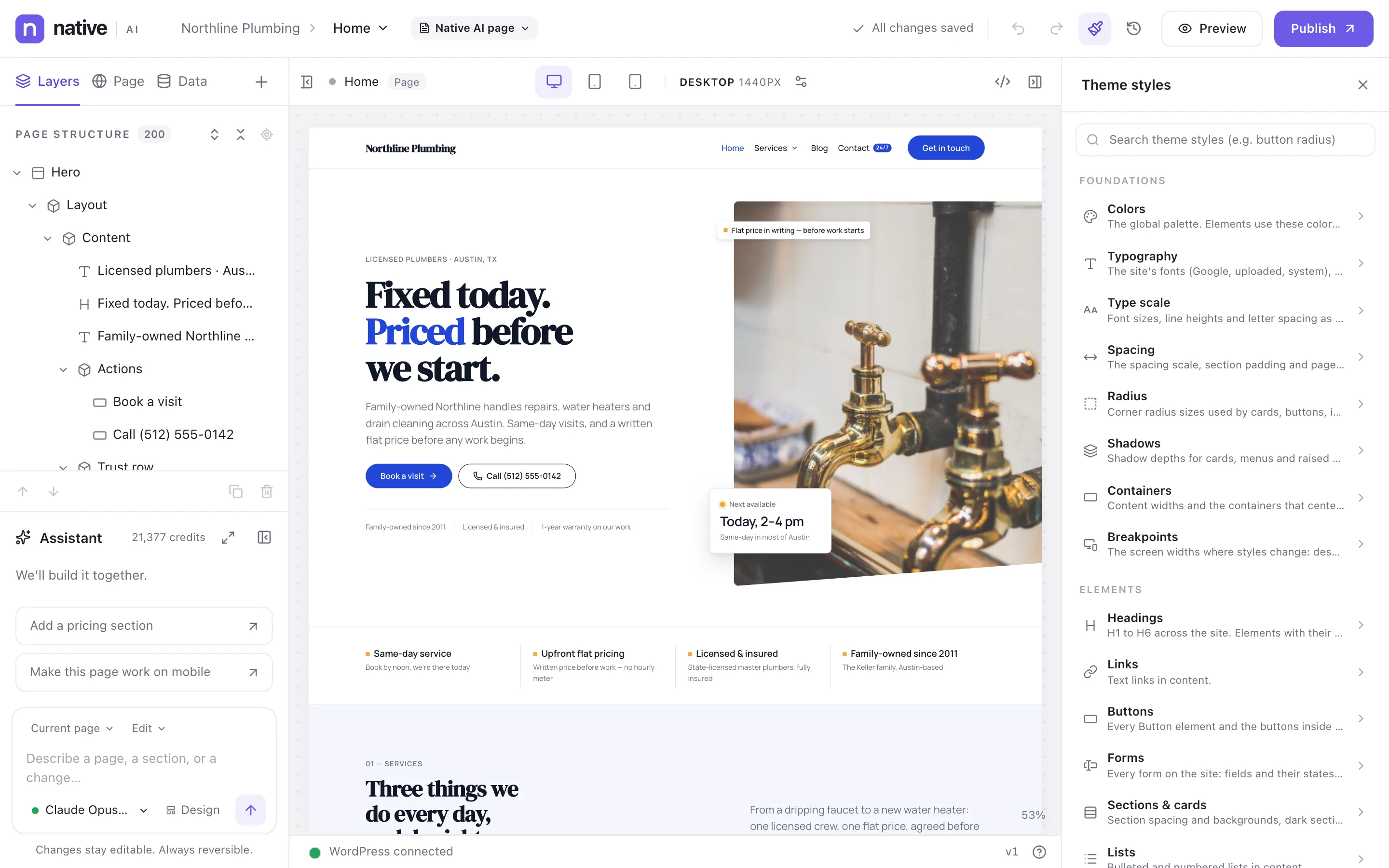
Colors, fonts, type scale, spacing and element defaults in one place — change a token and every page follows.
Theme Styles hold the site’s foundations — colors, typography, type scale, spacing, radius, shadows, containers, breakpoints — and the default look of every element: headings, links, buttons, forms, sections and cards, lists. Tokens and classes make the system reusable: change one and every page that uses it follows. The AI builds with the same system.
northline-plumbing.example/?nativeai=edit
Foundations
Named color tokens by purpose
Fonts: Google, system and uploaded
Type scale with sizes, line heights and tracking
Spacing scale and section padding
Radius and shadow scales
Containers and breakpoints
Reuse
Design tokens with usage counts
Global classes
Element-type defaults (Theme Styles → Elements)
Interaction presets
Import and export settings
Working with AI
The AI uses your tokens and classes
Site-wide changes made at the Theme Styles or class level
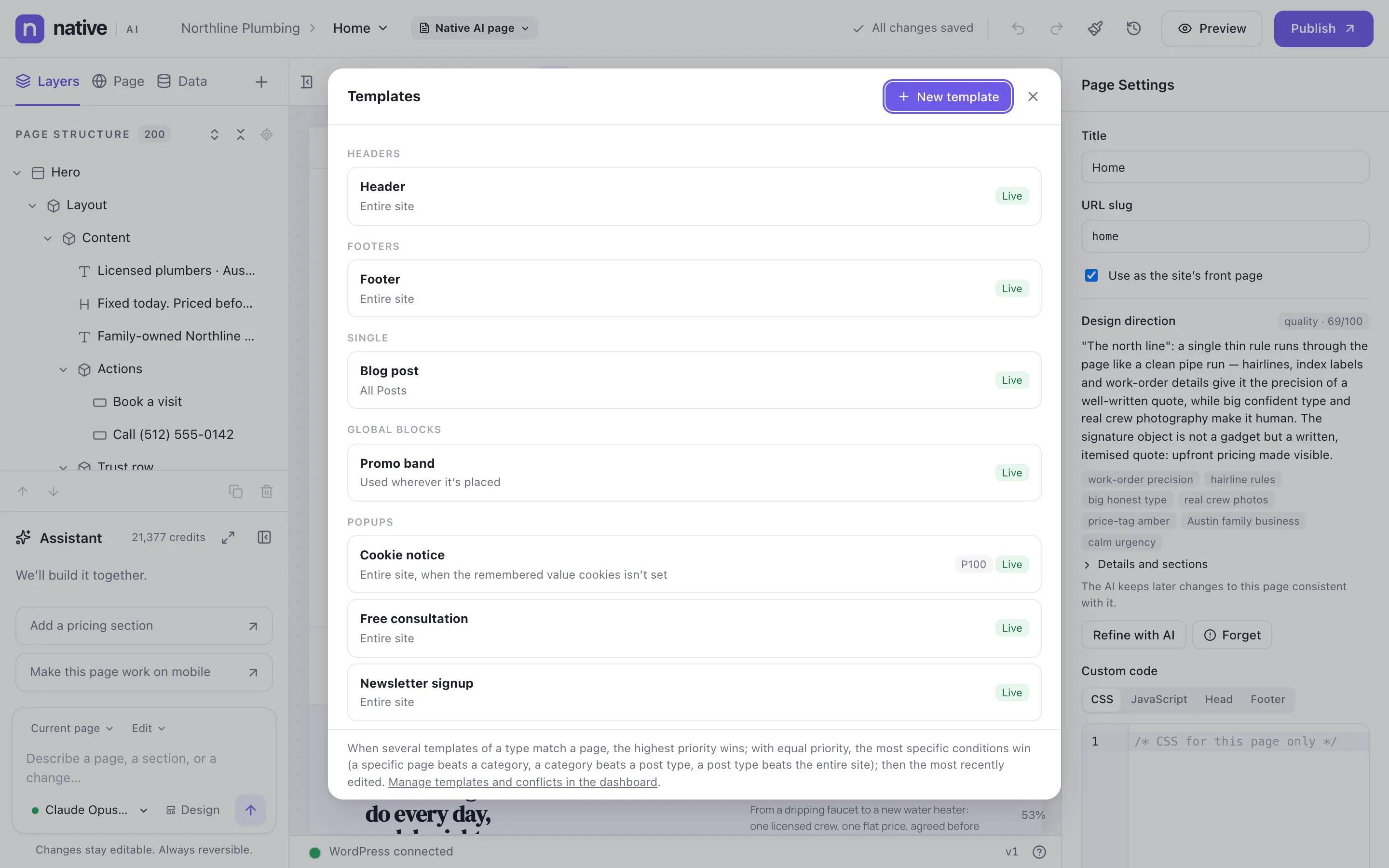
Headers, footers, post templates and popups with display conditions; blocks you design once and reuse everywhere.
Design the header, the footer, the template for blog posts or any post type, archives, search results and the 404 page — then decide where each applies with display conditions: the entire site, the front page, a post type, specific pages, categories and more. Global Blocks are sections you design once and use on any page; editing the block updates every page.
Site menus with icons, badges and descriptions, dropdowns and mega menus made of real elements, and a proper mobile menu.
Build menus in the builder: nested items with icons, descriptions, badges and display conditions. The Menu element decides how they look and behave — dropdowns, flyouts, mega menus designed with any elements, and a mobile menu that slides in or fills the screen. Menus are kept in WordPress too, so themes and other plugins can use them.
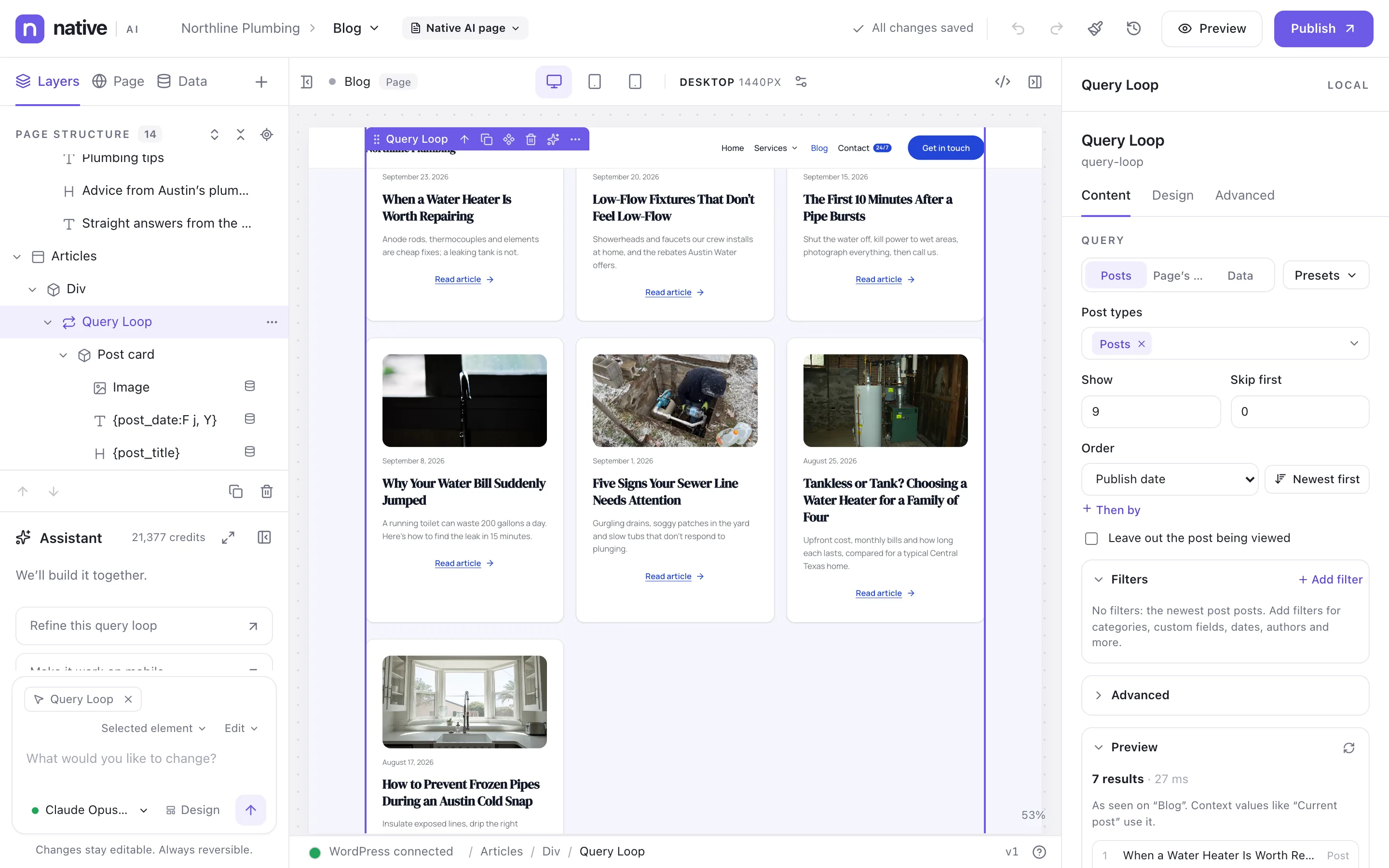
Show posts, custom fields, ACF data and external APIs anywhere, with loops, filters, sorting and pagination.
Put WordPress data into any text or setting — the post’s title and date, the author, custom fields, ACF fields, the visitor’s name — and repeat designs over lists with Query Loops: posts, pages, custom post types or data from an external API. Filter, sort and paginate without code.
northline-plumbing.example/?nativeai=edit
Dynamic data
Post: title, excerpt, content, link, dates, type, ID
Entrance animations, hover effects, parallax and 30 interaction triggers with 27 actions — no code.
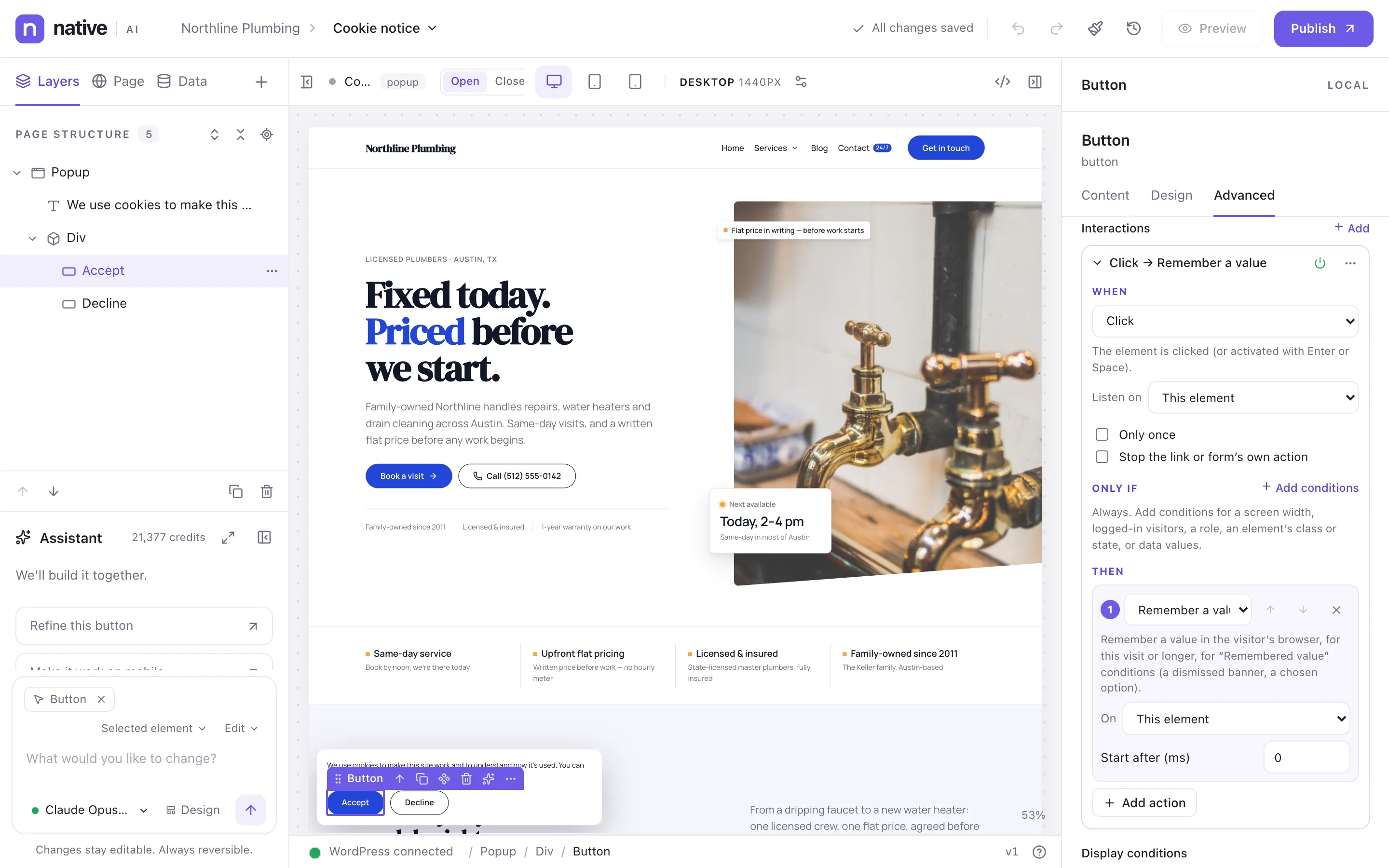
Make elements move and respond without writing JavaScript. Motion & effects adds entrance animations, hover effects and parallax. Interactions go further: when something happens (a click, scrolling into view, exit intent, a form sent), do something (show, hide, animate, open a popup, remember a choice) — with conditions and sequences.
Forms, popups and analytics that work together, inside WordPress.
Forms & submissions
Multi-step forms with logic, spam protection, an inbox in WordPress and 20 integrations.
Build forms from native fields on the canvas — single or multi-step, with conditional logic and a designed success state. Every submission lands in an inbox in WordPress with its status, notes and the actions that ran. Send it on to your CRM, email platform, spreadsheet or chat with 20 integrations, webhooks or REST API calls.
Nine popup types, eleven triggers, precise targeting and frequency rules — with conversion stats.
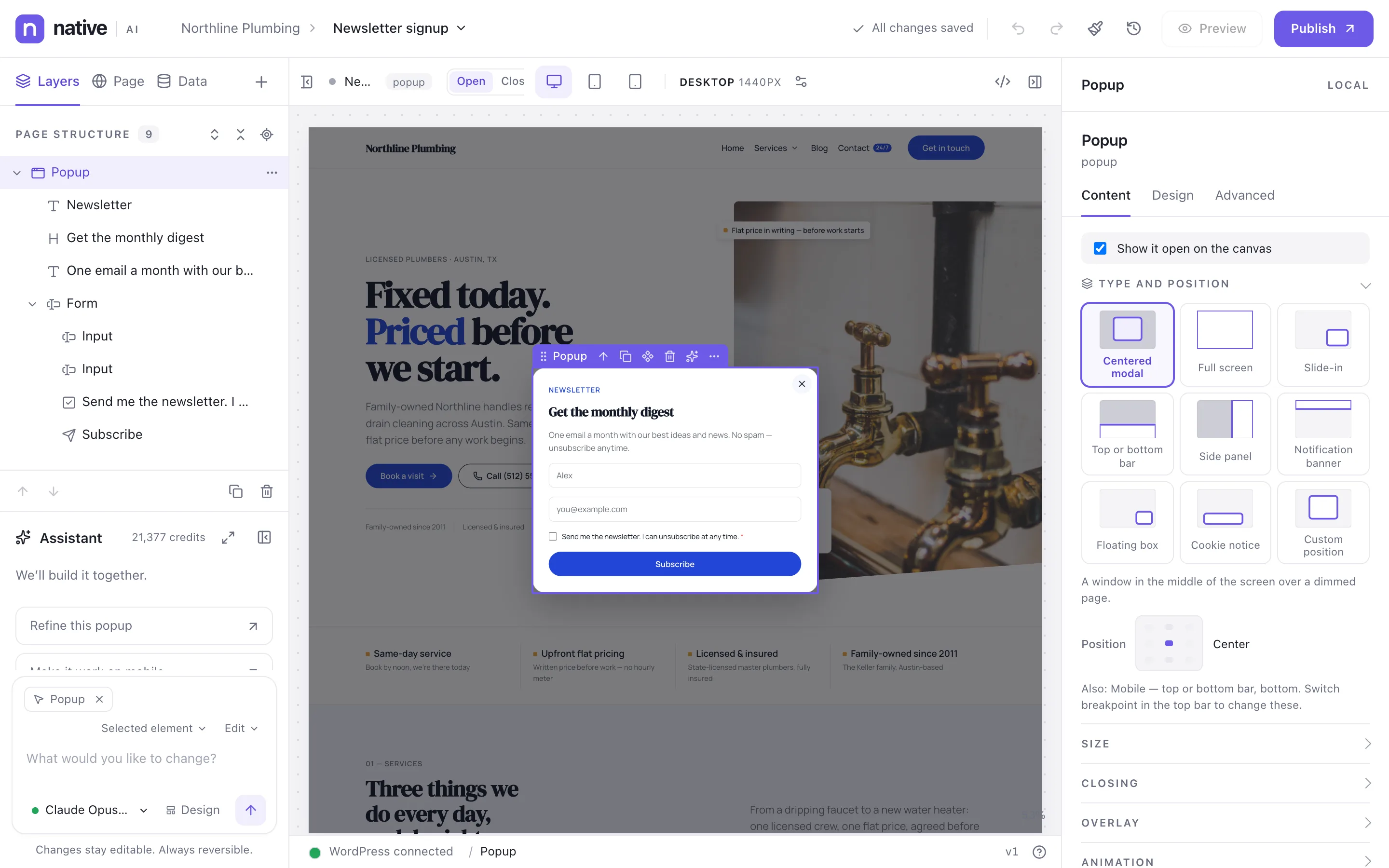
Design popups on the canvas like any page: newsletter sign-ups, exit-intent offers, cookie notices, announcements. Choose the type, the trigger and who sees it, set how often it may appear, and follow views and conversions per popup. Popups never pile up: when several want to open, the highest priority goes first.
northline-plumbing.example/?nativeai=edit
Types
Centered modal
Full screen
Slide-in
Top or bottom bar
Side panel
Notification banner
Floating box
Cookie notice
Custom position
Triggers
Page load
After a delay
After scrolling
Element in view
Exit intent
Click or hover on elements
After a form is sent
Custom event
Inactivity
Time on site
Rules
Display conditions
Frequency: every view, session, day, week, month, once, every N days
Privacy-conscious analytics inside WordPress: visitors, sources, pages, goals, forms and popups — cookieless by default.
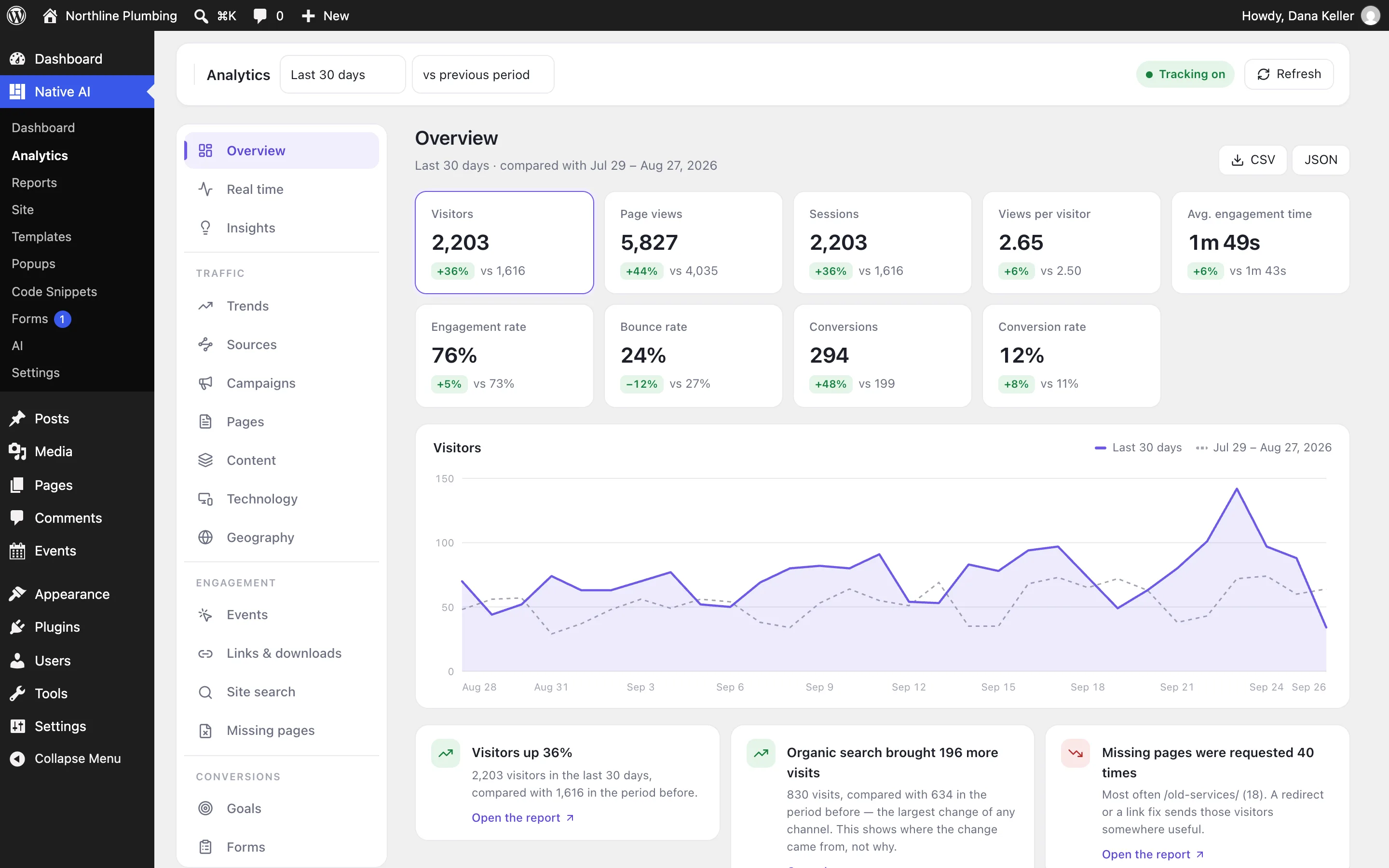
Switch Analytics on and Native AI counts visits, pages, sources, campaigns, devices, countries, events, goals, forms and popups — in your own database, with no external service and no cookies by default. The overview compares periods and writes plain-language insights; the AI can read it to improve the site.
Code, reports, permissions and safety nets for sites you look after.
Code Snippets
PHP, JavaScript, CSS, HTML and JSON snippets with conditions, test mode, versions, logs and safe mode.
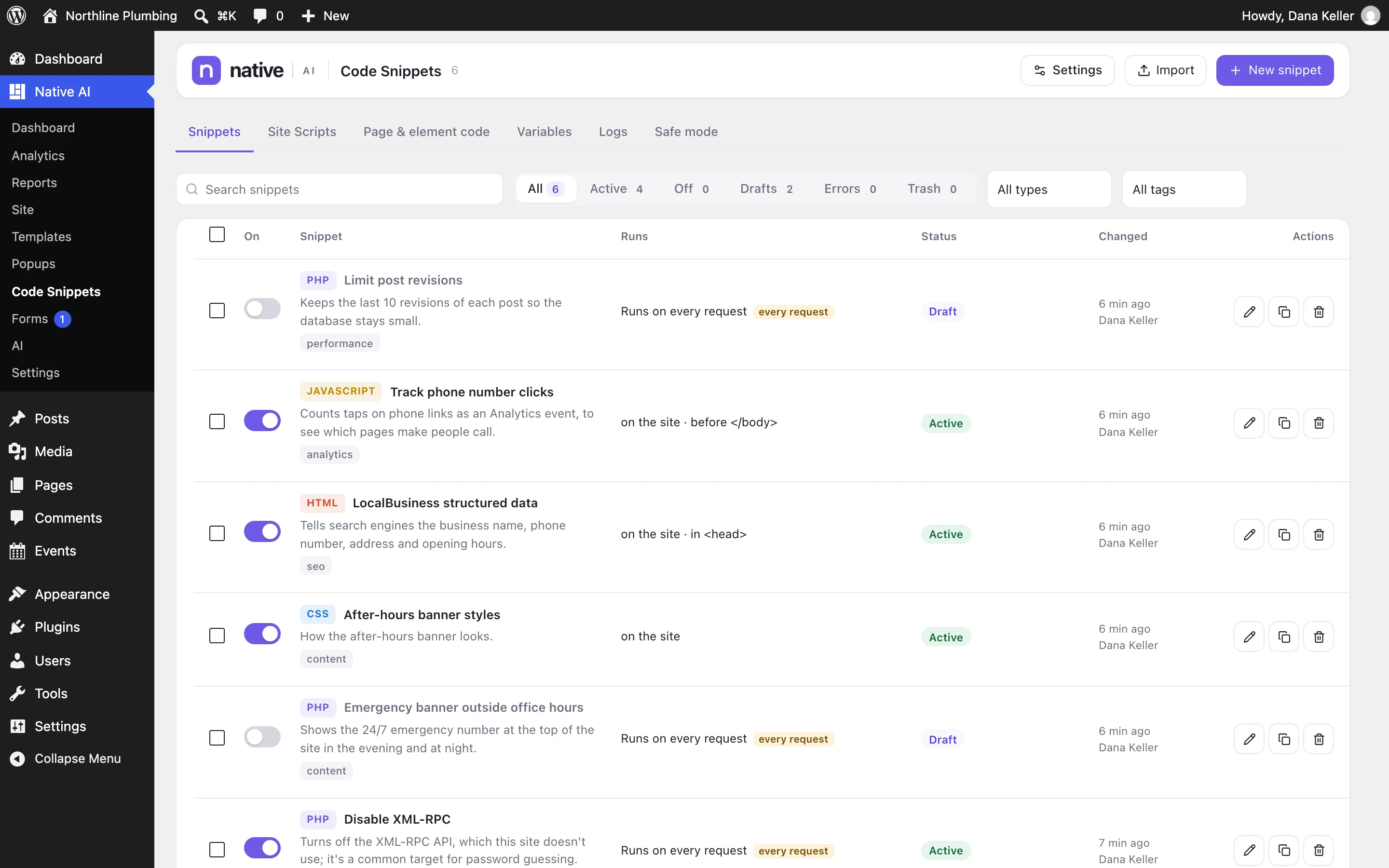
Add PHP, JavaScript, CSS, HTML and JSON snippets from WordPress, with conditions for where and for whom they run, a code editor that checks your code before it runs, versions you can restore, logs of errors and activity, and safe mode for the day something breaks. The AI can write snippets too — always as drafts that a person activates.
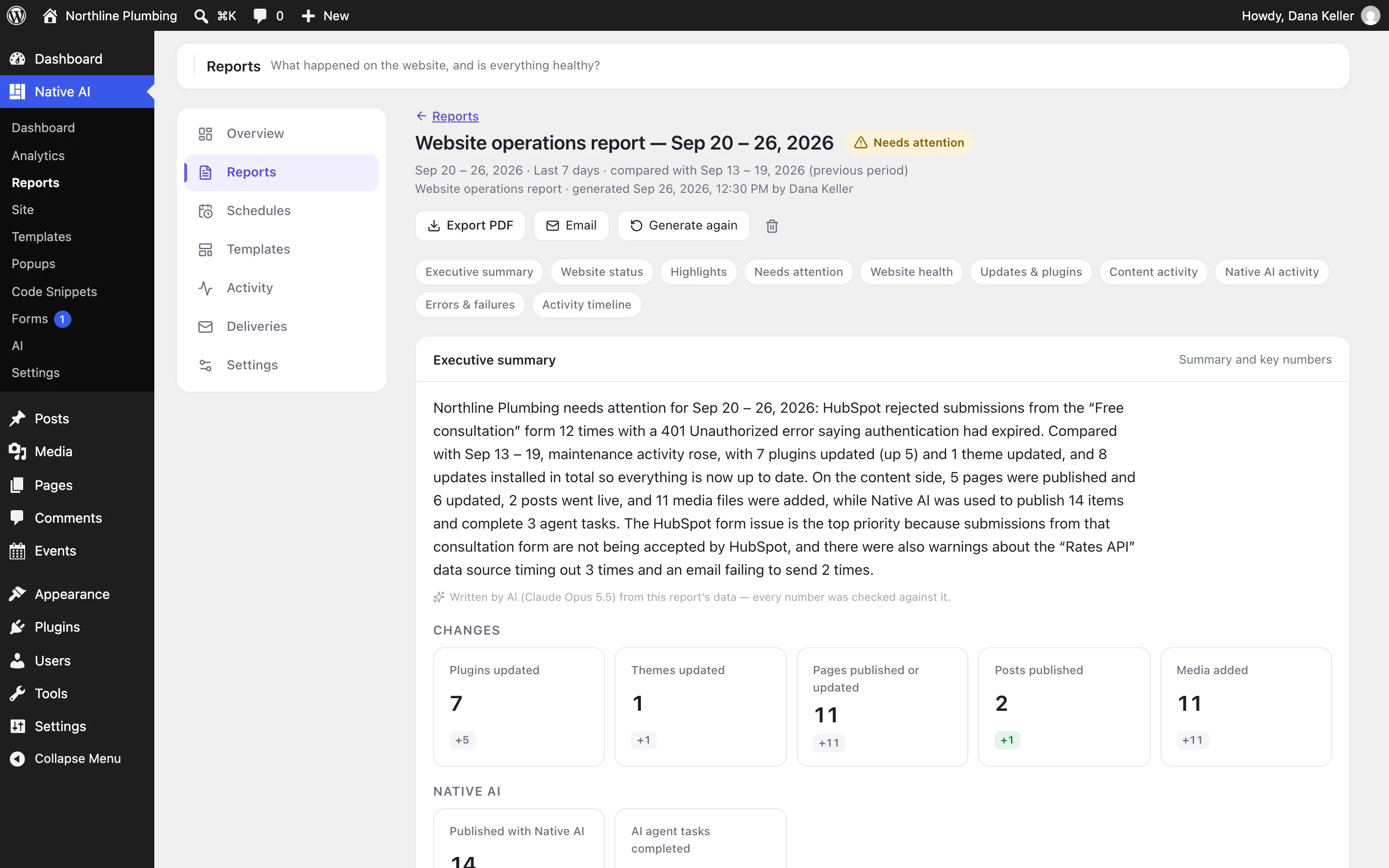
What happened on the site and whether it’s healthy — with PDF reports emailed on a schedule.
Native AI keeps a timeline of everything that happens on the site — updates, content, users, AI work, snippets, forms, integrations, emails, errors — and turns it into reports: a status, what needs attention and why, the site’s health, and the numbers, with an executive summary written by AI and checked against the data. Export a PDF, or email it on a schedule.
A WordPress plugin through and through: your hosting, your database, your users and roles, your menus.
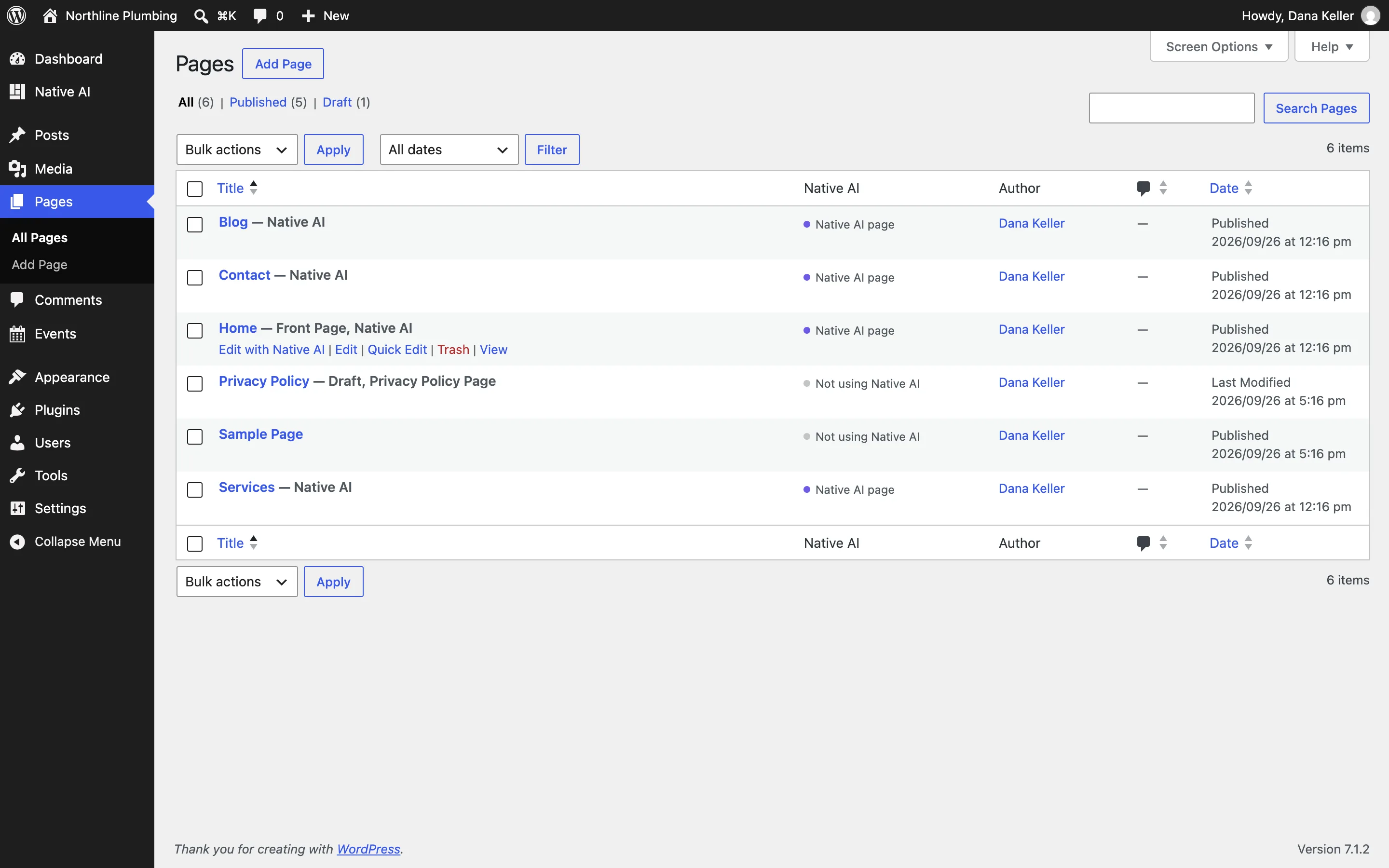
Native AI installs like any plugin and keeps everything in your WordPress: pages, templates, submissions, analytics, reports. It uses WordPress’s users and roles, menus, Media Library, post types and custom fields, and it updates from the Plugins screen. Your posts, media and users stay yours.
Undo, versions, restore points, approvals, permissions, encrypted secrets and privacy by default.
Native AI is built for sites people rely on. Changes are undoable and versioned; the AI asks before broad changes and takes restore points; permissions decide who can do what; secrets are encrypted and never sent to the AI; analytics are cookieless by default. When something goes wrong, there’s a way back.