FeaturesBuildInteractions & motion
Motion and interactivity, set up in the builder
Make elements move and respond without writing JavaScript. Motion & effects adds entrance animations, hover effects and parallax. Interactions go further: when something happens (a click, scrolling into view, exit intent, a form sent), do something (show, hide, animate, open a popup, remember a choice) — with conditions and sequences.
- 22 animations and 10 ready presets
- 30 triggers and 27 actions, with conditions
- Respects visitors who prefer reduced motion
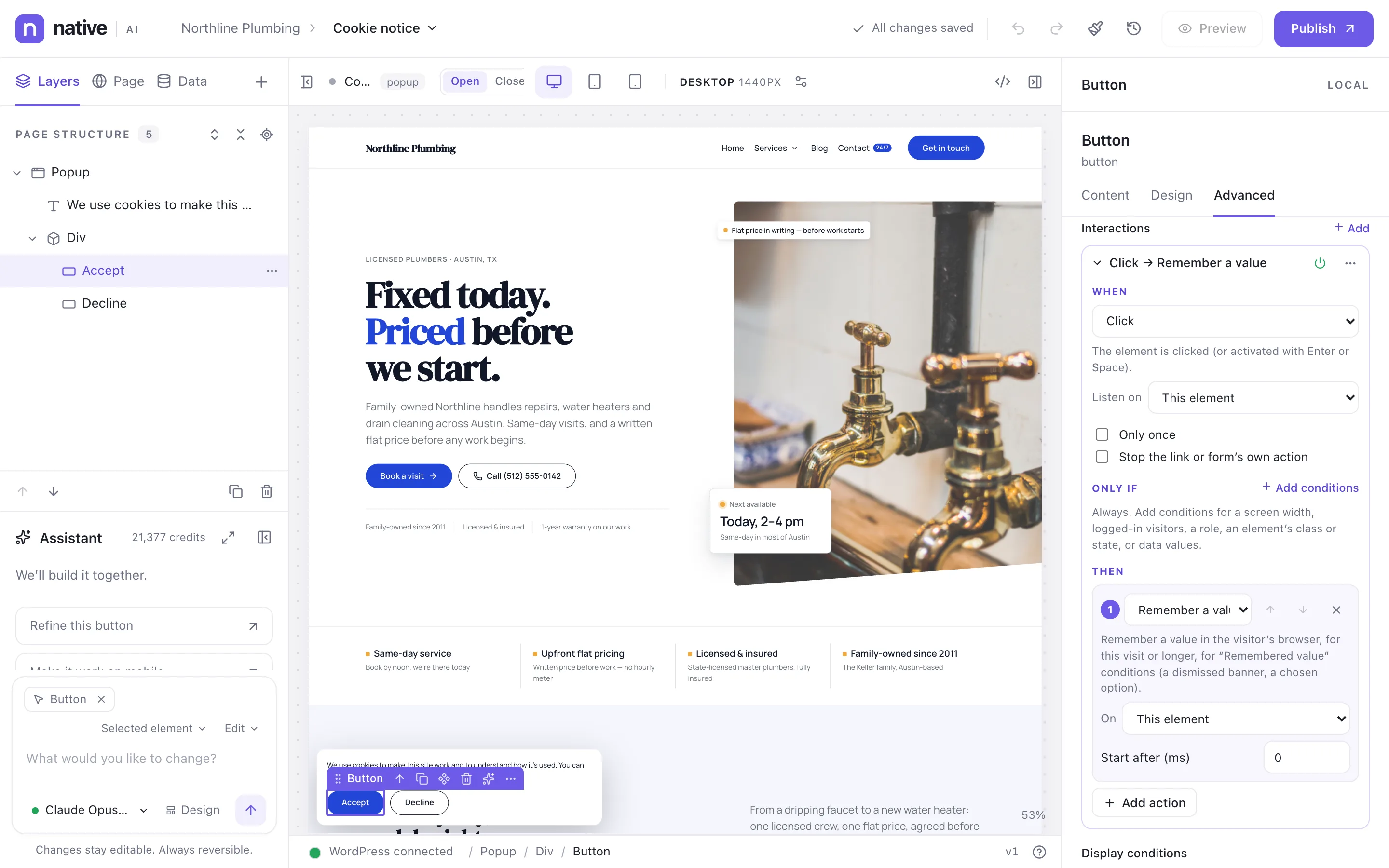
Motion & effects
Give any element an entrance animation — fade, slide, scale, blur, flip, reveal — and choose when it starts, the easing, duration, delay, distance and starting opacity. Play it once or every time it scrolls into view. Add a hover effect or parallax.
Visitors who ask their device for reduced motion see the element without movement.
- Entrance animations with timing controls
- Hover effects and parallax
- Reduced-motion aware
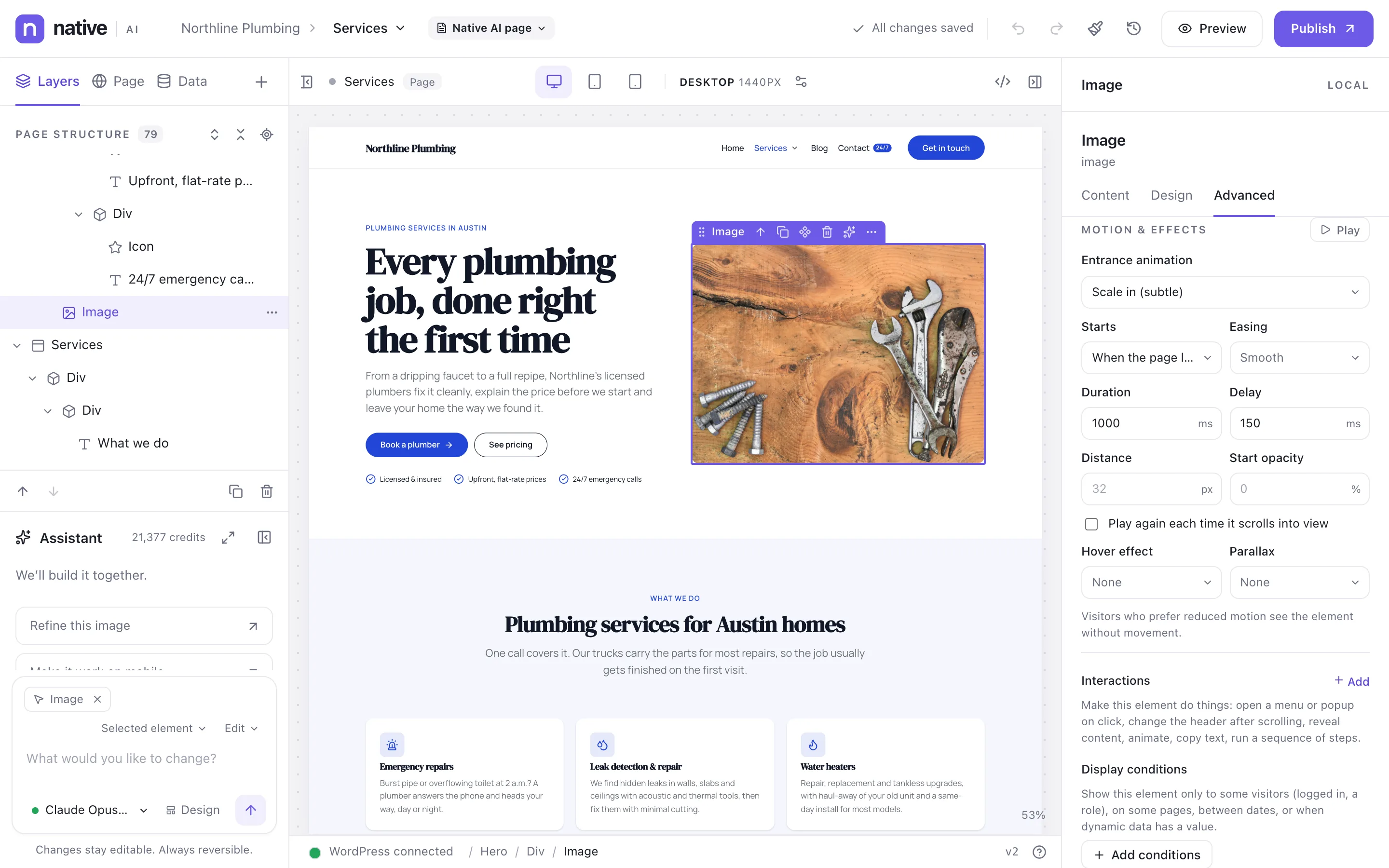
When this happens, do that
An interaction has a trigger, optional conditions and a sequence of actions. The cookie notice in the picture remembers the visitor’s choice when Accept is clicked, then closes. Build tabs, toggles, sticky headers, reveal-on-scroll lists, copy-to-clipboard buttons or progress bars the same way.
Conditions narrow when it runs: screen width, logged-in visitors, a role, an element’s class or state, or data values.
- Triggers: click, hover, focus, scroll into view, scroll progress, load, key press, exit intent, inactivity, time on site, form sent, popup opened …
- Actions: show, hide, toggle, classes, styles, animate, scroll to, open popup, set text or image, play, copy, remember, track …
- Conditions and multi-step sequences
Interactions & motionEverything included
Everything in interactions & motion
Motion
- 22 animations (fade, slide, zoom, scale, blur, flip, reveal, lift, pulse, shake …)
- Start on load or on view, once or every time
- Easing, duration, delay, distance, opacity
- Hover effects and parallax
Interactions
- 30 triggers
- 27 actions
- Conditions (screen width, visitor, role, state, data)
- Sequences with delays
- Remembered values for later conditions
- Analytics events from interactions
Presets
- Fade up in view
- Stagger children
- Sticky header state
- Reveal next
- Hover lift
- Scroll to top
- Copy text
- Progress bar
Questions about interactions & motion
Can I add my own JavaScript to an interaction?
A JavaScript action exists for people with the custom code permission. Everything else is built without code.
Interactions & motionKnowledge base
How to use it
Step-by-step articles, settings and answers in the knowledge base.
- Motion and effectsEntrance animations, hover effects and parallax on any element, from the Advanced tab — no code, and gentle on visitors who prefer less motion.
- InteractionsMake elements respond to clicks, scrolling, forms and more without code: a trigger, optional conditions, and a sequence of actions on the elements you choose.
Works well with
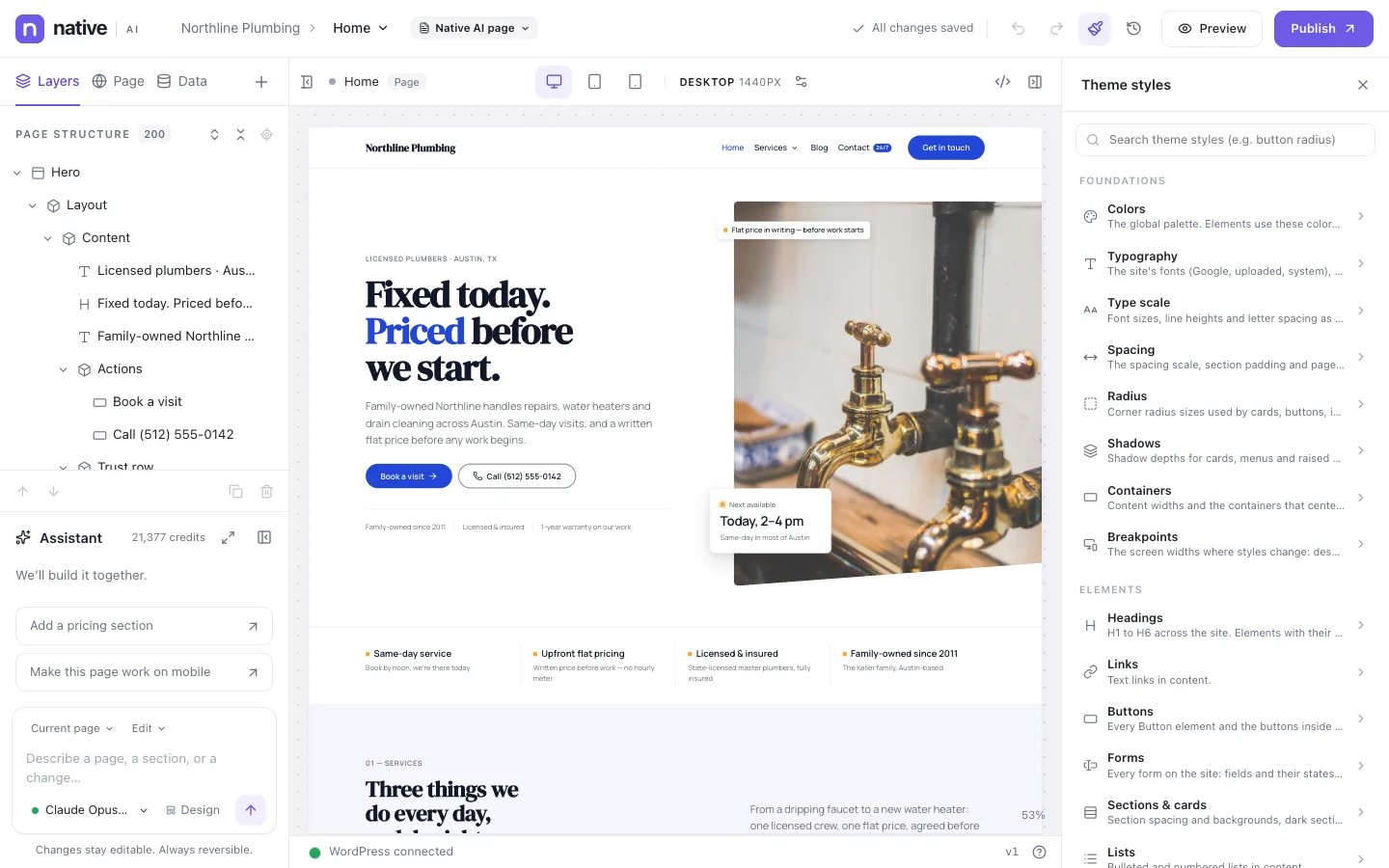
“Build a website for my plumbing business in Austin.”
Plans the pages and writes them in a look of their own, with a header, footer, templates and a design system you can edit.
“Make every button on the site pill-shaped.”
Finds the shared class behind every button, shows you the plan, then changes it once.
“Write meta descriptions for every page that doesn’t have one.”
Writes them from each page’s own words in a background job, shows the credits first, and puts each one beside its page for you to approve.
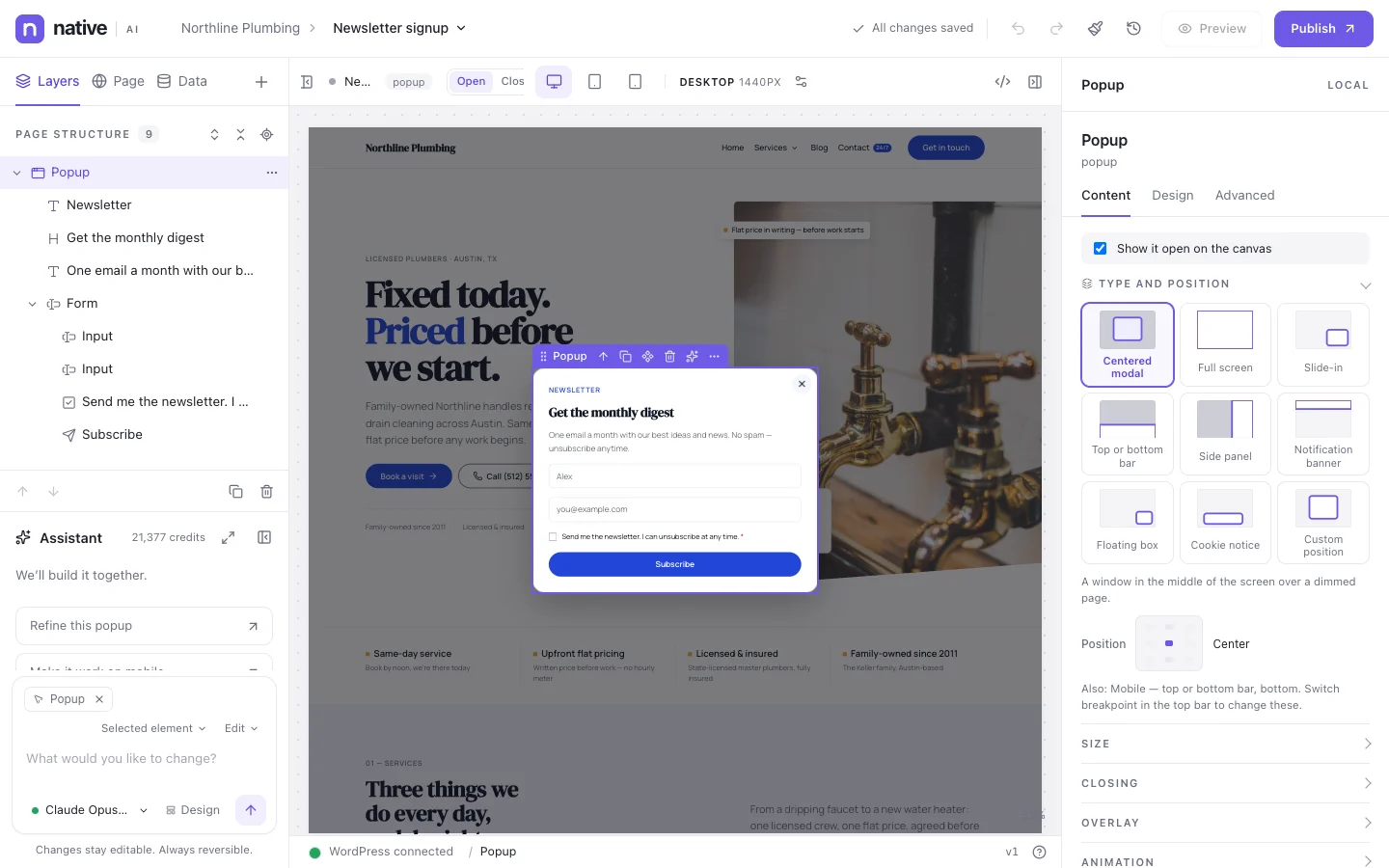
“Add an exit-intent popup offering a free consultation.”
A native popup with its trigger and how often it shows. It starts as a draft.
“Which pages lost visitors this month?”
Compares this month with last, page by page, and checks recent changes to those pages.
“Find unfulfilled orders.”
Lists the paid orders waiting to ship, oldest first.
“Write a six-lesson course on home budgeting with a quiz after each lesson.”
Writes the outline, every lesson and the quizzes as drafts for you to review, and sets who can take it.
“Why was a customer locked out this morning?”
Reads the security log, finds the lockout and its address, and can unblock it for you.
“Which plugins need updates?”
Lists the installed plugins and the ones with an update waiting.
“Use the color scheme of this website: https://…”
Opens the site, reads the colors and fonts it uses most, and sets your design system from them.
“Create a Services post type with Price and Duration fields.”
Its own menu in WordPress and custom fields — in ACF when it’s active — ready for a template.
“Add the prices from this PDF to the Services page.”
Reads the attached price list and builds it into the page in your design.
“Count quote requests as a conversion.”
Adds a conversion goal for the form, so Analytics counts every request.
“Show me low-stock products.”
Reads stock from WooCommerce and lists what’s running low or out, with how many are left.
“Refund order 1042 and put the items back in stock.”
Prepares the refund with the amount and how it’s paid back, and waits for your confirmation.
“When someone buys the course bundle, enroll them and tag them in the CRM.”
Builds the automation — the purchase, the enrollment, the CRM tag — as a draft, and asks before switching it on.
“What happened on the site this week?”
Reads the activity record, updates, errors and health checks, and sums them up.
“Add a snippet that turns off comments on pages.”
Writes and checks the code, and saves it as a draft that you switch on.
One plugin. One agent. Your whole site.
Start free: a license for one website and AI credits to build with, no card needed. Describe your business and watch Native WP AI design your home page.