FeaturesGrowCRM
A CRM inside WordPress, with automations the AI can build for you
Switch the CRM on and every form, new user and WooCommerce order can become a contact, with lists, tags, custom fields, notes and a timeline of everything they did. Send campaigns to a list, a tag or a segment, and draw automations on a canvas — welcome series, follow-ups, lead scoring, birthdays — or describe one to the AI and check its draft on the canvas.
- Contacts, lists, tags, segments and custom fields
- Automations on a visual canvas, with recipes
- Campaigns with opens, clicks and unsubscribes
We’ll email you about early access — nothing else without asking. Privacy
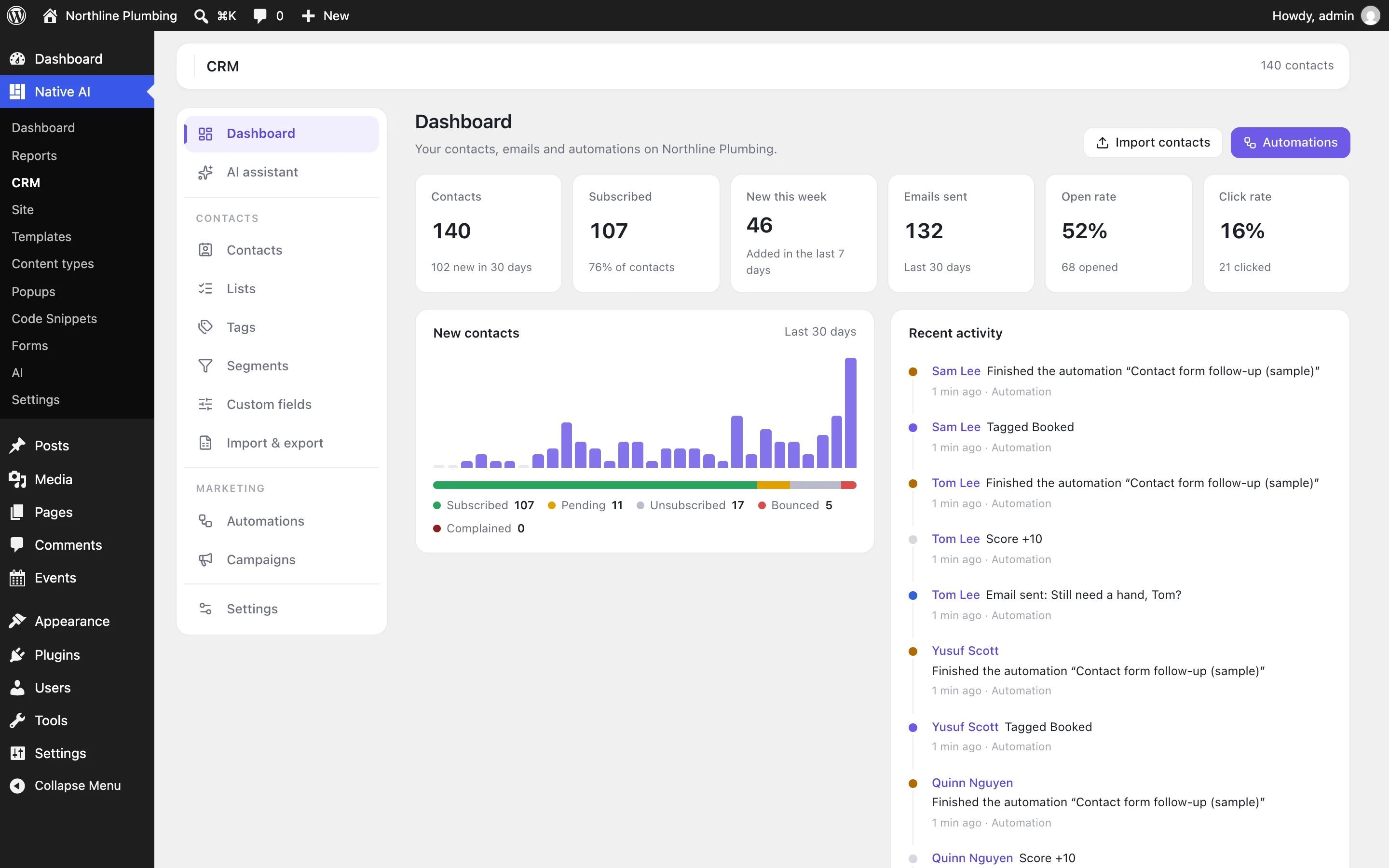
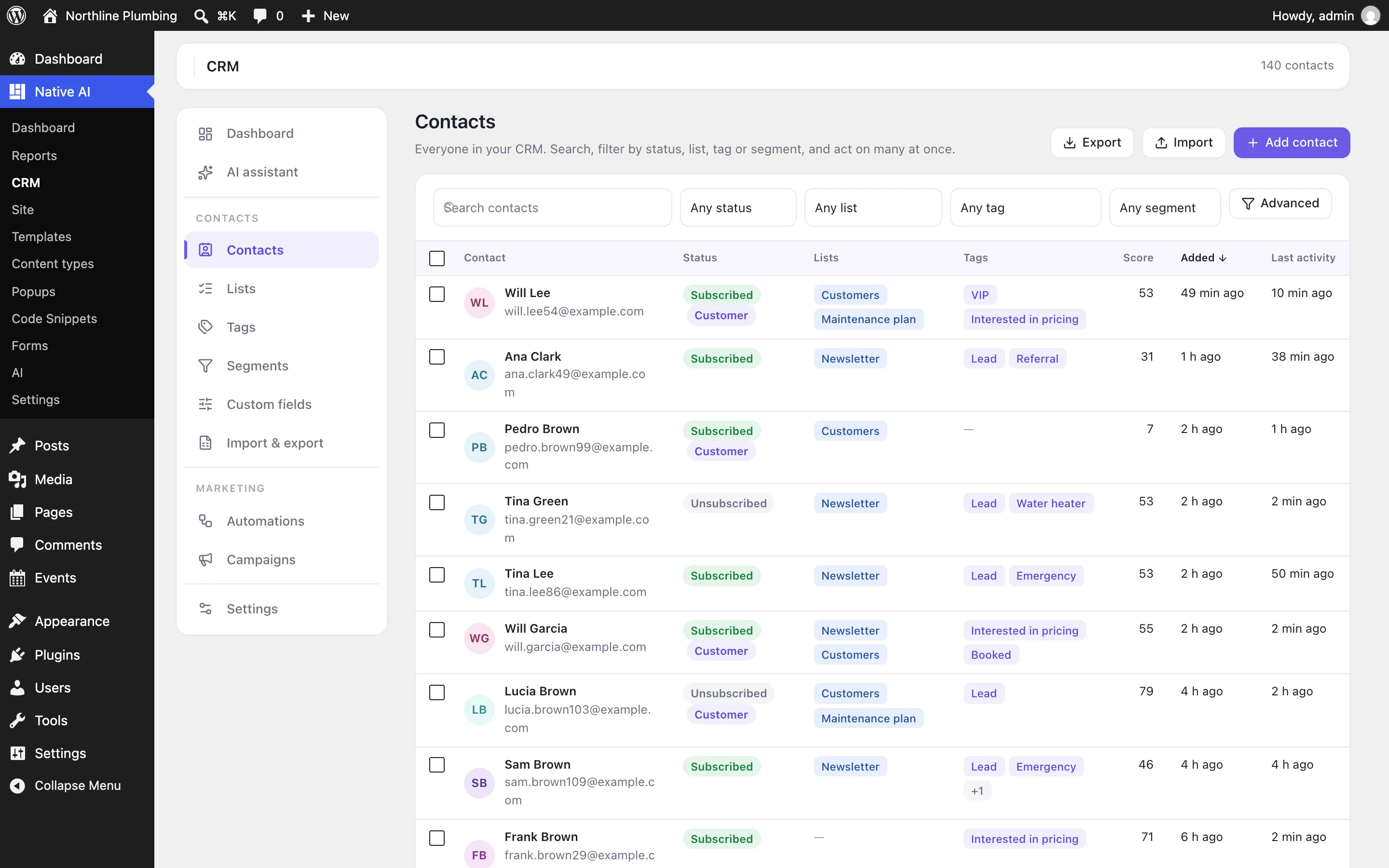
Everyone who reached out, in one place
Contacts arrive from Native AI forms (the “Add to Native AI CRM” action, or an automation that starts when a form is sent), new WordPress users, paid WooCommerce orders, CSV imports from other tools, or by hand. Each has a status — subscribed, pending, unsubscribed, bounced — lists, tags, a score, your own custom fields, notes, and a timeline of the forms they sent, the emails they opened and clicked and the automations they went through.
Segments keep themselves up to date from rules — “subscribed leads in Austin who opened an email in the last 30 days” — and the Contacts screen filters, exports and acts on hundreds at once.
- Lists, tags, scores and custom fields
- A timeline for every contact
- Segments from rules, bulk actions, CSV import and export
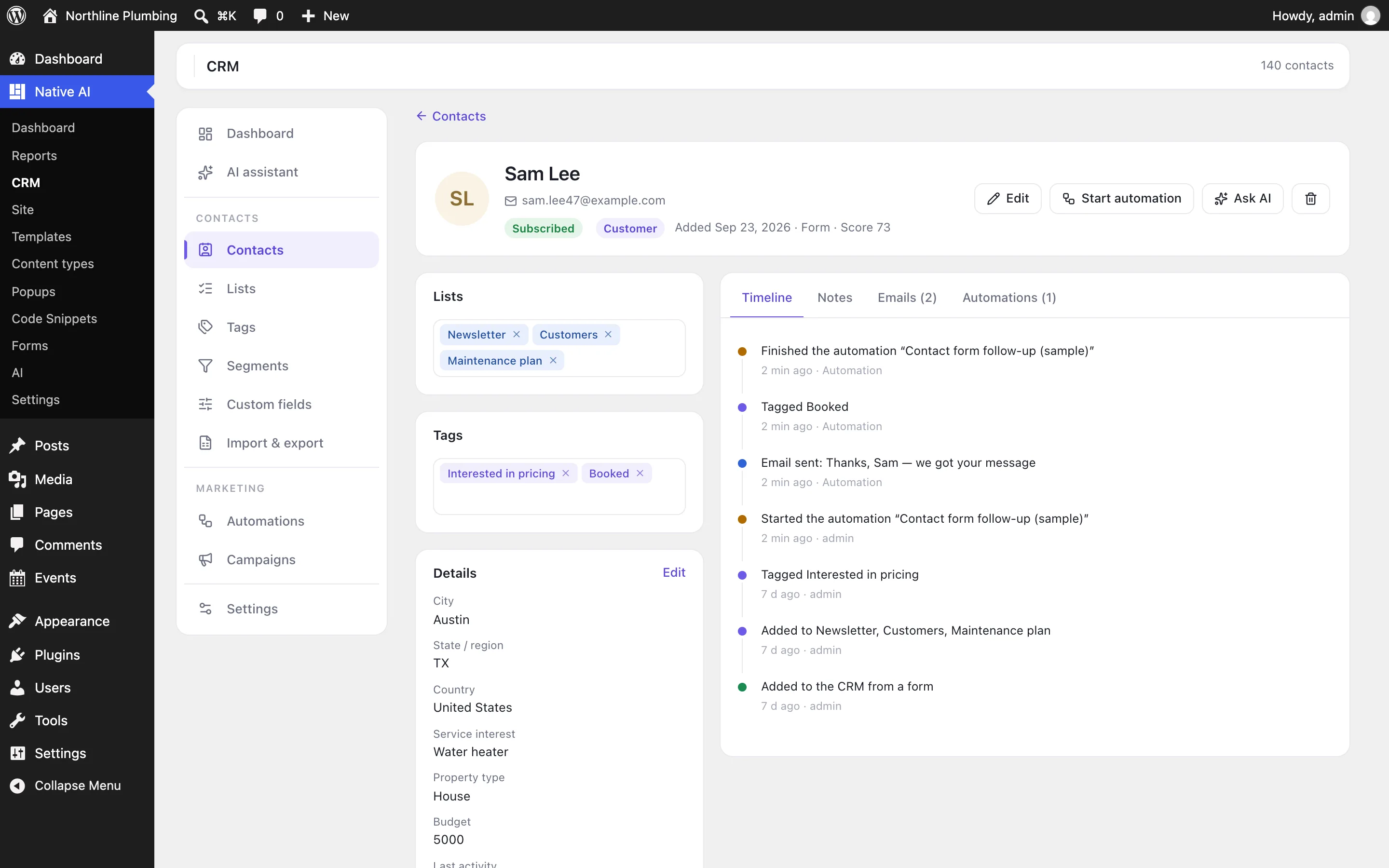
Automations on a canvas
Choose what starts it — a form, a tag, joining a list, a new user, a paid order, a status change, a birthday — then add steps: send an email, wait, if/else on any rule, random split, add or remove tags and lists, update fields, adjust the score, add a note, notify your team, send a webhook, create a WordPress user or start another automation. Drag steps from the side, connect them, and watch how many contacts passed each step and who is waiting where.
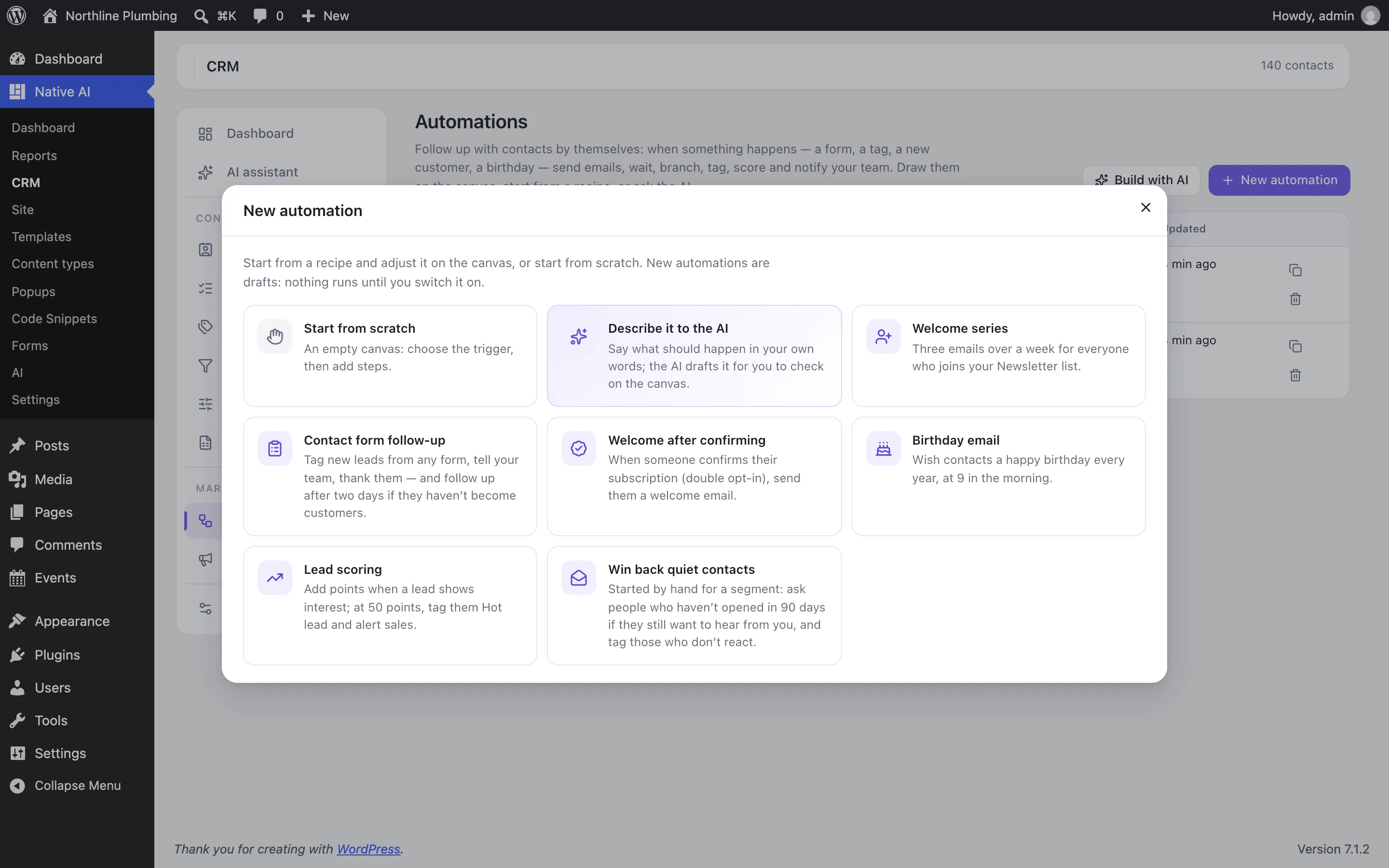
Start from a recipe — welcome series, contact form follow-up, lead scoring, birthday email, win back quiet contacts — or ask the AI: it drafts the automation from your description, and nothing runs until you switch it on.
- Triggers from forms, tags, lists, users, orders and dates
- Results on every step
- Recipes, and drafts from the AI
Campaigns that respect your list
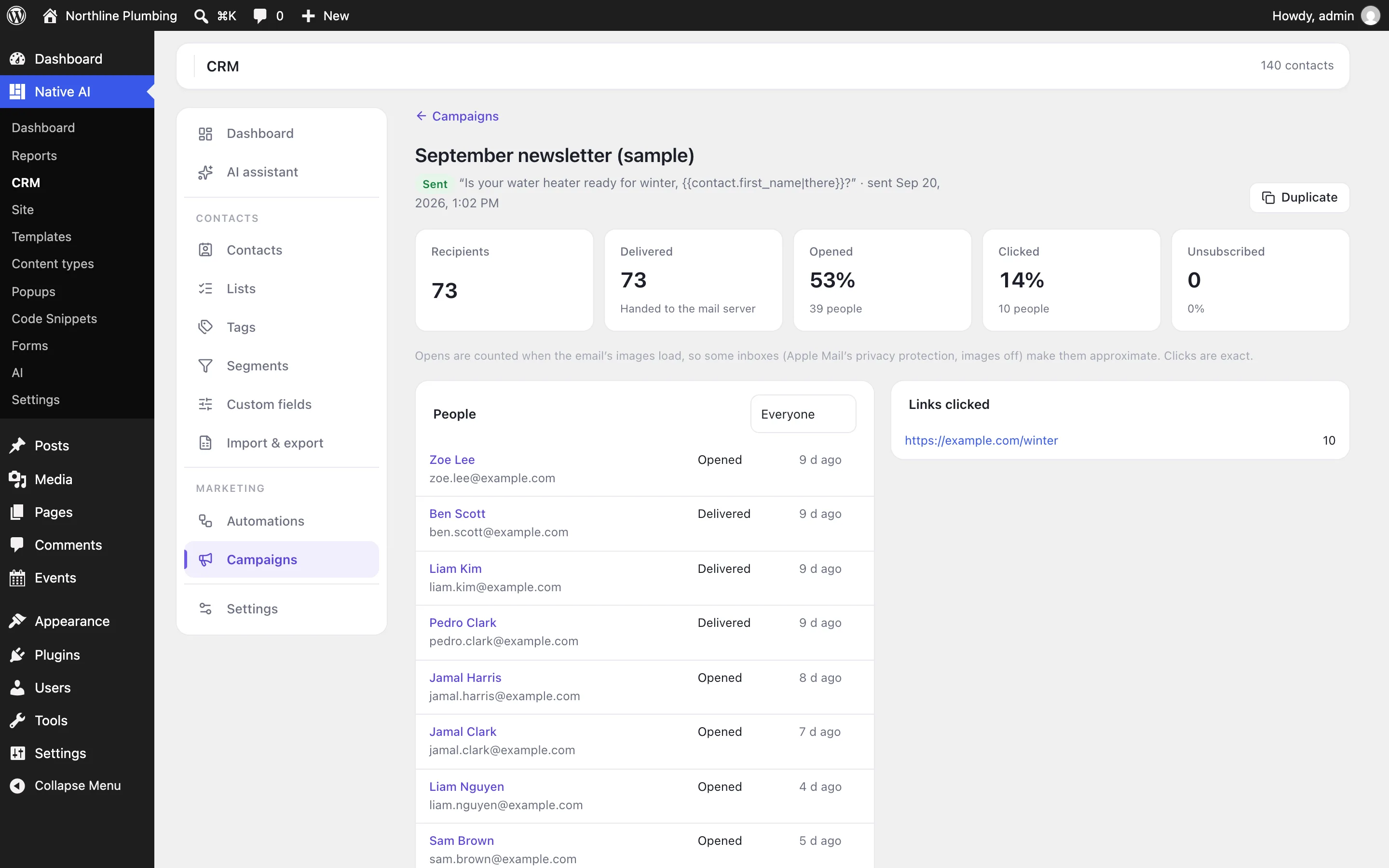
Write an email once — personalized with merge tags like the contact’s first name — preview it as it will arrive, send a test, then send it now or schedule it to the subscribed contacts in any lists, tags or segments. It goes out through your site’s own email setup a batch at a time, and every email has an unsubscribe link and a preferences page where people choose the public lists they want.
The report shows who got it, who opened and clicked, which links were clicked and who unsubscribed.
- Personalized emails with a live preview
- Scheduling, sending speed, pause and resume
- Unsubscribe, preferences and double opt-in built in
CRMEverything included
Everything in CRM
Contacts
- Statuses, contact types and sources
- Lists (public ones on the preferences page) and tags
- Custom fields: text, number, date, dropdown, multiple choice, yes/no, link
- Notes, calls and meetings
- A timeline of forms, emails, automations and changes
- Segments from rules
- CSV import and export, WordPress users
Automations
- Triggers: contact added, tag or list added or removed, status changed, form sent, user registered, date comes round, WooCommerce order paid, by hand
- Steps: email, notify the team, tags, lists, update fields, status, score, note, wait, if/else, random split, start another automation, webhook, create a user, end
- Results on every step, contacts waiting and finished
- Campaigns to lists, tags and segments
- Merge tags with fallbacks
- Opens and clicks (optional)
- Unsubscribe, preferences page and double opt-in
- Sent through WordPress’s own email (your SMTP service)
AI
- Find and change contacts, tags and lists
- Build segments from a description
- Draft automations and campaigns for you to check
- Asks before emailing people or deleting anything
Questions about CRM
Does the CRM send email itself?
It sends through WordPress’s own email, so whatever your site uses — an SMTP plugin connected to an email service, or your host’s mail — delivers it. For campaigns to many people, connect an email service; you choose how many emails go out per minute.
Is the CRM required?
No. It’s an optional feature you switch on in Settings → Features. Switching it off stops automations and campaigns and hides its screens; it never deletes contacts or history.
Can the AI email my contacts on its own?
No. The AI can find and organize contacts and draft automations and campaigns, but switching an automation on, starting contacts in one and sending a campaign always wait for you to approve them.
CRMKnowledge base
How to use it
Step-by-step articles, settings and answers in the knowledge base.
- Turn on the CRMThe Native AI CRM keeps contacts, lists, tags, automations and email campaigns in your own WordPress. Switch it on, set who emails come from, and connect where contacts come from.
- Contacts, lists, tags and segmentsFind and filter contacts, see everything about one person, organize them with lists, tags, custom fields and segments, act on many at once, and import or export CSV.
- AutomationsFollow up with contacts by themselves: choose what starts an automation, then draw its steps on the canvas — emails, waits, if/else, tags, scores, team notifications — or start from a recipe or ask the AI.
- Email campaignsWrite an email once and send it — now or at a time — to the subscribed contacts in lists, tags or segments; then see who opened, clicked and unsubscribed.
Works well with
Describe it. Native AI builds it.
Native AI is in early access. Leave your email and we’ll set you up with a license — or tell us more about your sites first.
We’ll email you about early access — nothing else without asking. Privacy