FeaturesGrowSEO
SEO for every page, with an AI that does the work
Switch SEO on and Native AI handles what an SEO plugin does — titles, descriptions, indexing, social sharing, structured data, sitemaps, robots.txt, redirects — and audits every page the way a visitor sees it. Then the AI fixes what it finds: a background job writes titles, descriptions, focus keywords and alt text for hundreds of pages at once, as suggestions you review or straight onto the pages.
- Titles, descriptions, keywords, indexing and structured data for every page
- An audit of every page and the site, with a score and what to fix first
- AI that writes and fixes SEO across the whole site, in bulk
We’ll email you about early access — nothing else without asking. Privacy
Know what to fix first
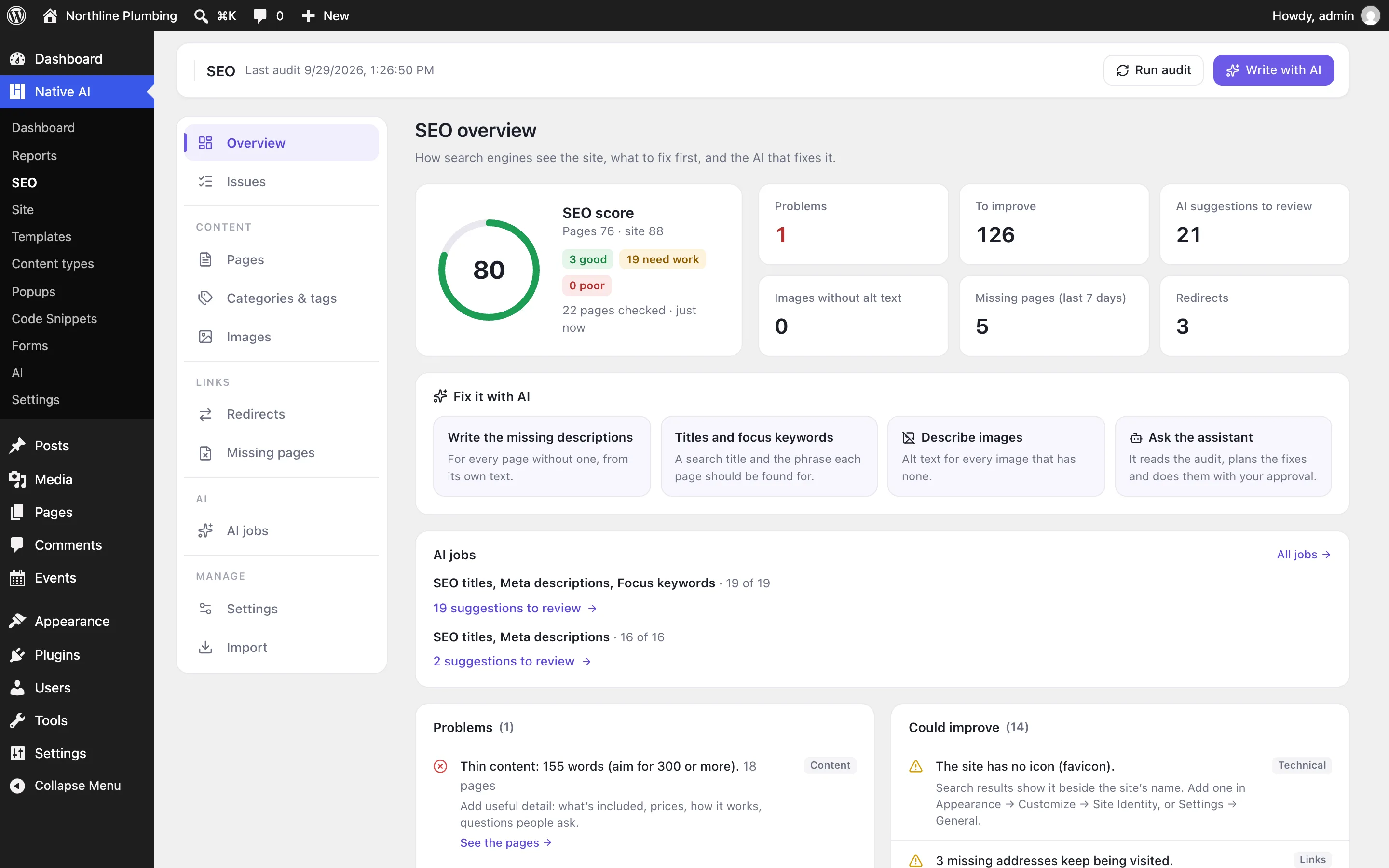
The audit loads every published page like a visitor and checks it: the title and description, the focus keyword, headings, words, images, links, indexing, structured data and readability. Then it checks the site: the same title on several pages, pages nothing links to, links to missing pages, the sitemap, HTTPS, the business behind the site.
The overview gives a score out of 100 and lists problems first, each with what to do, the pages it affects and a one-click fix — often with AI.
- Checks of every page and of the site
- A score out of 100, per page and for the site
- Problems first, with what to do
Every page’s SEO in one table
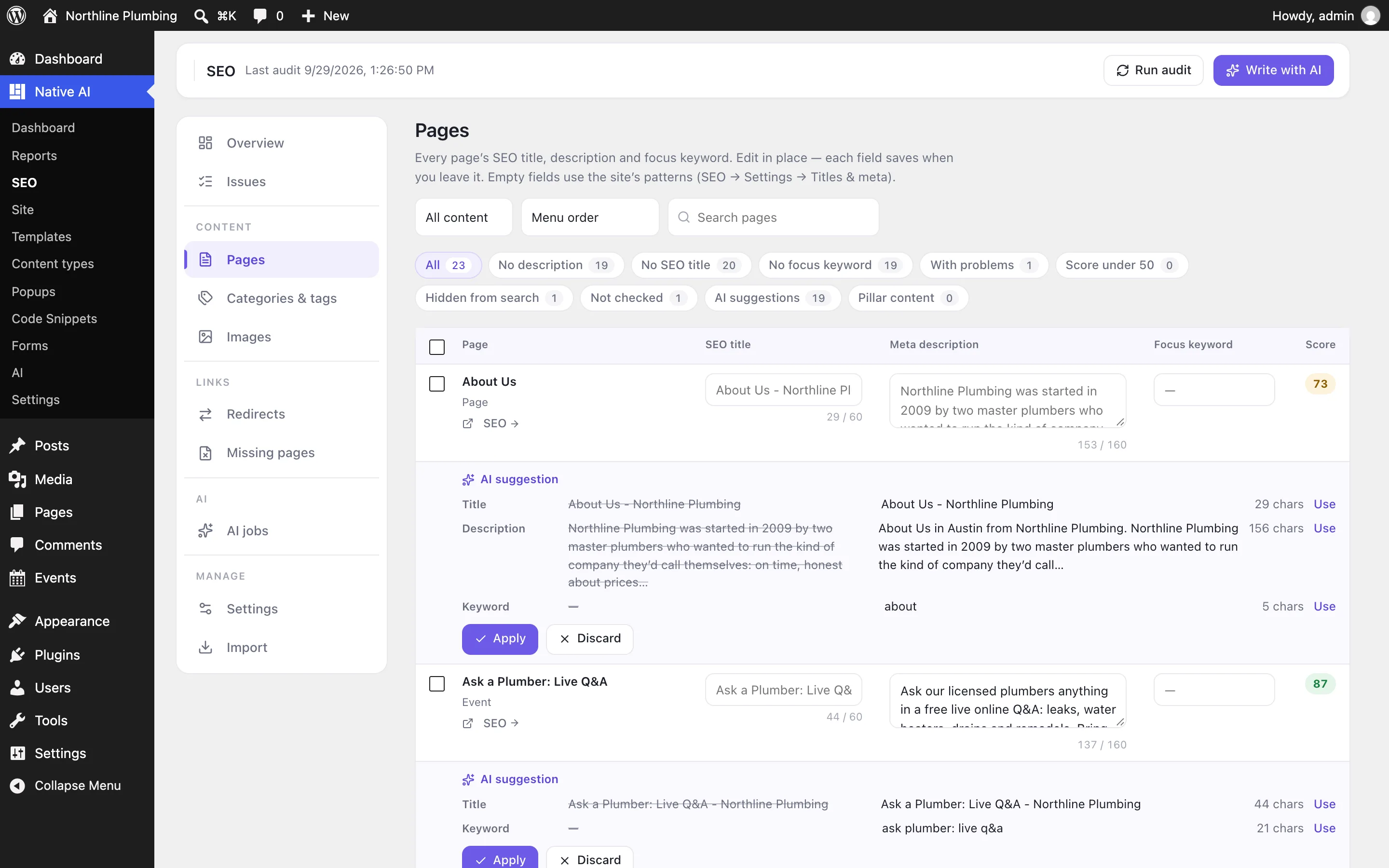
SEO → Pages lists every page, post and product with its SEO title, description, focus keyword and score. Edit in place, filter by what’s missing or failing, and act on many pages at once.
Write with AI starts a background job for the pages you choose: those without a description, those scoring under 60, every page or a selection. You see the credits it will use first, and choose whether its suggestions wait for review or go straight onto the pages — undoable as a whole.
- Inline editing and filters
- AI jobs for hundreds of pages, with an estimate first
- Suggestions to review, or applied with undo
In the builder, as you design
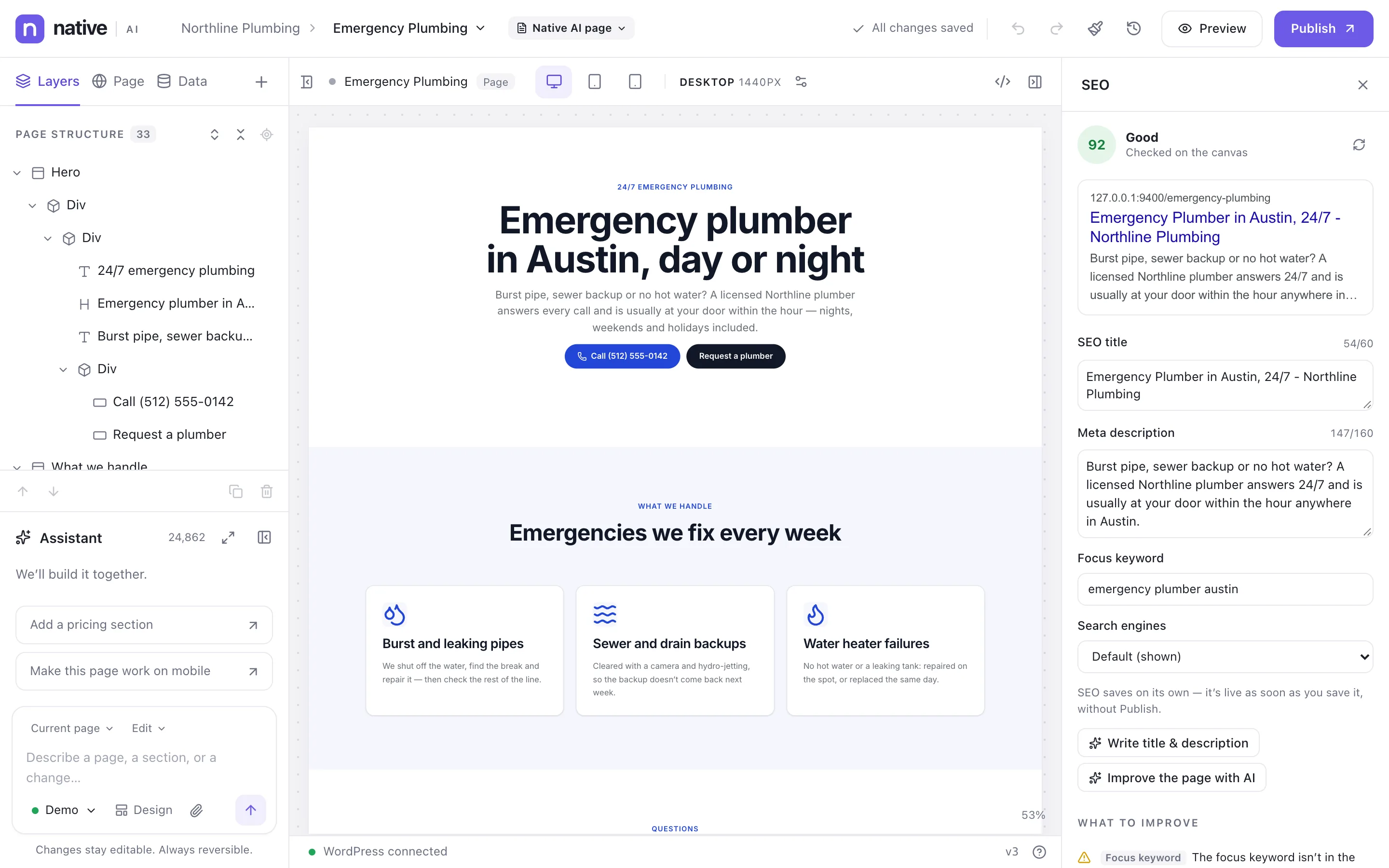
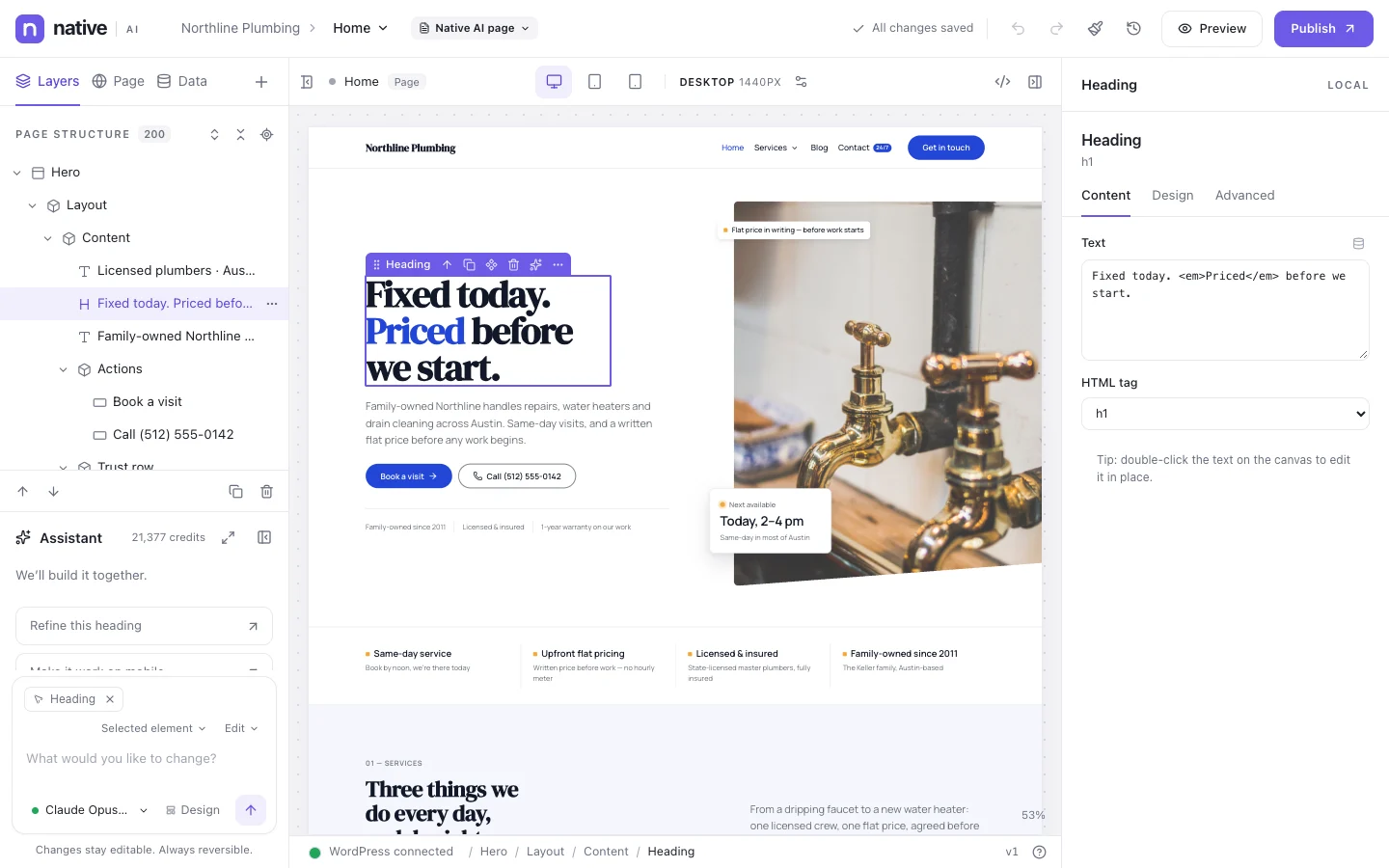
The builder’s SEO panel shows the page as a Google result, its title, description, focus keyword and indexing, and checks the page on the canvas as you edit — a missing H1 or an image without alt text shows up before you publish.
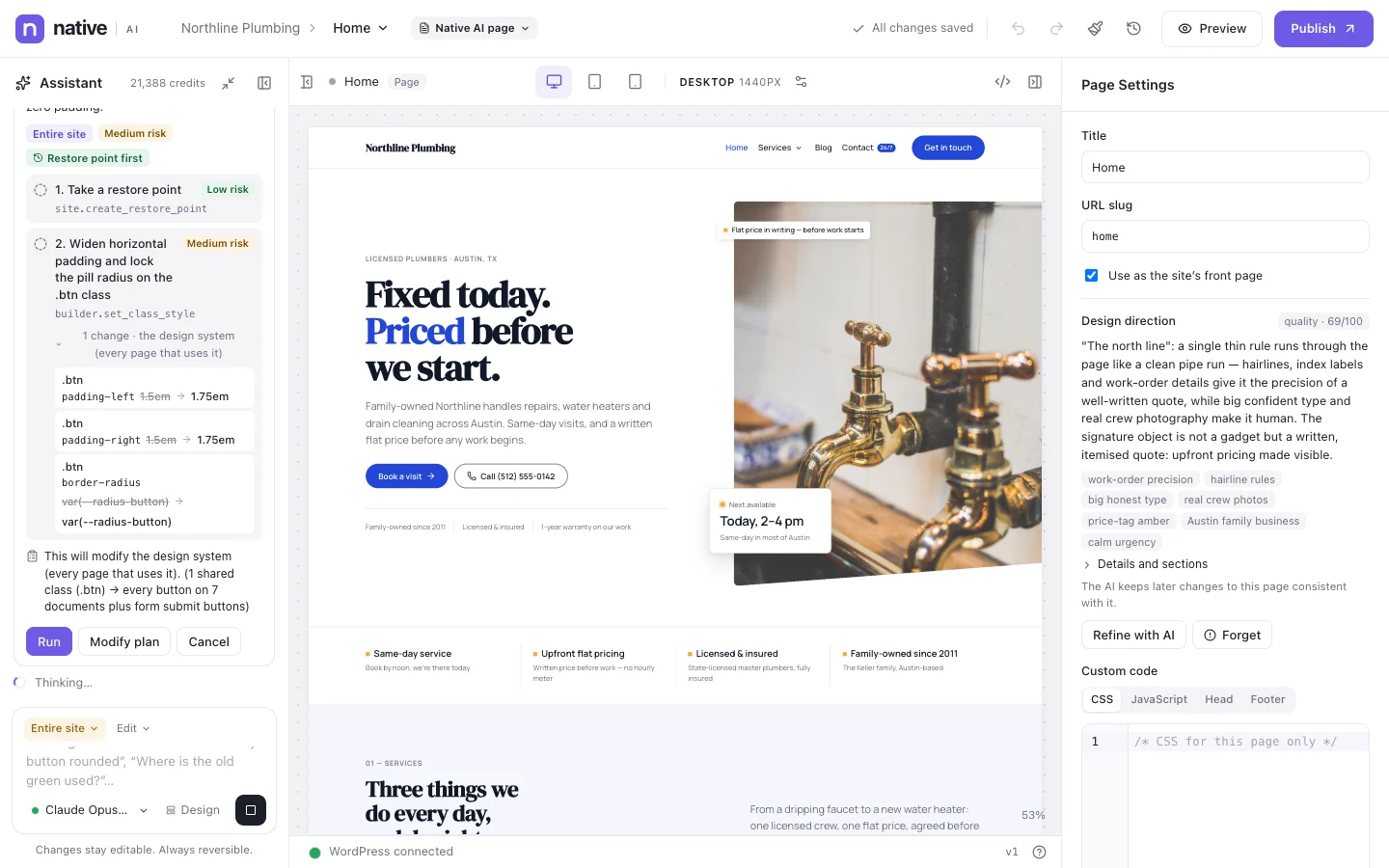
Write title & description fills the fields from what’s on the canvas; Improve the page with AI asks the agent to fix headings, alt text and links too, with a plan first.
- Google preview and live checks on the canvas
- AI-written title, description and keyword
- The agent fixes the page itself
The technical side, done
One JSON-LD graph per page: the website, your business (an organization, one of 40 local business types, or a person) with its hours and address, the page, breadcrumbs, and what the page is — an article, product, service or event. WooCommerce products get their price, stock and reviews.
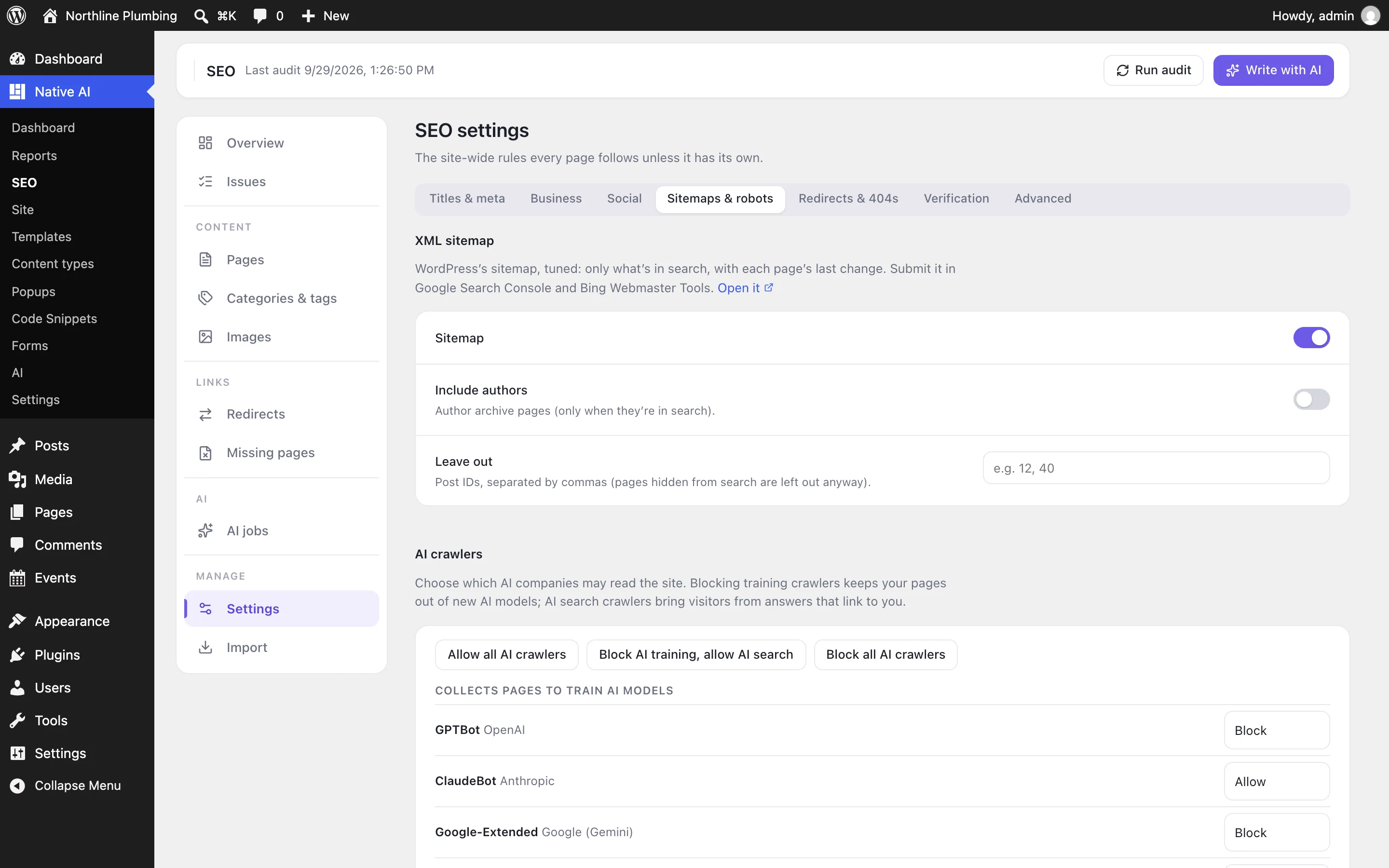
A tuned XML sitemap, robots.txt with rules for thirteen AI crawlers, llms.txt, IndexNow, verification codes, redirects (added automatically when an address changes) and a log of missing pages. Switching from Yoast SEO, Rank Math, All in One SEO, SEOPress or The SEO Framework imports their data.
- Structured data and your business
- Sitemap, robots.txt, AI crawlers, llms.txt, IndexNow
- Redirects and missing pages
- Imports from other SEO plugins
SEOEverything included
Everything in SEO
Each page
- SEO title and meta description with patterns and variables
- Focus keyword and related keywords
- Indexing, nofollow and advanced robots rules
- Canonical address
- Social sharing title, description and image
- Structured data: web page, article, service, product, event
- Pillar content
- In the builder, WordPress’s editor, the bulk table and categories and tags
The site
- Title patterns for every content type and archive
- The business behind the site: organization, local business or person
- Breadcrumbs and WooCommerce product data
- XML sitemap
- robots.txt with AI crawler rules
- llms.txt
- IndexNow
- Verification codes
Audit and links
- Checks of every page and the site, with scores
- Duplicate titles, descriptions and keywords
- Pages nothing links to, and broken links
- Link ideas between pages
- Redirects: 301, 302, 307, 410, 451, with patterns
- Automatic redirects when an address changes
- A log of missing pages
AI
- Titles, descriptions, keywords, social text and alt text for many pages at once
- A credit estimate first
- Suggestions to review, or applied with undo
- An agent that audits and fixes SEO in the builder and in WordPress
- Imports from Yoast SEO, Rank Math, All in One SEO, SEOPress and The SEO Framework
Questions about SEO
Is SEO required?
No. It’s an optional feature switched on in Settings → Features. Switching it off stops everything it prints and does; nothing is deleted.
Can I keep my current SEO plugin?
Yes, but only one should print SEO tags. While another SEO plugin is active, Native AI leaves them to it. Import its data when you’re ready, then deactivate it.
What does the AI see when it writes SEO?
Each page’s words — its title, headings, the start of its text and its current SEO — or a small copy of each image for alt text. Never its code, form entries or anything private.
Does it show Search Console data or track rankings?
No. Native AI doesn’t connect to Google Search Console or keyword tools; it checks and fixes the site itself.
SEOKnowledge base
How to use it
Step-by-step articles, settings and answers in the knowledge base.
- Turn on SEONative AI SEO does what an SEO plugin does — titles, descriptions, indexing, structured data, sitemaps, redirects and an audit of every page — and the AI can check and fix it across the whole site.
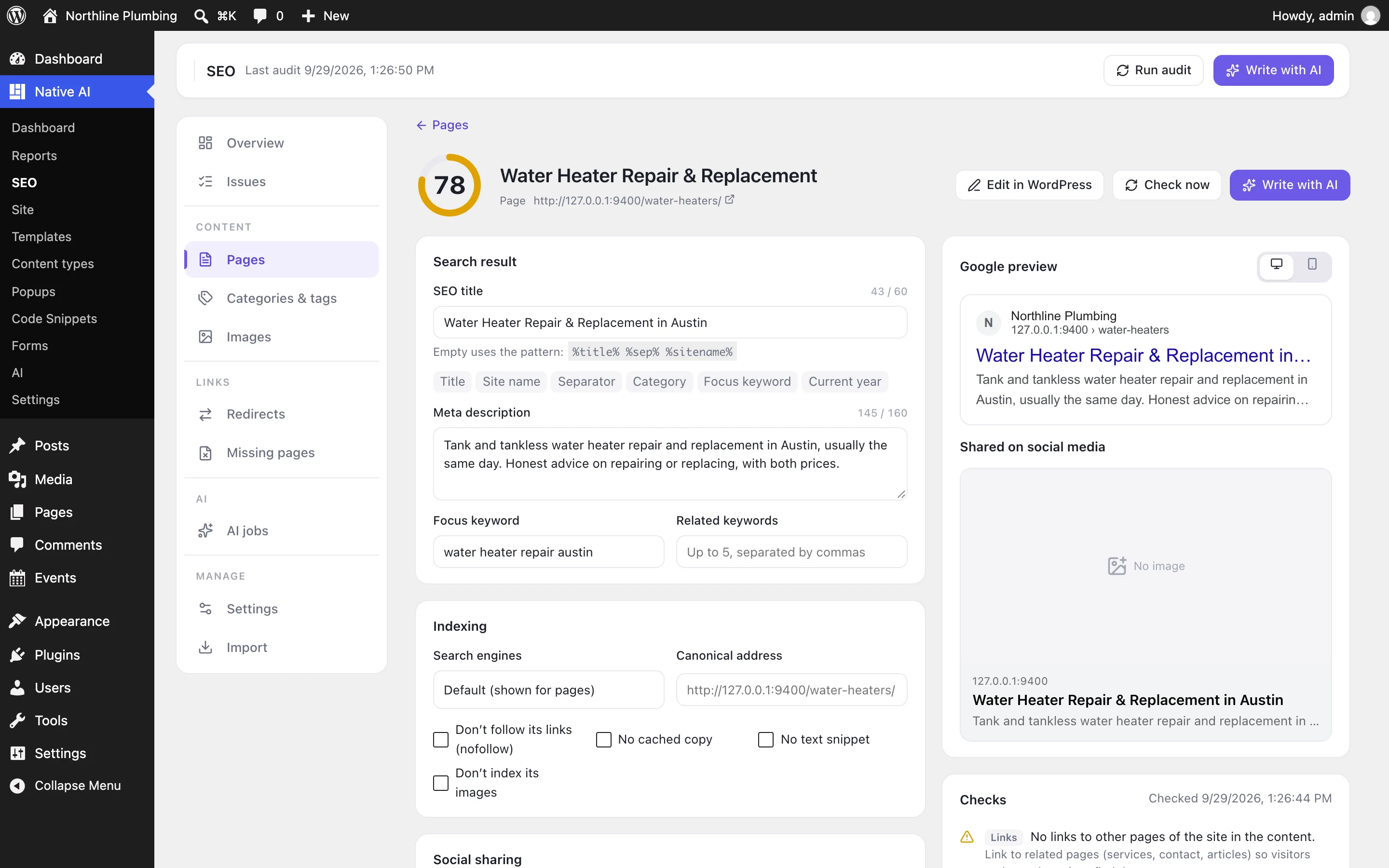
- Titles, descriptions and keywordsEvery page’s search result — its SEO title, meta description and focus keyword — plus indexing, canonical address, social sharing and structured data, edited in the builder, in WordPress or many pages at once.
- Fix SEO with AIBackground AI jobs write titles, descriptions, focus keywords, social text and image alt text for many pages at once — as suggestions to review or straight onto the pages — and the agent audits and fixes SEO for you.
- The SEO auditHow Native AI checks every page and the site — titles, descriptions, headings, the focus keyword, images, links, indexing, structured data, readability — and scores them out of 100.
- Structured data and your businessThe business behind the site and what each page is, told to search engines as JSON-LD — for knowledge panels, local results and rich results — plus social sharing defaults.
- Sitemaps, robots.txt and AI crawlersThe XML sitemap, robots.txt with rules for AI crawlers, llms.txt for AI assistants, IndexNow and verification codes for Google, Bing and others.
- Redirects and missing pagesSend old addresses to new ones (301, 302, 307, 410, 451), automatically when a page’s address changes, and see the missing pages people and search engines still visit.
- Switching from another SEO pluginImport titles, descriptions, keywords, indexing, social text, terms, settings and redirects from Yoast SEO, Rank Math, All in One SEO, SEOPress, The SEO Framework and Redirection.
Works well with
Describe it. Native AI builds it.
Native AI is in early access. Leave your email and we’ll set you up with a license — or tell us more about your sites first.
We’ll email you about early access — nothing else without asking. Privacy