DocsSEO
Titles, descriptions and keywords
Every page’s search result — its SEO title, meta description and focus keyword — plus indexing, canonical address, social sharing and structured data, edited in the builder, in WordPress or many pages at once.
A page’s SEO title is the blue link in Google’s results and the browser tab’s name; its meta description is the text under it. Both are your pitch to someone choosing which result to click.
In the builder#
Open the page, then Page tab → SEO (or the SEO button in Page settings). The panel shows the page as a Google result, its title, description, focus keyword and indexing, and what to improve — checked on the canvas as you edit, before you publish.
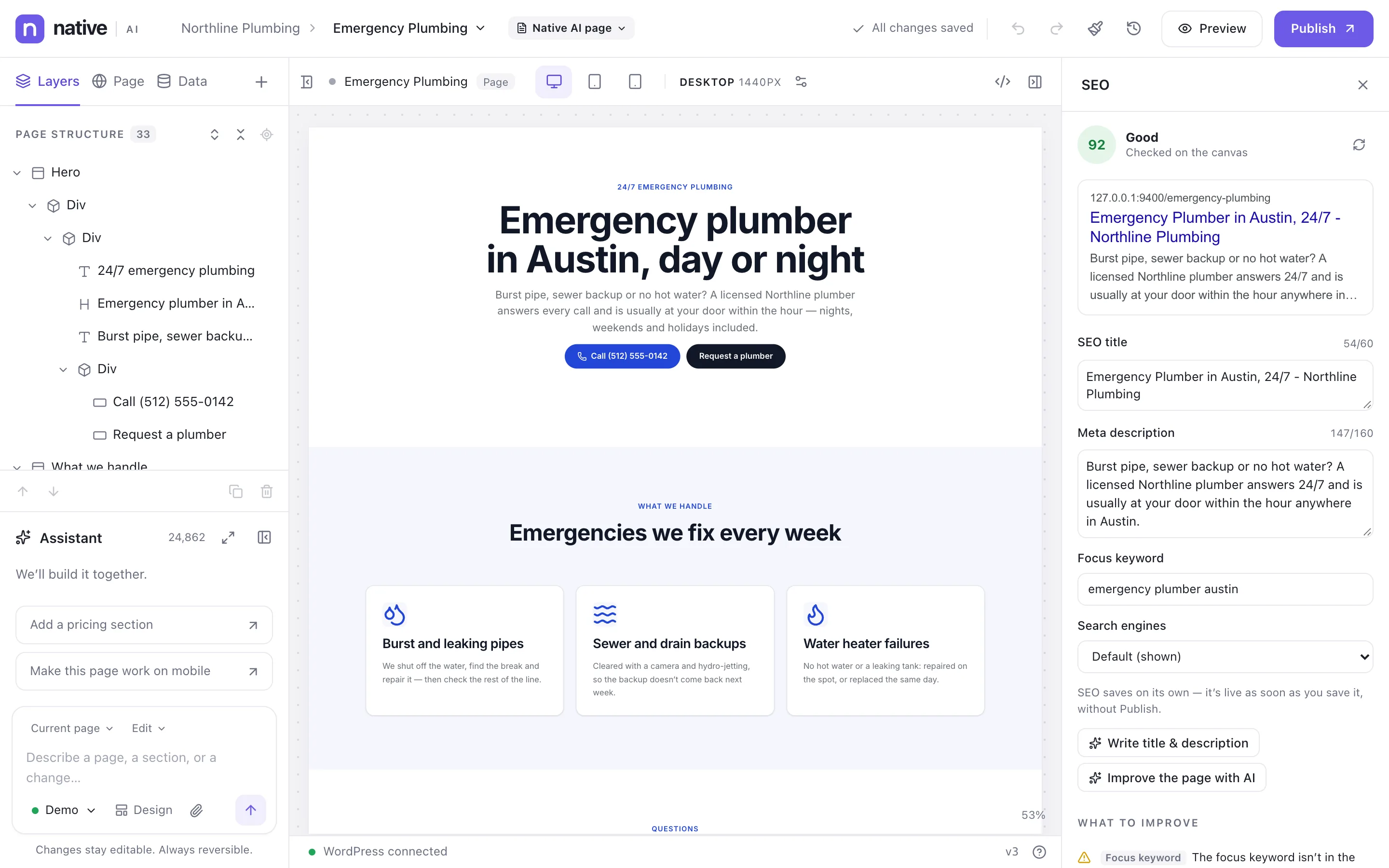
- Write title & description — the AI writes them from what’s on the canvas; check them, then Save SEO.
- Improve the page with AI — the assistant gets a request to check the page and fix what it can (headings, alt text, links as well as the fields), with a plan first.
Many pages at once#
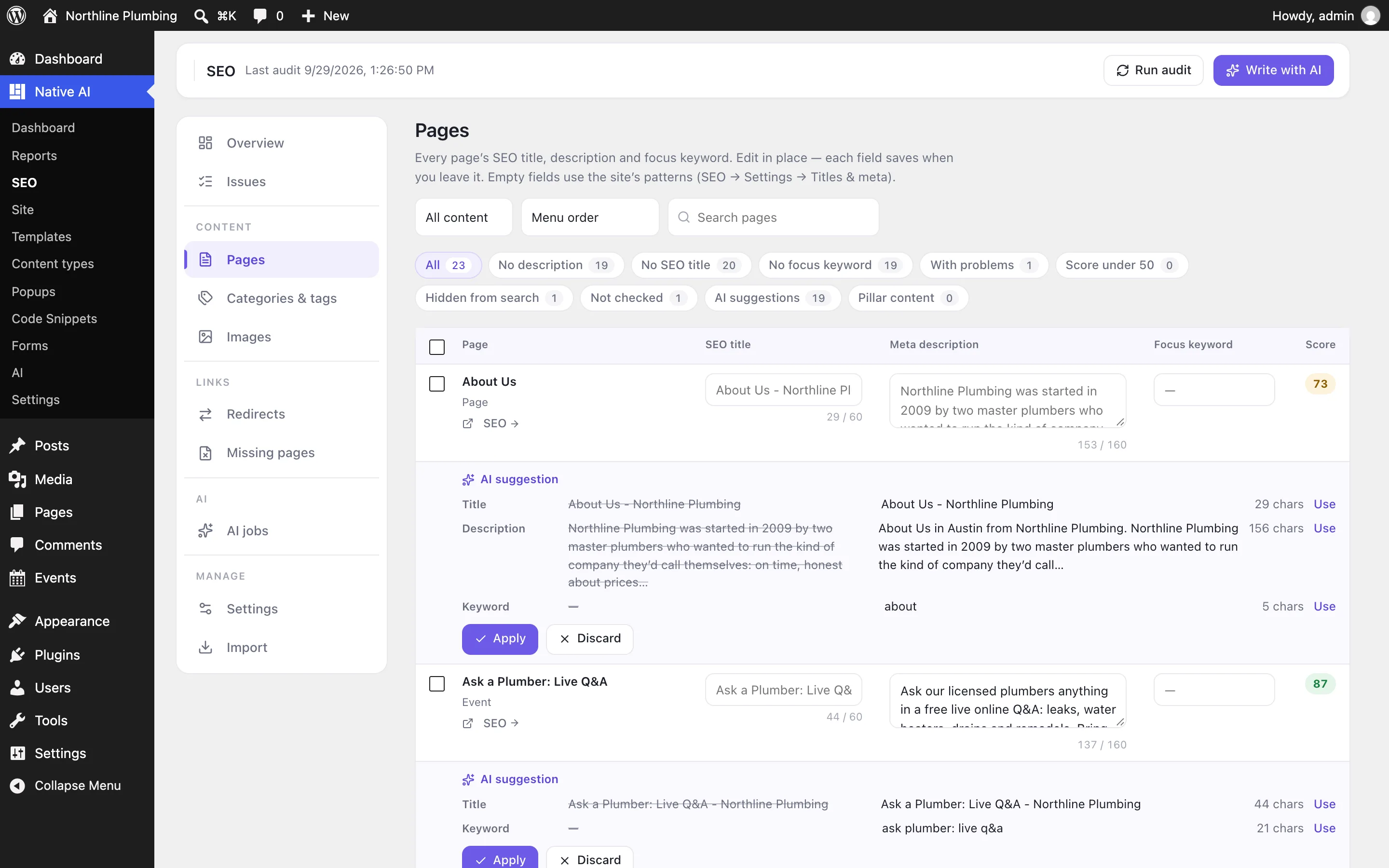
Native AI → SEO → Pages lists every page, post, product and item with its SEO title, description, focus keyword and score. Edit in place — each field saves when you leave it. Filters show what’s missing or failing (no description, no focus keyword, problems, hidden from search, AI suggestions…). Select pages to write their SEO with AI, apply or discard suggestions, or hide them from search.
One page in full#
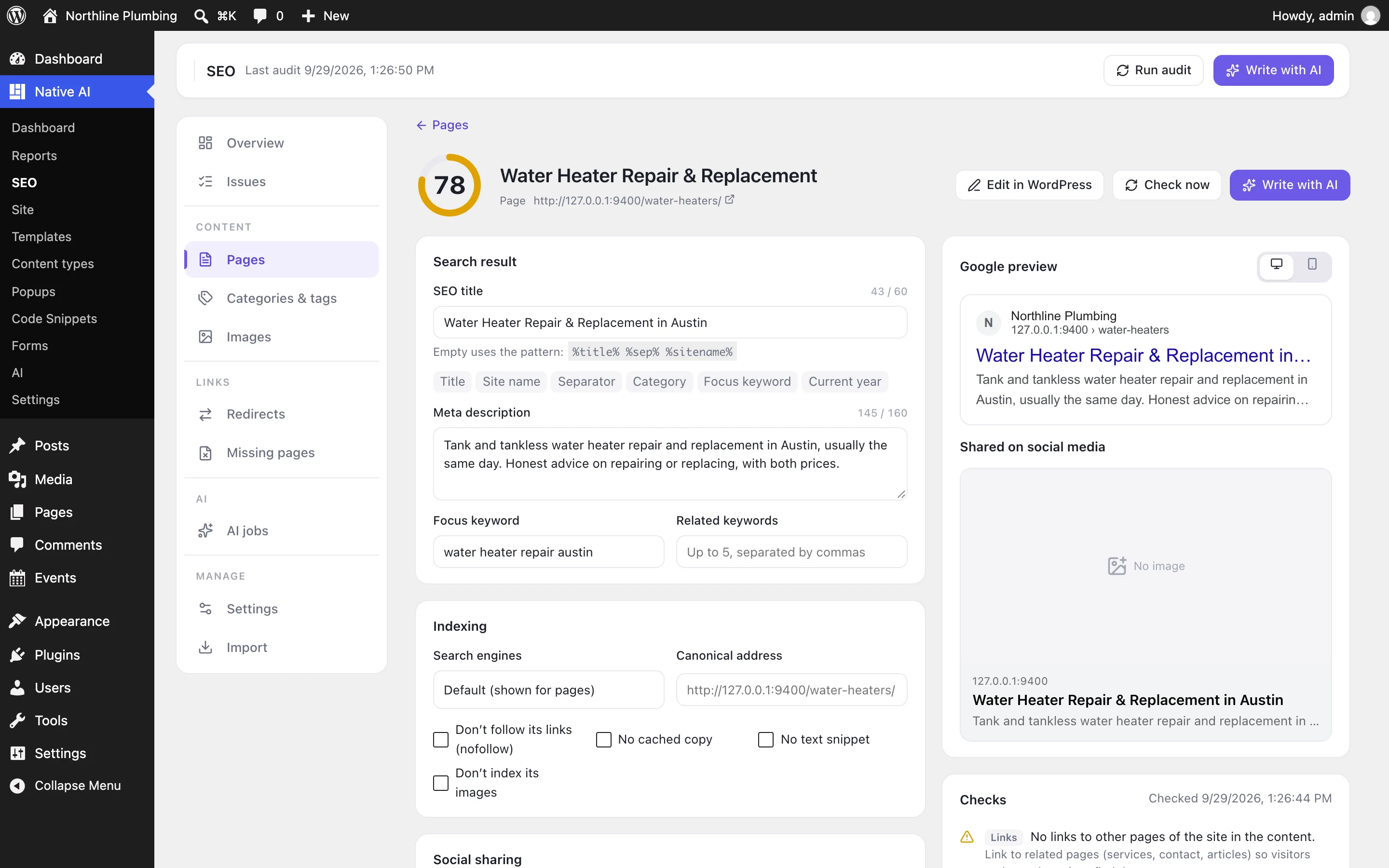
Click a page for everything: Google and social previews that follow every keystroke, the checks, headings, link ideas, and all the fields:
| Field | What it does |
|---|---|
| SEO title | Empty uses the content type’s pattern (SEO → Settings → Titles & meta). Aim for 30–60 characters, the topic first. |
| Meta description | Empty uses the pattern (usually the start of the page’s text). Aim for 120–160 characters: what visitors get, and why here. |
| Focus keyword, related keywords | The phrase people search to find this page. The checks look for it in the title, description, main heading, opening, address, subheadings and image alt text — as people write it, so “emergency plumber in Austin” counts for “emergency plumber austin”. |
| Search engines | Default, show, or hide (noindex). Plus nofollow, no cached copy, no text snippet, don’t index its images. |
| Canonical address | When this page is a copy of another, the address search engines should show instead. |
| Social sharing | Title, description and image for Facebook, LinkedIn, X, WhatsApp and Slack. Empty uses the SEO title and description, and the featured image. |
| Structured data | What the page is — see Structured data and your business. |
| Pillar content | One of the site’s most important pages: link ideas point to it first. |
In WordPress’s editor#
Posts, pages and products edited in WordPress have a Native AI SEO box with the Google preview, title, description, focus keyword and indexing, the score and a link to the rest. Category and tag screens have SEO title, description and indexing fields.
Patterns and variables#
Titles and descriptions can use variables. The site’s patterns (SEO → Settings → Titles & meta) set them per content type — pages usually %title% %sep% %sitename% — and a page’s own title can use them too.
| Variable | Name | What it becomes |
|---|---|---|
%title% | Title | The page, post, product or term title. |
%sitename% | Site name | The site's name (WordPress → Settings → General). |
%tagline% | Tagline | The site's tagline. |
%sep% | Separator | The separator chosen in SEO → Settings → Titles. |
%excerpt% | Excerpt | The excerpt, or the start of the text when there isn't one. |
%category% | Category | A post's first category. |
%term% | Term | The category, tag or term of an archive. |
%term_description% | Term description | The archive's term description. |
%author% | Author | The author's display name. |
%date% | Published | The date it was published. |
%modified% | Updated | The date it was last updated. |
%page% | Page number | “Page 2 of 5” on later pages of a list; nothing on the first. |
%searchphrase% | Search phrase | What was searched for, on search results. |
%pt_single% | Content type | The content type's singular name (Service, Product…). |
%pt_plural% | Content type (plural) | The content type's plural name (Services, Products…). |
%focuskw% | Focus keyword | The page's focus keyword. |
%currentyear% | Current year | This year. |
%currentmonth% | Current month | This month's name. |
On the features pages
Still have a question? Email us at support.