DocsSEO
Turn on SEO
Native AI SEO does what an SEO plugin does — titles, descriptions, indexing, structured data, sitemaps, redirects and an audit of every page — and the AI can check and fix it across the whole site.
SEO is an optional feature, off until you switch it on.
- Switch it onGo to Native AI → Settings → Features and switch on SEO.
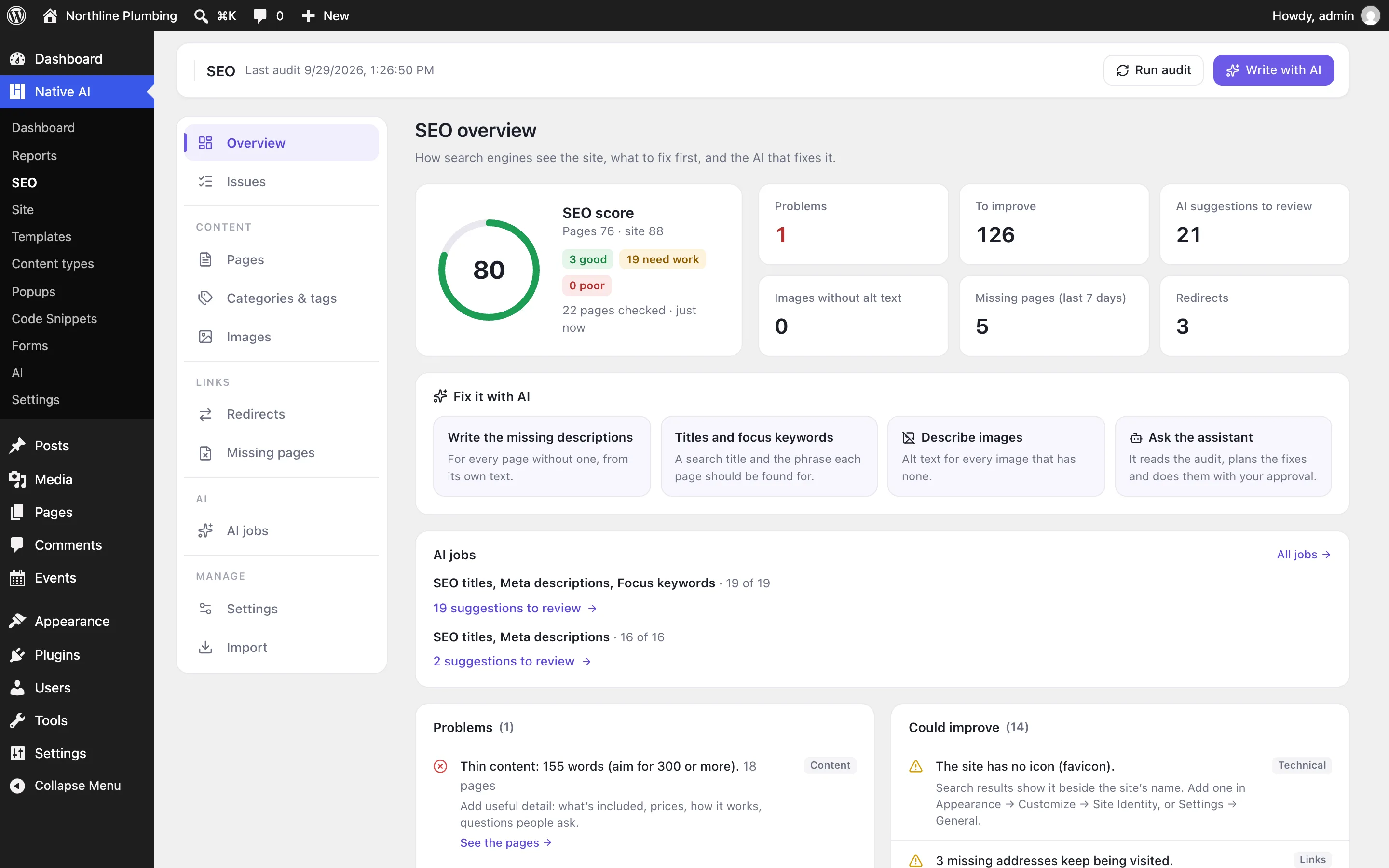
- Run the first auditNative AI → SEO appears in the menu. Press Run audit: every published page is loaded the way a visitor sees it and checked.
- Fix what mattersThe overview lists problems first, then what could improve — each with what to do, the pages it affects, and a way to fix it (often with AI).
What it does#
| Area | What you get |
|---|---|
| Each page | SEO title and meta description, focus keyword, indexing, canonical address, social sharing text and image, structured data. See Titles, descriptions and keywords. |
| The site | Title patterns for every content type, the business behind the site, social defaults. See Structured data and your business. |
| Crawlers | XML sitemap, robots.txt with AI crawler rules, llms.txt, IndexNow, verification codes. See Sitemaps, robots.txt and AI crawlers. |
| Links | Redirects and a log of missing pages. See Redirects and missing pages. |
| The audit | Checks of every page and of the site, with a score out of 100. See The SEO audit. |
| AI | Titles, descriptions, keywords and alt text written for many pages at once, and an agent that fixes SEO for you. See Fix SEO with AI. |
Where things are#
- Native AI → SEO — the overview, issues, every page’s SEO in one table, categories and tags, images, redirects, missing pages, AI jobs, settings and import.
- In the builder — the page’s SEO panel: Page tab → SEO, or the SEO button in Page settings.
- In WordPress’s editor — a Native AI SEO box on every post, page and product, and SEO fields on category and tag screens.
If you use another SEO plugin#
While Yoast SEO, Rank Math, All in One SEO, SEOPress, The SEO Framework, Slim SEO, Squirrly or SmartCrawl is active, Native AI doesn’t print its SEO tags — two plugins would give search engines two answers. The overview says so. Import its data, then deactivate it.
Switching it off#
Switching SEO off stops everything — no tags, redirects, sitemap changes, logs, checks or AI actions — and deletes nothing. Switch it on again and every field, setting, redirect and result is back.
Related articles
On the features pages
Still have a question? Email us at support.