FeaturesRunRole editor
Roles and capabilities, in plain words
Create roles from scratch or from a copy, change what each one can do — every capability described in plain words and grouped by area — and give people more than one role. A backup is taken before every change, and administrators can never lose what running the site needs.
- Every capability in plain words, grouped
- Allow, deny or leave unset
- A backup before every change
Every role at a glance
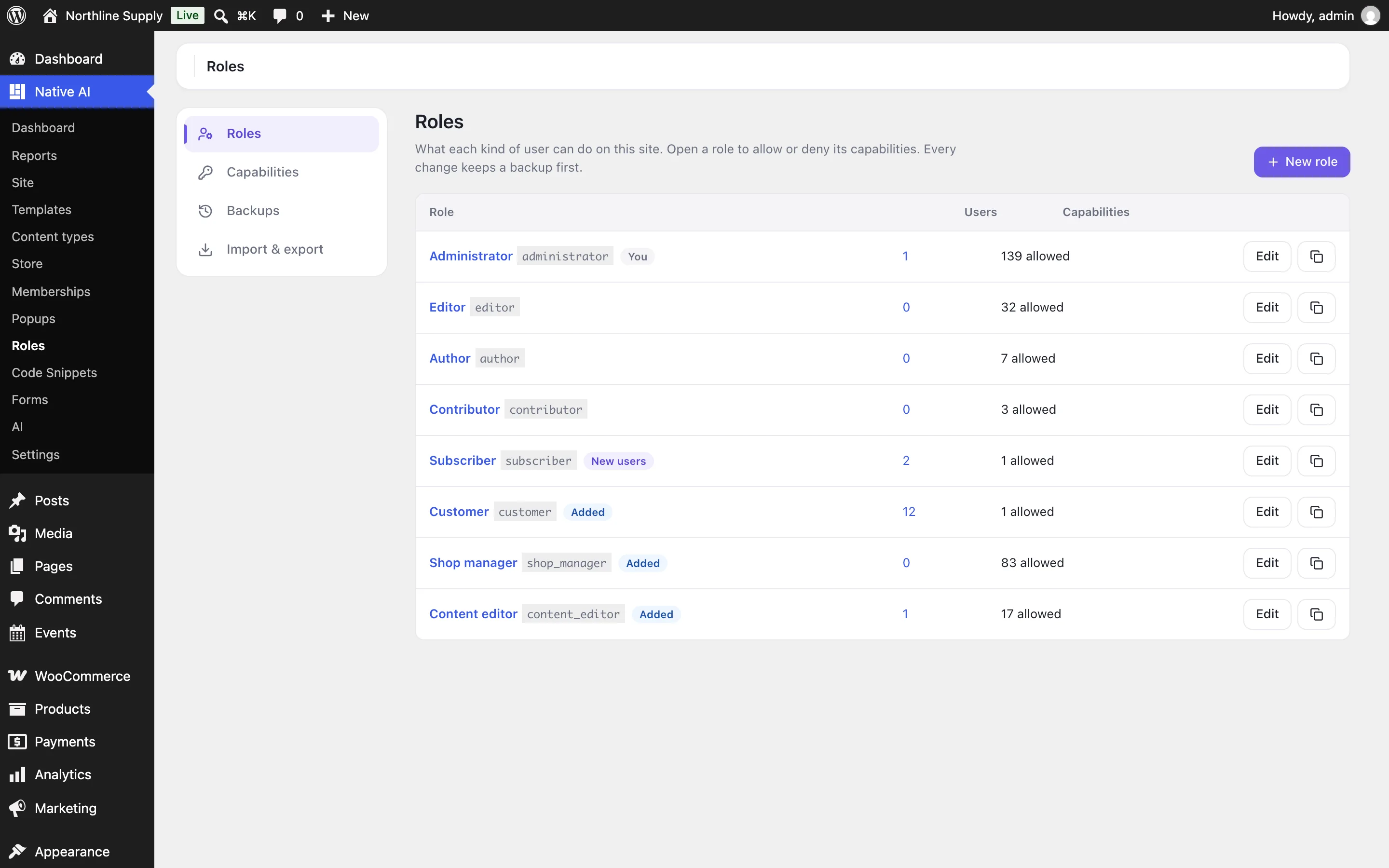
See each role with how many people have it and how many capabilities it allows, which one new users get, and which were added by plugins like WooCommerce. Create a role from nothing or as a copy of another, rename it, or delete it and move its people to another role.
- Create, copy, rename and delete
- Choose the role new users get
- Roles from other plugins included
Capabilities in plain words
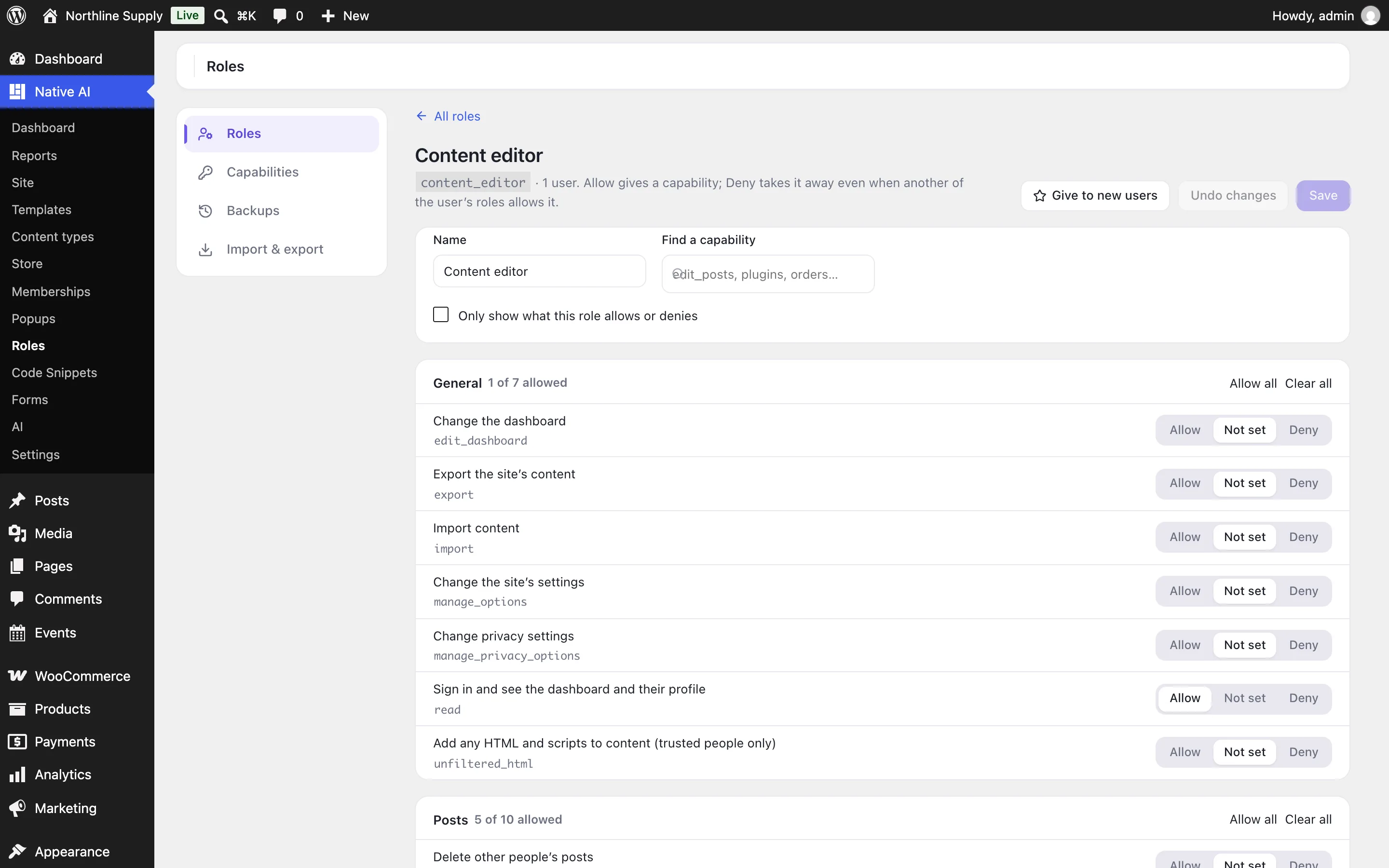
Open a role and every capability is listed by area — general, posts, pages, media, appearance, plugins, users, each content type, Native AI and WooCommerce — with what it lets people do in plain words and its name beside it. Allow it, leave it unset, or deny it: a denied capability stays off even when another of the person’s roles allows it.
Search by name or words, show only what the role allows or denies, and allow or clear a whole area at once. Add capabilities of your own for code that checks them.
- Allow, not set, or deny
- Search and whole-area changes
- Your own capabilities
Safe to change
Before any change, every role and capability is saved as a backup — the last 20 are kept — and one click restores any of them. Administrators always keep the capabilities that run the site, and nobody can take away their own administrator role.
People can have more than one role, set on their profile. Export roles to copy them to another site, and import them with a preview of what will change.
- Backups with one-click restore
- Several roles per person
- Export and import
Role editorEverything included
Everything in role editor
Roles
- Create, copy, rename and delete (moving people to another role)
- The role new users get
- Several roles per person, on their profile
Capabilities
- Grouped by area and described in plain words
- Allow, not set, or deny
- Search, filter, and change a whole area
- Add and delete your own
Safety
- A backup before every change; the last 20 kept
- One-click restore
- Administrators always keep what running the site needs
- Export and import with a preview
AI
- Reads roles, capabilities and who has them
- Creates roles and sets the default
- Asks before changing or deleting a role or someone’s roles, showing what changes
Questions about role editor
Can I lock myself out?
No. Administrators always keep the capabilities that run the site, you can’t remove your own administrator role, and every change can be undone from Backups.
What does Deny do?
It takes a capability away even when another of the person’s roles allows it — useful for someone who is an Editor except for one thing.
Does it see other plugins’ capabilities?
Yes: WooCommerce’s, other plugins’, and those of your content types, grouped where they belong.
Who can use it?
Administrators, and anyone you give “Manage roles” in Settings → Permissions — only people you trust with the whole site.
Role editorKnowledge base
How to use it
Step-by-step articles, settings and answers in the knowledge base.
Works well with
One plugin. One agent. Your whole site.
Start free: a license for one website and AI credits to build with, no card needed. Describe your business and watch Native AI design your home page.