FeaturesGrowMemberships
Memberships, built into your site
Make plans people join by buying a WooCommerce product or subscription, by having a role or an account, or because you added them. Then choose what’s for members — pages, posts, categories, content types or whole sections — and what everyone else gets: a teaser and a “members only” box, a sign-in, or another page.
- Plans from WooCommerce orders, roles, accounts or by hand
- Rules for pages, categories, content types and sections
- Content that opens days after someone joins
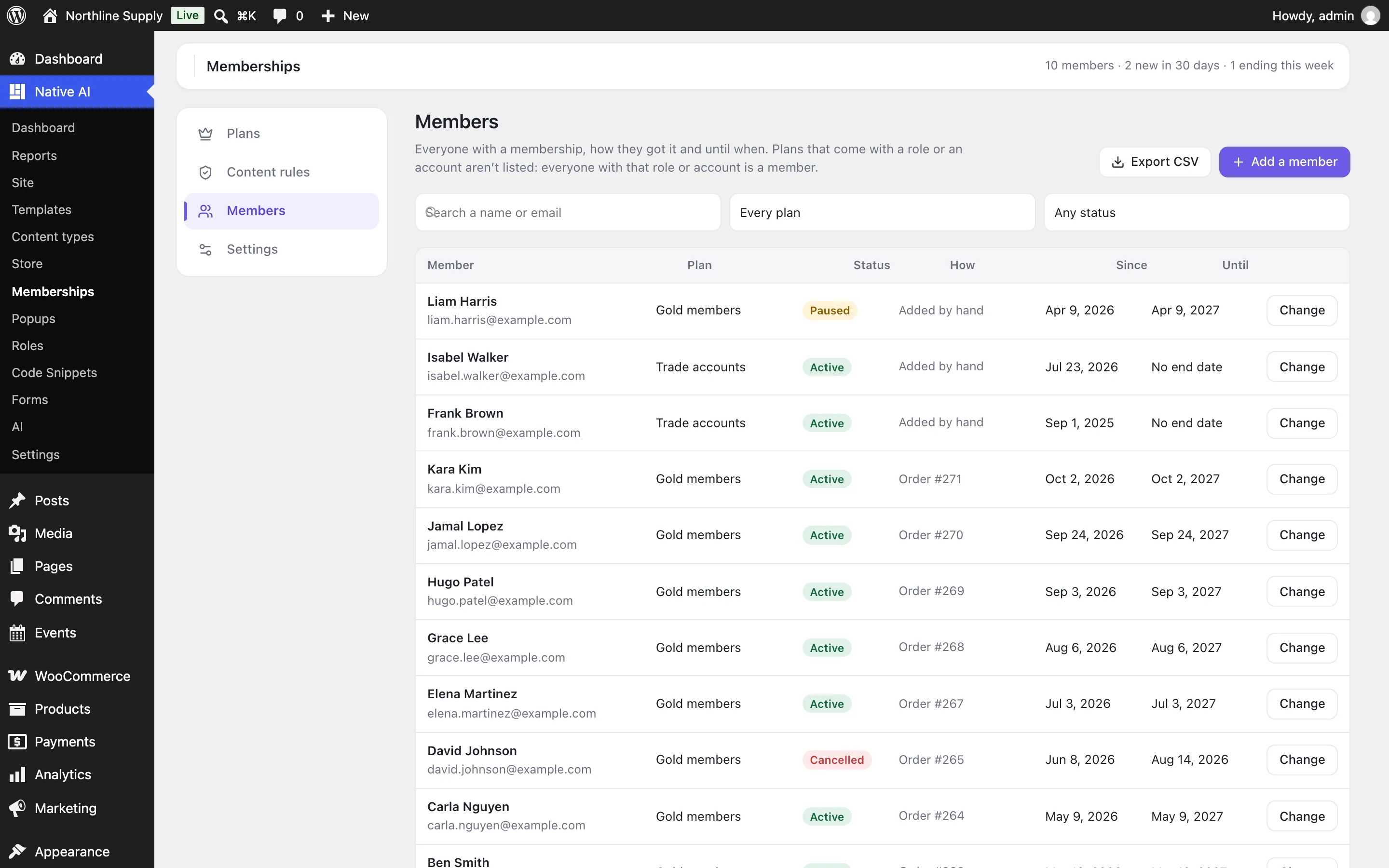
Plans people get four ways
A plan is a group of members. Link it to WooCommerce products and a paid order makes the buyer a member — a refund or cancellation ends it, and with WooCommerce Subscriptions the plan lasts as long as the subscription is active. A plan can also include everyone with a role, everyone with an account (a free plan), or only the people you add.
Each plan can last a number of days, weeks, months or years, or have no end date, and can give members a role while they’re members and take it away when it ends.
- Sold through WooCommerce, with its payment methods
- Free plans for everyone with an account
- A role given while someone is a member
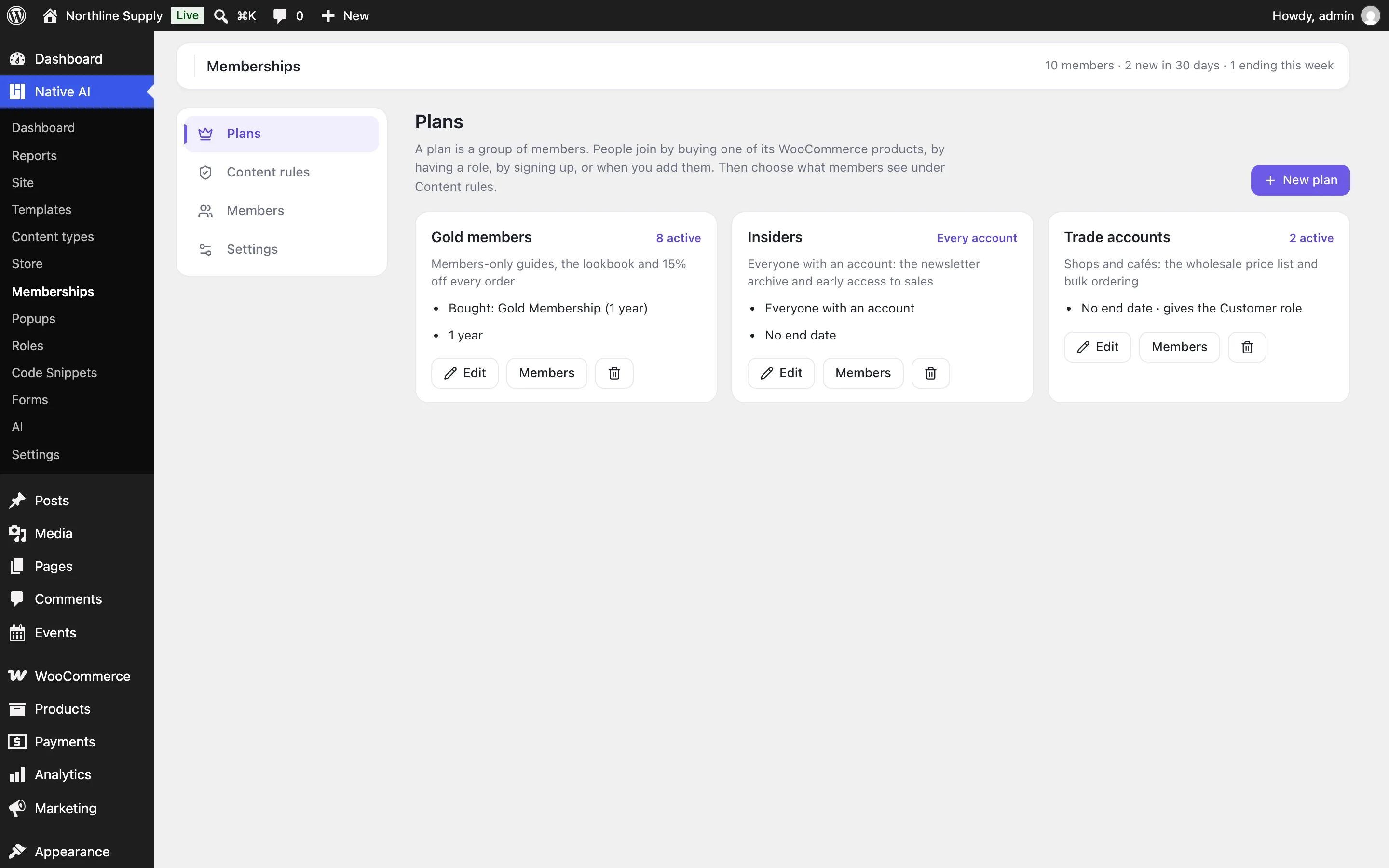
Rules for what’s members-only
A rule protects pages or posts (and, if you like, their child pages), whole content types, categories and tags, addresses that start with a path like /downloads/, or the whole site. It says who can see it — anyone signed in, members of plans, people with a role, or buyers of products — and how many days after joining plan members can.
Any page can also choose for itself in its “Who can see this” box: follow the rules, open to everyone, or members only. The pages people need to join — your join page, cart, checkout and My Account — always stay open.
- Pages, content types, categories, addresses or everything
- Drip: open a number of days after joining
- A page’s own setting over the rules
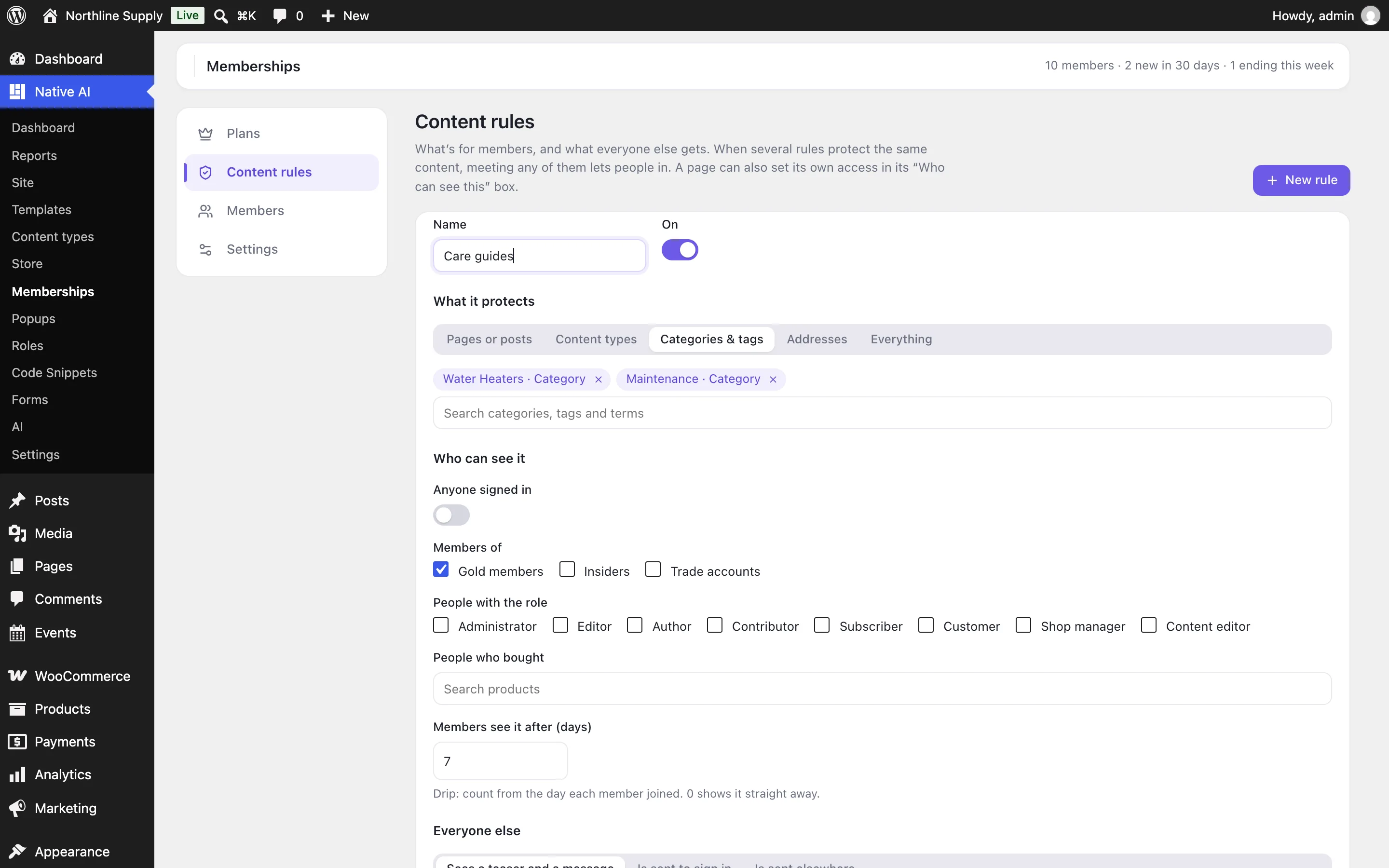
What everyone else sees
By default visitors see the start of the content and a box saying it’s for members, with buttons to sign in or become a member (your join page, or the plan’s product). A rule can send them to sign in or to another page instead. Your words, your buttons, in Settings.
Protected content stays protected everywhere: in excerpts, lists and search results (or left out of them), the REST API, feeds, and pages built with Native AI. People who can edit a page always see it.
- Teaser and message, sign-in, or another page
- Excerpts, feeds and the REST API protected too
- Protected pages aren’t cached
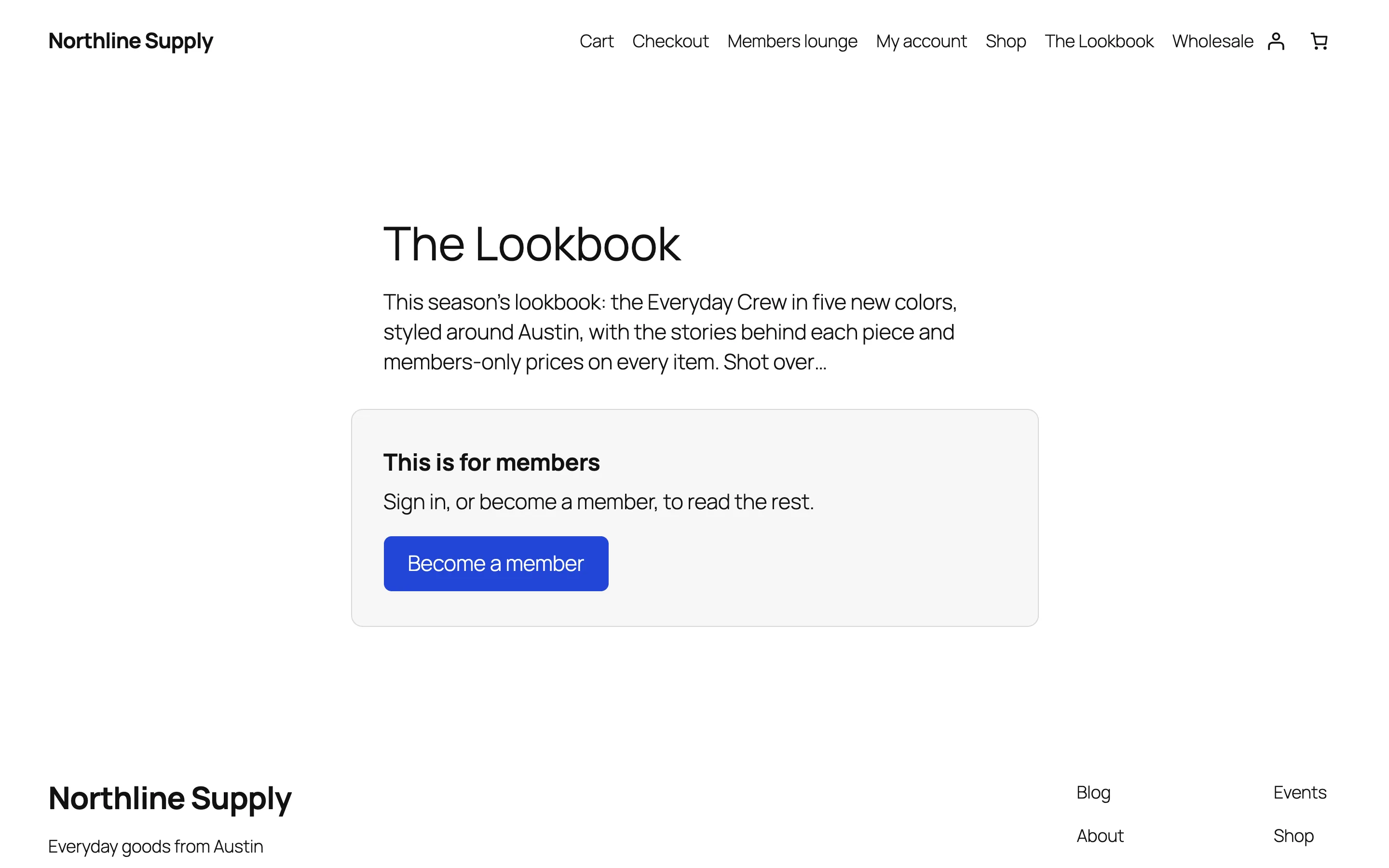
Members in one place
See who has which plan, how they got it — an order, a subscription, by hand — and until when. Pause, end or extend a membership, add someone by hand, filter by plan or status, and export to CSV. Members see their memberships in WooCommerce’s My Account.
In the builder, any element can be shown only to members of a plan or to people who bought a product, and the [nativeai_members] shortcode does the same inside any content.
- Pause, end or extend
- CSV export
- Element visibility for members and buyers
MembershipsEverything included
Everything in memberships
Plans
- WooCommerce products and WooCommerce Subscriptions
- Roles, every account, or added by hand
- Lasts days, weeks, months, years or forever
- A role while someone is a member
Rules
- Pages and posts (with child pages), content types, categories and tags, addresses, or everything
- Anyone signed in, plans, roles or buyers of products
- Content that opens days after joining
- Teaser and message, sign-in, or another address
- A page’s own “Who can see this” setting
Members
- Who, which plan, how they got it and until when
- Pause, end, extend and add by hand
- Filter and export to CSV
- A “Memberships” tab in WooCommerce’s My Account
Builder and AI
- Element visibility: “Visitor is a member” and “Visitor bought a product”
- [nativeai_members] and [nativeai_my_memberships] shortcodes
- The AI adds plans and rules, protects pages and adds members — and asks before ending a membership
Questions about memberships
Does it take payments?
No: members pay through WooCommerce, with any payment method it supports. Native AI makes the buyer a member when the order is paid and ends the membership on a refund or cancellation.
Does it work with subscriptions?
Yes, with WooCommerce Subscriptions: the plan lasts while the subscription is active, pauses when it’s on hold, and ends when it’s cancelled or expires.
Can search engines read protected content?
They see what visitors see: the teaser and the members-only box. Excerpts, feeds and the REST API are protected the same way, and protected pages are marked not to be cached.
What happens if I switch it off?
Nothing is protected while it’s off. Plans, rules and memberships are kept for when you switch it back on.
MembershipsKnowledge base
How to use it
Step-by-step articles, settings and answers in the knowledge base.
- Keep content for membersMemberships makes plans people join by buying a WooCommerce product, by having a role or an account, or because you added them — and rules that keep pages, posts, categories or whole sections for them.
- Content rules and what visitors seeA content rule keeps pages, posts, content types, categories, addresses or the whole site for members — after a number of days if you like — and shows everyone else a teaser and a message, a sign-in, or another page.
- Manage membersSee who has which plan, how they got it and until when; pause, end or extend memberships, add people by hand and export to CSV. Members see theirs in WooCommerce’s My Account, and builder elements can show only to members.
Works well with
One plugin. One agent. Your whole site.
Start free: a license for one website and AI credits to build with, no card needed. Describe your business and watch Native AI design your home page.