DocsMemberships & roles
Create and change roles
The Role editor creates, copies and changes WordPress roles, allows or denies any capability, gives people more than one role, and keeps a backup before every change.
The Role editor is an optional feature. Switch it on in Native AI → Settings → Features; a Roles screen appears in the Native AI menu.
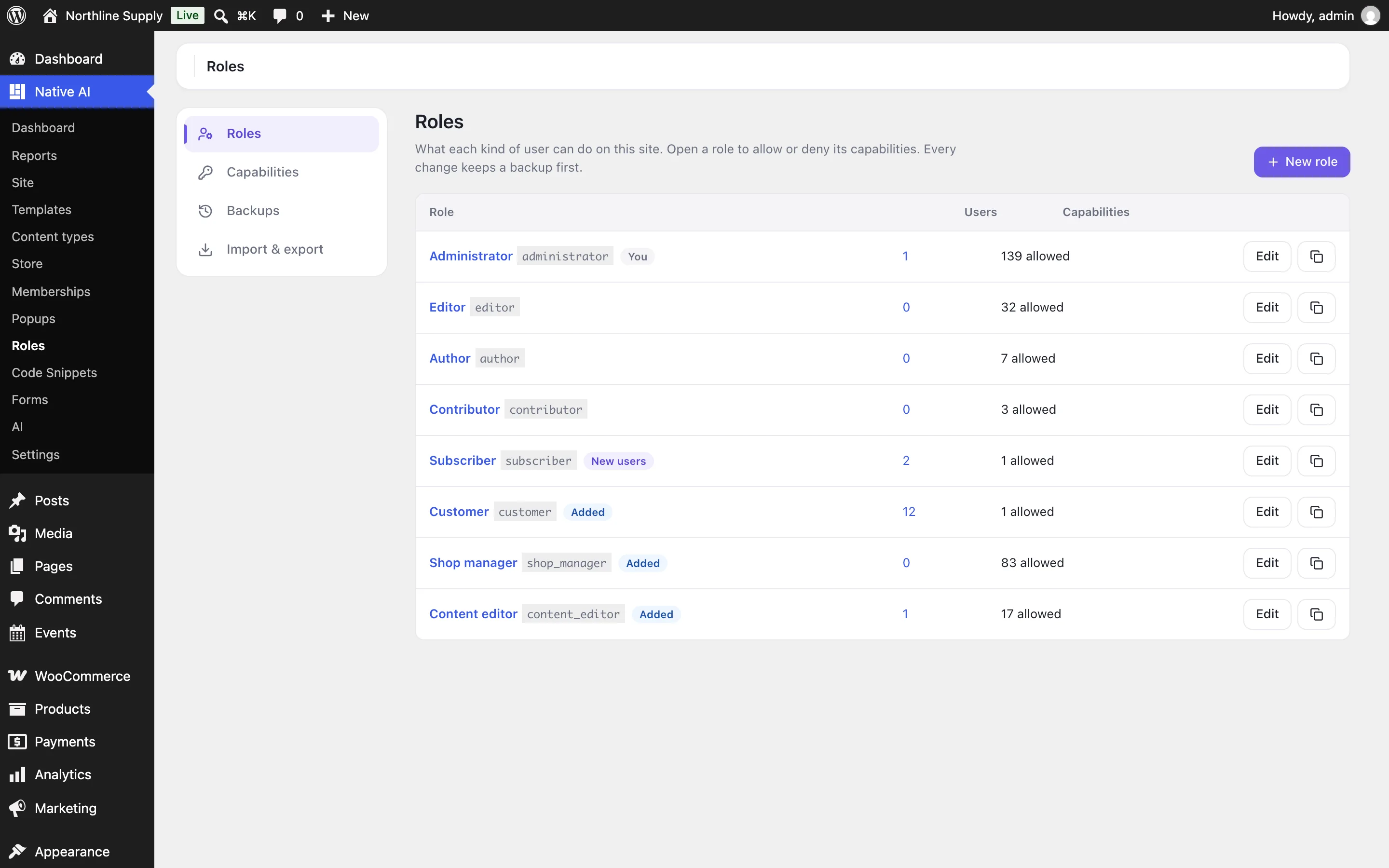
Roles#
- New role: a name, and whether to start from nothing (people can only sign in) or as a copy of another role.
- Open a role to rename it or change what it can do. The copy button makes a new role from it.
- Give to new users makes it the role people get when they sign up.
- Delete a role: its people move to a role you choose. The administrator role, the role new users get and a role you have yourself can’t be deleted.
Capabilities#
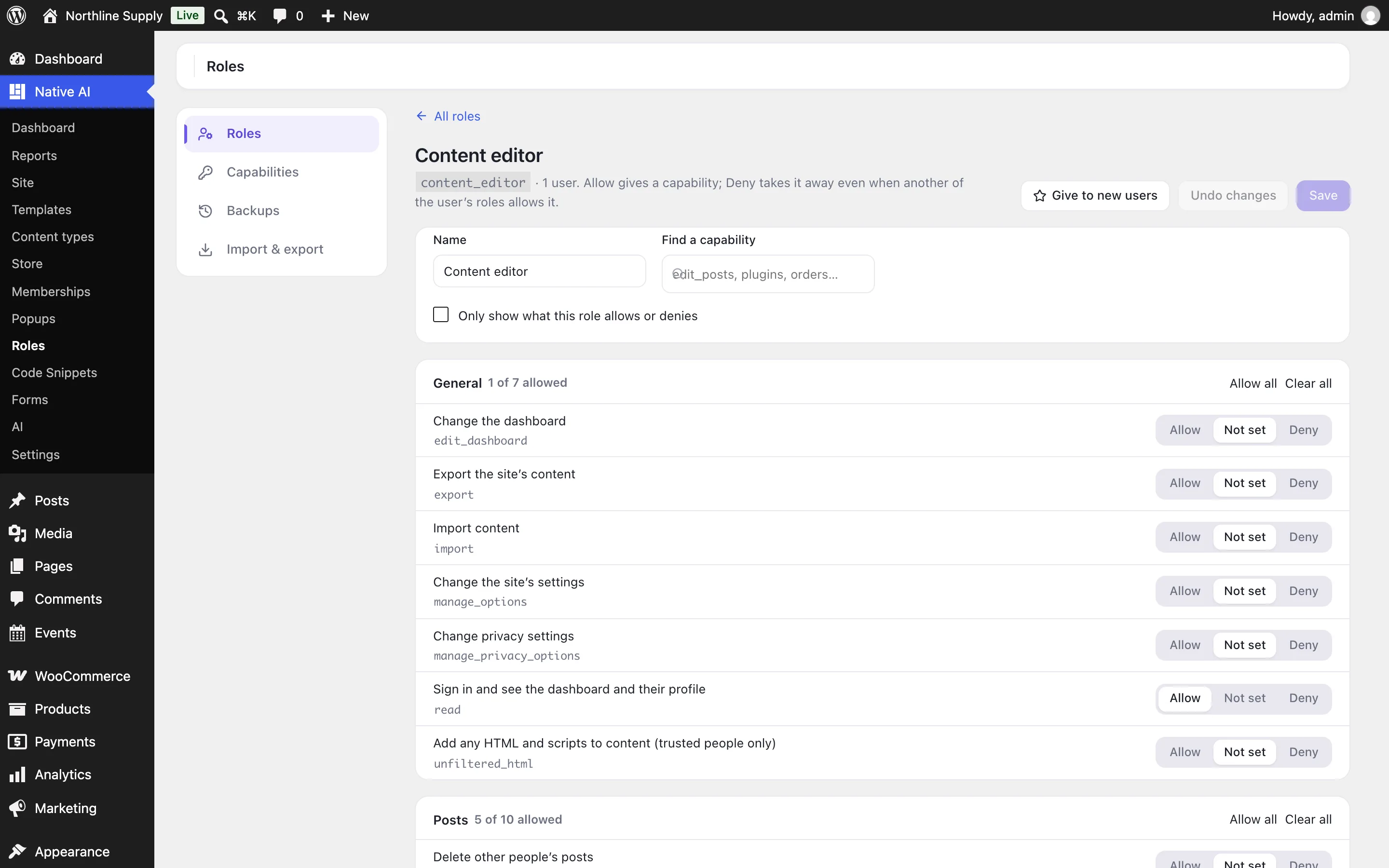
| Choice | Means |
|---|---|
| Allow | People with this role can do it. |
| Not set | This role doesn’t give it; another of the person’s roles might. |
| Deny | They can’t, even when another of their roles allows it. |
Capabilities are grouped by area — general, posts, pages, media, appearance, plugins, users, each content type, Native AI and WooCommerce — with what each lets people do in plain words. Search by name or words, show only what the role allows or denies, and Allow all or Clear all in an area. Nothing changes until you Save.
Capabilities lets you add your own (for code that checks them) and give them to roles, and delete ones you added.
People with several roles#
On a person’s profile (Users → Edit), the Roles checkboxes give them more than one role. What they can do adds up; a Deny in any of their roles wins.
Safe to change#
- Before every change, all roles and capabilities are saved in Backups (the last 20). Restore puts one back — after saving the current ones first.
- Administrators always keep what running the site needs (managing options, plugins, users and roles), and nobody can take away their own administrator role.
- Import & export copies roles to another site as a file, with a preview of what an import would change.
With the AI#
The AI can read roles and who has them, create roles and choose the default. It asks before changing or deleting a role, changing someone’s roles or restoring a backup, and shows exactly which capabilities change.
Related articles
On the features pages
Still have a question? Email us at support.