FeaturesRunCookie consent
Cookie consent that actually holds the trackers back
A cookie banner in your site’s colors and fonts asks visitors which cookies they allow — and until they do, Google Analytics, the Meta Pixel, YouTube videos and other known scripts and embeds simply don’t run. A scan finds what your site uses, your cookie policy lists it, Google Consent Mode and the WP Consent API hear every choice, and a log keeps proof of each one.
- Known trackers and embeds held back until allowed
- A scan of your pages and the cookies they set
- Google Consent Mode v2 and a consent log
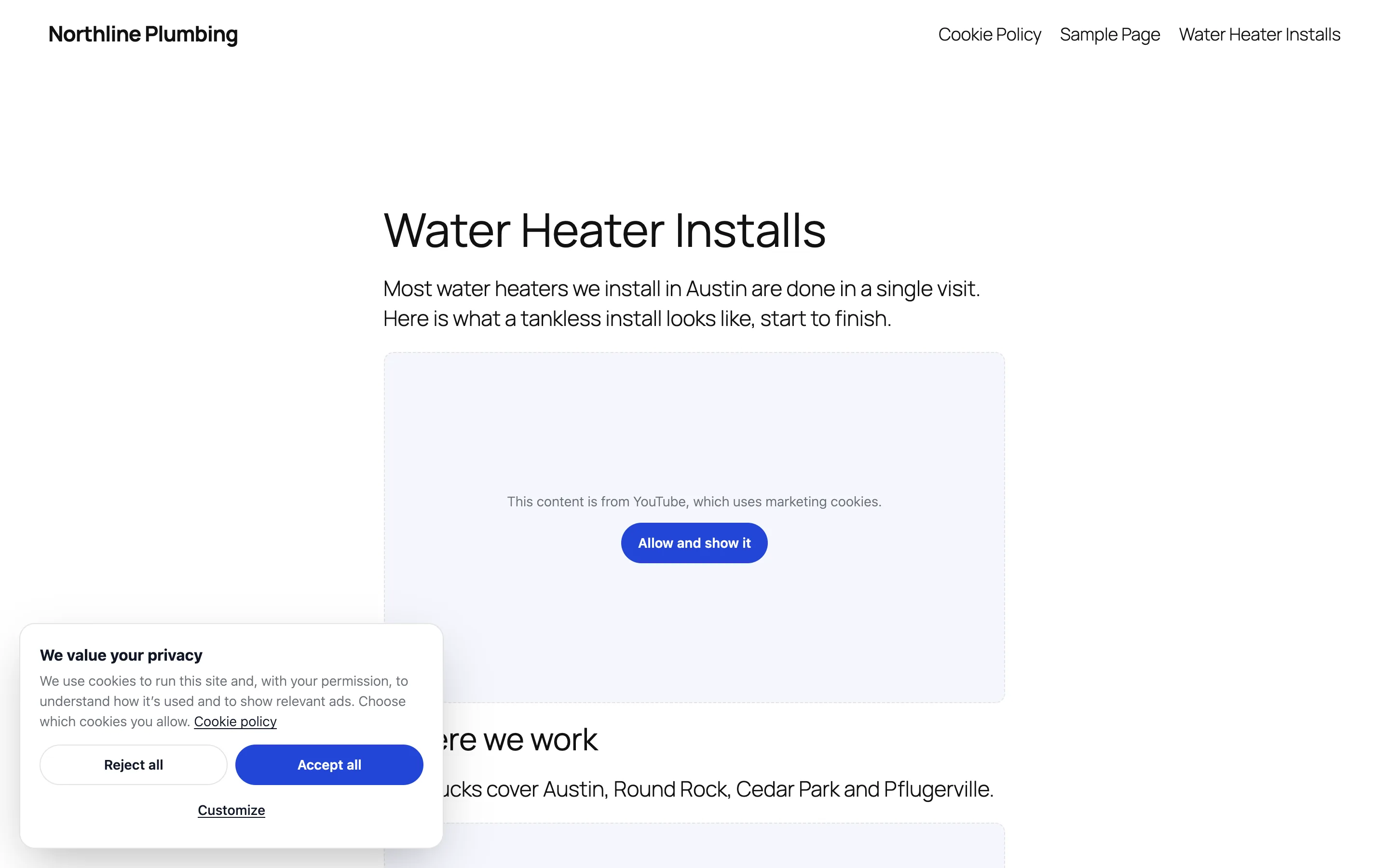
Nothing runs until it’s allowed
Native AI recognises the scripts and embeds of the services sites use most — Google Analytics and Tag Manager, Google Ads, the Meta Pixel, LinkedIn, TikTok, Hotjar, Clarity, YouTube, Vimeo, Google Maps, chat widgets and more — and holds back every one that isn’t necessary until the visitor allows its category. A video waits behind a placeholder with a button to allow just that kind of content.
Pages are held back the same way for every visitor, so page caches keep working. Choose “ask first” for visitors from the EU and UK, or opt-out for the US, with a “Do not sell or share my personal information” button and Global Privacy Control respected.
- Necessary, functional, analytics and marketing
- Embeds wait behind a placeholder
- Ask first (GDPR) or opt-out (CCPA)
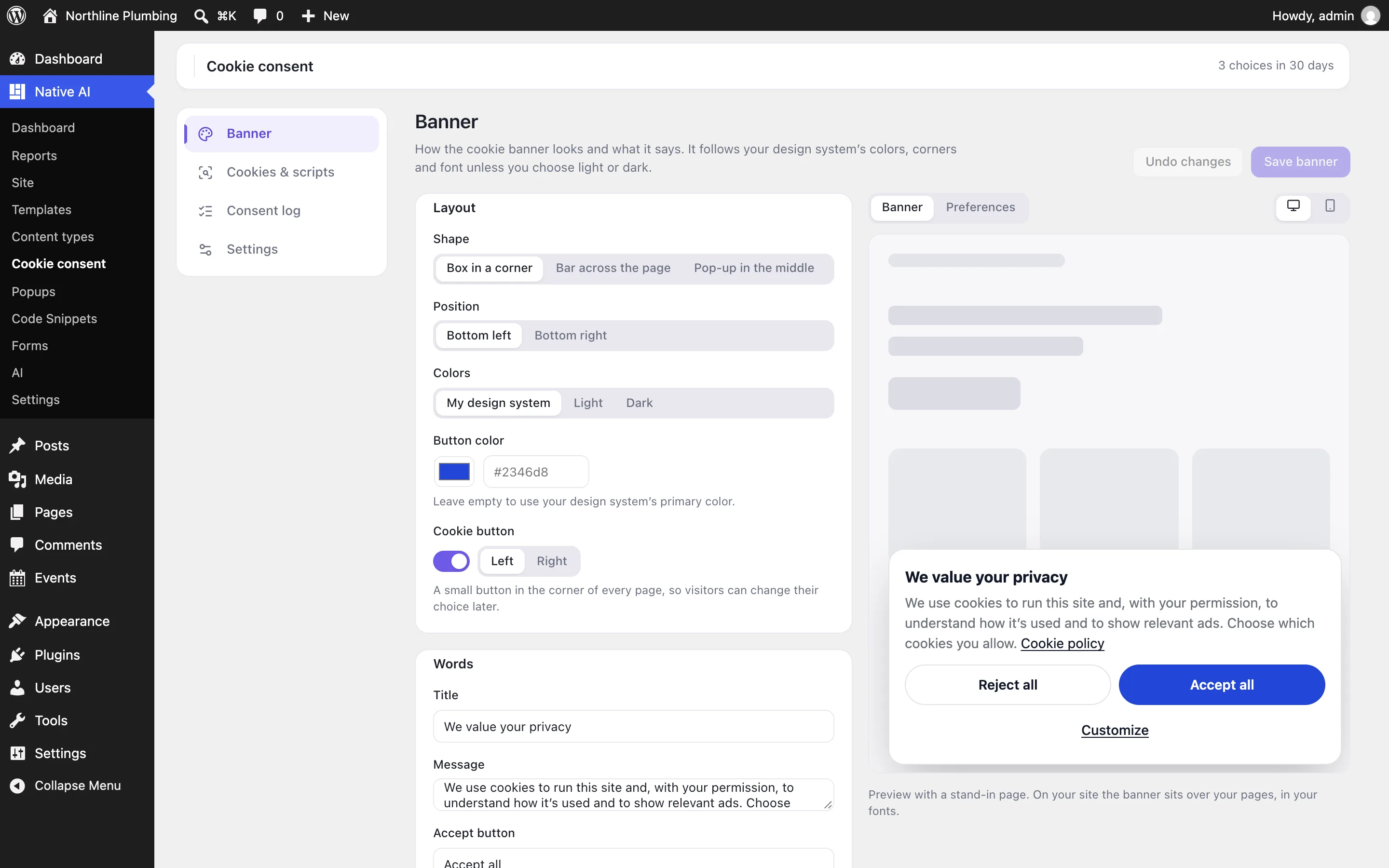
A scan that lists what your site uses
The scan reads up to 20 pages like a visitor, then opens your home page in your browser with everything allowed to see the cookies the scripts set. Each service lands in its category with its cookies, how long they last and what they’re for; scripts and cookies it doesn’t recognise wait for you to choose a category, and rules cover scripts that only appear after a click.
Draft a cookie policy page in one click: it lists every cookie by category, updates itself after each scan, and has a link that reopens the choices.
- Services found by category
- Unknown scripts and cookies to categorise
- A cookie policy that keeps itself current
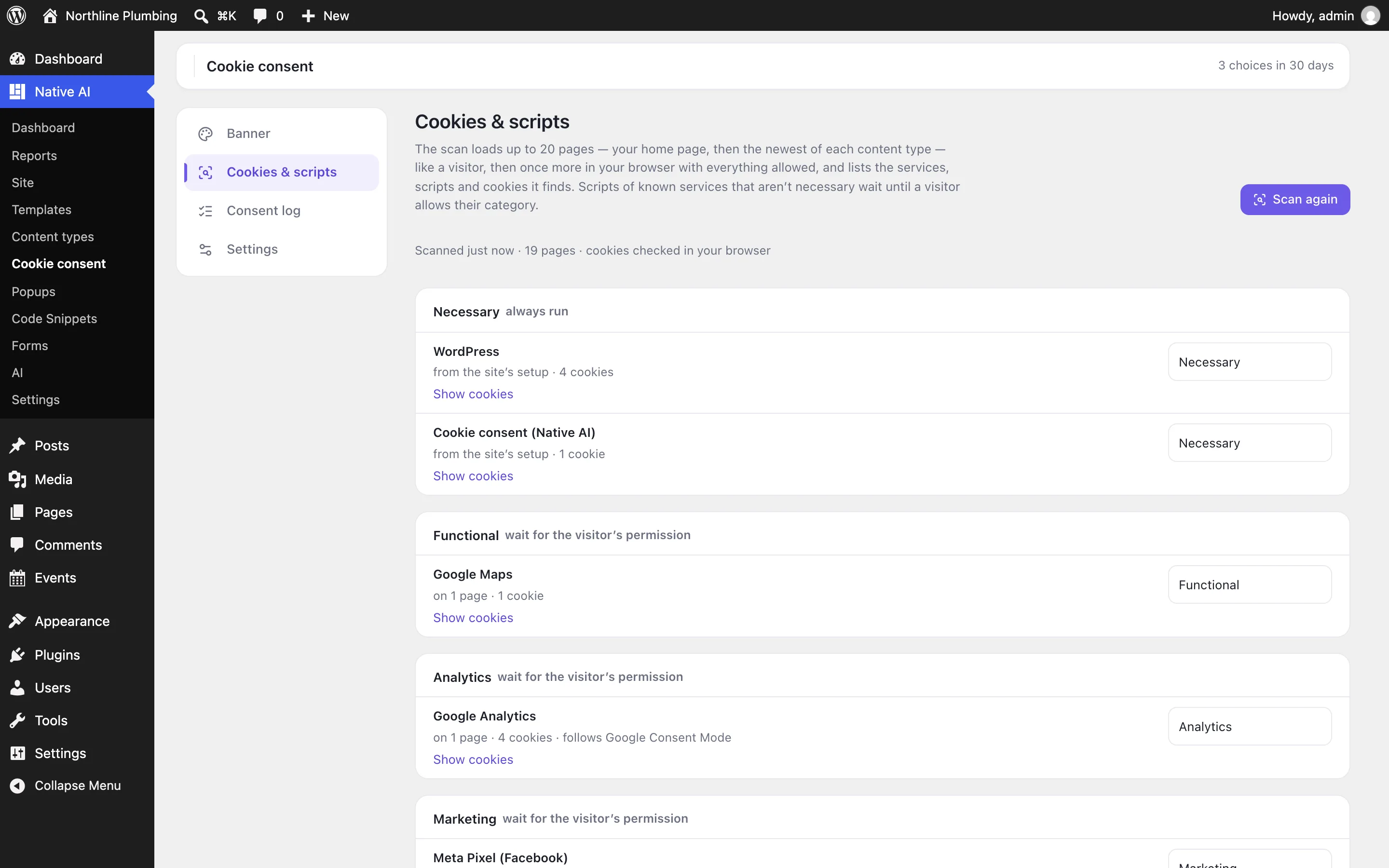
In your design, with a record of every choice
The banner takes your design system’s colors, corners and font — or light or dark — as a box, a bar or a pop-up, with your own words and a live preview. A small cookie button lets visitors change their mind later.
Every choice is logged with its consent ID, the categories allowed, the page and an anonymised IP address, so you can show consent was given. Google Consent Mode v2 and the WP Consent API pass each choice to Google’s tags and to plugins that ask, and Native AI Analytics waits for it too.
- Box, bar or pop-up in your design
- Google Consent Mode v2 and the WP Consent API
- A consent log you can export
Cookie consentEverything included
Everything in cookie consent
Banner
- Box in a corner, bar at the top or bottom, or a pop-up
- Your design system’s colors, corners and font, or light or dark, with a button color
- Your own words for the banner, the preferences and each category
- A cookie button to change the choice later, and a link for your policy page
Holding back
- Scripts and iframes of known services, held back until their category is allowed
- Rules for scripts Native AI doesn’t know
- A placeholder for videos, maps and other embeds, to allow just that content
- Its own-site cookies are deleted when a category is turned off
Scan and policy
- Up to 20 pages, plus the cookies the scripts set in your browser
- Each service’s cookies, how long they last and what they’re for
- A draft cookie policy page with [nativeai_cookie_list] and [nativeai_cookie_settings]
- Ask every visitor again after the cookies change
Signals and records
- Google Consent Mode v2: ad storage, user data, personalization and analytics storage
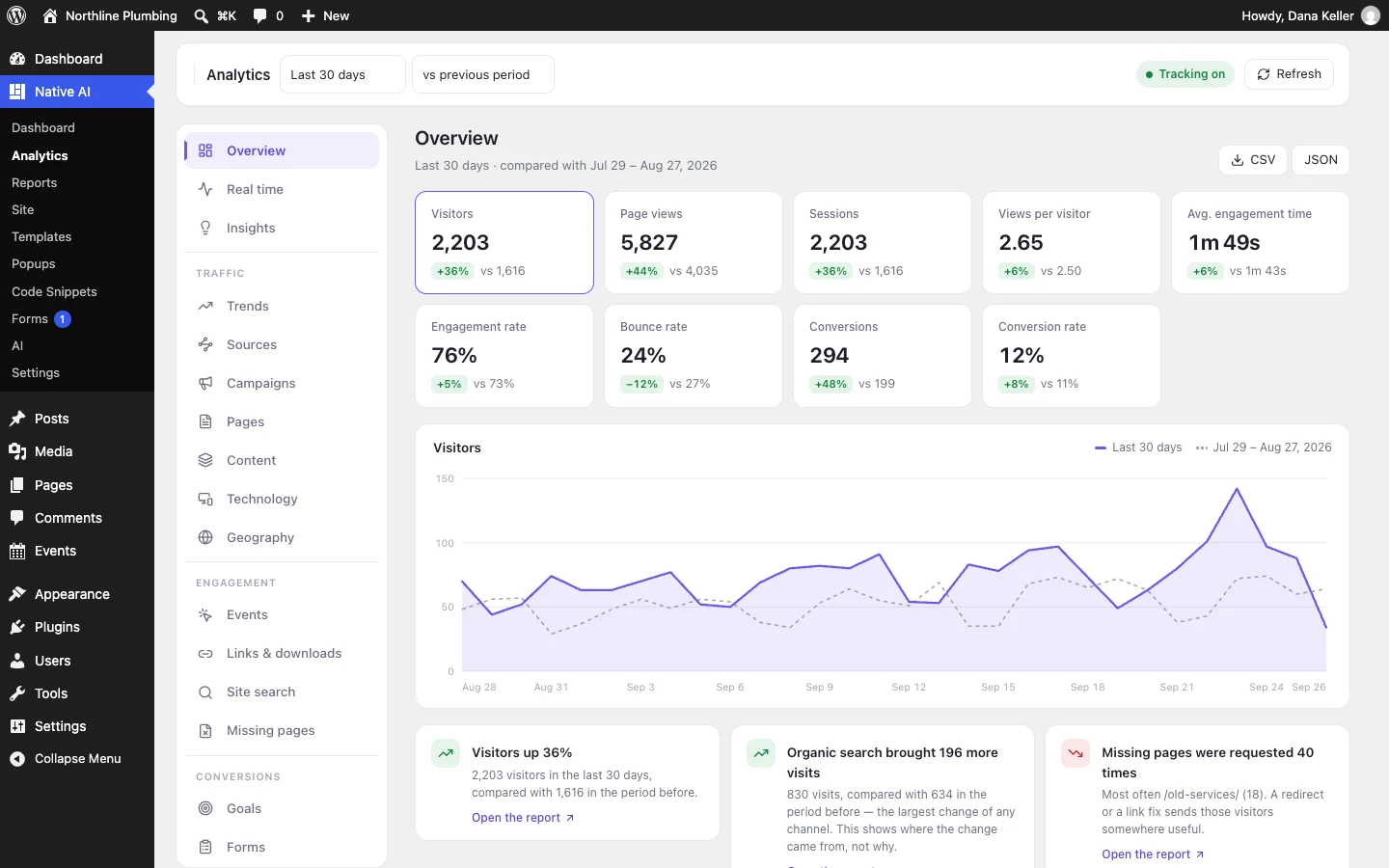
- The WP Consent API, and Native AI Analytics
- A consent log with anonymised IP addresses, CSV export and retention
- Ask first (GDPR) or opt-out (CCPA) with Global Privacy Control
AI
- Scan the site and explain what it found
- Put services, scripts and cookies in categories, and add rules
- Change the banner’s look and words, and draft the cookie policy
- Asks before showing the banner to every visitor again; never clears the log
Questions about cookie consent
Do I still need CookieYes or Complianz?
Not for the banner, the scan, script blocking, the cookie policy list or the consent log: switch on Cookie consent in Settings → Features, scan, and deactivate the other plugin so visitors don’t see two banners.
Does it make my site compliant?
It gives you the tools regulators expect — consent before optional cookies, equal Accept and Reject buttons, a way to change the choice, a cookie list and a record of consent. Whether your site complies also depends on what you do with the data, so check your own obligations.
What about scripts it doesn’t recognise?
The scan lists scripts and embeds from other sites that Native AI doesn’t know. Choose a category for each and they’re held back too; a rule covers scripts the scan can’t see.
Does Native AI Analytics need consent?
With Cookie consent on, Analytics waits for the visitor to allow analytics. Without it, Analytics is cookieless by default and asks for consent only if you turn that on.
Cookie consentKnowledge base
How to use it
Step-by-step articles, settings and answers in the knowledge base.
- Add a cookie banner that holds back trackersCookie consent shows a banner in your site’s design, asks visitors which cookies they allow, and holds back Google Analytics, the Meta Pixel, YouTube and other known scripts and embeds until they do.
- Scan for cookies and choose their categoriesThe scan finds the services, scripts and cookies your pages use, puts the ones Native AI knows in their category, and lists the rest for you to categorise.
- The consent logEach choice a visitor makes is recorded — when, their consent ID, what they allowed and on which page — so you can show consent was given.
Works well with
One plugin. One agent. Your whole site.
Start free: a license for one website and AI credits to build with, no card needed. Describe your business and watch Native AI design your home page.