FeaturesGrowPermalink manager
Every address, the way you want it
Give any page, post, product, category or tag exactly the address you want — /shop/mugs/stoneware or /club — set formats for each content type, and change hundreds of addresses at once with a preview first. Old addresses keep working: they redirect to the new ones.
- Any address, edited in place or in the editor
- Formats per content type, like shop/%product_cat%/%postname%
- Bulk changes previewed, applied and undone
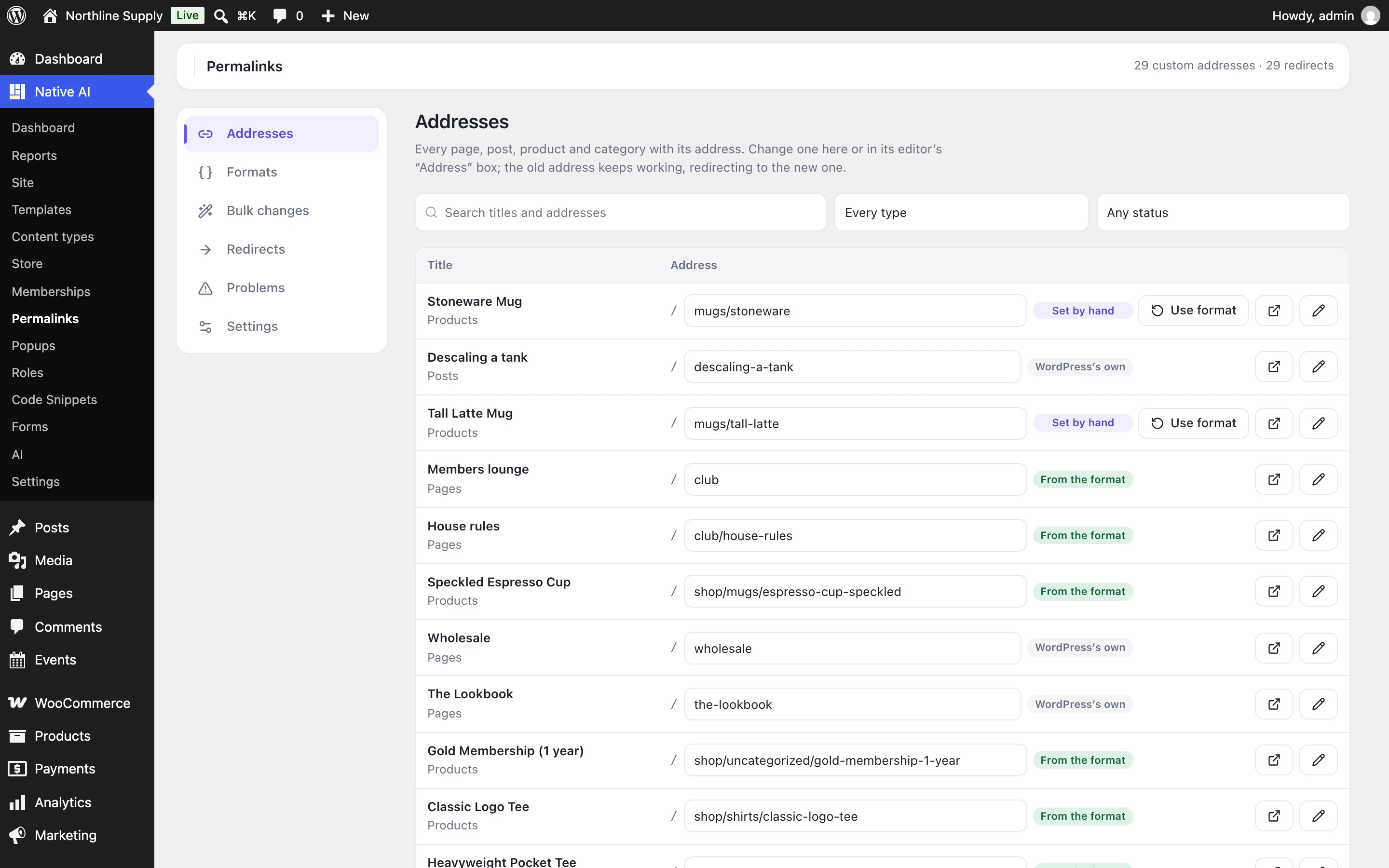
Any address, edited in place
See every page, post, product and category with its address, and change one where it is — or in its editor’s “Address” box. An address can be anything after your site’s: several levels deep, without the /product/ or /category/ WordPress adds, different from the slug.
Everything that follows an address keeps working: archive pages, feeds, comments pages, and WooCommerce’s My Account pages under a renamed account page. WordPress’s own address of a page sends visitors and search engines on to the new one.
- Posts, pages, products, events and your own content types
- Categories, tags and product categories
- Unicode and capital letters where you want them
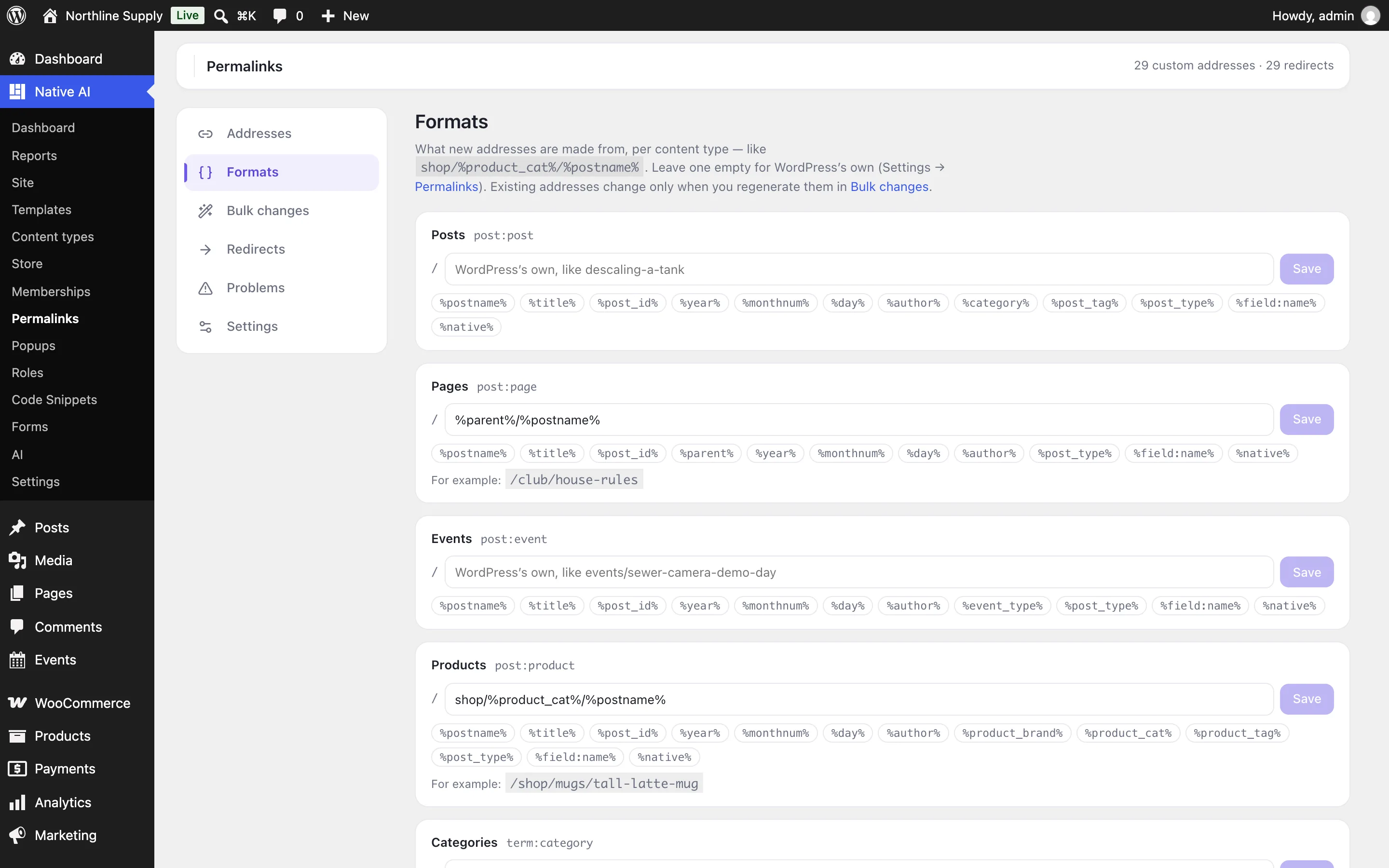
Formats per content type
A format is what new addresses of a type are made from: shop/%product_cat%/%postname% puts each product under its category, %parent%/%postname% puts child pages under their parent’s address. Tags cover slugs, titles, IDs, dates, authors, any taxonomy, custom fields and WordPress’s own address, with an example as you type.
New pages get their address from the format when they’re published. Turn on “Keep addresses up to date” and addresses made from a format follow when a title, slug, parent or category changes; an address set by hand never changes by itself.
- Tags for every taxonomy and custom fields
- New pages use the format
- Children follow their parent
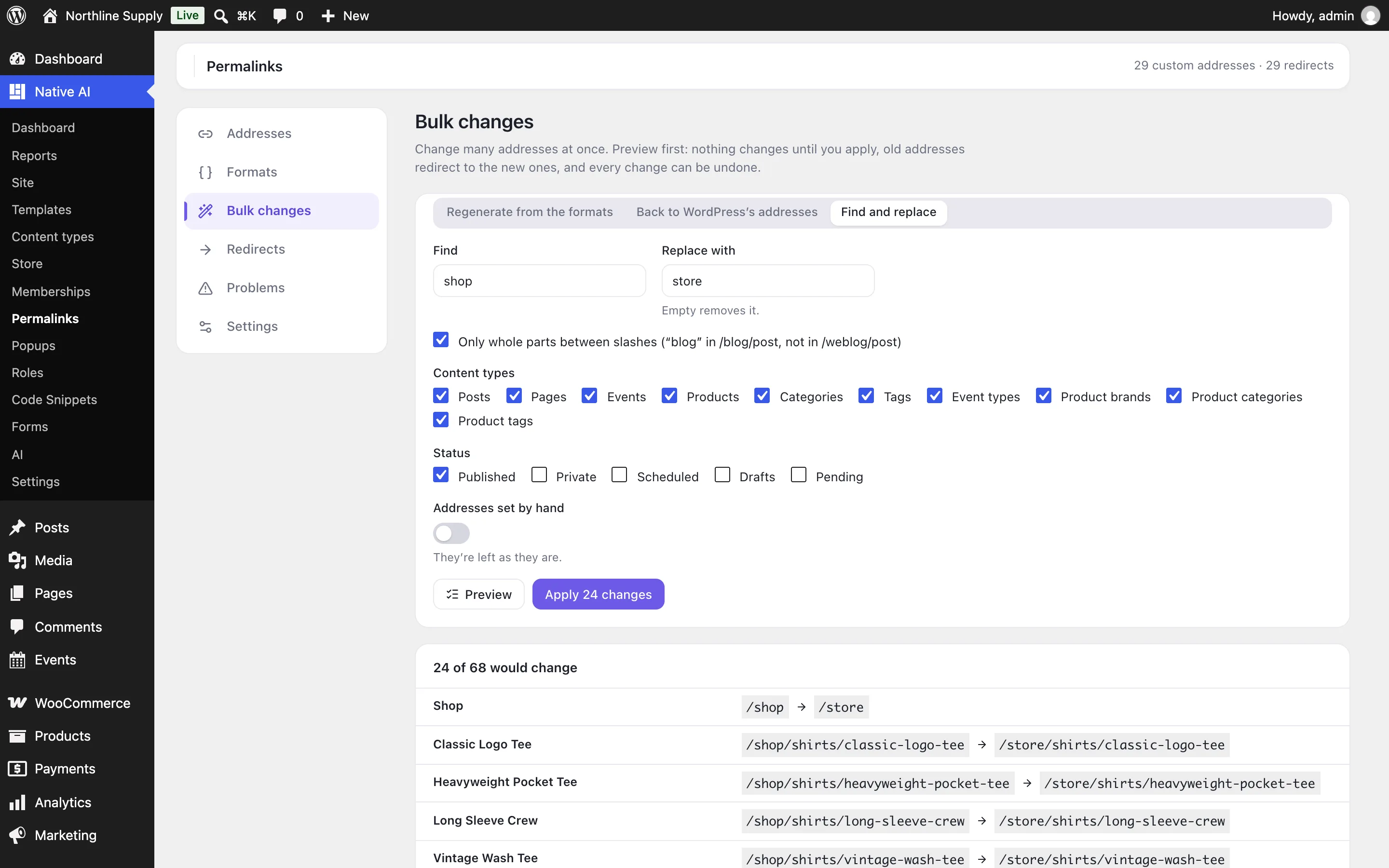
Bulk changes with a preview and undo
Regenerate addresses from the formats, put WordPress’s own addresses back, or find and replace text — for the content types and statuses you choose, leaving addresses set by hand alone unless you say otherwise. Preview shows every address before and after; nothing changes until you apply it.
Every change goes in a history, and a whole bulk change can be undone in one click.
- Regenerate, reset, or find and replace
- Preview before applying
- Undo any change from the history
Old addresses keep working
When an address changes, the old one redirects to the page — and keeps following it if the address changes again, so redirects never chain. Add your own redirects to a page or to another address, import and export them as CSV, and see how often each is used.
Problems shows addresses used by two pages, redirects that can’t run because a page has that address now, and addresses left from deleted pages.
- Automatic redirects from old addresses
- Your own redirects, CSV import and export
- Problems found for you
Permalink managerEverything included
Everything in permalink manager
Addresses
- Any address for posts, pages, products, custom content types and their terms
- Edit in a list, or in the editor’s Address box
- Case and Unicode kept; WordPress’s reserved paths refused
- Trailing slash as WordPress, always or never
Formats
- One per content type and taxonomy
- %postname%, %parent%, %category% and any taxonomy, dates, author, custom fields and more
- Applied to new pages; kept up to date if you choose
Bulk changes
- Regenerate, reset to WordPress’s, or find and replace
- By content type and status, with or without addresses set by hand
- Preview, then apply in parts on large sites
- A history with undo
Redirects and AI
- Old addresses redirect to the page, wherever it moves
- Your own redirects to pages or other addresses; CSV
- Problems: addresses used twice, redirects that can’t run
- The AI changes addresses, formats and redirects — and asks before bulk changes, showing the list
Questions about permalink manager
Will old links break?
No. When an address changes, the old one redirects to the new one, and WordPress’s own addresses of a page send visitors on to its custom one.
Does it change WordPress’s permalink settings?
No. Pages without a custom address keep WordPress’s own; formats only apply to the pages you regenerate or publish after setting them.
What happens if I switch it off?
Every link is WordPress’s own again. The addresses, formats and redirects are kept for when you switch it back on.
Does it work with WooCommerce?
Yes: products, product categories and tags, and the shop’s pages, including My Account’s pages under a renamed account page.
Permalink managerKnowledge base
How to use it
Step-by-step articles, settings and answers in the knowledge base.
- Change any page’s addressThe Permalink manager gives any page, post, product, category or tag the address you want, makes new addresses from a format per content type, and keeps old addresses working.
- Bulk changes, redirects and problemsRegenerate addresses from the formats, put WordPress’s back, or find and replace text in many addresses at once — previewed first and undoable — and manage the redirects that keep old addresses working.
Works well with
One plugin. One agent. Your whole site.
Start free: a license for one website and AI credits to build with, no card needed. Describe your business and watch Native AI design your home page.