FeaturesRunSecurity
Security that keeps watch
A firewall that blocks attacks before they reach WordPress’s code, sign-in protection with lockouts, your own sign-in address and two-factor codes, one-click hardening, spam blocking, and a scan that compares your files with WordPress.org’s originals, finds malware and repairs it.
- A firewall that learns first, then blocks
- Lockouts, your own sign-in address and two-factor
- A malware and file scan with one-click repairs
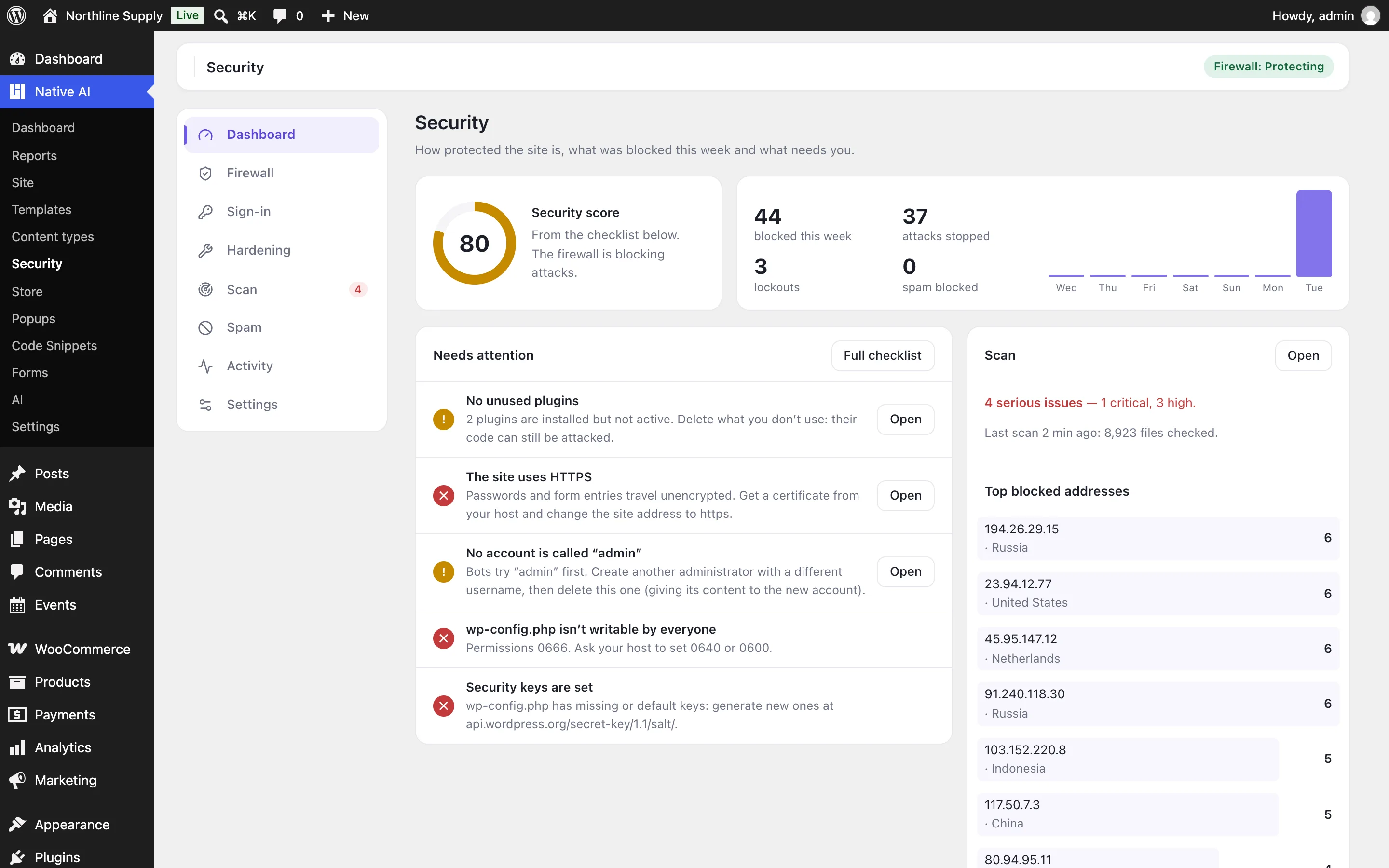
A firewall that learns, then blocks
Every request is checked for SQL injection, cross-site scripting, path traversal and file inclusion, PHP code and object injection, shell commands, attack tools, and requests for files that should never be public (.env, wp-config backups, .git). For its first week it only logs, and learns what your editors legitimately do so it never gets in their way; then it blocks.
An address that keeps attacking is blocked for an hour, bots probing for missing pages are blocked, fake “Googlebots” are caught with a DNS check, and you can block addresses, ranges or — behind Cloudflare — whole countries. Extended protection runs the rules before WordPress loads, for every PHP file on the site.
- Learning mode for the first week
- Automatic blocks for repeat attackers and probes
- Exceptions for anything legitimate
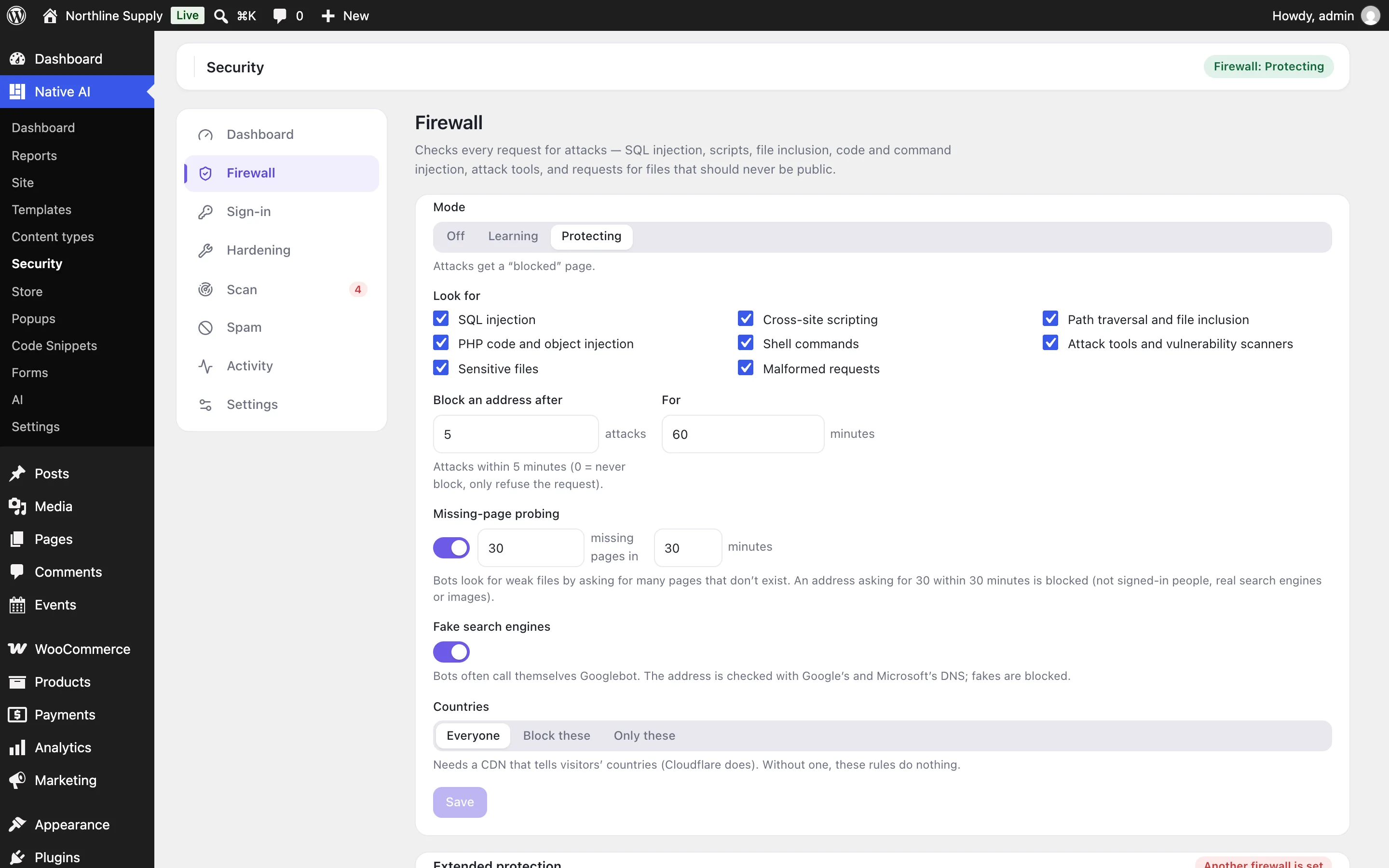
Sign-in that bots can’t guess
Wrong passwords lock an address out of signing in for a while (and longer when it keeps trying), and usernames bots try — admin, root — lock out at once. Errors never say whether a username exists. Give the sign-in page an address of your own, and wp-login.php answers “not found”.
Two-factor sign-in adds a code from an authenticator app (or email) after the password, with backup codes and trusted devices; require it for administrators and anyone else. Add a CAPTCHA, require strong passwords, refuse passwords from data breaches, sign out idle editors, and get an email when someone signs in from a new device.
- Lockouts that don’t block reading the site
- Two-factor with authenticator apps or email
- Your own sign-in address

A scan that finds and fixes
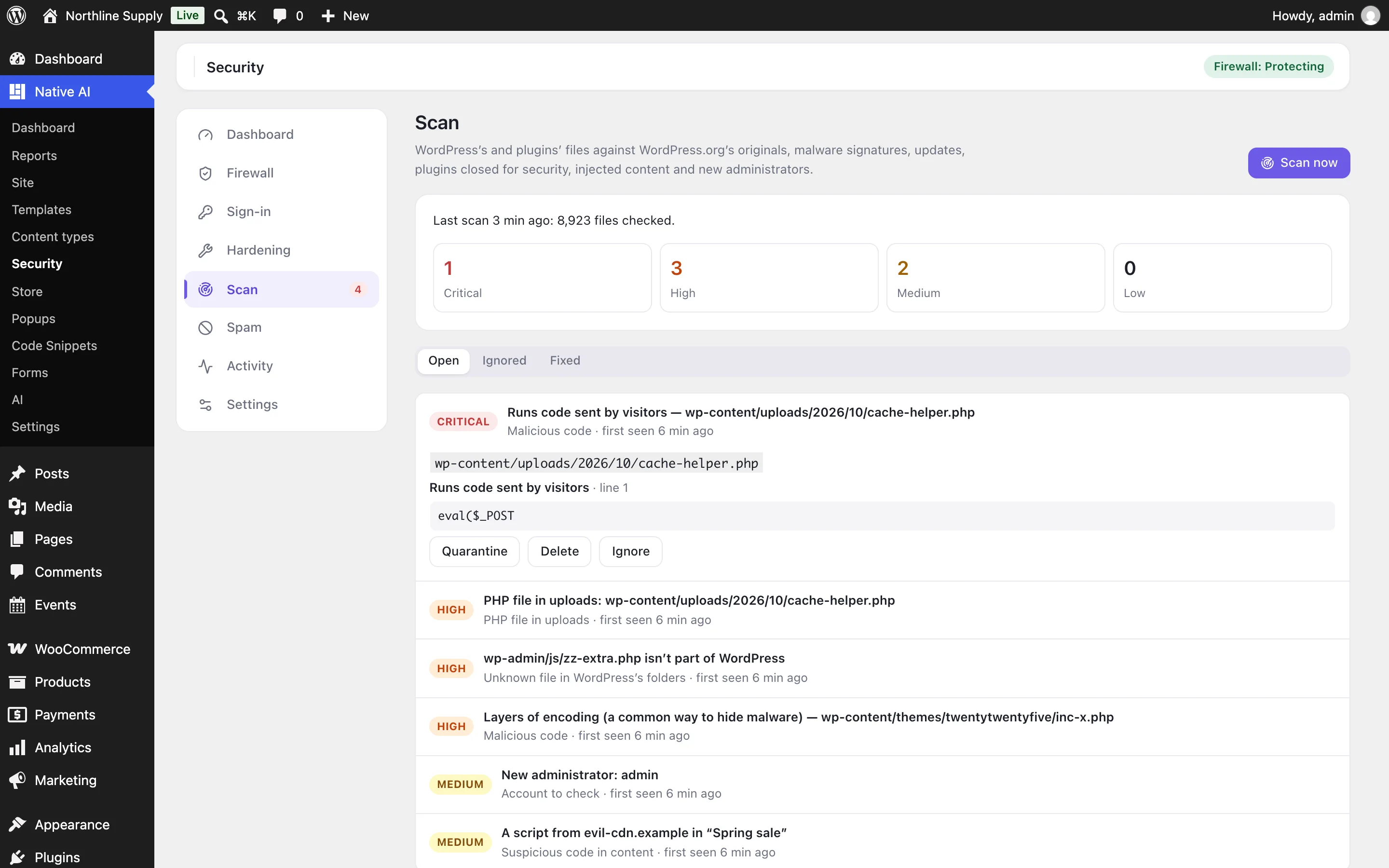
The scan compares WordPress’s own files and every WordPress.org plugin with the originals for your exact versions, looks through themes, other plugins and uploads for malware signatures, and checks updates, plugins closed on WordPress.org, scripts injected into posts and new administrators. With a free WPScan key it adds known vulnerabilities.
Restore a changed file from WordPress.org in one click, move a suspicious one to quarantine (and back), delete or ignore it. A scan runs every day by itself, and serious findings are emailed to you.
- Files checked against WordPress.org
- Malware signatures for shells and hidden code
- Restore, quarantine, delete or ignore
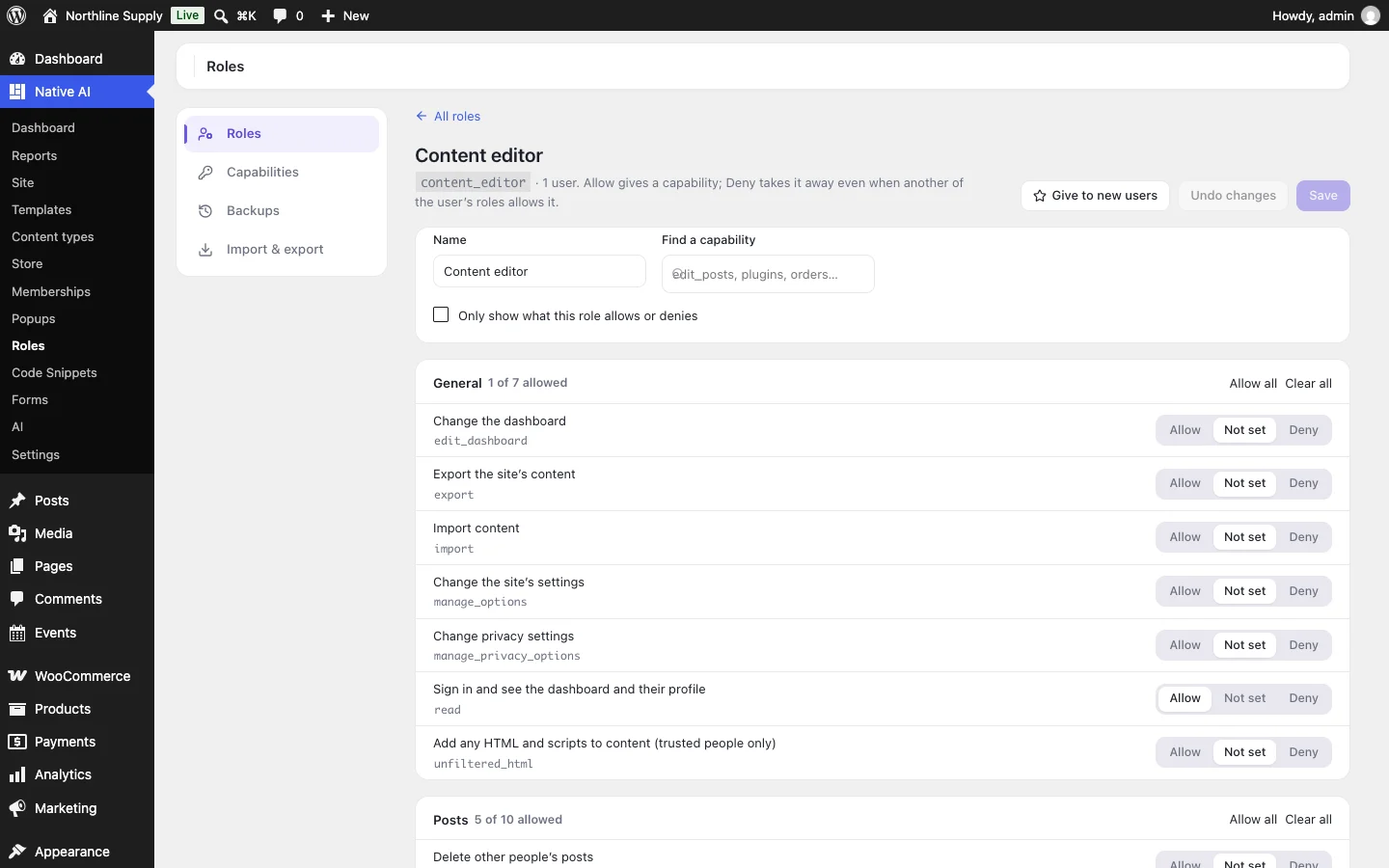
Hardening and spam, in a few switches
A checklist scores the site and fixes what it can in one click: the file editor off, the WordPress version hidden, usernames that can’t be looked up, security headers, PHP blocked in uploads, XML-RPC limited. Spam blocking stops bots in comments and registrations — WordPress’s and WooCommerce’s — with a hidden trap, timing, link limits, StopForumSpam and throwaway-email checks, and adds them to Native AI forms too.
- A security score with one-click fixes
- Comment and registration spam blocked
- A log of everything blocked, with alerts
SecurityEverything included
Everything in security
Firewall
- SQL injection, XSS, traversal, file inclusion, code, object and shell injection, attack tools, sensitive files
- Learning mode, exceptions, rules switched on or off by group
- Blocks after repeated attacks or missing-page probing; fake bots; countries behind a CDN
- Extended protection before WordPress loads
Sign-in
- Lockouts with longer lockouts for repeat offenders; bot usernames
- Your own sign-in address
- Two-factor: authenticator apps, email codes, backup codes, trusted devices, required by role
- CAPTCHA (Turnstile or reCAPTCHA), strong and unbreached passwords, idle sign-out, new-device emails, XML-RPC and application passwords
Scan
- WordPress and WordPress.org plugins against their checksums
- Malware signatures; PHP in uploads; files changed since the last scan
- Updates, closed plugins, known vulnerabilities (WPScan key)
- Injected content and new administrators; restore, quarantine, delete, ignore
Also
- Hardening checklist and switches
- Spam blocking for comments, registrations and forms
- A security log, blocked addresses and alerts by email
- The AI reads the status and log, runs scans and blocks addresses — and asks before changing settings or files
Questions about security
Can I lock myself out?
Your address is allowed when you switch Security on, and a lockout only stops signing in. If you ever do get stuck, add define( 'NATIVE_AI_SECURITY_RESCUE', true ); to wp-config.php and Security switches off until you remove it.
Will the firewall block my editors?
It starts in learning mode for a week: it only logs, and learns what people who can edit content legitimately do. Anything it still blocks can be allowed with an exception from the log.
Does it work behind Cloudflare?
Yes. Tell it how visitors reach the site and it reads their real address; Cloudflare’s country header also makes country blocking possible.
Can I use it with Wordfence?
You can, but there’s no need to run two firewalls: pick one. Extended protection won’t switch on while another firewall already runs before WordPress.
SecurityKnowledge base
How to use it
Step-by-step articles, settings and answers in the knowledge base.
- Turn on Security and the firewallSecurity is an optional feature with a firewall that checks every request for attacks — learning for a week, then blocking — plus blocked addresses and countries, and extended protection before WordPress loads.
- Protect sign-in: lockouts, your own address and two-factorLock out addresses that guess passwords, give the sign-in page an address of your own, require two-factor codes, add a CAPTCHA, and require strong passwords that aren’t in data breaches.
- Scan for malware, harden the site and block spamThe scan compares your files with WordPress.org’s originals and looks for malware, updates, closed plugins and injected content — with one-click restore, quarantine, delete or ignore. Plus the hardening checklist, spam blocking, the security log and alerts.
Works well with
One plugin. One agent. Your whole site.
Start free: a license for one website and AI credits to build with, no card needed. Describe your business and watch Native AI design your home page.