FeaturesRunAutomations
Automate the work between your plugins
A form is sent, an order is paid, a student finishes a course, someone joins a membership, a security scan finds a problem, a webhook arrives or it’s Monday at 9: start an automation that emails people, tags CRM contacts, makes coupons, enrolls students, posts to Slack, adds a row to Google Sheets, asks the AI to sort or write something — and more, with conditions, delays and a log of every run. It works with Native AI’s own features, WordPress, WooCommerce and the popular LMS, membership, CRM, form, community and gamification plugins.
- 150+ triggers and 110+ actions across 60 apps
- Conditions, delays, tokens and test runs
- Templates — and the AI builds automations for you
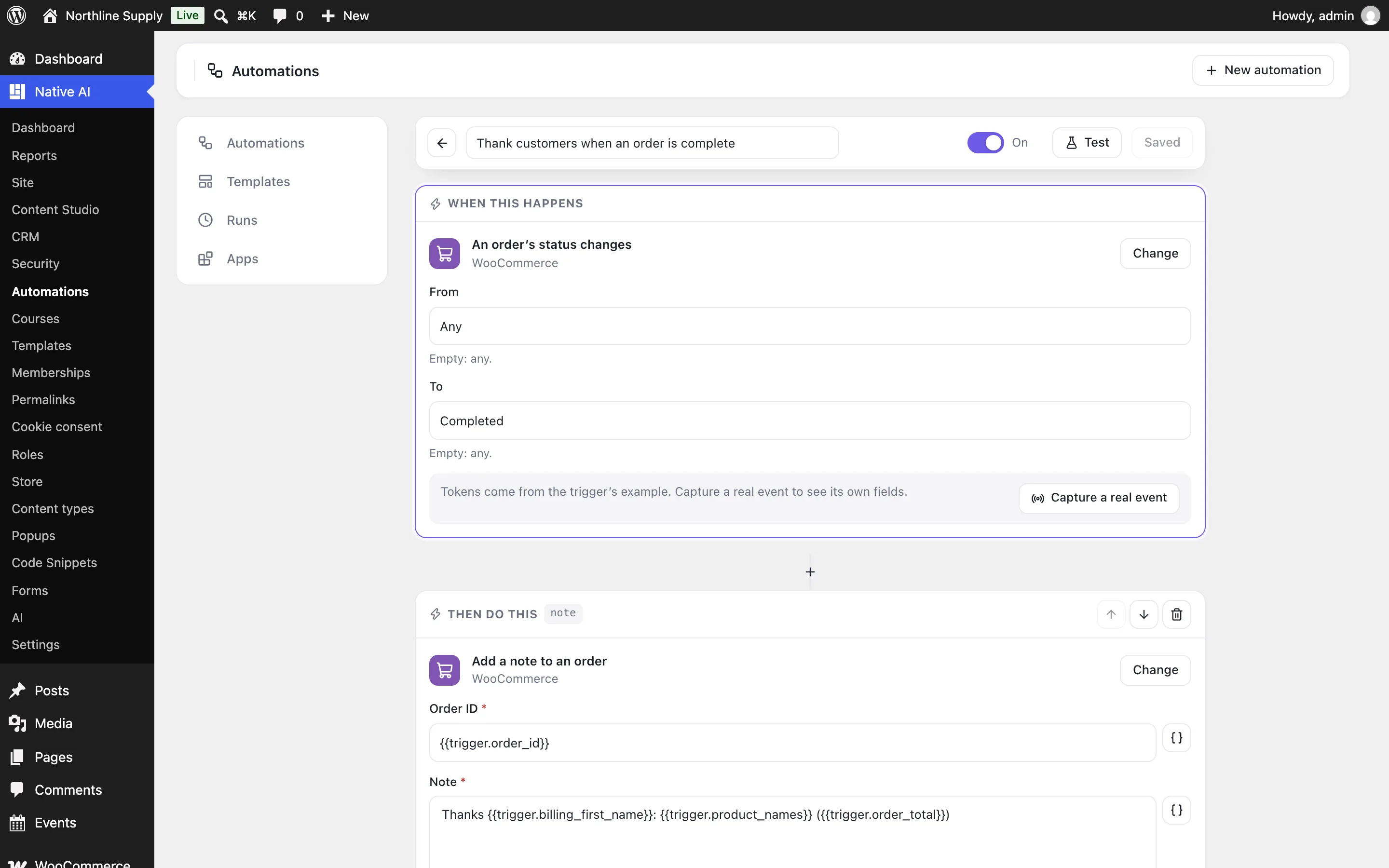
When this happens, do that
Choose what starts the automation, then add its steps in order: actions, “only continue if” conditions, and waits — for a few minutes, days or weeks, or until a date. Every field takes tokens from the event and from earlier steps, like the order total, the student’s first name or the coupon the step before made, with a fallback when one is empty.
Narrow a trigger with its choices (this product, that course, these form fields), run it every time or only once per person, and let a step keep going when an app is down.
- Actions, conditions and delays in any order
- Tokens from the event and earlier steps, with fallbacks
- Once per person, once ever, or every time
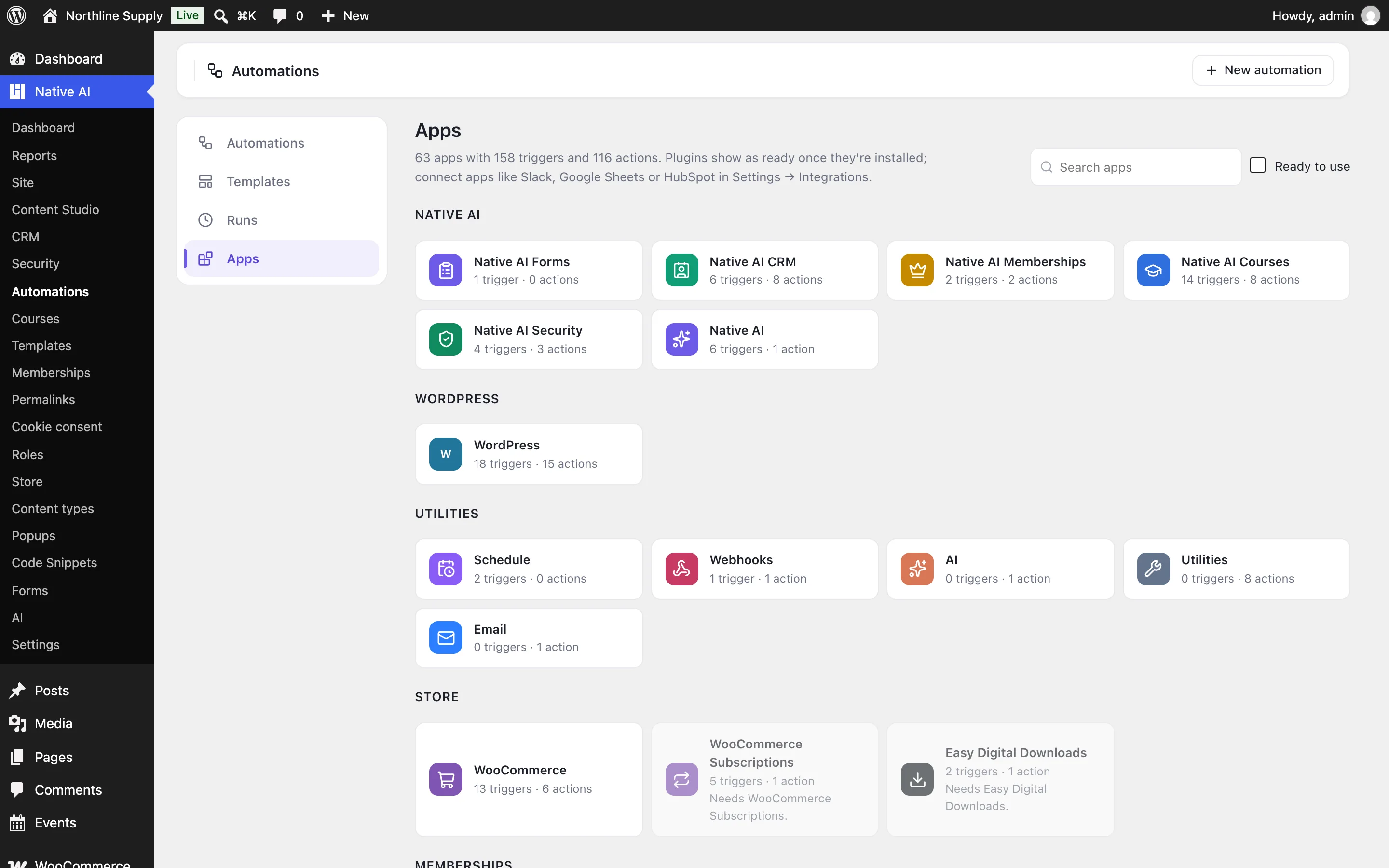
Your plugins, connected
Native AI’s forms, CRM, memberships, courses, security, analytics goals, popups and AI writer; WordPress users, posts, comments and roles; WooCommerce orders, products, customers, coupons, reviews and stock, with Subscriptions and Memberships; LearnDash, LifterLMS, Tutor LMS, LearnPress, Sensei and MasterStudy; MemberPress, Paid Memberships Pro and Restrict Content Pro; FluentCRM and MailPoet; BuddyPress, bbPress, Ultimate Member, GamiPress, myCred, AffiliateWP, The Events Calendar, GiveWP and WP Job Manager; and Gravity Forms, WPForms, Contact Form 7, Ninja Forms, Formidable, Fluent Forms, Elementor forms and Forminator.
Apps connected in Settings → Integrations — Slack, Discord, Google Sheets, Airtable, Notion, Mailchimp, Brevo, Klaviyo, ConvertKit, ActiveCampaign, HubSpot, Salesforce, Pipedrive, Twilio, Stripe and more — are actions too, with their keys kept encrypted on your site.
- Each plugin is ready the moment it’s installed
- Connected apps keep their keys on your site
- Webhooks in and out connect everything else
The AI as a step — and as the builder
Add an “Ask the AI” step to sort a form message, summarise an order, translate, or draft a reply, and use its answer — or the fields you asked for, like category and priority — in the next steps. In the builder’s chat, describe an automation and the agent builds it as a draft for you to switch on.
- Answers as text or as named fields
- The agent builds, tests and explains automations
- Switching on and testing always ask you first
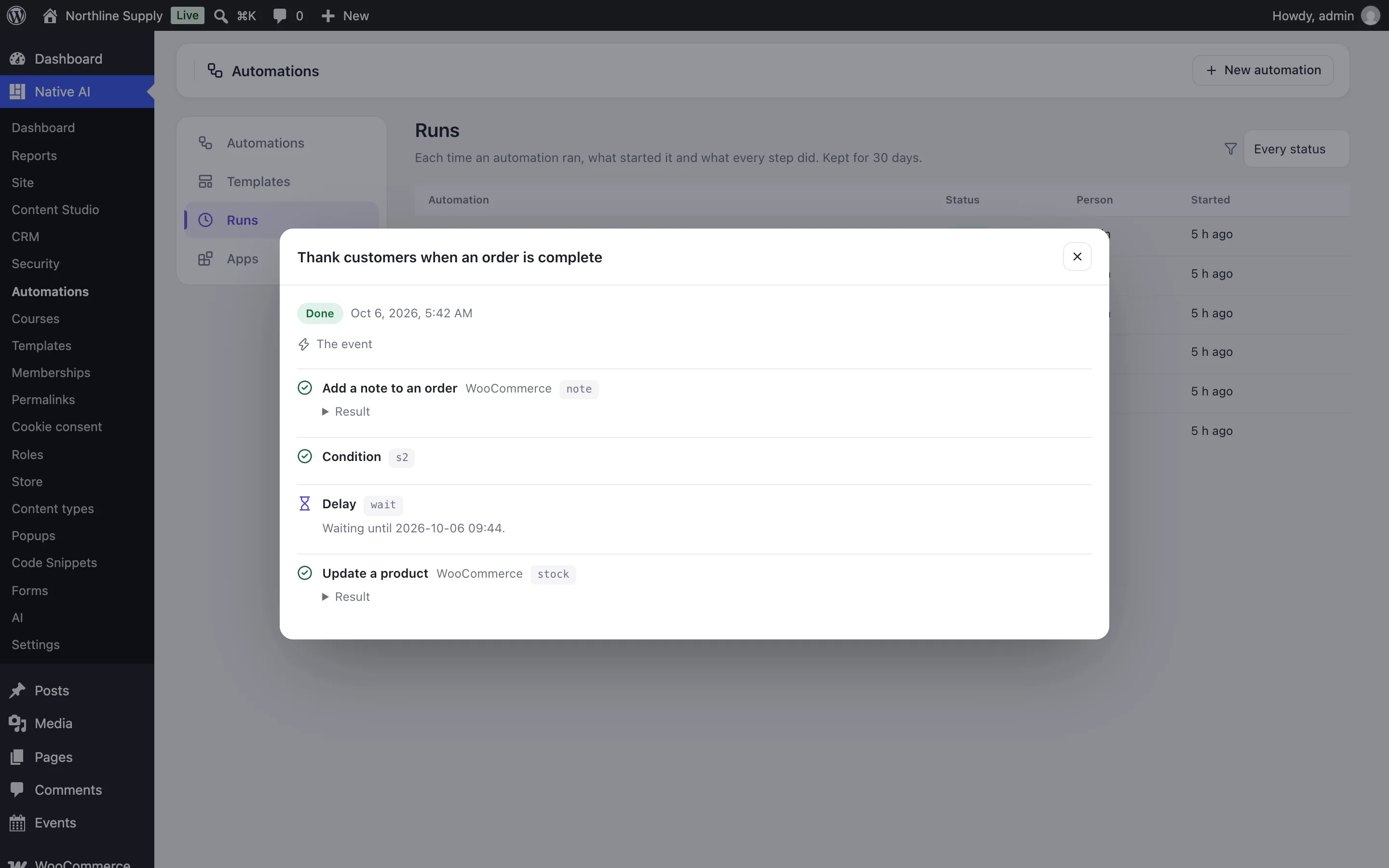
Know what ran
Every run is logged with the event that started it and what each step did, with its result or the reason it failed; waits show when they’ll continue, and you can stop them. Test an automation with a sample event, or capture a real one from your site to see its exact fields. Failures send a notification.
- A log of every run and step
- Tests with sample or captured events
- Notifications when something fails
AutomationsEverything included
Everything in automations
Building
- Triggers with choices; actions, conditions and delays
- Tokens with fallbacks from the event, earlier steps, the person, the site and the date
- Once per person, once ever, or every time
- 17 templates to start from
Starts
- Native AI features, WordPress, WooCommerce and 30+ plugins
- Schedules: every few minutes, hourly, daily, weekly, monthly or at a date
- Webhooks with their own secret address
- Capture a real event to see its fields
Does
- Email, users, roles, posts, comments, terms and fields
- Coupons, orders, notes, refunds and products
- Enroll, complete, certificates, memberships, CRM tags and lists, points, groups
- Slack, Google Sheets, HubSpot and other connected apps; webhooks; the AI; text, math, dates and lookups
Safety
- Automations never give administrator-like roles or change capabilities
- Secrets are kept on the server, never shown to the AI
- Chains are stopped after three levels
- A log of every run, kept 30 days
Questions about automations
Do I still need Uncanny Automator or SureTriggers?
No. Turn on Automations in Native AI → Settings → Features; the triggers and actions of the plugins you have show up on their own.
Is there a limit on runs or tasks?
No. Automations run on your own site, so there’s no task count. Only the “Ask the AI” step uses AI credits.
Do visitors wait while an automation runs?
No. Runs start after the page is sent, and delays continue in the background.
Can the AI build automations?
Yes. Describe what you want in the builder’s chat; the agent builds it as a draft, and asks before switching it on or testing it.
AutomationsKnowledge base
How to use it
Step-by-step articles, settings and answers in the knowledge base.
- Build an automationAutomations is an optional feature for “when this happens, do that”: choose what starts it — a form, an order, a course, a membership, a sign-in, a schedule, a webhook — then add actions, conditions and delays, test it and switch it on.
- Apps, triggers and actionsWhat automations can start from and do: Native AI’s own features, WordPress, WooCommerce and its add-ons, the popular LMS, membership, CRM, form, community and gamification plugins, connected apps like Slack and Google Sheets, webhooks, schedules, email, the AI and utilities.
- Runs, testing and troubleshootingEvery time an automation runs it’s logged with the event that started it and what each step did. Test with sample or captured events, stop waiting runs, and find out why something didn’t happen.
Works well with
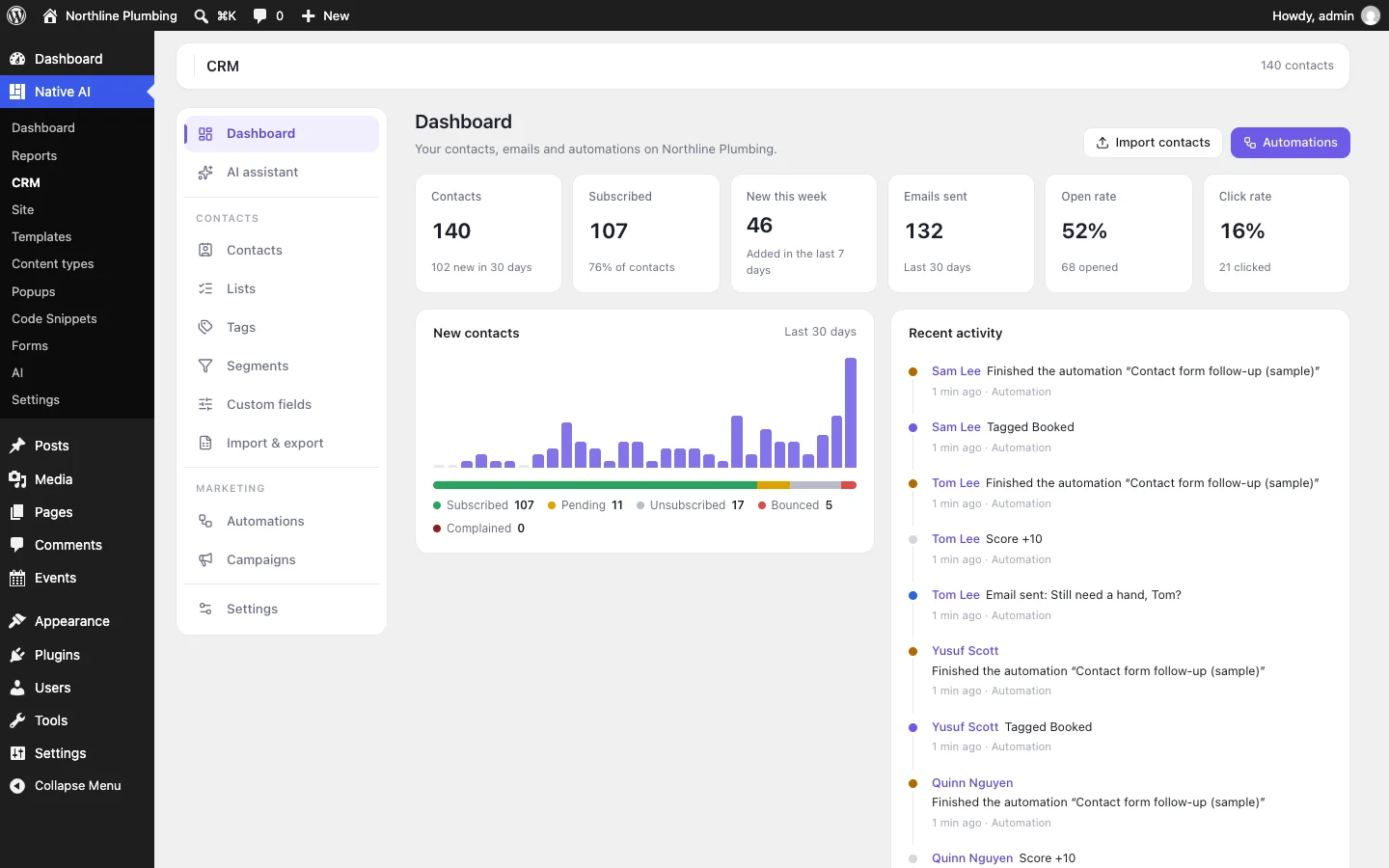
One plugin. One agent. Your whole site.
Start free: a license for one website and AI credits to build with, no card needed. Describe your business and watch Native AI design your home page.