DocsPermalinks
Bulk changes, redirects and problems
Regenerate addresses from the formats, put WordPress’s back, or find and replace text in many addresses at once — previewed first and undoable — and manage the redirects that keep old addresses working.
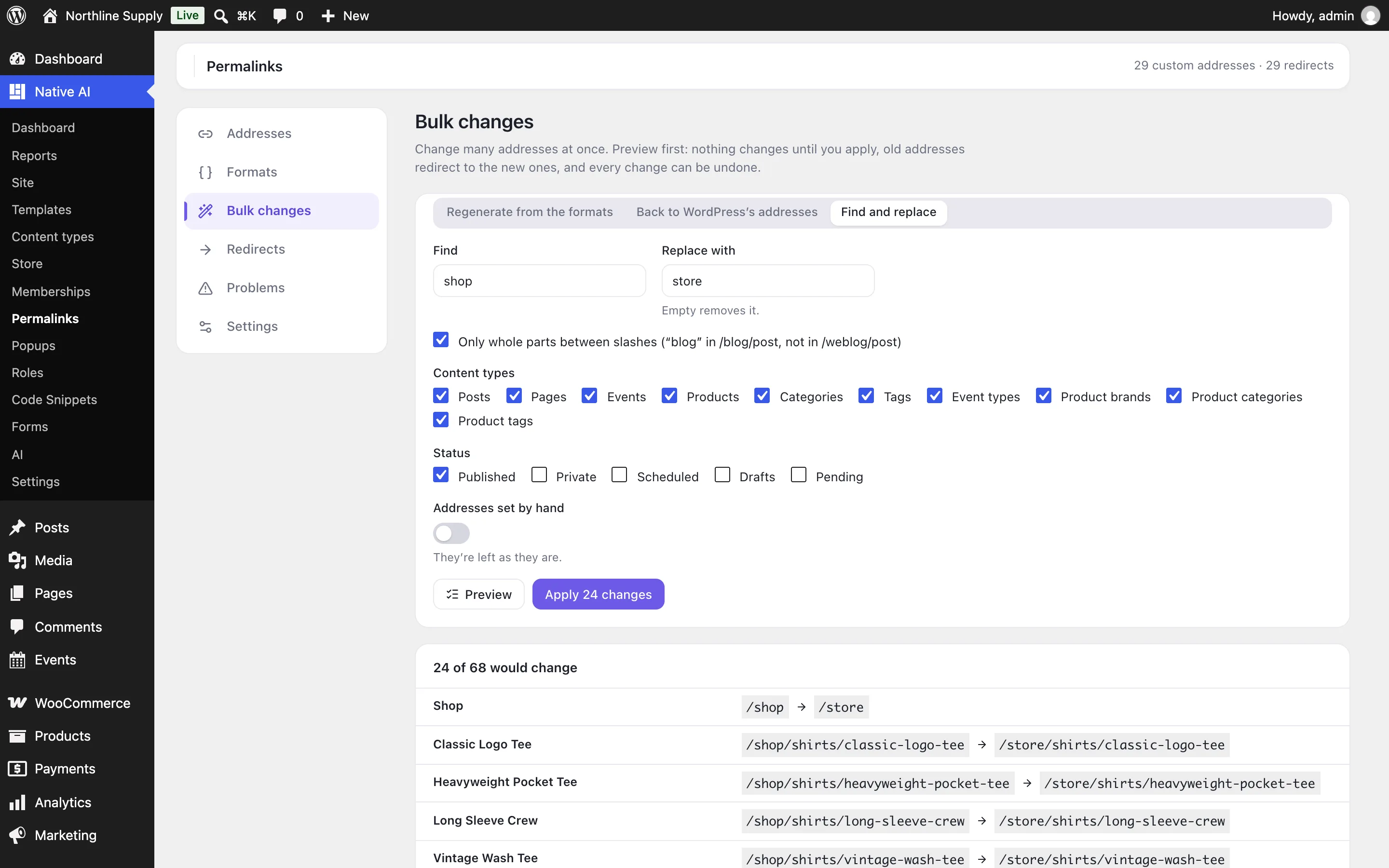
Go to Native AI → Permalinks → Bulk changes.
| Change | What it does |
|---|---|
| Regenerate from the formats | Makes each address again from its type’s format — after you set or change a format. |
| Back to WordPress’s addresses | Removes custom addresses, so WordPress makes them again. |
| Find and replace | Replaces text in addresses, ignoring letter case. Only whole parts between slashes replaces blog in /blog/post but not in /weblog/post. Leave Replace with empty to remove it. |
- Choose whatThe change, the content types, and the statuses (published by default). Addresses set by hand are left alone unless you include them.
- PreviewEvery address that would change, before and after — and any that can’t, because another page already has that address. Nothing has changed yet.
- ApplyIt runs in parts, so large sites don’t time out. The old addresses redirect to the new ones.
History and undo#
Every change is kept in History — a bulk change, an edit, an address that followed its page, a change the AI made. Undo puts back everything that change did, in one click.
Redirects#
Permalinks → Redirects lists old addresses (added by themselves when an address changes) and redirects you added, with how often each was used. A redirect to a page follows it: change the page’s address again and the redirect goes straight to the new one.
- Add redirect: an address on this site, and where it goes — a page, post, product or category, or another address.
- Import redirects from CSV (old address, then where it goes, one per line), checked first; Export downloads them.
- A page’s own redirects are also in its editor’s Address box: add or remove addresses there.
Problems#
| Problem | What to do |
|---|---|
| Used by more than one page | Visitors see only one of them: give the others a different address. |
| Redirects that never run | A page has that address now, so it opens instead: delete the redirect. |
| Addresses of deleted pages | Left from pages or terms that no longer exist: Remove all. |
With the AI#
The AI can find addresses, change one, set formats, add and remove redirects and change settings. For bulk changes it previews first and asks before applying, showing the list; any change can be undone.
On the features pages
Still have a question? Email us at support.