DocsPermalinks
Change any page’s address
The Permalink manager gives any page, post, product, category or tag the address you want, makes new addresses from a format per content type, and keeps old addresses working.
The Permalink manager is an optional feature. Switch it on in Native AI → Settings → Features; a Permalinks screen appears in the Native AI menu. Until you change something, every address stays WordPress’s own.
Change one address#
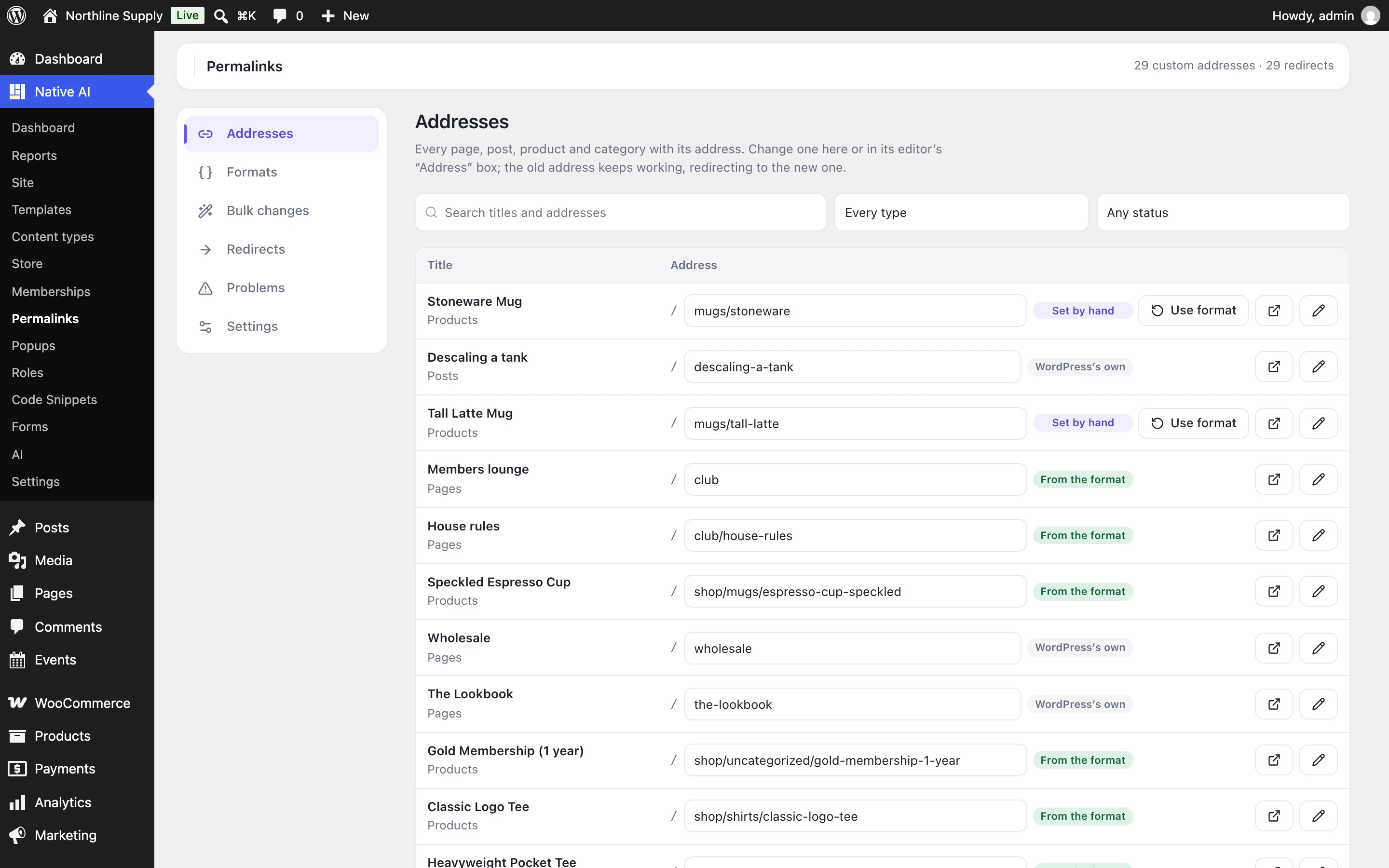
- Find itPermalinks → Addresses lists every page, post, product and category. Search by title or address, or choose a type.
- Type the new addressAnything after your site’s address: club, shop/mugs/stoneware, guides/water-heaters. Press Enter or Save.
- That’s itLinks across the site use it at once, and the old address redirects to it.
Or open the page’s editor: the Address box (or, for a category, the Address row) has the same field, Make it from the format to go back, and the other addresses that redirect to it.
| Label | Means |
|---|---|
| WordPress’s own | No custom address: WordPress makes it as usual. |
| From the format | Made from its type’s format (below). It can be updated by regenerating, or by itself if you choose. |
| Set by hand | Only you change it. Use format (or Reset) goes back. |
Formats#
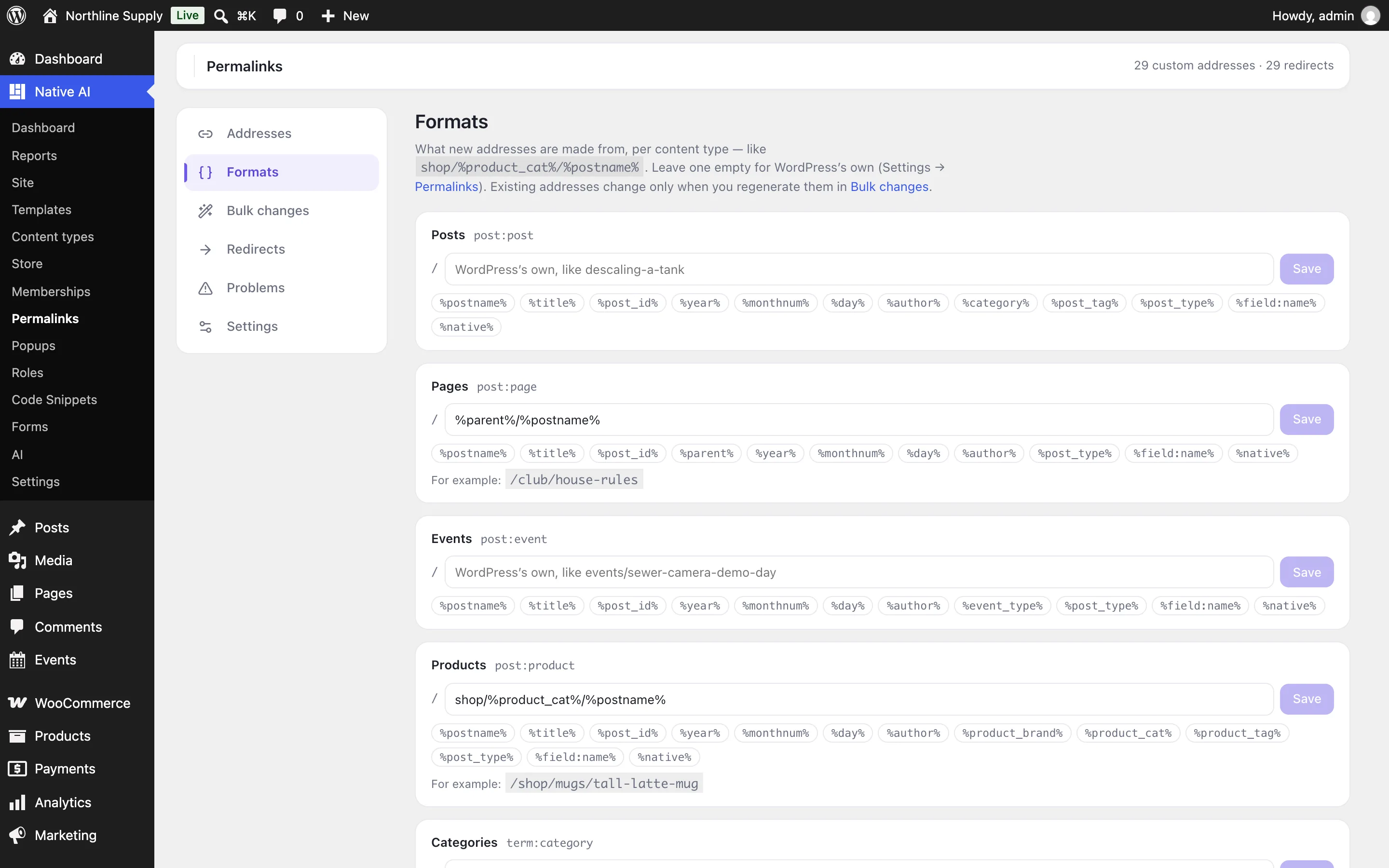
Permalinks → Formats sets what new addresses of each type are made from. Click a tag to add it; an example shows as you type. Leave a format empty for WordPress’s own addresses.
| Tag | Gives |
|---|---|
| %postname% · %title% · %post_id% | The slug, the title as a slug, the ID |
| %parent% | A page’s parent’s address (pages and other hierarchical types) |
| %category%, %product_cat%… | The first term of that taxonomy (by lowest ID, as WordPress does), with its parents |
| %year% · %monthnum% · %day% · %author% | When it was published, and who by |
| %post_type% · %field:name% | The content type’s base; a custom field’s value |
| %term% · %term_path% · %term_id% · %taxonomy% | For categories and tags: the slug, with its parents, the ID, the taxonomy’s base |
| %native% | WordPress’s own address, to add something before or after it |
Saving a format doesn’t change existing addresses: regenerate them in Bulk changes. New pages get theirs from the format when they’re published.
Settings#
| Setting | What it does |
|---|---|
| Slash at the end | As WordPress’s permalink setting, always, or never. With always or never, a visit to a custom address with the other form is sent to the right one. |
| Send WordPress’s addresses to the custom ones | Someone visiting a page’s WordPress address (or ?p=12) lands on its custom one. On by default. |
| Keep old addresses working | When an address changes, the old one redirects to the new one. On by default. |
| New pages use the format | A page, post or term published for the first time gets its address from its format. On by default. |
| Keep addresses up to date | Addresses made from a format follow when a title, slug, parent or category changes — and child pages follow their parent. Addresses set by hand never change by themselves. Off by default. |
| Leave to WordPress | Content types and taxonomies the permalink manager doesn’t touch. |
What keeps working#
- Everything after an address: /page/2/, /feed/, /comment-page-2/, /embed/, a post’s page number — and endpoints like WooCommerce’s My Account → Orders under a renamed account page.
- Addresses ignore letter case: /Club/ goes to /club/.
- Menus, sitemaps, canonical tags and the builder use the new addresses.
- Addresses can’t start with paths WordPress uses (wp-admin, wp-json, wp-content…), and two pages can’t share one.
Related articles
On the features pages
Still have a question? Email us at support.