DocsAutomations
Apps, triggers and actions
What automations can start from and do: Native AI’s own features, WordPress, WooCommerce and its add-ons, the popular LMS, membership, CRM, form, community and gamification plugins, connected apps like Slack and Google Sheets, webhooks, schedules, email, the AI and utilities.
Automations → Apps lists every app with its triggers and actions. Plugins are ready as soon as they’re installed and active; until then they show what they need, and you can still build with them.
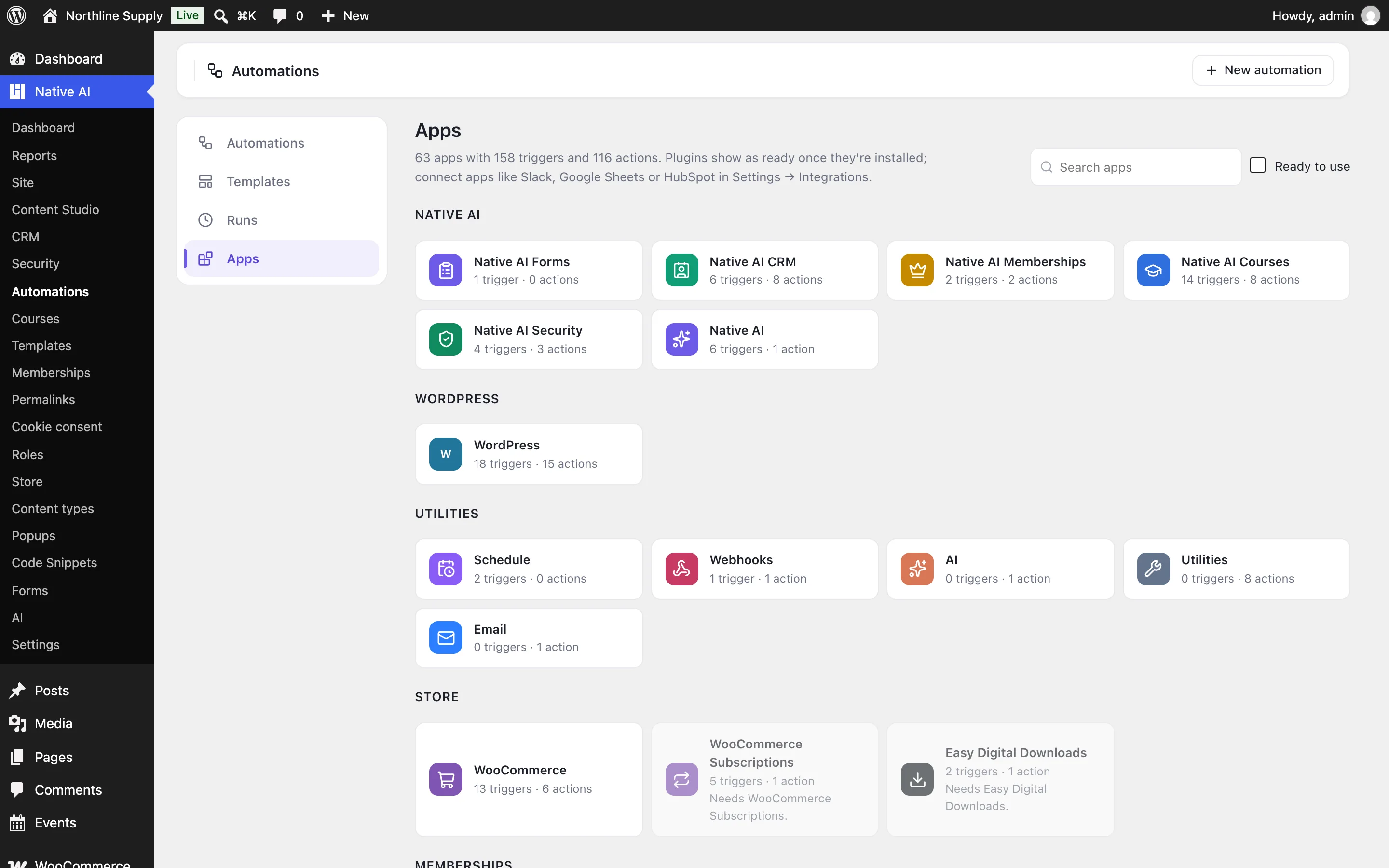
| App | Starts automations when… | Can… |
|---|---|---|
| Native AI Forms | A form is sent (each field is a token) | — |
| Native AI CRM | A contact is added, gets or loses a tag or list, changes status | Add or update contacts, tags, lists, status, score; start a CRM automation |
| Native AI Memberships | A membership starts or ends | Make someone a member; end a membership |
| Native AI Courses | Enrolled, access ends or is about to, lesson, topic or course finished, quiz passed or failed, assignment handed in or graded, certificate, points, group joined, review | Enroll, unenroll, complete a step, reset progress, issue a certificate, give points, add to or remove from a group |
| Native AI Security | An address is blocked, the scan finds a problem or finishes, a sign-in from a new device | Block or unblock an address; run a scan |
| Native AI | An analytics goal is reached, a popup opens, converts or is clicked, the AI writer finishes a post, an email fails, a cookie choice, an address changes | Write a post with the AI |
| WordPress | Users register, sign in (or fail to), update their profile, change role, reset their password, are deleted, a user field changes; posts are published, updated, change status, are trashed, viewed, get terms or fields; comments are posted or approved; media is uploaded | Create and update posts, status, trash, categories and tags, fields; create and update users, roles and user fields; send a password reset; add a comment; run your own hook |
| WooCommerce | An order is placed, paid, completed, refunded or changes status; a product is bought; a customer account is made; a review; added to cart; a coupon applied; low, out of or back in stock | Create a coupon; change an order’s status; add an order note; create an order; refund; update a product’s price, stock or status |
| WooCommerce Subscriptions and Memberships | Subscriptions bought, renewed, failing, trial ending, changing status; memberships given or changing status | Change a subscription’s status; give or cancel a membership |
| Easy Digital Downloads | A purchase or refund | Create a discount code |
| LearnDash, LifterLMS, Tutor LMS, LearnPress, Sensei, MasterStudy | Enrollments, finished courses, lessons and topics, quiz results, groups, memberships, certificates, assignments | Enroll and unenroll, mark lessons or courses complete, reset progress, groups (each as the plugin allows) |
| MemberPress, Paid Memberships Pro, Restrict Content Pro | Bought, renewed, changed, cancelled or expired memberships | Give a membership or level; cancel a level |
| FluentCRM, MailPoet | Contacts added, tagged, listed; subscribers | Add or update contacts, tags and lists; subscribe and unsubscribe |
| BuddyPress, bbPress, Ultimate Member, WP Job Manager | Groups, friends, updates, profiles, activations; topics and replies; registrations and approvals; jobs and applications | Join or leave groups, post updates, send messages; start topics and reply |
| GamiPress, myCred, AffiliateWP, The Events Calendar, GiveWP | Achievements, points, ranks and balances; affiliates and referrals; events and RSVPs; donations | Award or take points and achievements; add affiliates and referrals; create events |
| Gravity Forms, WPForms, Contact Form 7, Ninja Forms, Formidable, Fluent Forms, Elementor forms, Forminator | A form is sent (each field is a token by its label) | — |
Connected apps#
Apps connected in Native AI → Settings → Integrations — Slack, Discord, Google Sheets, Airtable, Notion, Mailchimp, Brevo, Klaviyo, ConvertKit, ActiveCampaign, HubSpot, Salesforce, Pipedrive, Twilio, Stripe, Zapier, Make, n8n and your own APIs — are actions too: post a message, add a row, add a subscriber, create a contact or deal, send a text. Choose the connection in the step; its keys stay encrypted in the connection and never appear in the automation.
Built-in tools#
| Tool | What it does |
|---|---|
| Schedule | Starts automations every few minutes, hourly, daily, weekly or monthly at a time — or once at a date (then it pauses itself). |
| Webhooks | A webhook is received: each automation gets its own secret address for other apps to call with JSON, form data or query parameters. Send a webhook: send data to any address, as JSON, form data or a raw body, with headers and an Authorization header that’s kept secret. |
| Sends an email to anyone, in the site’s email look or plain, through the site’s mail (Native AI Email delivery when it’s on). | |
| AI | Ask the AI: write, summarise, sort, translate or draft a reply from the event’s facts. Ask for named fields (category, priority…) to use each in later steps. Uses AI credits. |
| Utilities | Change text (case, replace, shorten, split, find with a pattern, find an email), do math, work with dates, find a user or a post, pick at random, set values and read JSON. |
Related articles
On the features pages
Still have a question? Email us at support.