DocsMemberships & roles
Manage members
See who has which plan, how they got it and until when; pause, end or extend memberships, add people by hand and export to CSV. Members see theirs in WooCommerce’s My Account, and builder elements can show only to members.
Native AI → Memberships → Members lists every membership: the person, the plan, its status, how they got it (an order, a subscription, by hand, by the AI), since when and until when.
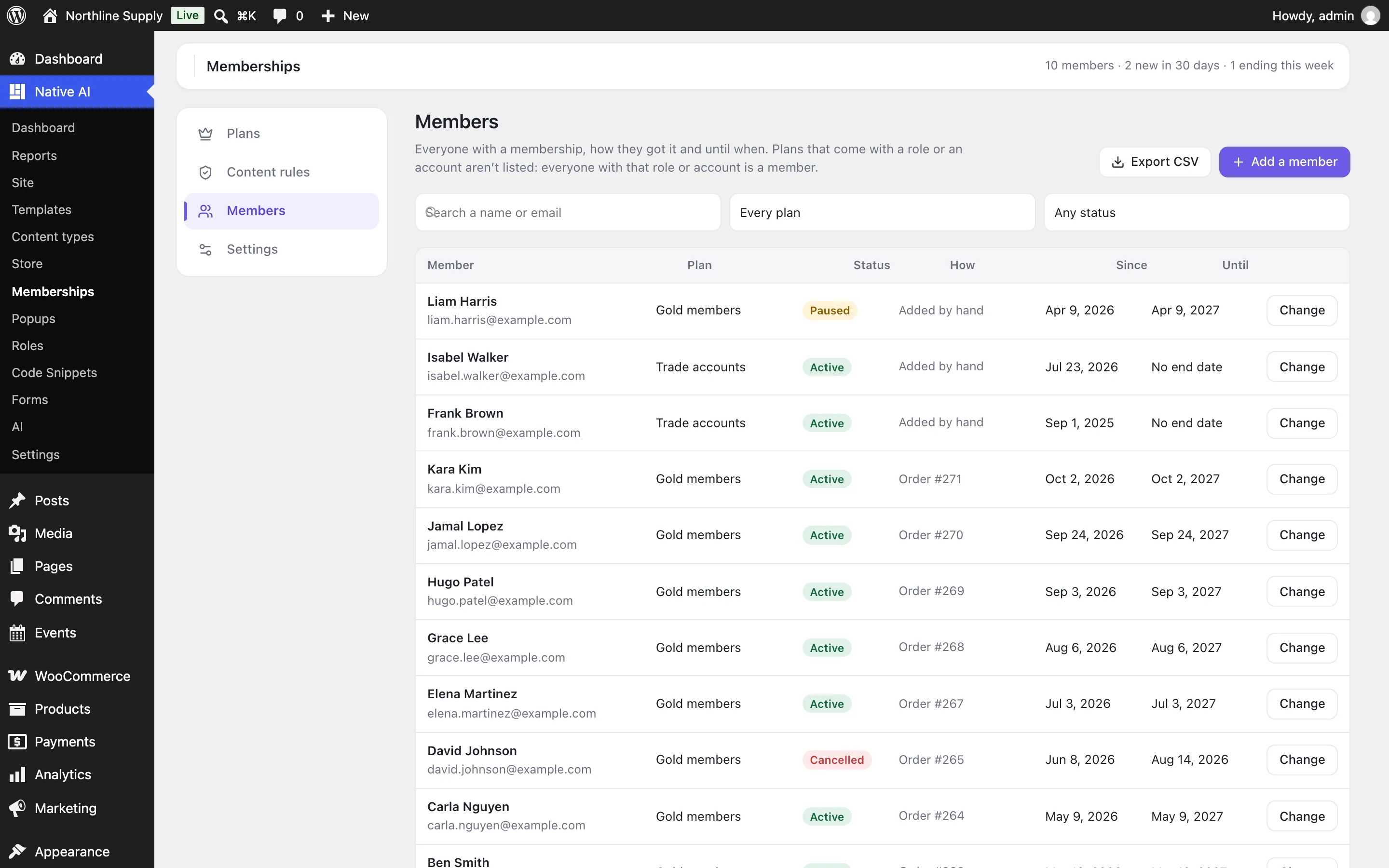
- Filter by plan and status, or search by name or email.
- Change a membership to pause it, end it, or move its end date — and keep a note.
- Add a member: choose the person, the plan and until when (the plan’s length, a date, or no end date).
- Export CSV downloads the list as filtered.
What members see#
With WooCommerce, members find a Memberships tab in My Account with their plans, since when and until when (turn it off in Settings). Anywhere else, the [nativeai_my_memberships] shortcode shows the same list.
Members-only parts of a page#
| Where | How |
|---|---|
| Builder elements | Any element’s Visibility can use Visitor is a member (of chosen plans, or any) and Visitor bought a product. |
| Inside any content | [nativeai_members plans="gold-members"]…[/nativeai_members] shows what’s inside only to members of those plans. Also roles="…", products="12,15" and signed_in="yes"; message="no" shows nothing to others instead of the members-only box. |
With the AI#
The AI can add and change plans and rules, protect a page, check who can see a page, list members and add someone to a plan. It asks before deleting a plan or changing or ending someone’s membership, and everything it changes can be undone.
Related articles
On the features pages
Still have a question? Email us at support.