DocsMemberships & roles
Content rules and what visitors see
A content rule keeps pages, posts, content types, categories, addresses or the whole site for members — after a number of days if you like — and shows everyone else a teaser and a message, a sign-in, or another page.
Go to Native AI → Memberships → Content rules → New rule.
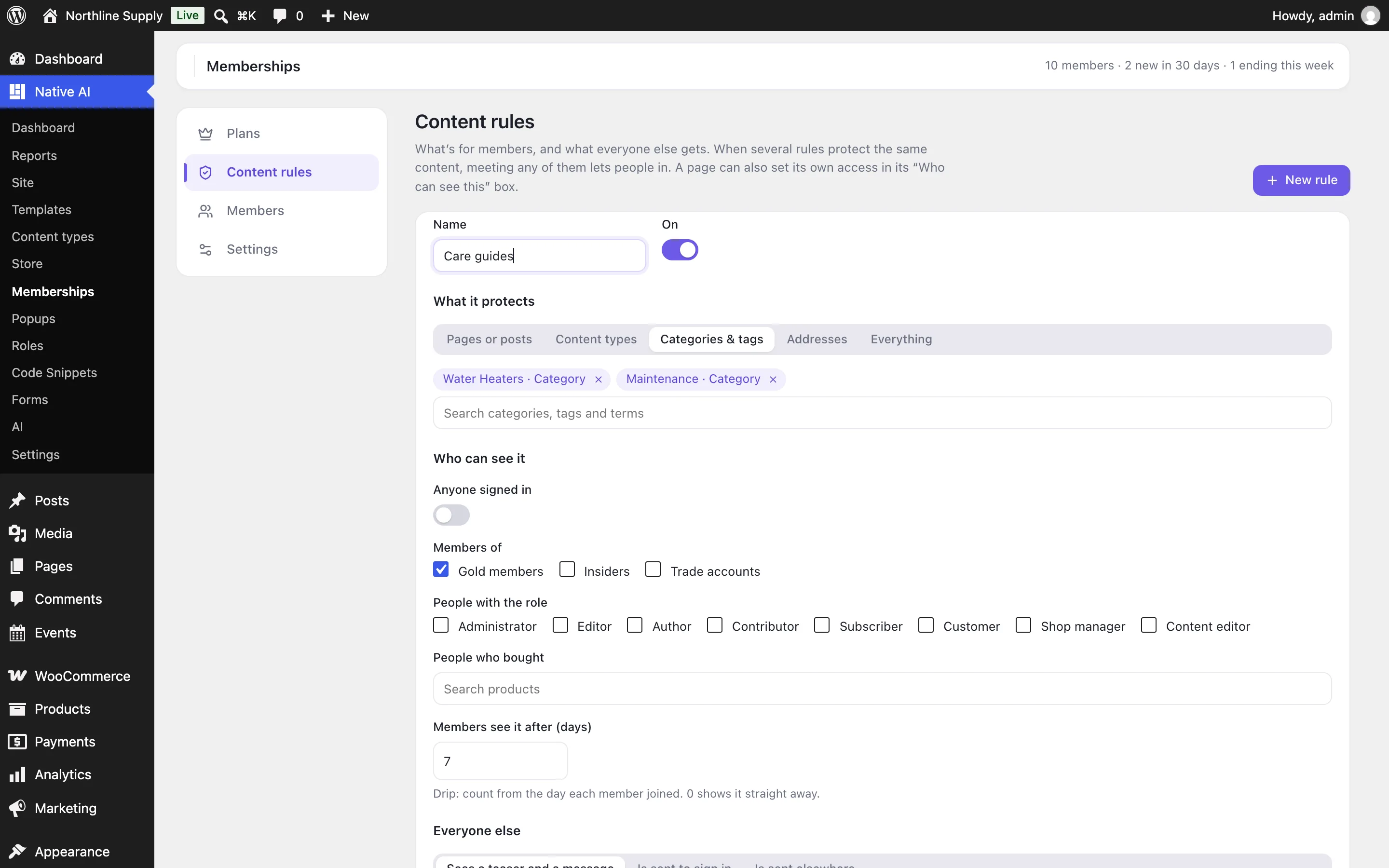
What it protects#
| Choice | What it covers |
|---|---|
| Pages or posts | The ones you choose, and (if you leave it ticked) their child pages. |
| Content types | Every post of a type: all posts, all products, all events… |
| Categories & tags | Every post in a category, tag or other taxonomy term. |
| Addresses | Every address that starts with a path, like /downloads/ — including files and pages that aren’t posts. |
| Everything | The whole site, except the pages people need to join (below). |
Who can see it#
Meeting any one is enough: anyone signed in, members of chosen plans, people with a role, or people who bought a product (any time, from WooCommerce).
Members see it after (days) opens it to plan members a number of days after they joined — a course that opens a lesson a week, say. Before then, they see when it opens.
What everyone else gets#
| Choice | What happens |
|---|---|
| A teaser and a message | The start of the content (up to the words set in Settings, and never more than a third of it), then a box saying it’s for members, with Sign in and Become a member. Turn the teaser off per rule; write the rule’s own message if you like. |
| Sent to sign in | WordPress’s sign-in, then back to the page. |
| Sent elsewhere | Another address, like your pricing page. |
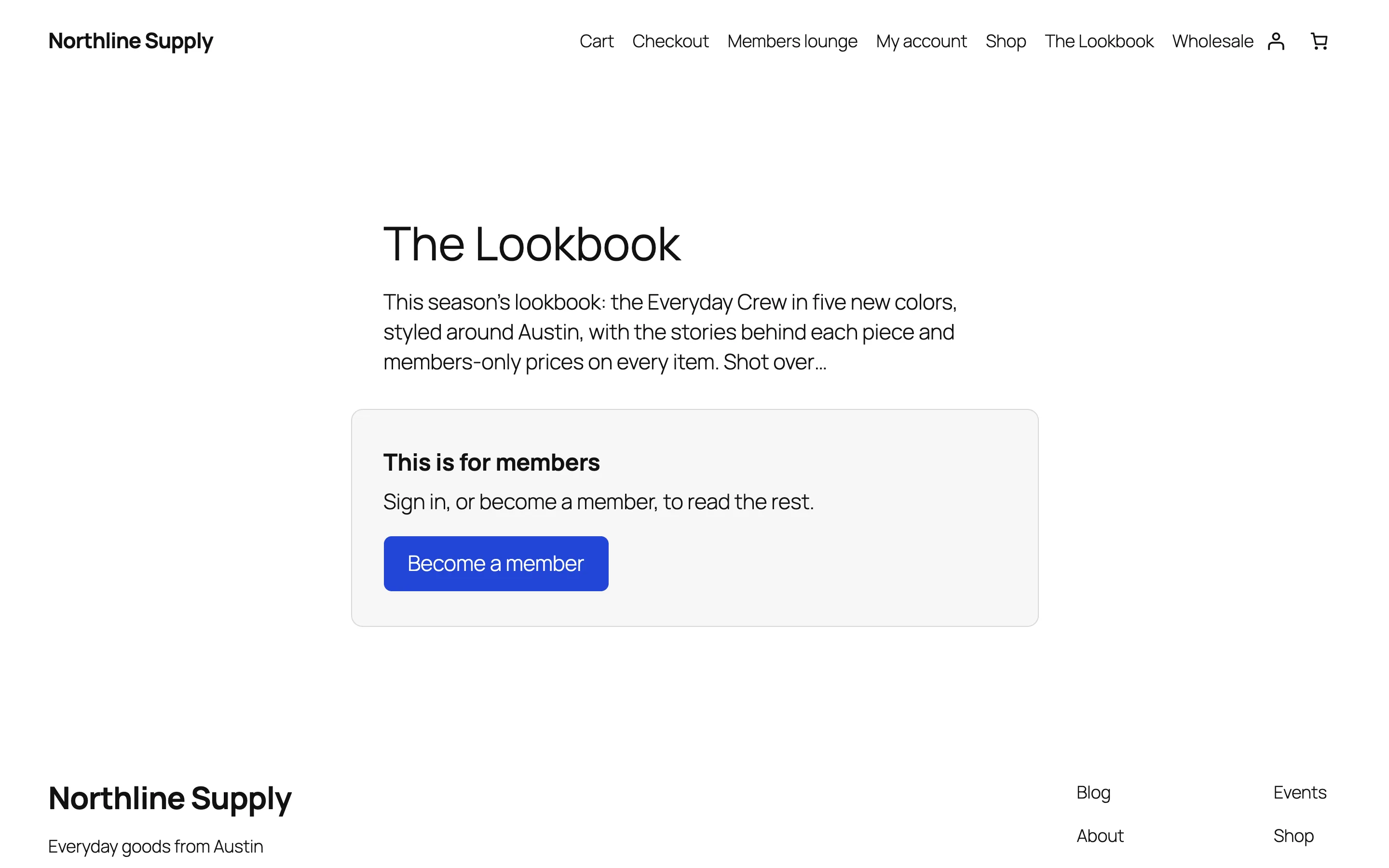
Become a member goes to the Join page in Settings, or else to the plan’s first product.
A page’s own setting#
Each page and post has a Who can see this box on its edit screen: Follow the membership rules (it lists the rules that protect it), Everyone, or Members only — with who, after how many days, and what everyone else gets. A page’s own setting wins over the rules.
Always open#
- The Join page set in Settings
- WordPress’s privacy policy page
- WooCommerce’s cart, checkout, My Account and terms pages
Protected everywhere#
- Excerpts become teasers. With Leave protected posts out of lists on, people who can’t see a post don’t find it in lists, search or feeds at all.
- The REST API and feeds give the teaser and message, not the content.
- Pages built with Native AI are protected too: visitors without access see the site’s normal template with the teaser and message.
- Protected pages are marked not to be cached, so a caching plugin doesn’t show one member’s page to everyone.
- People who can edit a page always see it (turn this off in Settings to check what others see).
Related articles
On the features pages
Still have a question? Email us at support.