Native WP AIWooCommerce AI plugin
The WooCommerce AI plugin that designs your shop and helps run it
Native WP AI is a WooCommerce AI plugin for the store you already have. Design shop and product pages with real WooCommerce data — by hand or by asking the AI — and run the store from one screen: sales, orders waiting to ship, stock running low and what needs fixing. Ask “find unfulfilled orders” or “create a 15% sale for Shirts”, and anything that moves money waits for your OK. WooCommerce stays the source of truth: everything is read and saved through it.
- Shop and product pages designed with real product data
- Orders, stock, sales and refunds on one screen, with an AI that helps
- Refunds, sales and customer emails wait for your OK
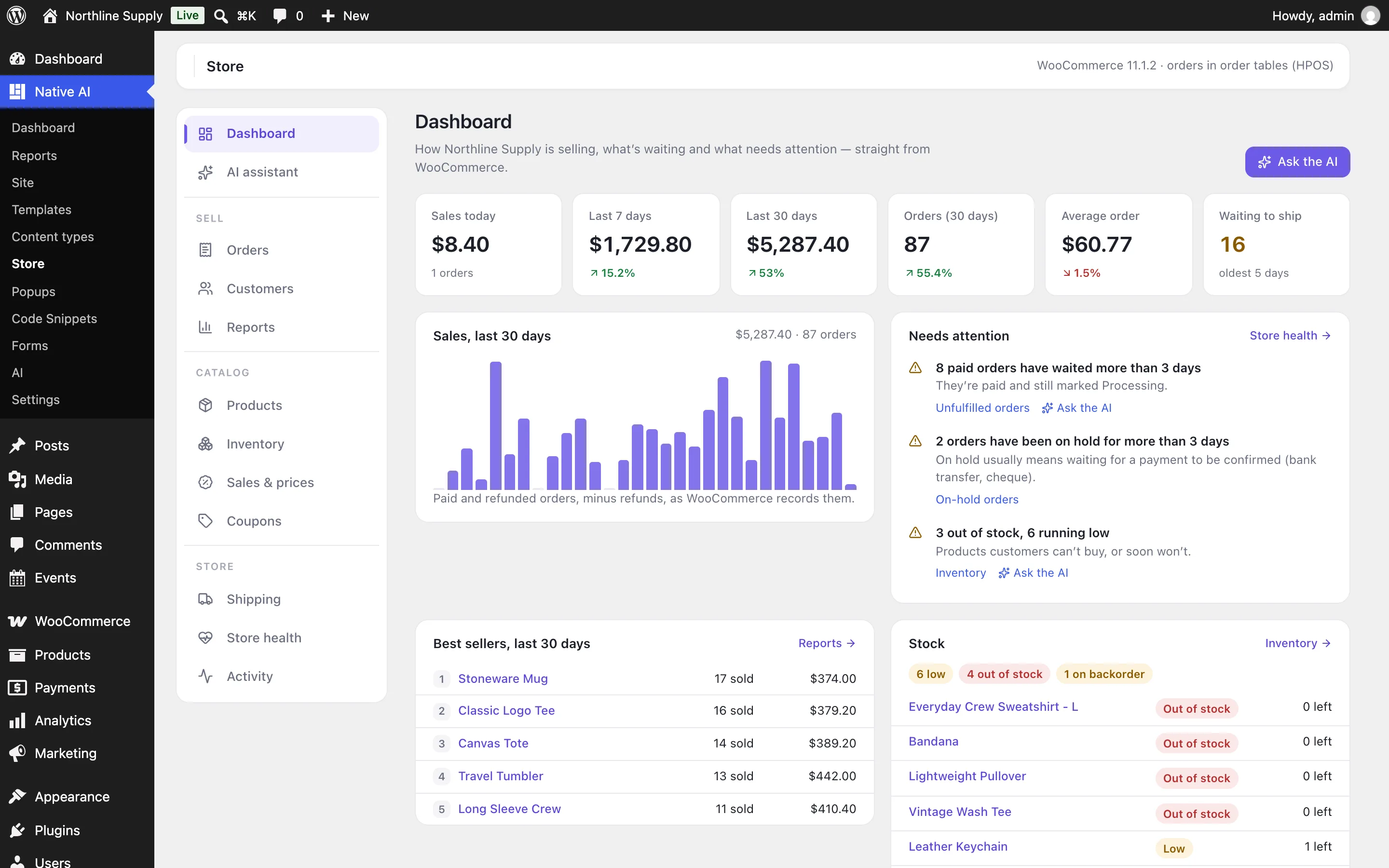
Shop and product pages, designed with your products
Product and shop pages are Native WP AI designs with real WooCommerce data: price, sale badge and discount, stock, rating, attributes and the cart. Query Loops show products on sale, featured ones, best sellers, the top rated, or a product’s related products, upsells and cross-sells, and leave out what’s hidden or out of stock.
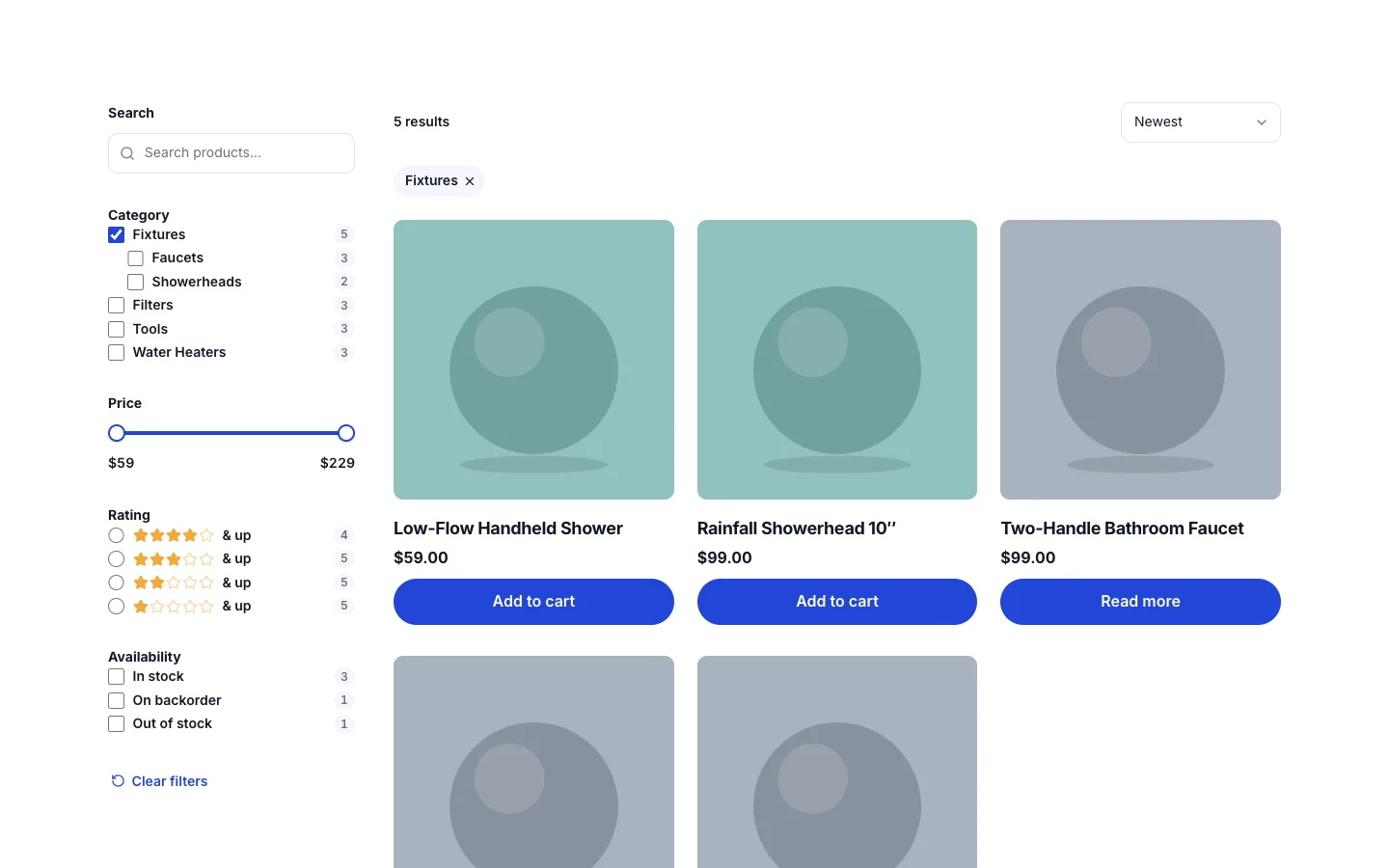
Ask the AI for it — “make the shop filterable by category, price and rating” — and it lays out the same native elements, in the page’s own style.
- Product dynamic data and product loops
- Related products, upsells and cross-sells
- Built with your design system, like every page
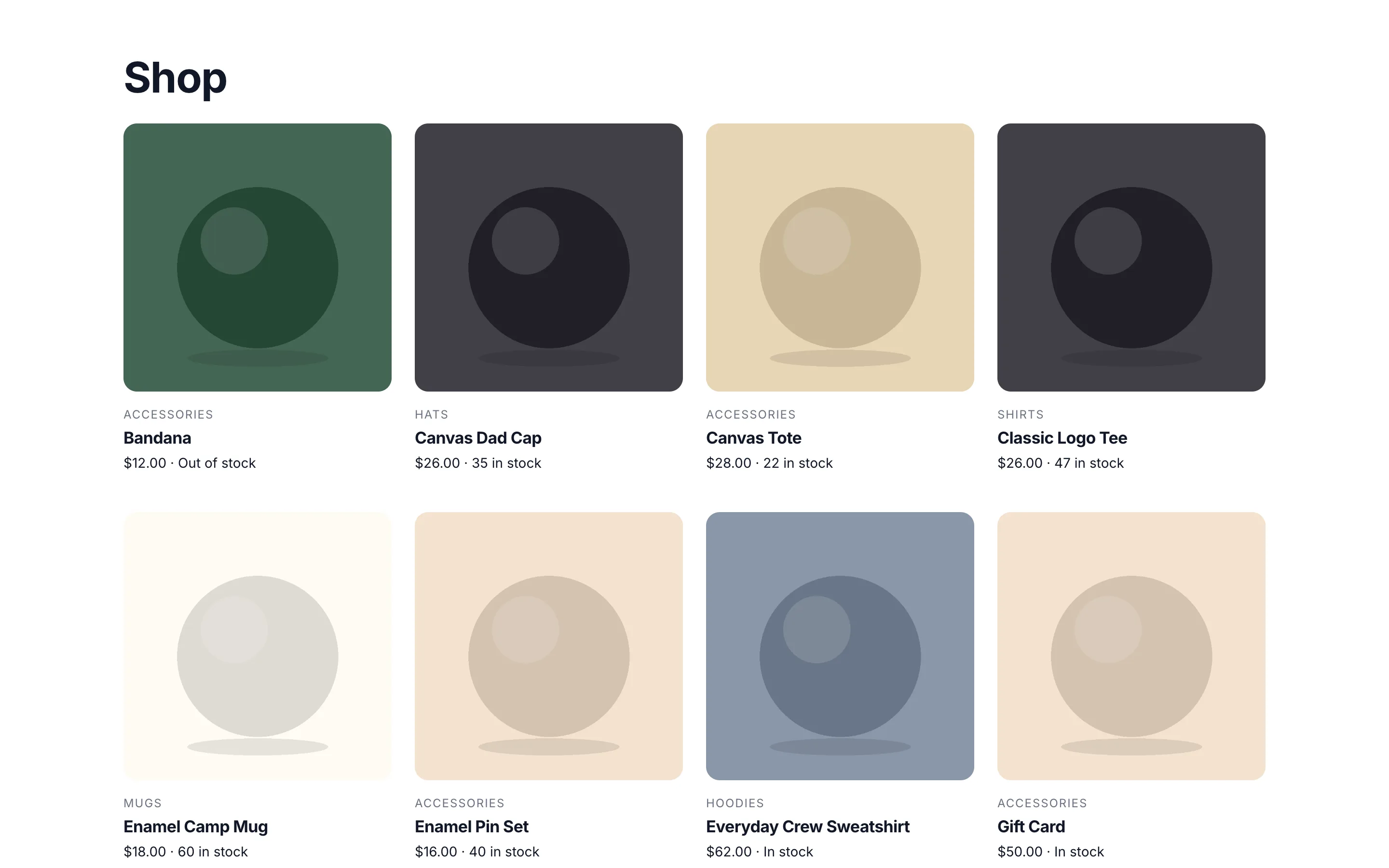
Filters shoppers narrow the shop by
Add → Loops → Shop with Filters adds a whole section: a sidebar of filters, a result count and sort menu, the shopper’s choices as chips they can remove, and the products. Filter by category, attributes such as Color and Size, price, rating, stock and whether a product is on sale.
Every choice shows how many products it gives, results update without the page reloading, and on tablets and phones the filters slide in from a Filters button. No separate filter plugin, no index to rebuild.
- Live counts and no page reloads
- Shareable filtered addresses
- A slide-in filters drawer on phones
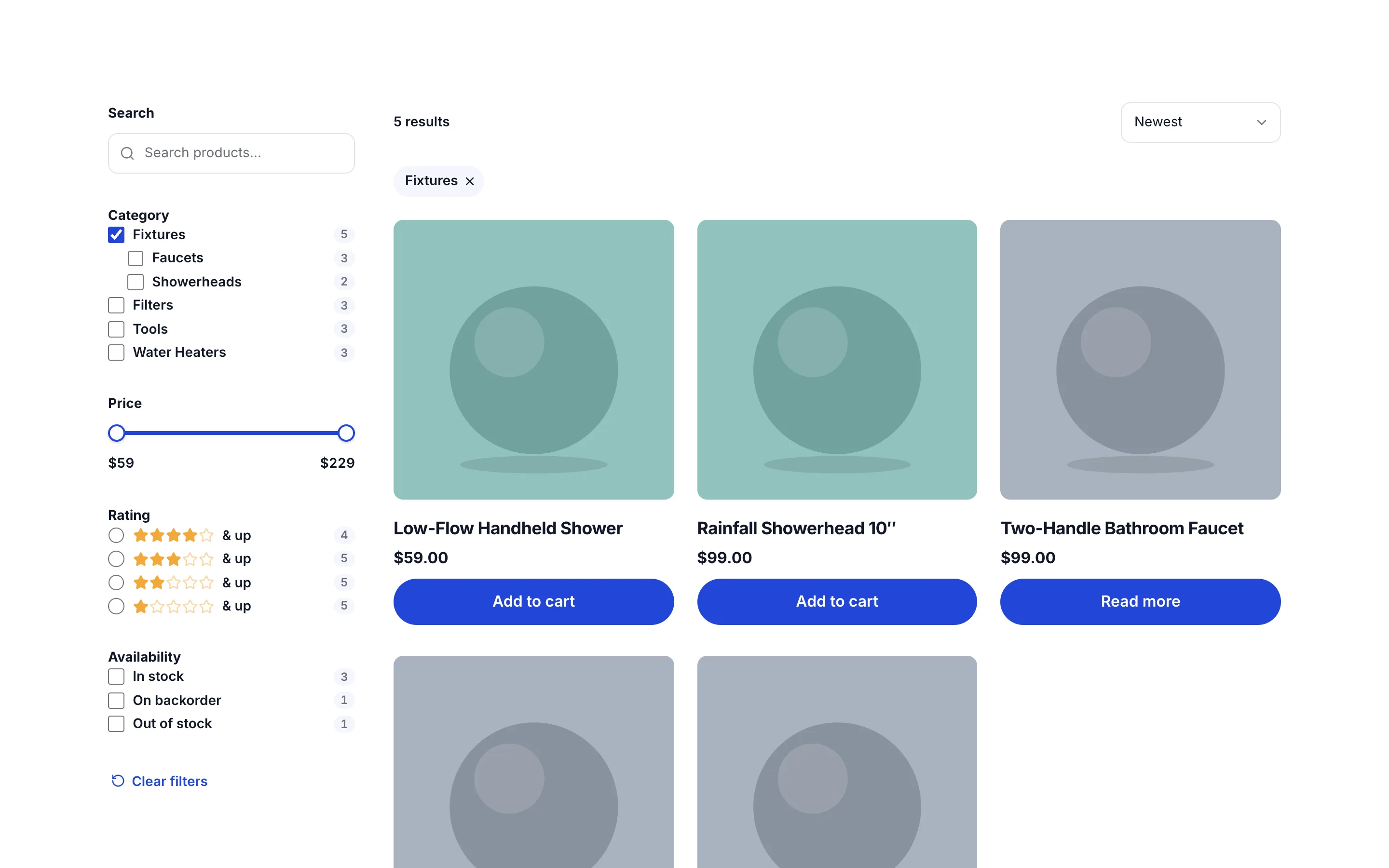
Run the store from one screen
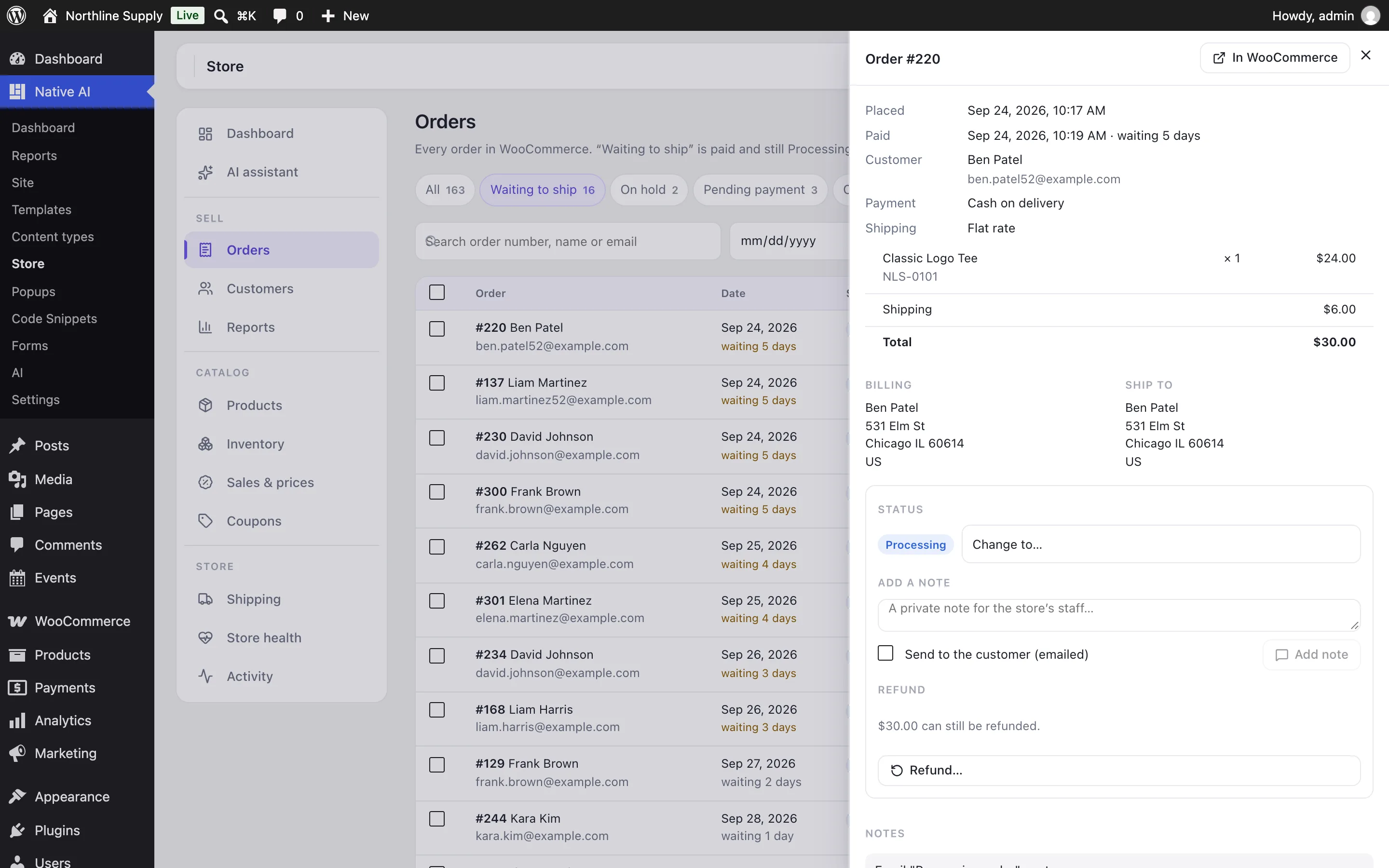
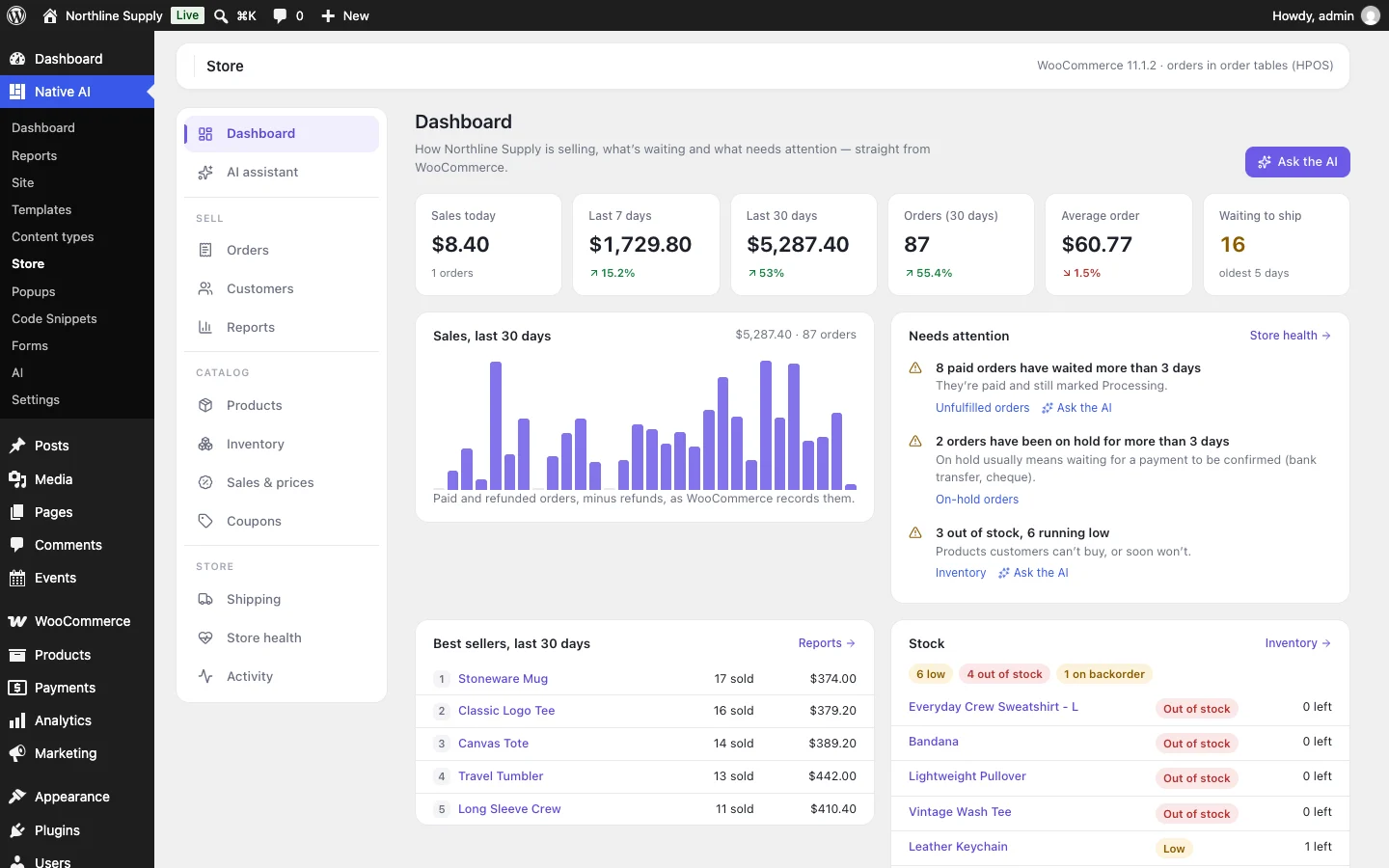
The Storekeeper puts today, this week and the last 30 days beside the period before, the paid orders waiting to ship, best sellers, stock running low and anything stopping customers from buying. Open an order to change its status, write a note or refund it — by item with restocking, or by amount.
Put a category or the whole catalog on sale, or change prices in bulk: you see every product’s old and new price first, and ending a sale early or undoing a price change puts prices back exactly.
- Sales, orders, stock and store health on one screen
- Refunds by item or amount, with restocking
- Sales and bulk prices you can end or undo exactly
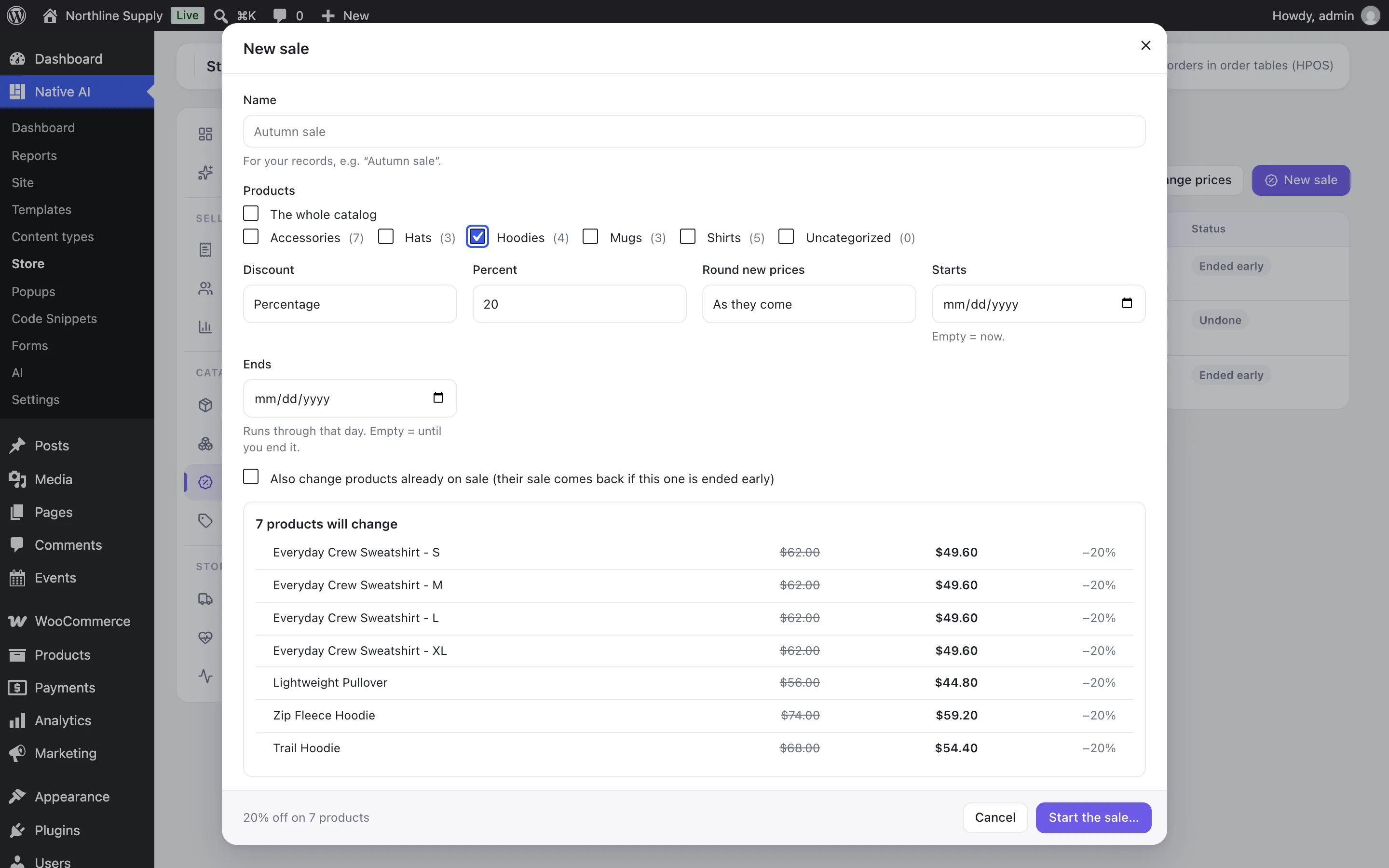
Ask the AI about your store
“Which products sold the most this month?” “Find unfulfilled orders.” “Create a 15% sale for the Shirts category until Sunday.” The AI reads WooCommerce before it answers and uses the numbers exactly as they are.
It changes a product, stock or a coupon straight away, with undo. Refunds, order statuses, emails to customers, sales, bulk price changes and shipping costs wait for your confirmation, with a preview — and every change is in the activity log, marked as the AI’s.
- Uses WooCommerce’s own permissions — shop managers too
- Previews and confirmation before risky changes
- Works with orders in posts or HPOS tables
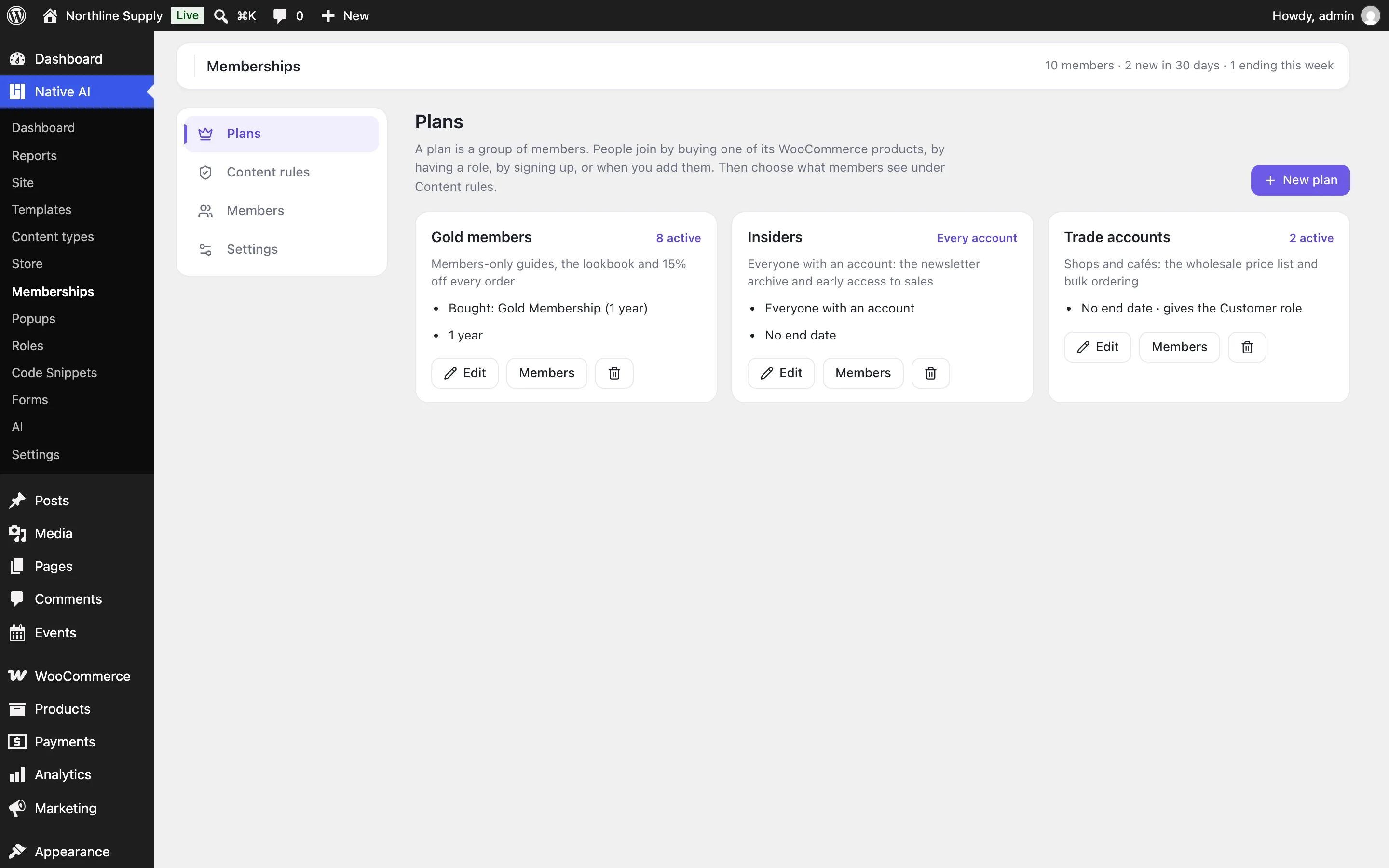
Sell memberships and courses through WooCommerce
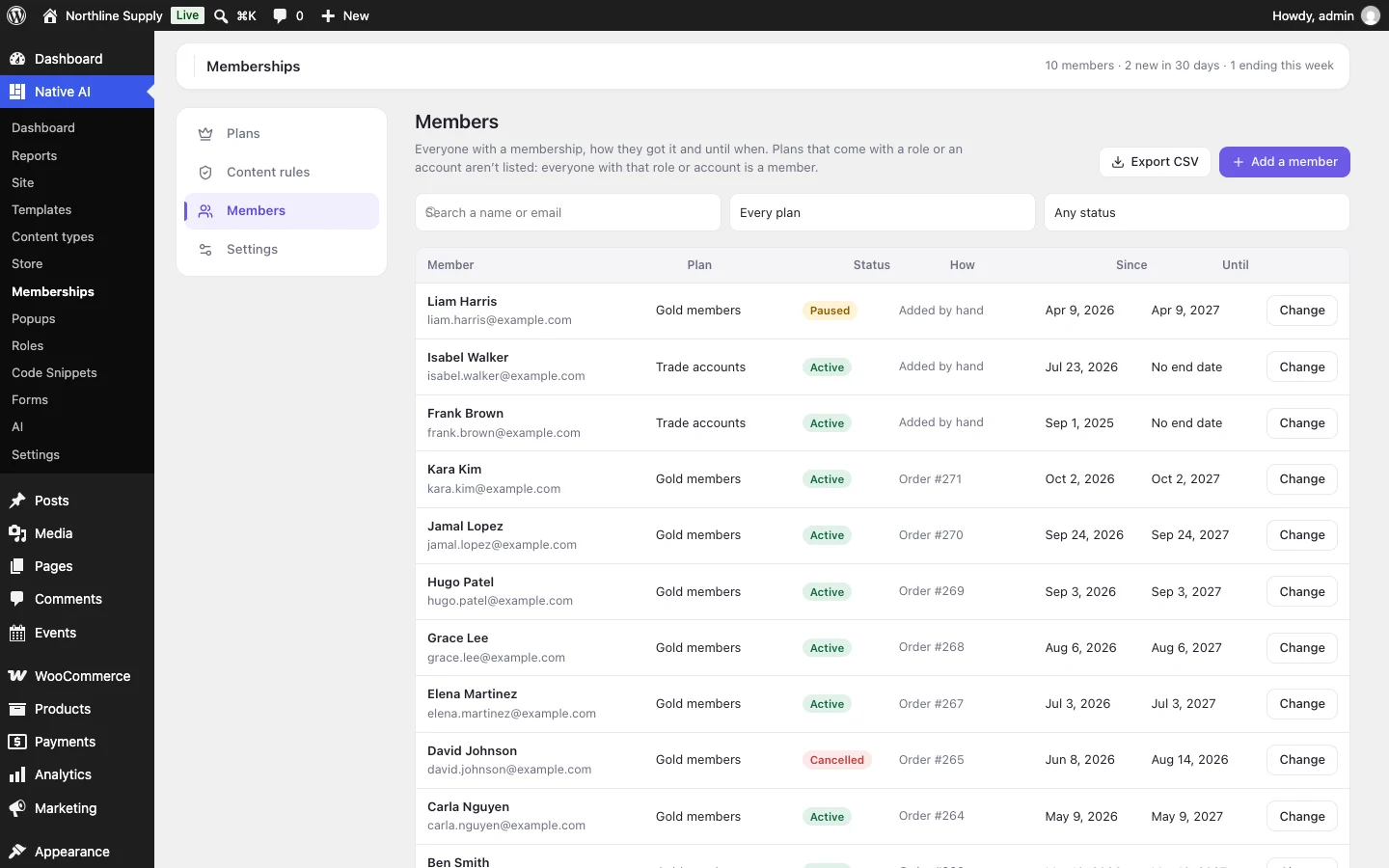
Link a membership plan to WooCommerce products and a paid order makes the buyer a member; a refund or cancellation ends it, and with WooCommerce Subscriptions the plan lasts as long as the subscription. Courses can be bought with a WooCommerce product — one product can sell several as a bundle — or kept while a subscription is active.
- Members-only content with rules and drip
- Online courses with quizzes and certificates
- Paid through WooCommerce’s own payment methods
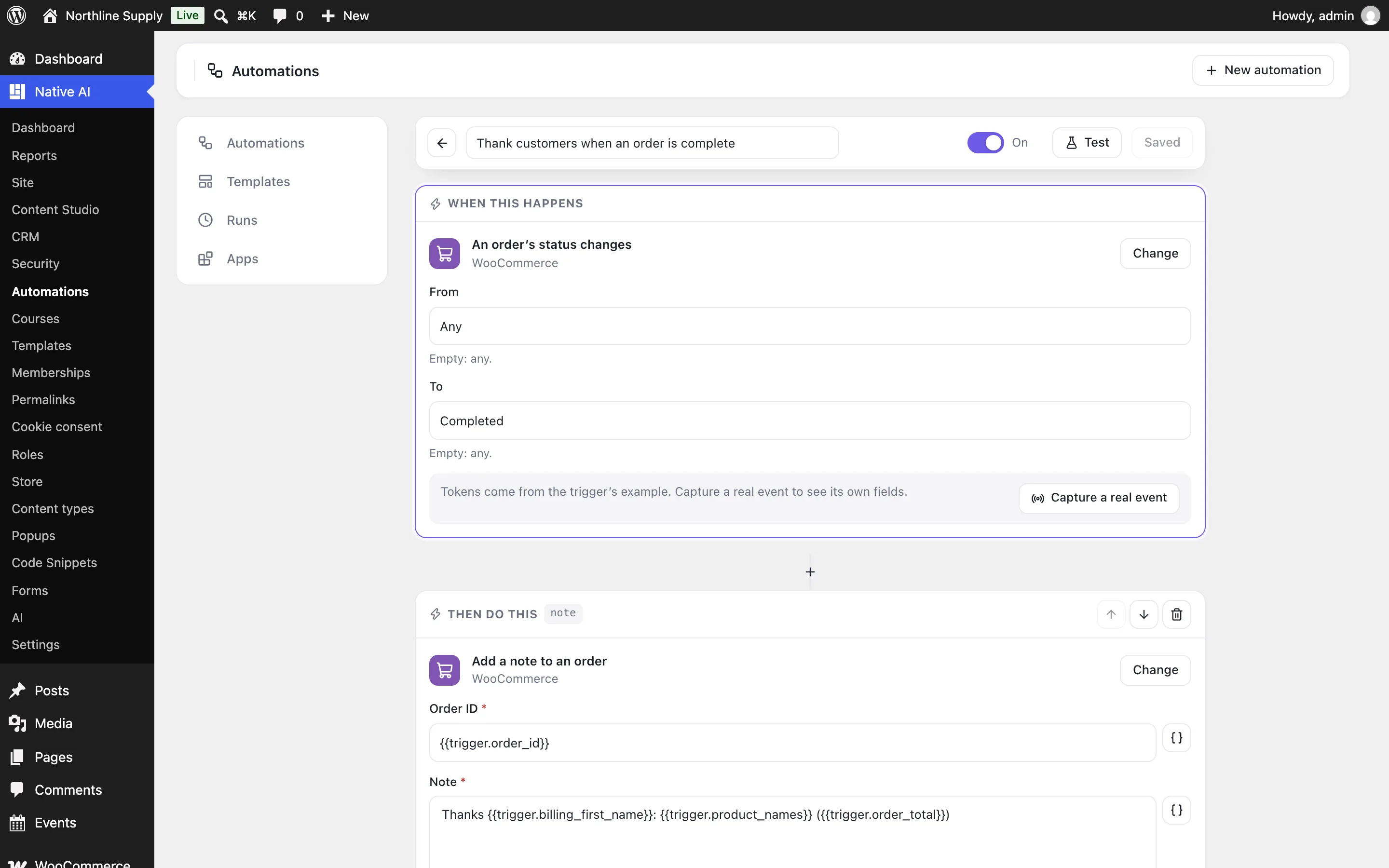
Customers, emails and reports from your orders
Paid orders can become CRM contacts with a timeline, and automations start when a WooCommerce order is paid or its status changes. Analytics count purchases as conversions worth the order, product pages get price, stock and review data for search results, and Site Reports have a Store section.
It’s all one WordPress AI plugin, so the AI agent works across the store, the CRM, SEO and reports in one request.
- Contacts and automations from WooCommerce orders
- Purchases as conversions in Analytics
- Product schema and a Store section in reports
Questions about the WooCommerce AI plugin
Does it replace WooCommerce?
No. WooCommerce stays your store: checkout, payments, emails, taxes and its settings. Native WP AI designs the shop’s pages and gives you — and the AI — a faster, safer way to run it.
Can the AI refund an order or change prices on its own?
No. It prepares the refund, sale or price change and shows you exactly what will happen; nothing changes until you confirm. The same goes for order statuses, emails to customers and shipping costs.
Is my order data copied anywhere?
No. Figures and lists are read from WooCommerce each time (reports are kept for ten minutes). The AI sees what it needs to answer your question, like any request to the AI.
Does it work with High-Performance Order Storage?
Yes. It uses WooCommerce’s own order functions and declares itself compatible, so it works with orders in posts or in WooCommerce’s order tables.
Do I still need a filter, membership or course plugin?
No. Shop filters, memberships sold as WooCommerce products and online courses are built in, in the same design system, and each can be switched on or off in Settings → Features.
Works well with
One plugin. One agent. Your whole site.
Start free: a license for one website and AI credits to build with, no card needed. Describe your business and watch Native WP AI design your home page.