Native WP AIWordPress AI website builder
The WordPress AI website builder that builds with real elements
Native WP AI is a WordPress AI website builder inside a plugin. Describe the business in a few sentences and the AI designs the whole site — its own fonts, colors, layout and photos — then builds it in your WordPress as native elements: a design system, the header and footer, every page, the navigation and the forms. Then you change anything in the visual builder, by hand or by asking the AI.
- A complete website from a few sentences about the business
- Native elements and a design system — never pasted HTML
- A full visual builder to edit it, by hand or with the AI
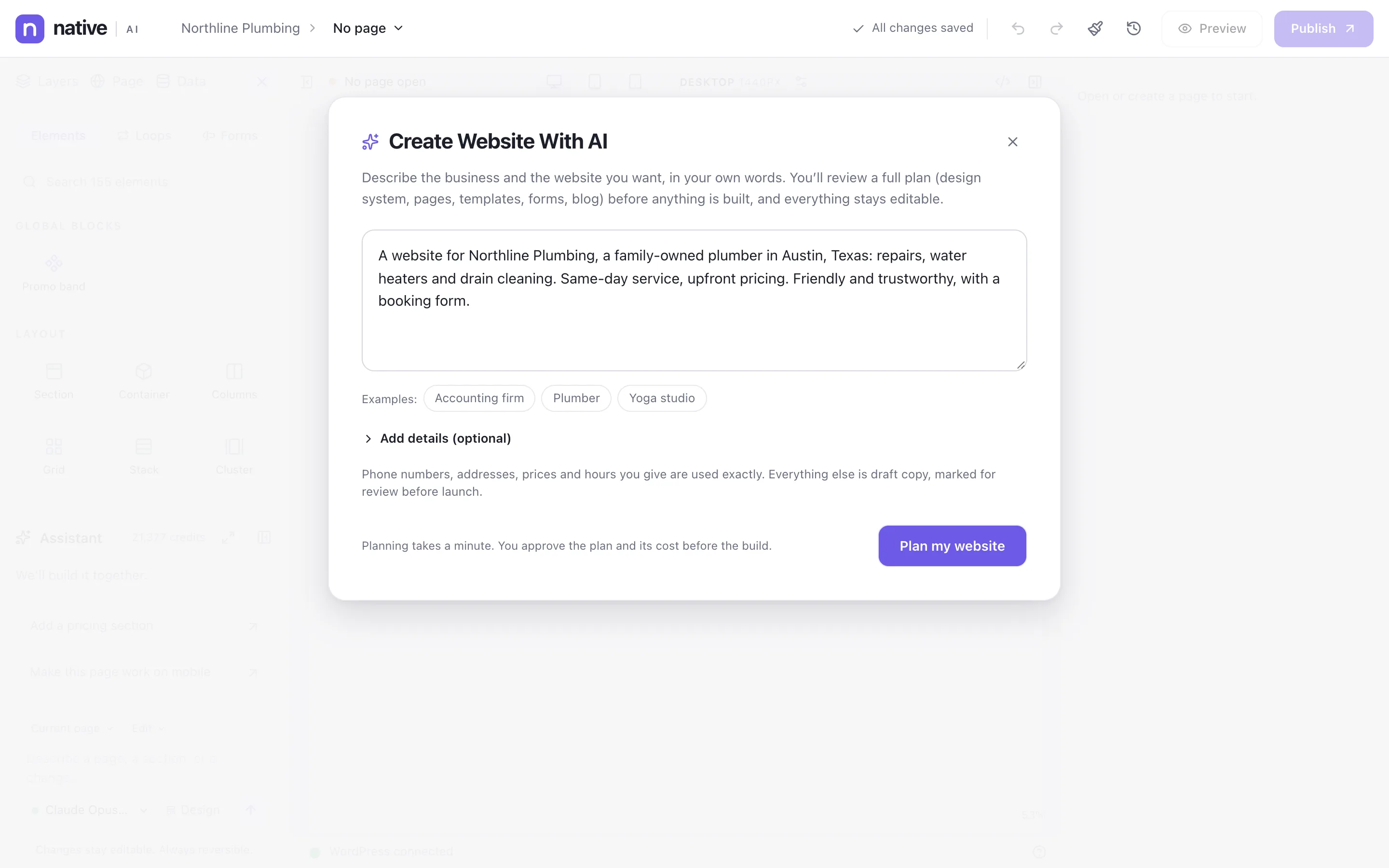
Describe the business, get the whole website
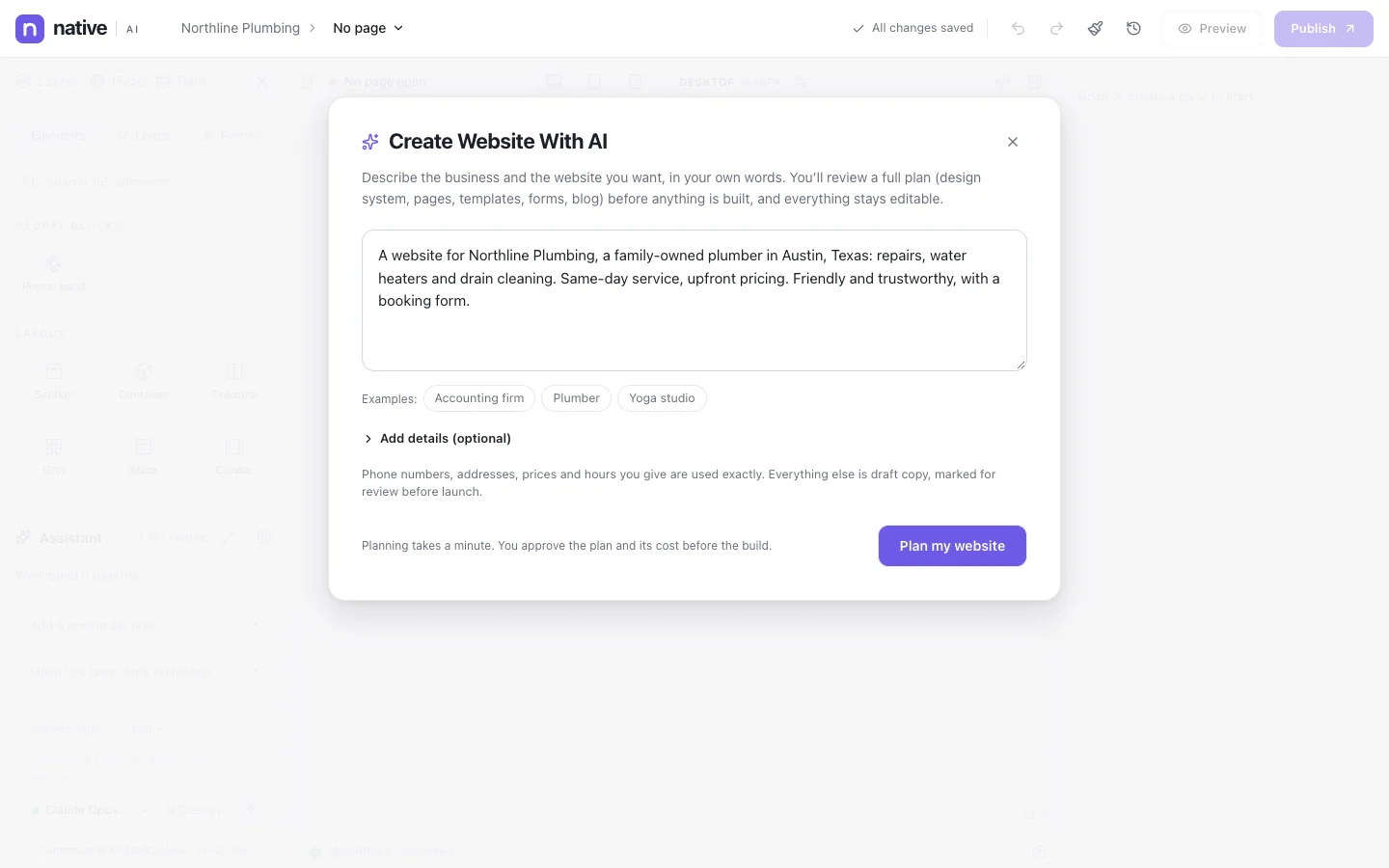
Open the builder in site mode and write what the business does, where, for whom, the pages you want and the feel. Add the business’s colors, its logo and a design you like if you have them, and choose the AI model for the build.
Improve prompt turns a sentence or two into a fuller brief first — who the site is for, what visitors should do, the pages and a design direction made for this business — and you edit it before building. Phone numbers, addresses, prices and hours you give are used exactly; everything else is draft copy, marked for review.
- A plain-language brief, with optional details
- Your colors, logo and a reference design, optional
- The credit cost shown before the build

Built with native elements and your design system
The AI designs the home page with the header and footer first; its fonts and colors become the site’s design system. Every other page follows the same design and reuses its classes, with real photos placed where pictures belong.
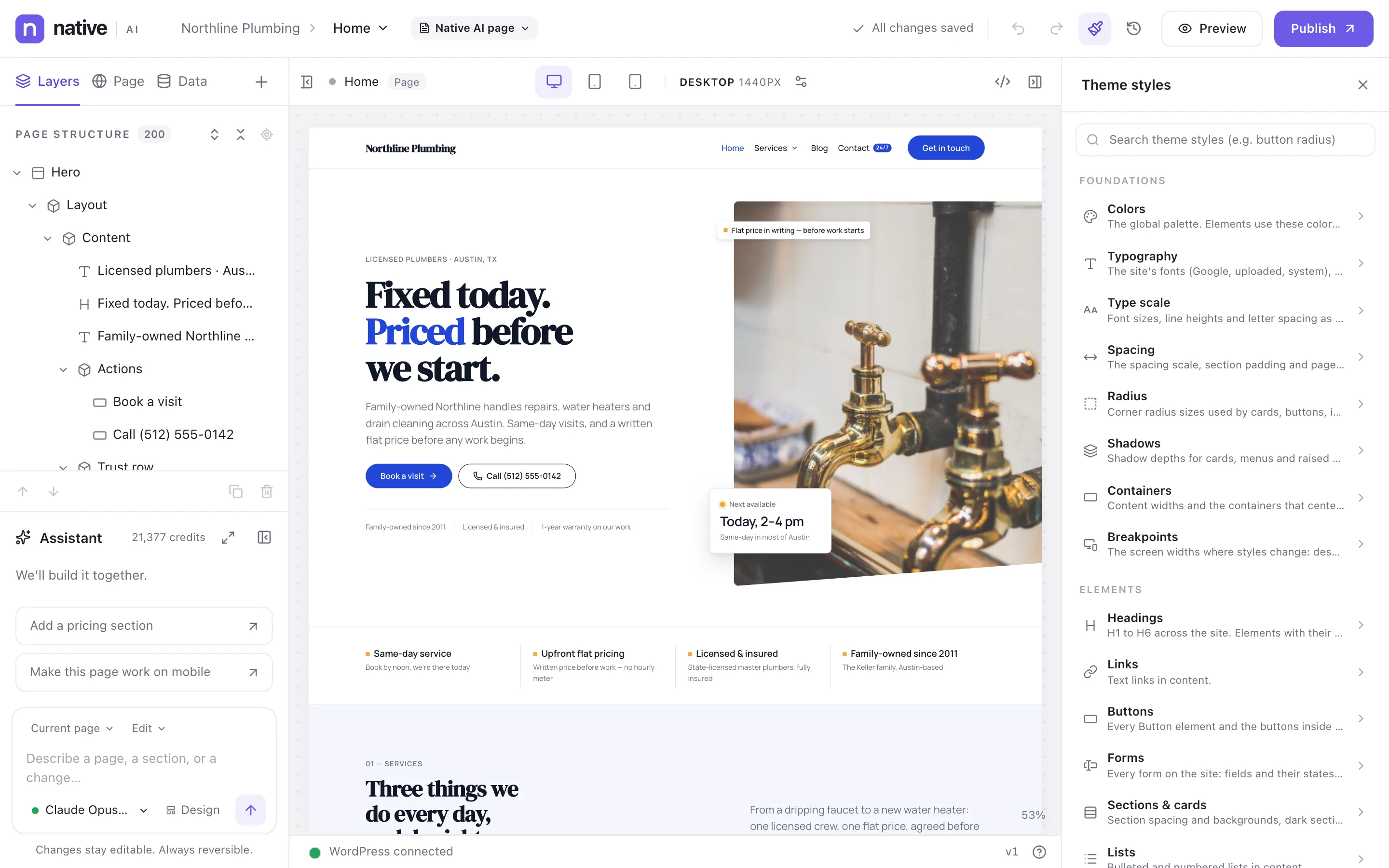
Everything is converted into native elements, shared classes and design tokens — never pasted HTML or custom scripts. Change a color token later and every button, link and heading that uses it follows, on every page.
- Fonts, colors, spacing and element defaults in Theme Styles
- Shared classes instead of stray inline styles
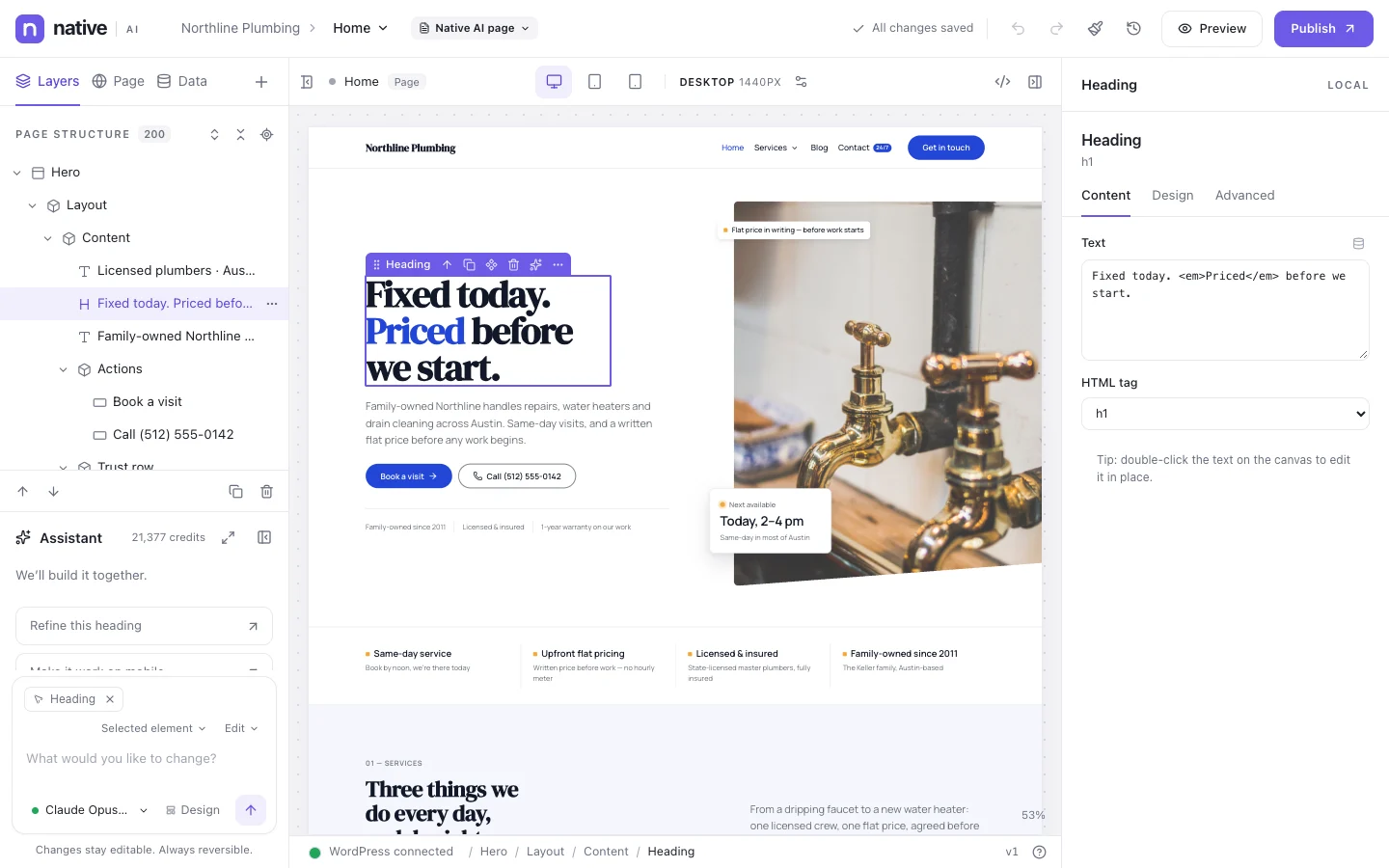
- Every element editable in the Content, Design and Advanced tabs
An AI WordPress builder that keeps working after launch
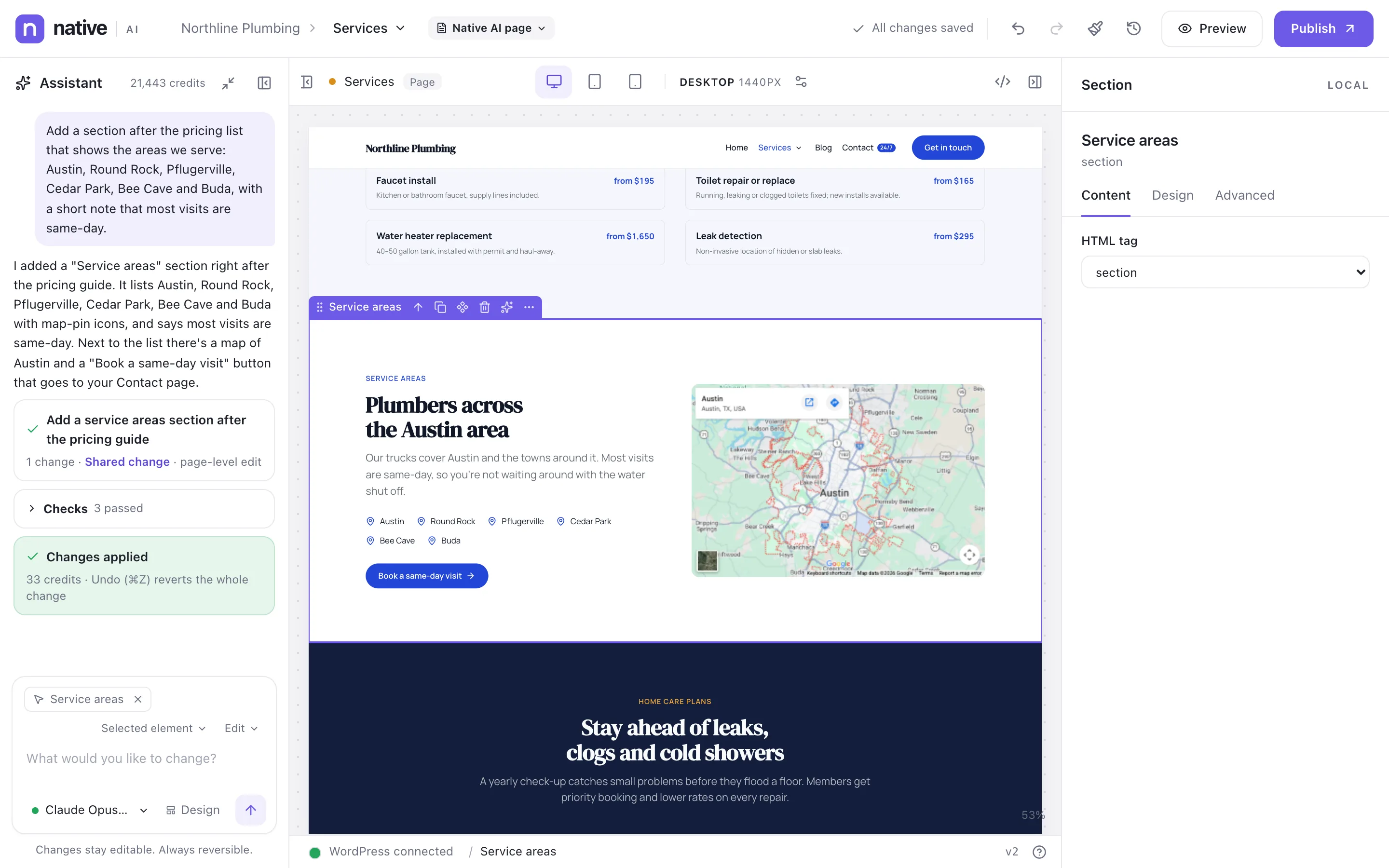
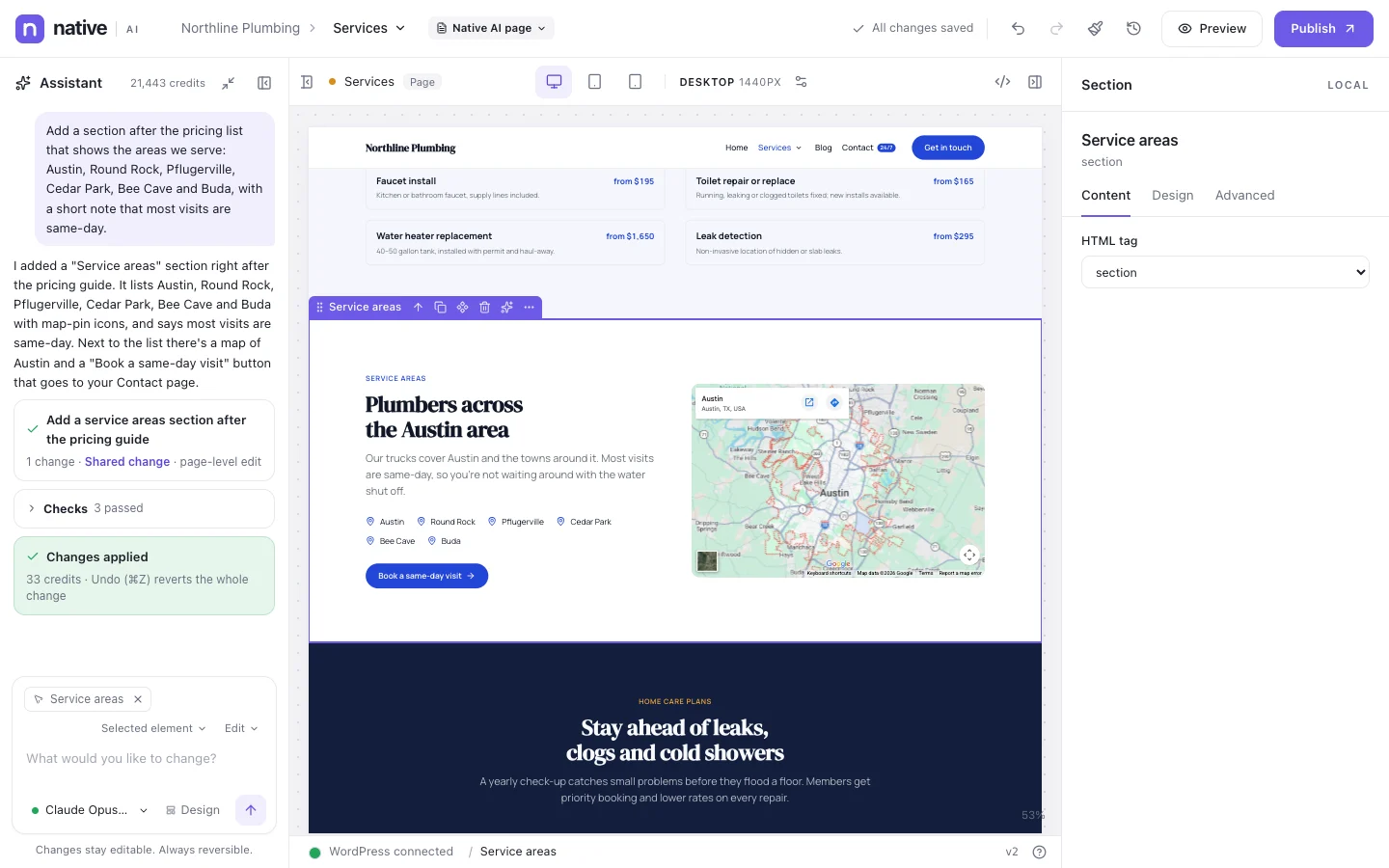
The site isn’t generated once and left. The AI assistant lives in the builder: select an element, a section, a page, a template or the whole site and describe the change. It builds it on the canvas with your tokens and classes, checks its work at every breakpoint, and one undo reverts all of it.
Beyond the pages, the AI agent takes on site-wide work — SEO, translations, popups, the store, the CRM, courses — within your WordPress permissions. Bigger changes come as a plan you approve first.
- Scopes from one element to the entire site
- Modes: Edit, Refactor, Redesign and Generate
- A plan before broad changes; one undo for every change
A complete visual builder underneath
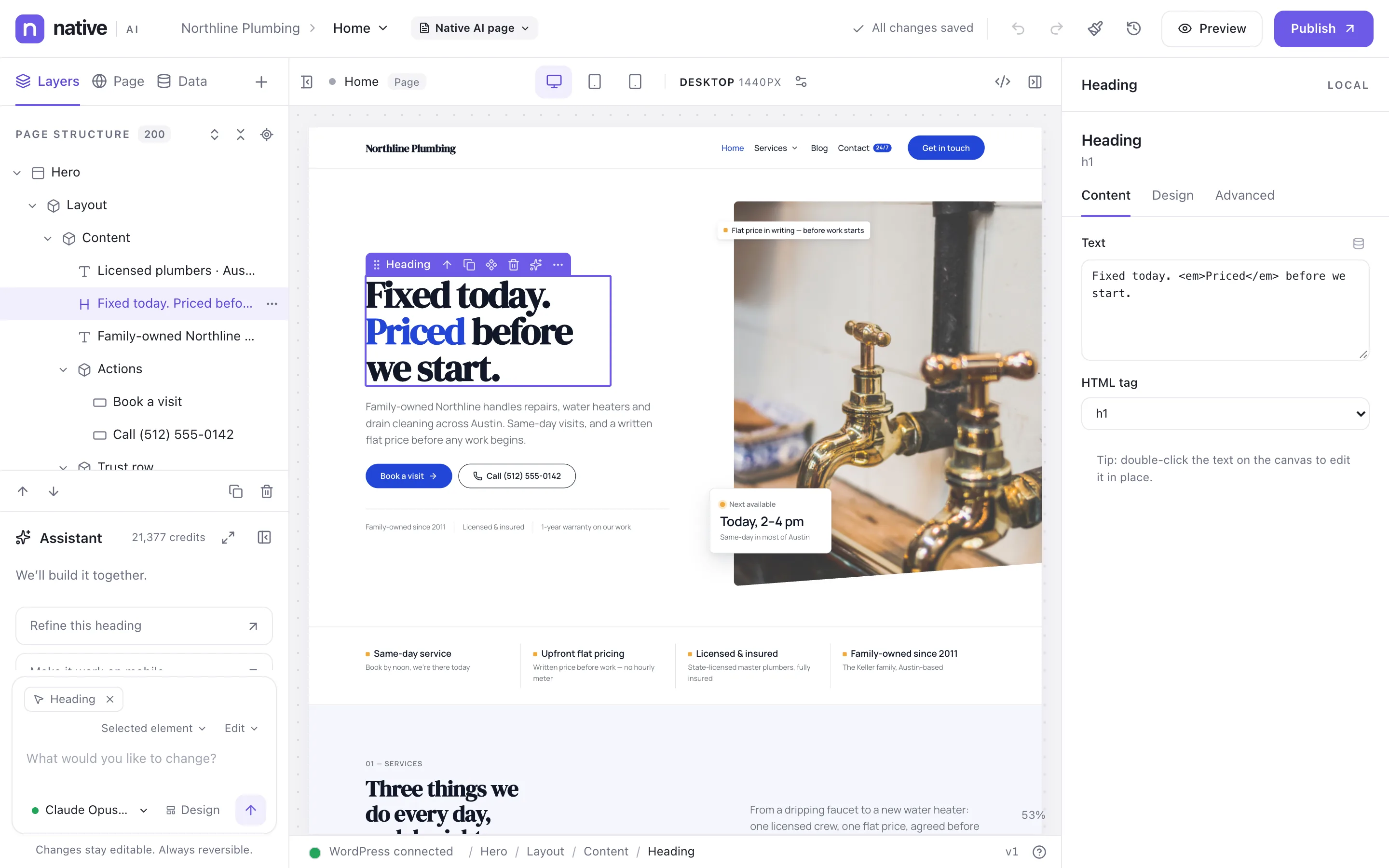
What the AI makes is ordinary builder work. Drag from 120+ elements, arrange them in the layer tree, style them per breakpoint, and design headers, footers and post templates with display conditions. Menus, dynamic data, query loops and filters are built in too.
So you’re never stuck with what the AI chose: move a section, swap a photo or restyle a button yourself, the way you would in any professional builder.
- 120+ elements, layers and per-breakpoint styling
- Templates with display conditions, and Global Blocks
- Dynamic data, query loops and filters
A draft first, then live in one step
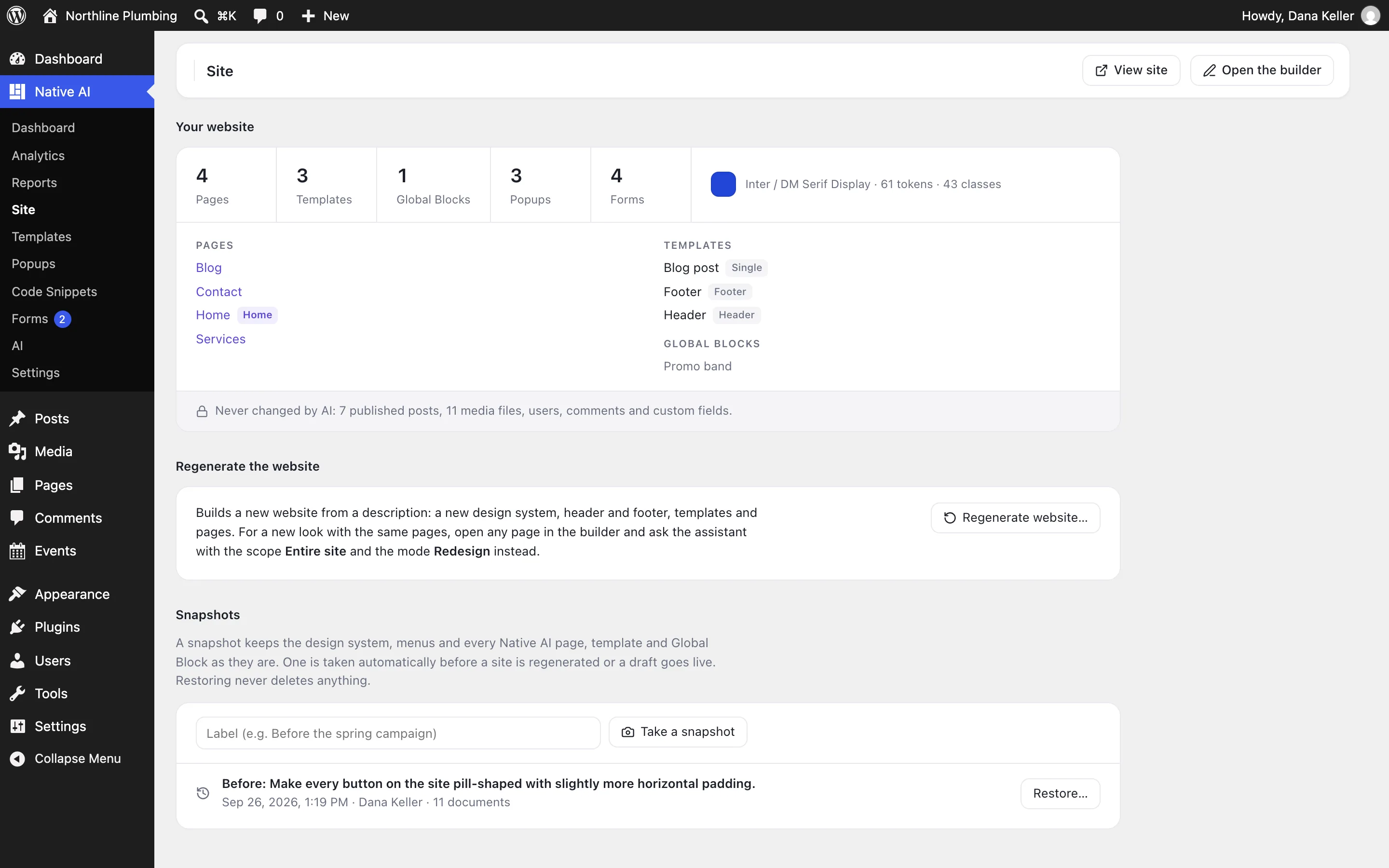
A generated site goes into a draft, so a live site isn’t touched while you review. When it’s right, it goes live as a whole from Native WP AI → Site, after an automatic snapshot of the previous design — and any snapshot can be restored.
Regenerate later from a new description, as a draft or replacing chosen parts. The AI never changes your posts, media, users or comments.
- Draft site, reviewed before it goes live
- Automatic snapshots; restoring never deletes anything
- Posts, media, users and comments left alone
On your own WordPress, with your store
Native WP AI is a plugin, not a hosted platform: the site lives on your hosting, in your database, with WordPress’s users, roles, menus and Media Library. Selling online? The same builder designs shop and product pages with real WooCommerce data, and the Storekeeper helps run the store.
Questions about the WordPress AI website builder
Can AI build a whole WordPress website?
Yes. Describe the business in a few sentences and Native WP AI designs the website and builds it in your WordPress: the design system, header and footer, every page, the navigation and the forms. It’s made of the same builder elements you edit by hand, not pasted HTML.
Can I edit what the AI builds?
Everything. Each heading, image, form and section is a normal element in the builder, styled with the site’s design system and classes. Change it by hand in the Content, Design and Advanced tabs, or ask the AI assistant for the change.
Does it replace my theme?
Pages and templates you build with Native WP AI are rendered by Native WP AI, with the header and footer you make in it. Everything else keeps using your theme, which stays installed.
What if I don’t like the result?
Ask the AI for changes, edit by hand, or restore the snapshot taken before the build. A generated site starts as a draft, and nothing goes live until you choose.
Which AI builds the site, and what does it cost?
Claude by Anthropic by default (Claude Opus 5.5 at the time of writing); you can choose the model for the build. Building uses AI credits, and the cost is shown before the build starts. Pro includes 3,000 credits every month, and a new account’s 14-day free trial includes 500.
Do I need to host my site with you?
No. Native WP AI is a WordPress plugin on your own hosting: pages, templates and submissions live in your WordPress database. The Native WP AI service handles AI requests, licenses and updates; it doesn’t host your site.
Works well with
One plugin. One agent. Your whole site.
Start free: a license for one website and AI credits to build with, no card needed. Describe your business and watch Native WP AI design your home page.