Blog
Meet Native Connect WP: Your Own AI, Building Right Inside WordPress
Native Connect WP lets Claude, ChatGPT, Cursor and other AI apps edit your WordPress site with real Elementor, Bricks and Breakdance elements, with undo.
Big day over here. We just launched Native Connect WP, and if you've ever wished Claude or ChatGPT could just go fix the thing on your WordPress site instead of handing you a wall of code to paste somewhere, this one's for you.
Here's the short version: Native Connect WP is a WordPress plugin that lets Claude, ChatGPT, Cursor and the other AI apps you already use work on your site. And it does it the right way, with real Gutenberg, Elementor, Bricks, Breakdance and Oxygen elements. Never pasted HTML. Every change can be undone.
Let's walk through it.
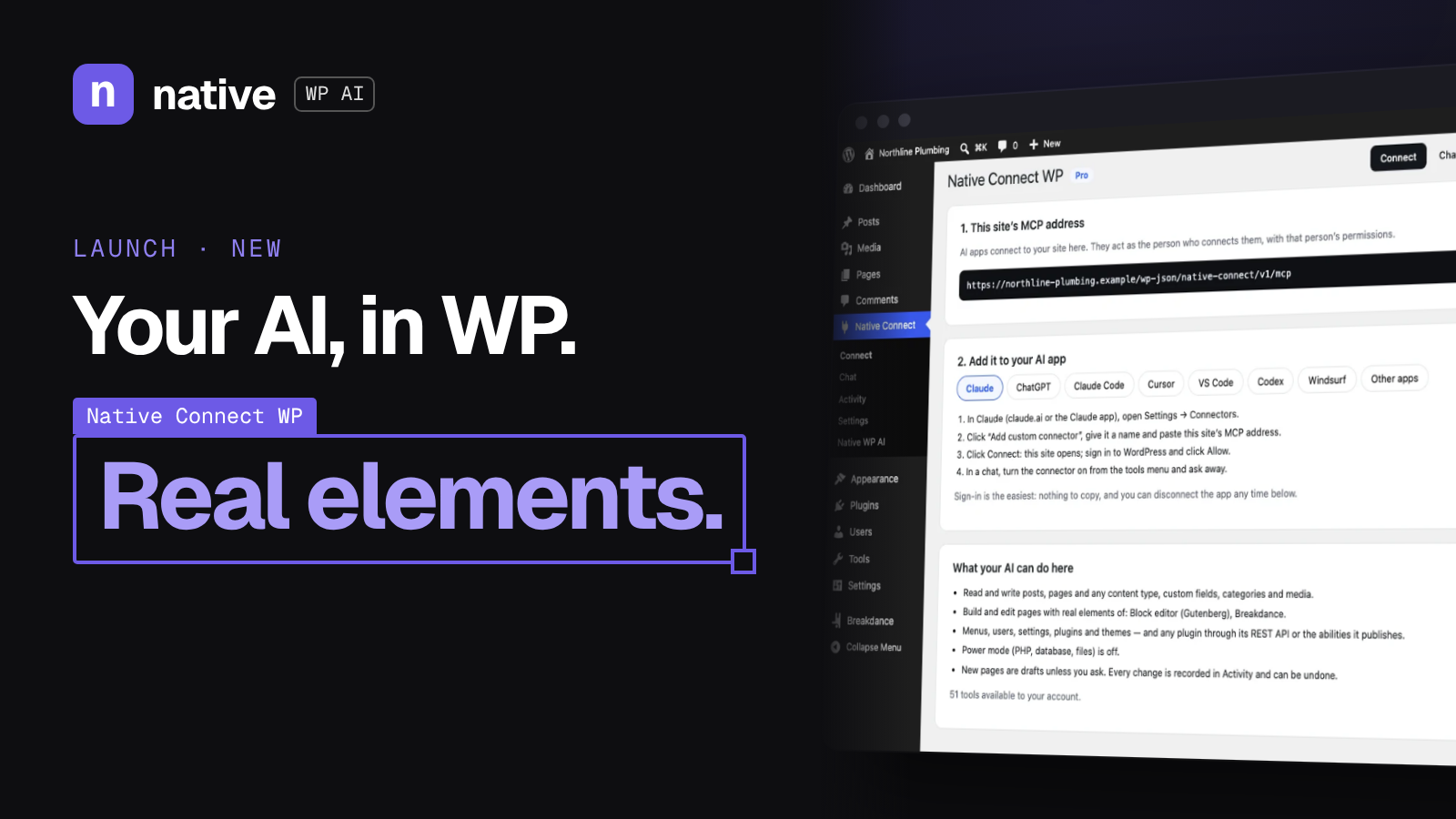
Native Connect WP is an MCP server that lives inside WordPress. MCP is the standard a lot of AI apps now speak, so any app that supports it can connect to your site. Apps that support sign in connect with your WordPress account in one click. The others use a connection key.
The list of apps on the site today: Claude (claude.ai and the Claude app), ChatGPT, Claude Code, Cursor, VS Code, Codex, Windsurf, and any app that speaks remote MCP over HTTP.
So instead of learning a new AI, you keep the one you already like, on your own plan with it, and give it hands inside your site.
Native Connect WP is built for sites that already exist. If your site is made with Elementor, Bricks, Breakdance or the block editor and you're not about to rebuild it, this is your path to AI help.
That's the big difference from our main product. Native WP AI is our complete website builder with its own AI agent, great for a new site or a redesign. Native Connect WP brings the AI you already use to the site you already have. They work together too: every Native WP AI plan includes Native Connect WP Pro.
It's a great fit for:
Freelancers and agencies juggling client sites built in different builders
Store owners who want help with WooCommerce products and prices (Pro)
Anyone chasing SEO who's tired of filling in meta descriptions one page at a time (Pro)
Developers who live in Cursor, VS Code or Claude Code and want their editor to reach WordPress too
Three steps, straight from the setup flow:
Install the plugin. Pro comes from your account, and a free version is coming to WordPress.org. You'll need WordPress 6.6 or later and PHP 8.1 or later.
Connect your AI app. Go to Native Connect, then Connect. It shows your site's MCP address and the steps for each app. Sign in to WordPress and click Allow, or create a connection key.
Ask. In plain words. The AI reads the site, makes the change with WordPress's own tools and your builder's elements, and records it in Activity, where Undo puts it back.
So you could ask something like "add a FAQ section under the services on the home page, styled like the rest of the page," and it gets added in Elementor as a real heading and accordion. Or "put the Shirts category on sale at 15% off, show me first," and you get a before and after list of prices before anything changes.
This is the part I'm most excited about. A lot of AI tools "edit" a page by dumping HTML into it, and then the page is basically uneditable by a human again.
Native Connect WP reads and changes pages the way the builder stores them. It checks every new element and setting against the builder, refuses unknown ones (and suggests the closest matches), saves the way the builder saves, and refreshes its CSS. Pages stay editable by hand.
On the site, there's a plumber's homepage that Claude Code built through Native Connect WP three times: in Bricks, in Breakdance and in Elementor Pro. Each time with that builder's own elements, classes and design settings, so it opens in the builder like a page made by hand.
It works on the whole site, not just the pages:
Content: posts, pages and any content type, custom fields (ACF included), categories, tags and media
The rest of WordPress: menus, users, settings, site health, plugins and themes
WooCommerce (Pro): products, variations, stock, bulk price changes with a preview first, orders, refunds, coupons and sales reports
SEO plugins (Pro): titles, descriptions and focus keywords written straight into Yoast SEO, Rank Math, All in One SEO, SEOPress or The SEO Framework, with an audit
Builder know-how (Pro): your builder's elements and your site's own colors, fonts, classes, headers, footers and popups, so new sections match the rest of your site
Letting AI loose on a real site sounds scary. So safety is built into how it works:
It works as you. The AI app acts with the permissions of the person who connected it.
Drafts first. New pages and posts start as drafts unless you ask to publish.
It asks before risky actions. Risky actions are marked, so your AI app checks with you first.
Undo for every change. Each change is recorded in Activity with what it replaced, for 60 days. The few things that can't be undone, like a plugin update or a refund, are noted there.
Secrets stay hidden. Passwords, keys and wp-config.php secrets are blanked out of everything the AI reads.
Power mode is off by default. The PHP, database and file tools (Pro) only work after an administrator switches them on. The AI can't switch it on itself.
Right now Native Connect WP is available as Pro, starting at $7/month. A free version is coming to WordPress.org soon, but it isn't listed yet. And if you're on any Native WP AI plan, Native Connect WP Pro is already included.
The easiest way in: start a Native WP AI free trial. You get 14 days, 500 AI credits, and Native Connect WP Pro included, no card needed.
Start your 14-day free trial and tell your AI what to build.
Was this post useful?
Comments
No comments yet. Start the conversation.