Native WP AIWordPress AI chatbot
The WordPress AI chatbot that answers from your own website
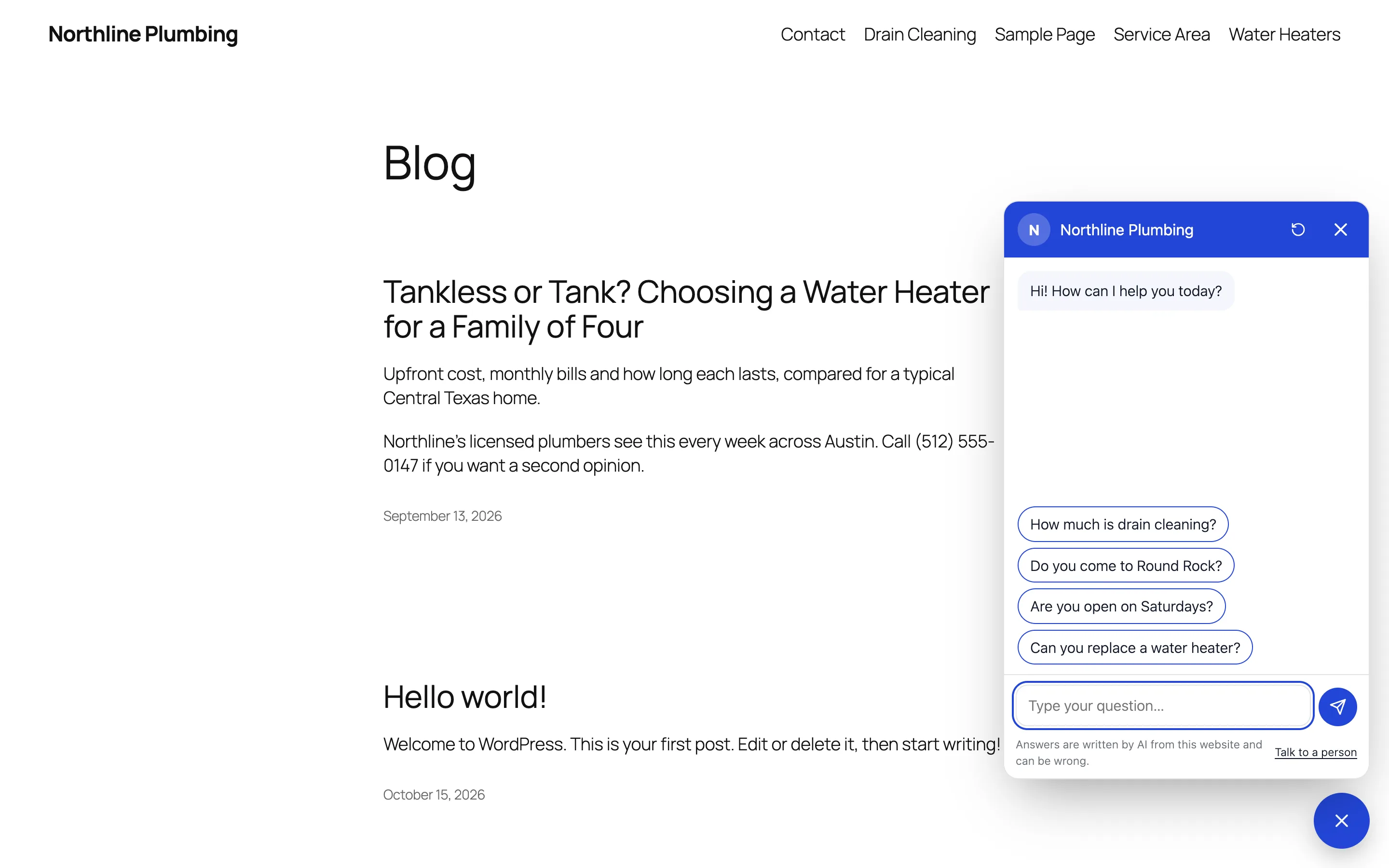
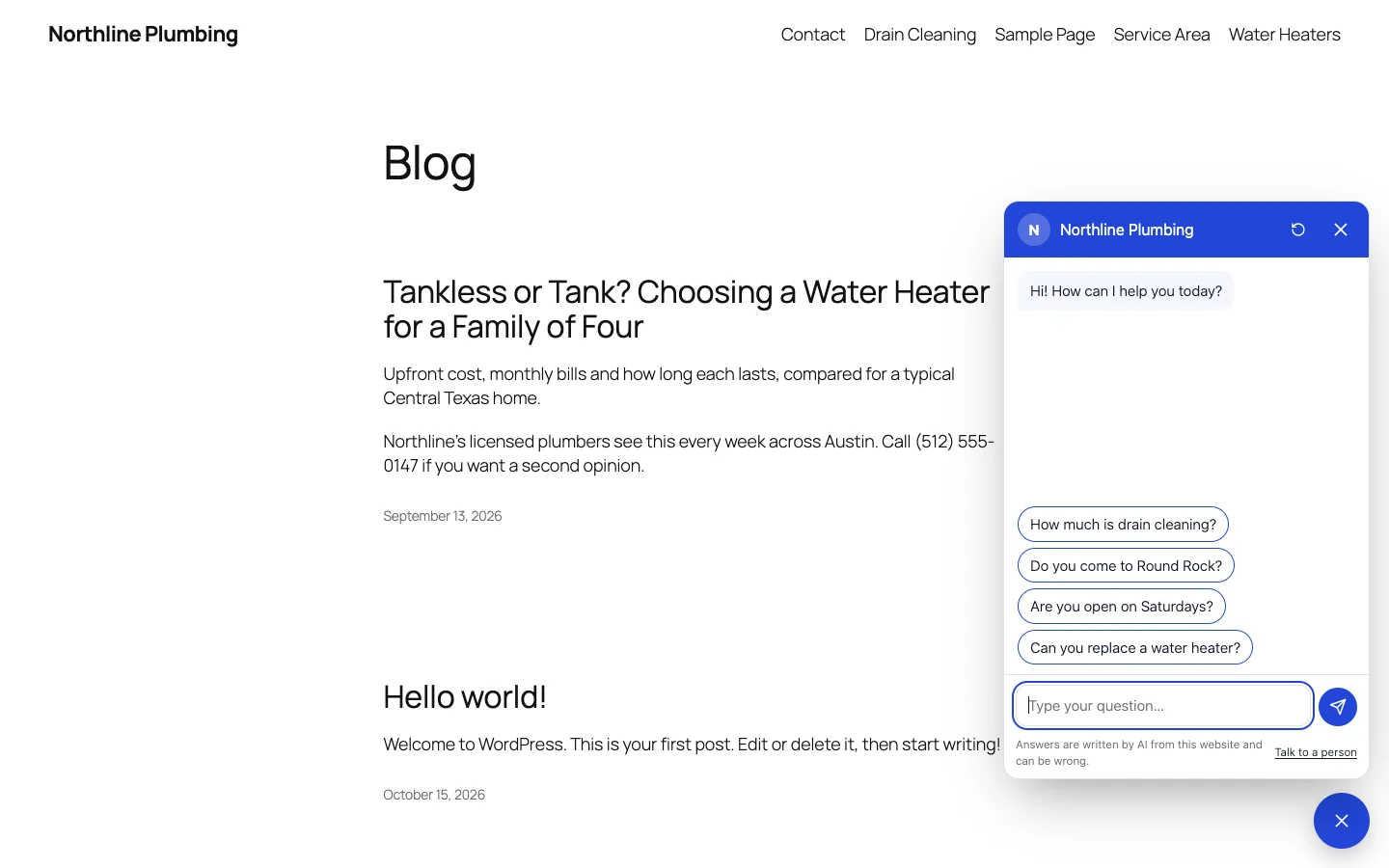
Native WP AI includes a WordPress AI chatbot for your visitors. Switch it on and a chat bubble appears on every page, in your site’s colors, answering questions about prices, opening hours, delivery, what you offer and where to find it — from your pages, posts and products and what you write for it, in the visitor’s language, with a link to the right page. When it doesn’t know, it says so and takes their name and email for you.
- Answers from your pages, posts and products — not from guesses
- Takes the visitor’s email when it can’t help, and adds them to your CRM
- Choose its AI model, its words and a daily limit
It reads your site so you don’t have to train it
There’s nothing to upload or sync. For every question, the chatbot searches your published pages, posts and products — prices, stock and attributes included — reads the few passages that match best, and answers from them with a link to the page. Change a page and its next answer uses the new words.
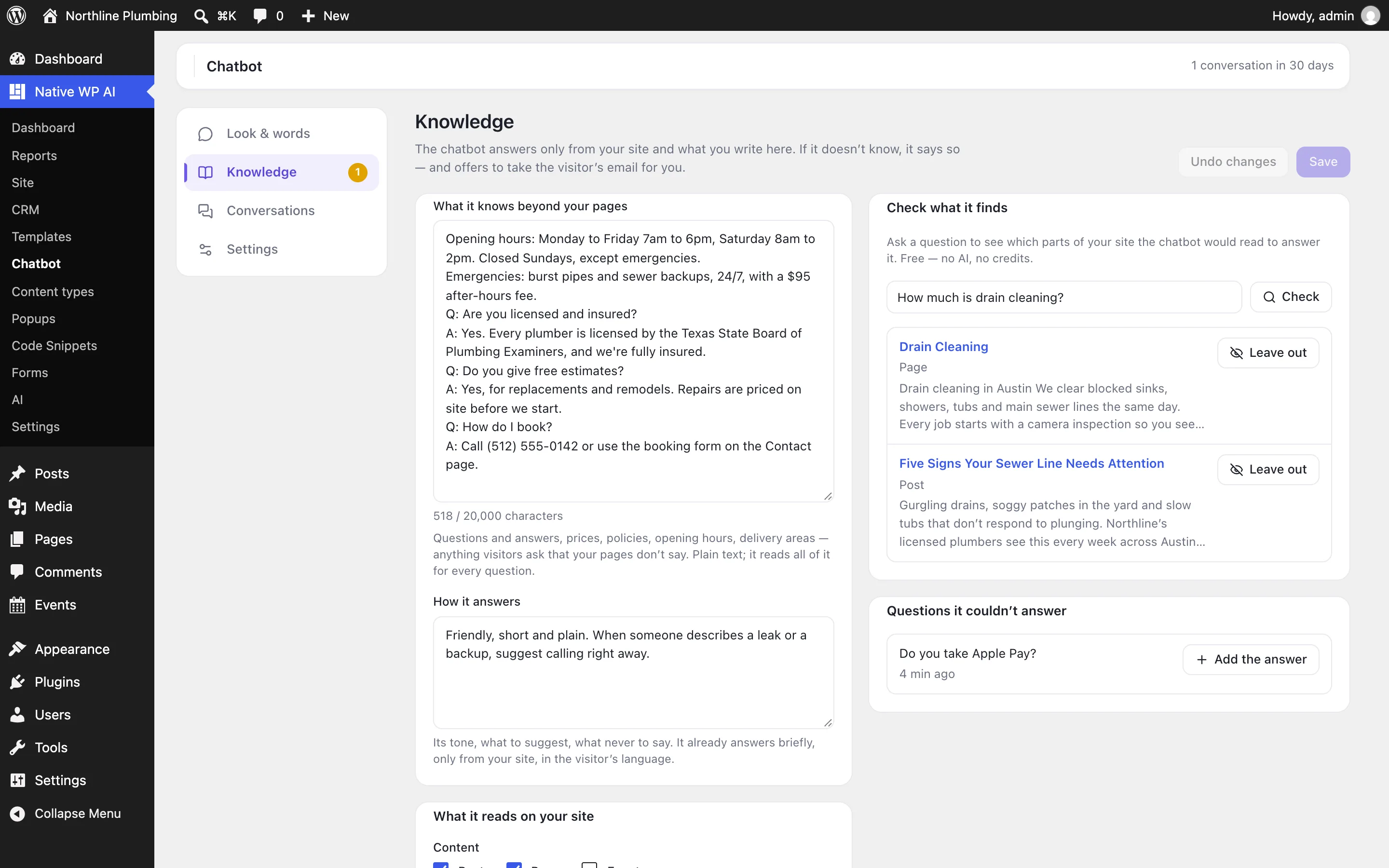
What your pages don’t say, you write once in its Knowledge: questions and answers, policies, opening hours, delivery areas. It only reads what any visitor could see: never drafts, private or password-protected pages, members-only content, orders or customer data.
- Pages, posts, products and other content types
- Your own questions and answers, and how it should speak
- Check what it reads for a question — free, no AI
Honest answers, and a person when it matters
It’s told to answer only from your site and what you wrote, and to say when it doesn’t know rather than invent a price or a policy. Then it offers a short form for the visitor’s name, email and question — or they ask for a person any time.
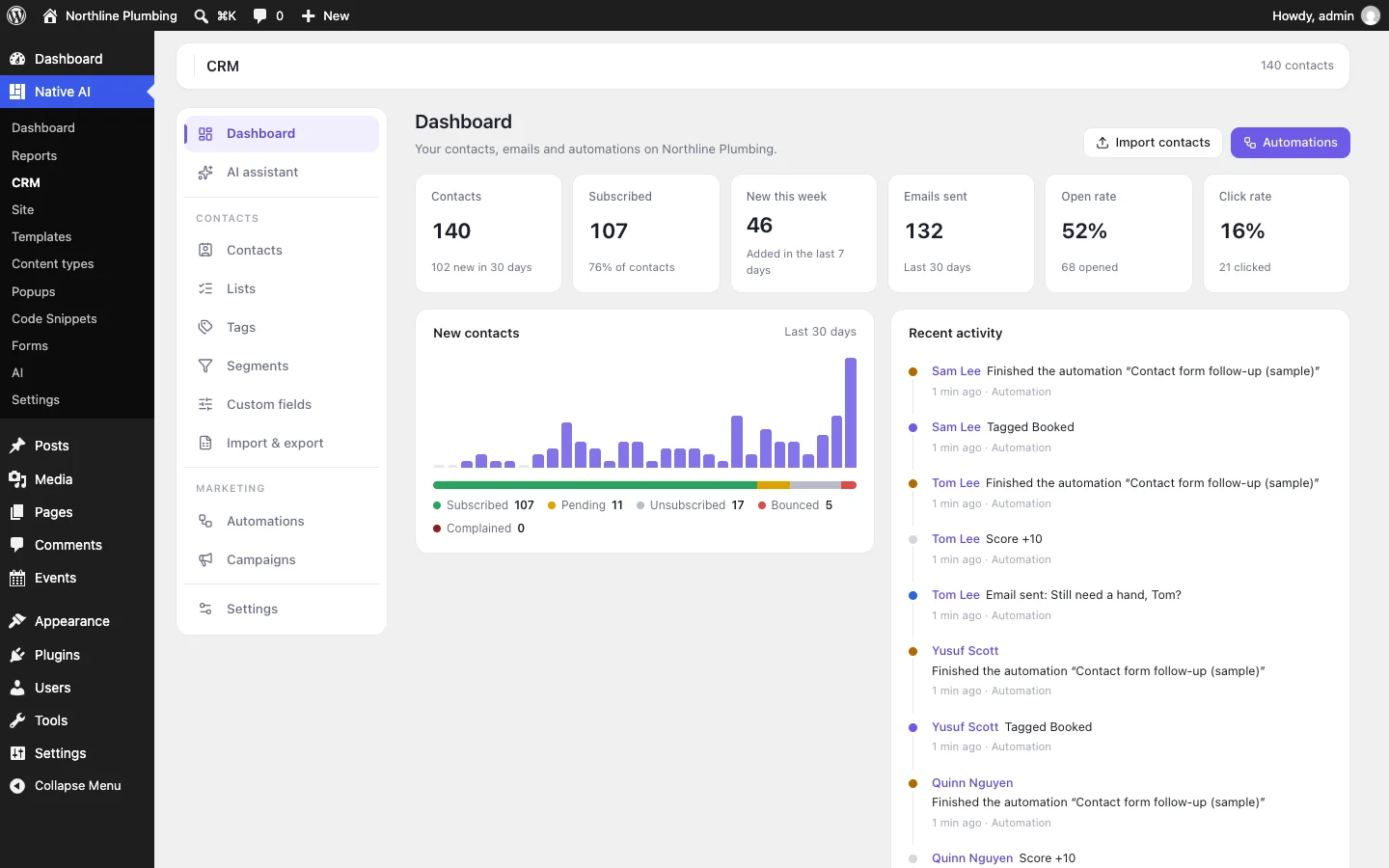
You get an email with the whole conversation; reply to it to answer them. With the CRM on, they’re added as a lead tagged Chatbot, with their question on their timeline — not subscribed to your emails.
- Says when it doesn’t know
- An email to you with the conversation
- Leads in the CRM, tagged Chatbot
In your design, your words and the visitor’s language
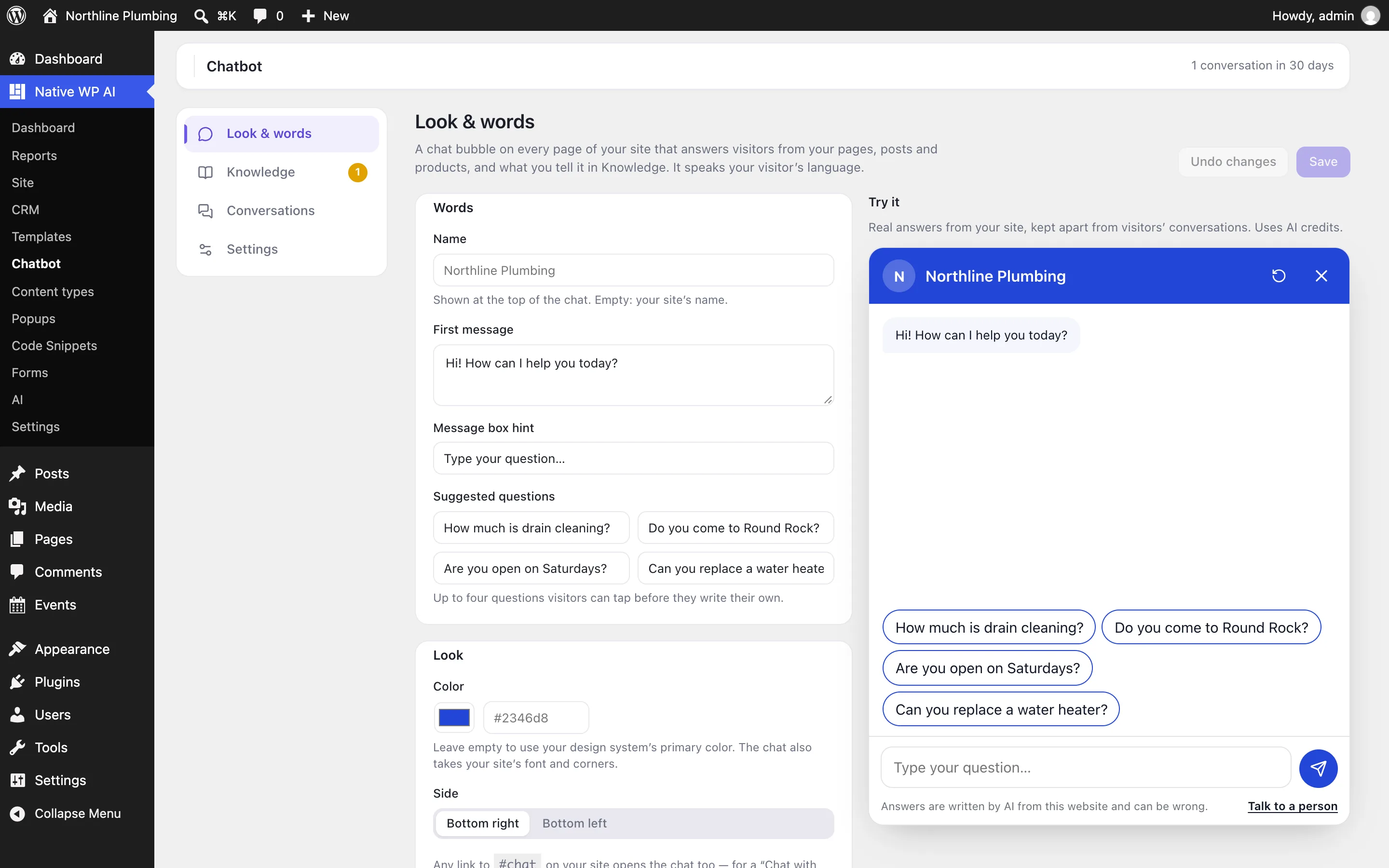
The bubble takes your design system’s primary color, corners and font, or a color you pick, on the right or the left. Give it a name, a first message and up to four suggested questions visitors can tap. It answers in the language the visitor writes in, follows them from page to page, and fills the screen on phones.
Try it on its own screen with real answers before anyone sees it — each answer shows the pages it read, the model and the credits — or show the bubble only to yourself while you get it right.
- Your colors, name, first message and suggestions
- Every language your visitors write in
- Try it privately before it goes live
Your choice of AI model, with costs you control
Pick the model the chatbot answers with — a fast one such as Claude Haiku 5.5 answers sooner and uses fewer credits — or leave it on the model you use for writing. Each answer uses AI credits from your plan; a failed one gives them back.
Set how many answers it may give a day. Each visitor network can send 40 messages an hour, and the chat works only on your own site, so no one can run up your credits from elsewhere.
- Claude Haiku 5.5, Sonnet 5.5 or another model
- A daily answer limit you choose
- Only from your own website’s pages
Part of the WordPress AI plugin that runs your site
The chatbot lives in the same plugin as your builder, forms, SEO, CRM and store, so the AI agent can look after it too: ask “what couldn’t the chatbot answer this week?” or “tell the chatbot we’re closed on the 24th” and it reads the conversations or updates what the chatbot knows, with undo.
Every conversation is kept for you to read, with the pages each answer drew on, and the questions it couldn’t answer are listed so you can add the answers in one click.
- Every conversation, with its sources
- Unanswered questions, ready to answer
- The AI agent keeps its knowledge current
The WordPress AI plugin behind it
Questions about the WordPress AI chatbot
Do I have to train the chatbot?
No. It reads your published pages, posts and products for every question, so it’s up to date as soon as you change a page. Add what your pages don’t say — policies, hours, common questions — in its Knowledge.
Can it make things up?
It’s told to answer only from your site and what you wrote, and to say when it doesn’t know. Like any AI it can still get something wrong, so the chat says its answers are written by AI. Read its conversations and fill the gaps in its knowledge.
Which AI model does it use, and what does it cost?
The one you choose — Claude Haiku 5.5 is fast and uses few credits — or the model you write with. Each answer uses AI credits; you set a daily limit. Pro includes 3,000 credits every month, and a new account’s 14-day free trial includes 500.
Does it see private information?
No. It reads only published content any visitor can see — never drafts, private or password-protected pages, members-only content, orders or customer data. Visitors talk to your WordPress site, and your AI keys never reach the browser.
Is it live chat with my team?
No. It answers by itself, and when it can’t help it takes the visitor’s name, email and question for you to reply by email. Every conversation is kept for you to read.
Works well with
“Build a website for my plumbing business in Austin.”
Plans the pages and writes them in a look of their own, with a header, footer, templates and a design system you can edit.
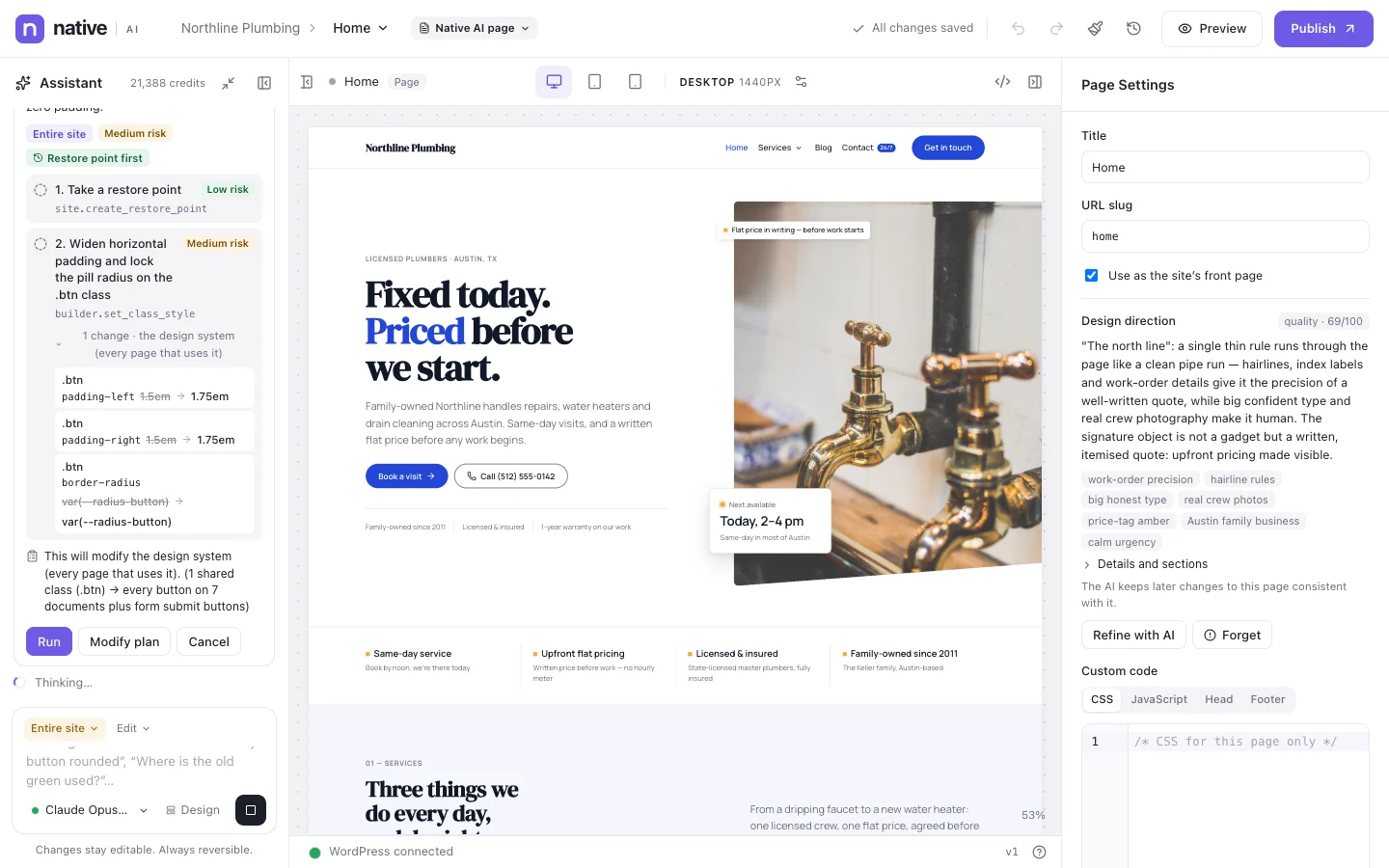
“Make every button on the site pill-shaped.”
Finds the shared class behind every button, shows you the plan, then changes it once.
“Write meta descriptions for every page that doesn’t have one.”
Writes them from each page’s own words in a background job, shows the credits first, and puts each one beside its page for you to approve.
“Add an exit-intent popup offering a free consultation.”
A native popup with its trigger and how often it shows. It starts as a draft.
“Which pages lost visitors this month?”
Compares this month with last, page by page, and checks recent changes to those pages.
“Find unfulfilled orders.”
Lists the paid orders waiting to ship, oldest first.
“Write a six-lesson course on home budgeting with a quiz after each lesson.”
Writes the outline, every lesson and the quizzes as drafts for you to review, and sets who can take it.
“Why was a customer locked out this morning?”
Reads the security log, finds the lockout and its address, and can unblock it for you.
“Which plugins need updates?”
Lists the installed plugins and the ones with an update waiting.
“Use the color scheme of this website: https://…”
Opens the site, reads the colors and fonts it uses most, and sets your design system from them.
“Create a Services post type with Price and Duration fields.”
Its own menu in WordPress and custom fields — in ACF when it’s active — ready for a template.
“Add the prices from this PDF to the Services page.”
Reads the attached price list and builds it into the page in your design.
“Count quote requests as a conversion.”
Adds a conversion goal for the form, so Analytics counts every request.
“Show me low-stock products.”
Reads stock from WooCommerce and lists what’s running low or out, with how many are left.
“Refund order 1042 and put the items back in stock.”
Prepares the refund with the amount and how it’s paid back, and waits for your confirmation.
“When someone buys the course bundle, enroll them and tag them in the CRM.”
Builds the automation — the purchase, the enrollment, the CRM tag — as a draft, and asks before switching it on.
“What happened on the site this week?”
Reads the activity record, updates, errors and health checks, and sums them up.
“Add a snippet that turns off comments on pages.”
Writes and checks the code, and saves it as a draft that you switch on.
One plugin. One agent. Your whole site.
Start free: a license for one website and AI credits to build with, no card needed. Describe your business and watch Native WP AI design your home page.