Blog
Replace a Plugin a Week #4: Do You Still Need an LMS Plugin?
Week four of Replace a Plugin a Week: Native WP AI Courses builds, sells and grades online courses right inside your site, with ten quiz question types, PDF certificates anyone can check, groups and reports. Here's what it covers, what to check before you move an existing course, and how to try it free.
On this page
Welcome back to Replace a Plugin a Week. Each week we pick one plugin a typical WordPress site stacks up, look at what Native WP AI does in its place, and tell you honestly whether it's worth switching. One plugin at a time. No big, scary migrations.
Week one was security. Week two was the chatbot. Week three was SMTP. This week it's a big one: the LMS plugin, the thing you install the day a client says "we want to sell a course."
Native WP AI has a feature called Courses for exactly that moment. Let's see what it actually does.
First, respect to the LMS plugin makers#
LearnDash, LifterLMS and Tutor LMS have put a lot of courses online. They turned "sell what you know from your own WordPress site" into something teachers, coaches and small businesses can actually do, and plenty of people run them really well.
If yours is working, nothing here says you made a bad call. This is just another way to get there: courses that live in the same plugin as your builder, forms, CRM, memberships and security, instead of one more plugin to install, license and keep updated.
What Courses does#
A course builder, not a page builder#
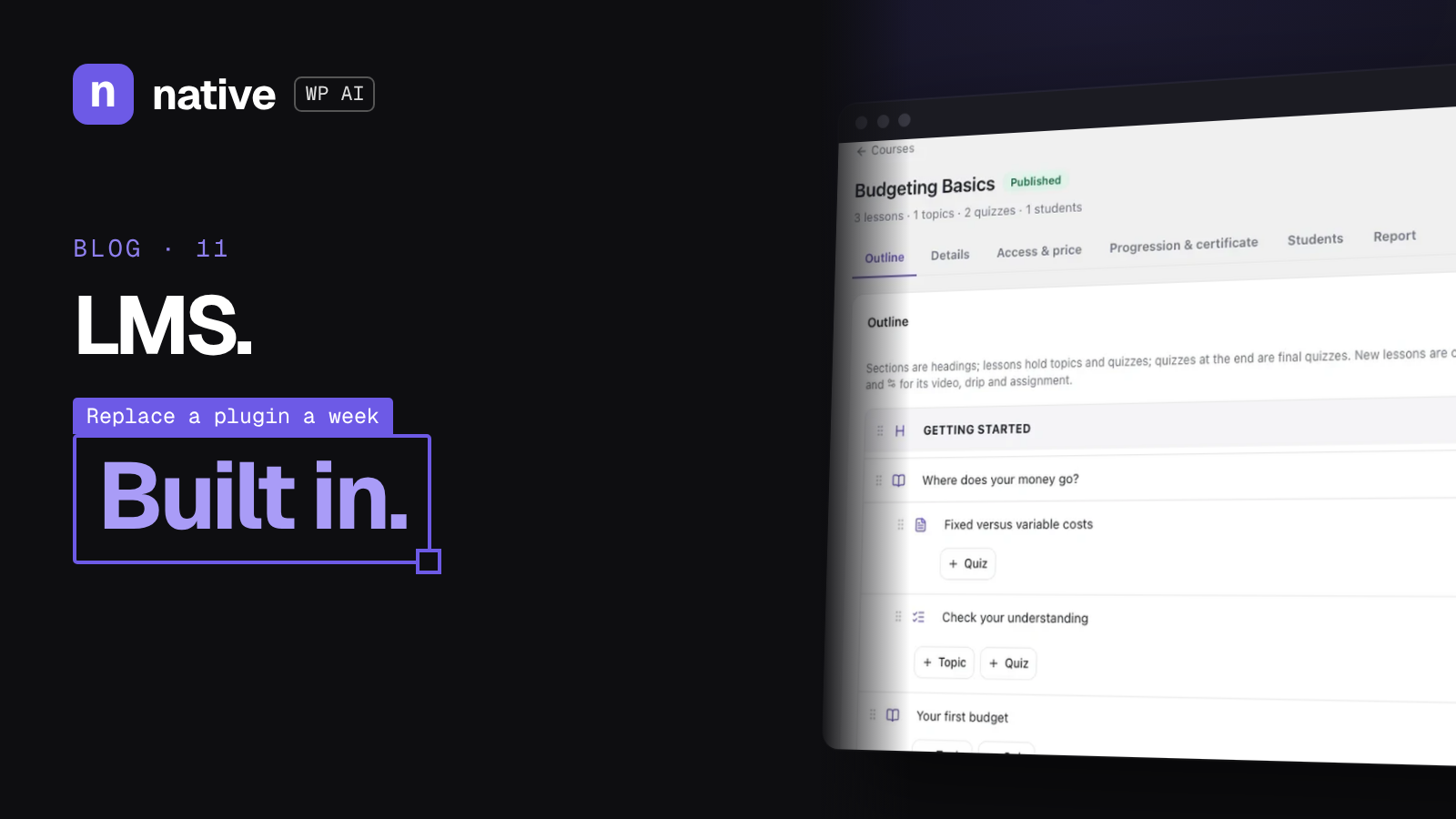
You lay out a course on an Outline tab: sections, lessons, topics inside lessons, and quizzes after a lesson, inside it or at the end. Each lesson can be written in the WordPress editor or designed in the builder, and its settings include:
Video from YouTube, Vimeo, Wistia or a video file, with an option to require watching it to the end (for YouTube, Vimeo and video files)
Minimum time before a student can mark it complete
Materials to download
An assignment to hand in, approved by you or automatically
Free preview, so anyone can open it before enrolling
Lessons can open step by step (finish one to open the next) or in any order. They can also drip: a number of days after a student enrolls, or on a date, with an email when they open.
Quizzes that grade themselves#
There are ten question types: one right answer, several right answers with partial credit, true or false, a typed answer, fill in the blanks, put in order, match pairs, a number within a tolerance, an essay you grade, and a scale for surveys.
You can draw questions at random from a pool, shuffle answers, and set a score to pass, a time limit, attempts and a wait between them. A Statistics tab shows how often each question is answered right, a nice way to spot a question that's simply unclear.
Essays and assignments land in Courses → Grading, where you give points and feedback, and students are emailed either way.
Sell it, give it away, or keep it for members#
A course can be:
Free, so anyone with an account enrolls with one click
Bought with a WooCommerce product. A paid order enrolls the buyer and a refund takes them out. One product can sell several courses as a bundle, and a WooCommerce Subscriptions product gives access while the subscription is active.
Open to everyone, or Closed to only the people, groups, membership plans and products you choose
You can also add prerequisites, seats, start and end dates, and access that lasts a number of days.
Groups enroll a team or a class together. Leaders see their members' progress and grade their work, and people join with a code or by buying a place. Handy if you build sites for trainers or teams.
Certificates, a dashboard and focus mode#
Finishing a course, or passing a quiz with a high score, gives a PDF certificate with a code anyone can check on your site. You design it with a built in frame or your own background.
Lessons open in focus mode, with the outline and progress beside them. Students get a dashboard with their courses, progress and certificates, which can also show up in WooCommerce's My Account.
Reports, and pages that match your site#
The dashboard shows enrollments, completions, quiz scores and work to grade. Each course has a report showing where students stop, plus a gradebook you can export to CSV.
Course pages work with any theme, and the builder has Courses elements and dynamic data, so they can match the rest of the site you built.
The AI can write the first draft#
This is the part that'll make course creators sit up. Describe a course, what it teaches, for whom, how many lessons and whether it has quizzes, and the AI writes the outline, every lesson and the quizzes as drafts for you to review.
The AI can also enroll students, grade work and read the reports. It asks before ending access, resetting progress, deleting a course or group, or changing settings. Writing with the AI uses AI credits. Running your courses by hand doesn't: the pricing page lists courses among the things that don't use credits.
What it doesn't do (or what to check first)#
Let's be straight about this, because a course site has real students on it.
Paid courses go through WooCommerce. Students pay through WooCommerce, with any payment method it supports, or through a Memberships plan. Free courses need only an account.
We didn't find an import tool for existing LMS courses in the docs. If you already run a course with lots of enrolled students, progress and certificates in another LMS plugin, check with support before you plan a move rather than assuming it carries over.
Check any specialist needs. If your setup leans on something specific, like a content standard such as SCORM, live classes, or a particular add on, look for it in the docs before switching. We'd rather you check than assume.
Some limits are on purpose. Assignment files are kept in a private folder that only the student and the course's teachers can download, and code files are never accepted.
What about cost?#
Native WP AI doesn't sell Courses as an add on. Every plan includes every feature. Pro is $99 a month for 3 websites and 3,000 AI credits every month. Agency is $249 a month for unlimited websites, 10,000 AI credits every month and white label for client sites.
So the real question isn't LMS plugin versus LMS plugin. It's whether one plugin can cover the course and the site around it.
How to try it calmly#
The features FAQ answers this one directly: do you need LearnDash or another LMS plugin? No. Here's the calm way to see for yourself:
Go to Native WP AI → Settings → Features and switch on Courses.
In Courses, click New course, or try Write a course with AI and describe a small one.
Read the drafts and set Access & price. Free is the quickest way to test.
Enroll yourself, take the course in focus mode, and check your certificate.
If you have a live course elsewhere, leave it running while you compare.
Who should keep their LMS plugin (for now)#
If you have a big catalog, years of student progress, or a workflow built on specific add ons, there's no rush. Compare carefully, test with a new course first, and switch when it suits you.
Where Courses shines is the next course you build. One plugin for the site, the course, the members and the CRM, and an AI that can write the first draft while you make it yours.
Build your first course free for 14 days#
Here's the offer: start a free 14 day trial of Native WP AI on one site, with 500 AI credits and no card needed. Switch on Courses, ask the AI to write a short course with a quiz after each lesson, then enroll yourself and earn your own certificate. Every feature is included in the trial, so you can try Memberships and the CRM while you're in there.
Start your free trial and build your first course
See you next week for Replace a Plugin a Week #5.
Was this post useful?
Comments
No comments yet. Start the conversation.