DocsSite Reports
The activity record
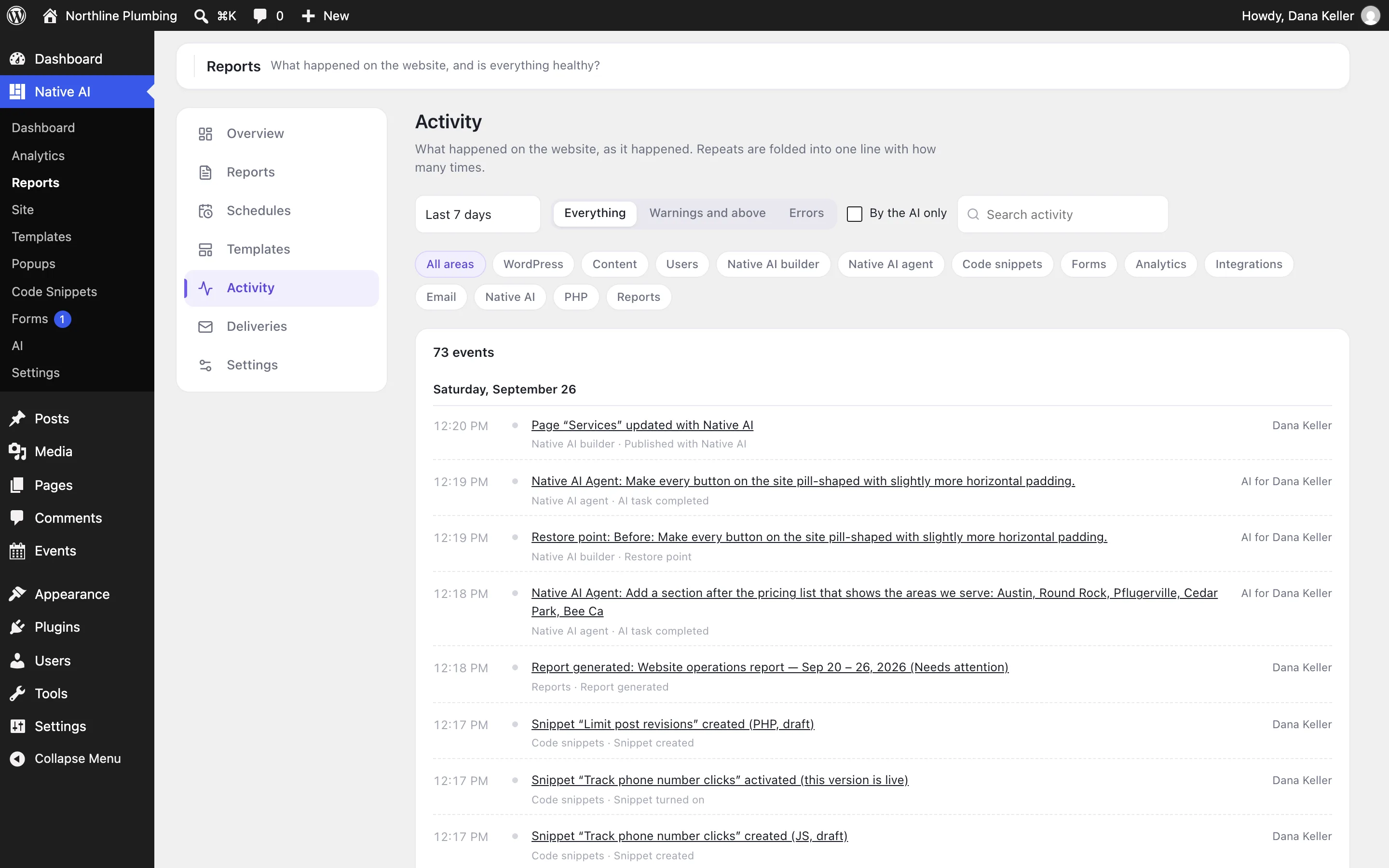
One timeline of everything that happens on the site — updates, content, users, settings, emails, errors and every Native AI change — that powers reports, the Activity screen and the AI’s answers.
Reports → Activity shows the record: every event, newest first, filtered by period, area and severity, by what the AI did, or by search, with Load more.
What’s recorded#
| Area | Events |
|---|---|
| Updates | WordPress, plugins and themes updated (from which version to which, by whom or automatically) — and, twice a day, version changes made outside WordPress, like FTP or deploys. Installs, activations, deactivations, deletions and theme switches. |
| Content | Posts, pages and any post type published, scheduled posts going live, updates (folded per post and hour), created, trashed, restored, deleted; media added. |
| Users and settings | User changes and a curated list of settings (values of private ones aren’t kept). Failed sign-ins are counted per account and hour — never usernames or IP addresses. |
| Mail and errors | Emails WordPress couldn’t send, and PHP fatal errors. |
| Native AI | Publishing with the builder, design system changes in words (“Primary changed from #123456 to #0A4CFF”), menus, template settings, data sources, restore points, AI tasks and everything they caused, snippets, form action and integration failures, failed background jobs, Analytics tracking stopping, reports. |
Severity#
| Severity | Means |
|---|---|
| Critical | Likely to affect the site’s availability, security, backups or core functionality — PHP fatal errors on the site, for example. |
| Error | Something failed and keeps failing — a form integration failed 14 times, a snippet switched off after an error. |
| Warning | Worth doing soon — updates available, background updates not running. |
| Info | Good to know — inactive plugins. |
Repeats are folded into one event with a count, so the timeline stays readable. The record is kept for 400 days by default (Reports → Settings → Keep activity for).
Still have a question? Email us at support.