DocsCode Snippets
Safe mode and recovery
Stop snippets from running without changing them — for everyone, for your browser only, from a recovery link when you can’t log in, or from wp-config.php.
A snippet that causes a fatal error turns itself off. Safe mode is for everything else — a snippet that breaks a layout, a redirect loop, a script that stops a checkout. It stops snippets from running without changing them, so you can fix them calmly.
For everyone#
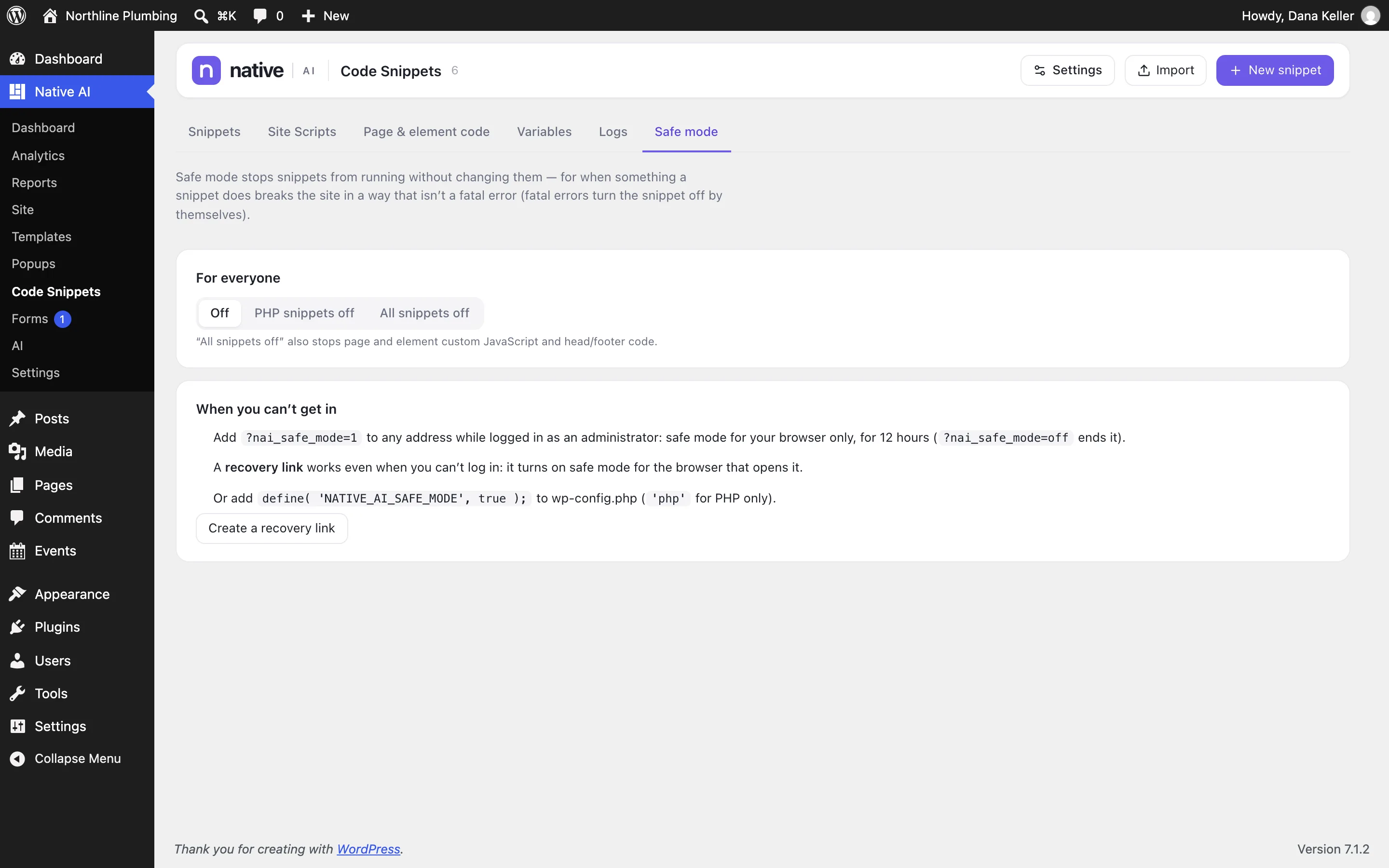
In Native AI → Code Snippets → Safe mode, choose Off, PHP snippets off, or All snippets off. “All snippets off” also stops page and element custom JavaScript and head/footer code.
When you can’t get in#
| Way | How |
|---|---|
| Your browser only | Add ?nai_safe_mode=1 to any address while logged in as an administrator: safe mode for your browser, for 12 hours. ?nai_safe_mode=off ends it. |
| A recovery link | Works even when you can’t log in: opening it turns on safe mode for that browser. Create it in advance — it’s shown only once, so save it somewhere safe. A new link replaces the old one. |
| wp-config.php | Add define( 'NATIVE_AI_SAFE_MODE', true ); (or 'php' for PHP only). Safe mode stays on until you remove the line. |
Related articles
Still have a question? Email us at support.