DocsCode Snippets
Code Snippets
Add PHP, JavaScript, CSS, HTML and JSON snippets from WordPress — written as drafts, tested on the real site only for you, then activated — with an AI code assistant beside the editor.
Code Snippets is an optional feature: switch it on in Native AI → Settings → Features, and Native AI → Code Snippets appears. It has six views: Snippets, Site Scripts, Page & element code, Variables, Logs and Safe mode.
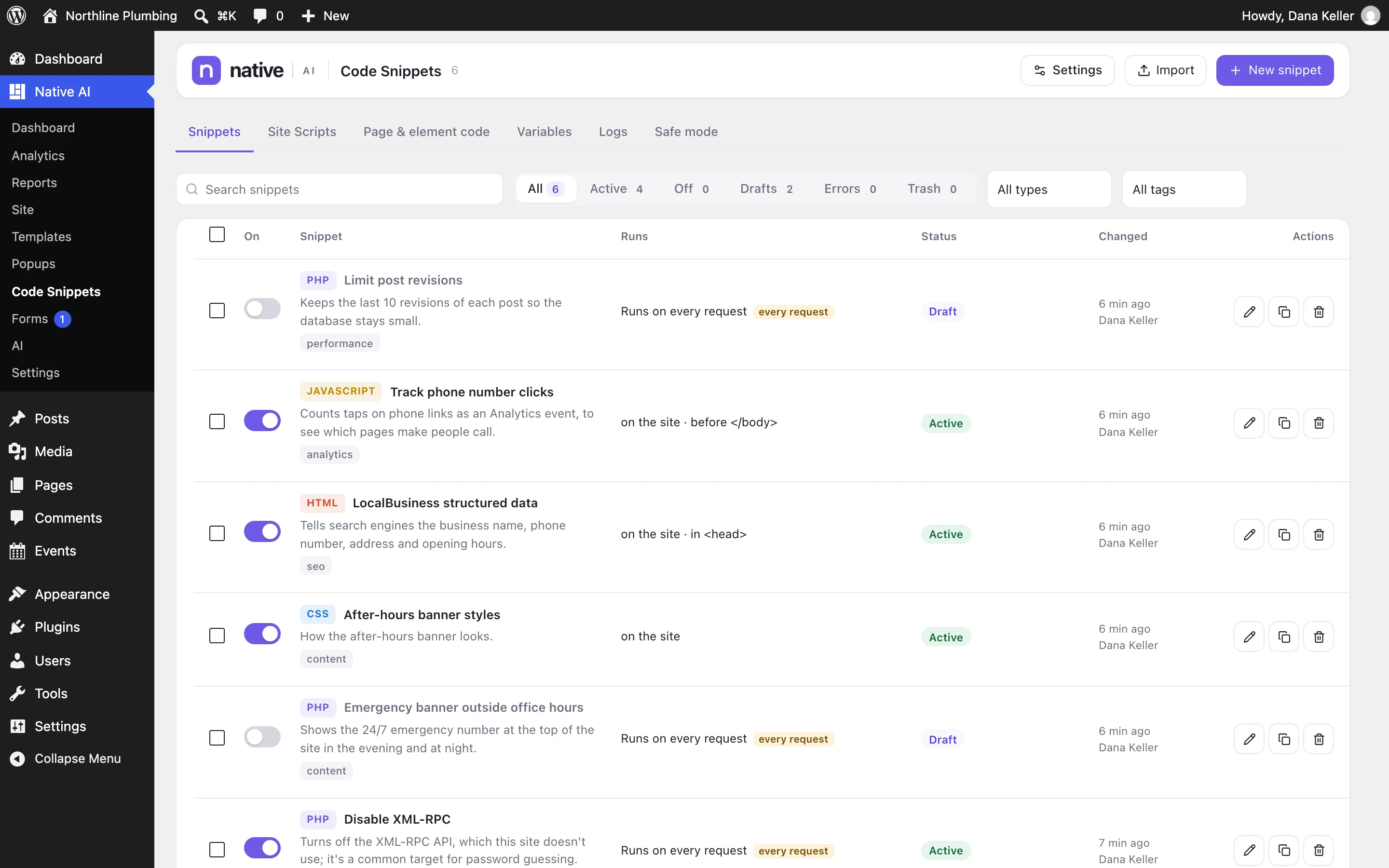
The list#
Each snippet with its type, what it does, its tags, where it runs (in words), its status, whether it has unpublished changes or is being tested, and errors in the last day. Filter by type, tag or status, search, and switch snippets on and off. Bulk actions and a trash are there too.
Draft, test, activate#
Nothing new ever runs by itself. Every snippet goes through the same path:
- Create itNew snippet — blank, from a starter (add code to
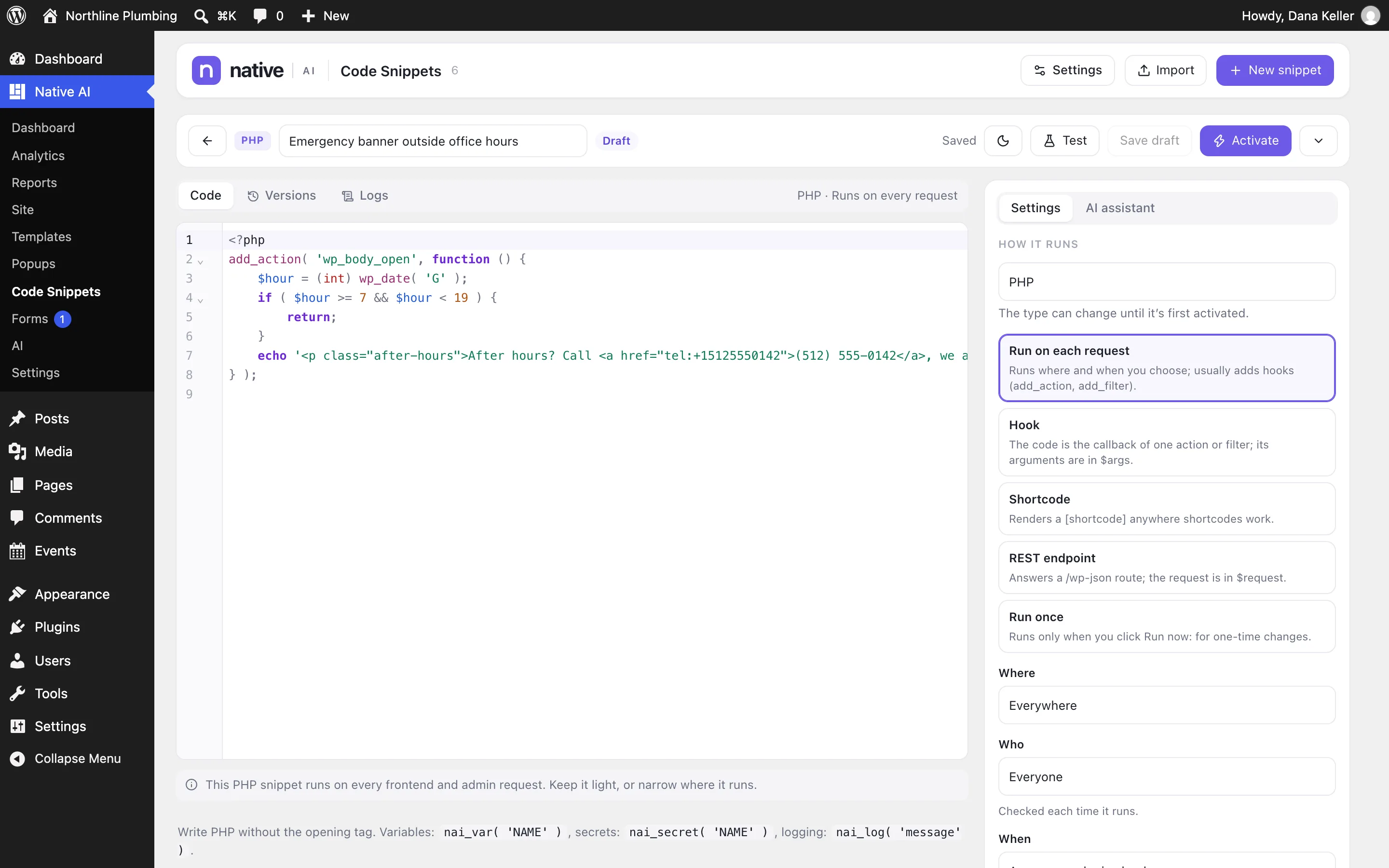
<head>, before</body>, change the blog’s query, redirect visitors, add a shortcode, a WooCommerce hook, an admin column, a custom REST endpoint, custom CSS, custom JavaScript), or generated by the AI from a description. It starts as a draft. - Write itThe editor highlights PHP, JavaScript, CSS, HTML and JSON, completes WordPress functions and hooks, and marks errors and warnings as you type. ⌘S saves the working copy — saving never changes what runs.
- Test itTest runs your working copy on the real site for you only; the admin bar says what you’re testing, and visitors still get the live version.
- Activate itActivate makes it live. For PHP, Native AI first tries it on the pages where it will run; if that causes a fatal error, activation stops and nothing breaks.
Checks before anything runs#
- PHP syntax is checked by PHP’s own parser, with errors mapped to your lines.
- A function or class that already exists — in WordPress, a plugin or another snippet — is an error; so is declaring one inside a hook, shortcode or endpoint, where it would be declared again.
- Warnings flag
eval, shell functions,exit, unknown functions, code that runs on every request, data changes that belong in Run once, unsanitized request data and public endpoints.
If a snippet breaks the site#
A snippet that causes a fatal error on the live site is turned off at once; the error is logged with its line, the site owner is emailed and an admin notice appears — the next request works. For other problems, use safe mode.
The code assistant#
Beside each snippet: Explain, Fix it, Make it faster, Make it safer, Add comments, Refactor — or ask anything, like limiting where it runs, converting between JavaScript and PHP, adapting it for WooCommerce or debugging the last error. The assistant writes safe WordPress code (permission checks, nonces, sanitizing, escaping, prepared SQL), and prefers a native builder feature when one does the job.
It only proposes: the change shows as a diff, you apply it to the working copy, then test and activate as usual. It sees the names of your variables and secrets, never their values, and warns before sending code that looks like it contains a key. An answer costs a few credits (about 6 in our tests).
Import and export#
Export snippets to native-ai-snippets.json (secrets are never included) and import them on another site — imported snippets always arrive as drafts.
Related articles
On the features pages
Still have a question? Email us at support.