DocsForms
Build a form
Build forms from native fields on the canvas — single or multi-step, with logic, a designed success state and actions that run after a submission.
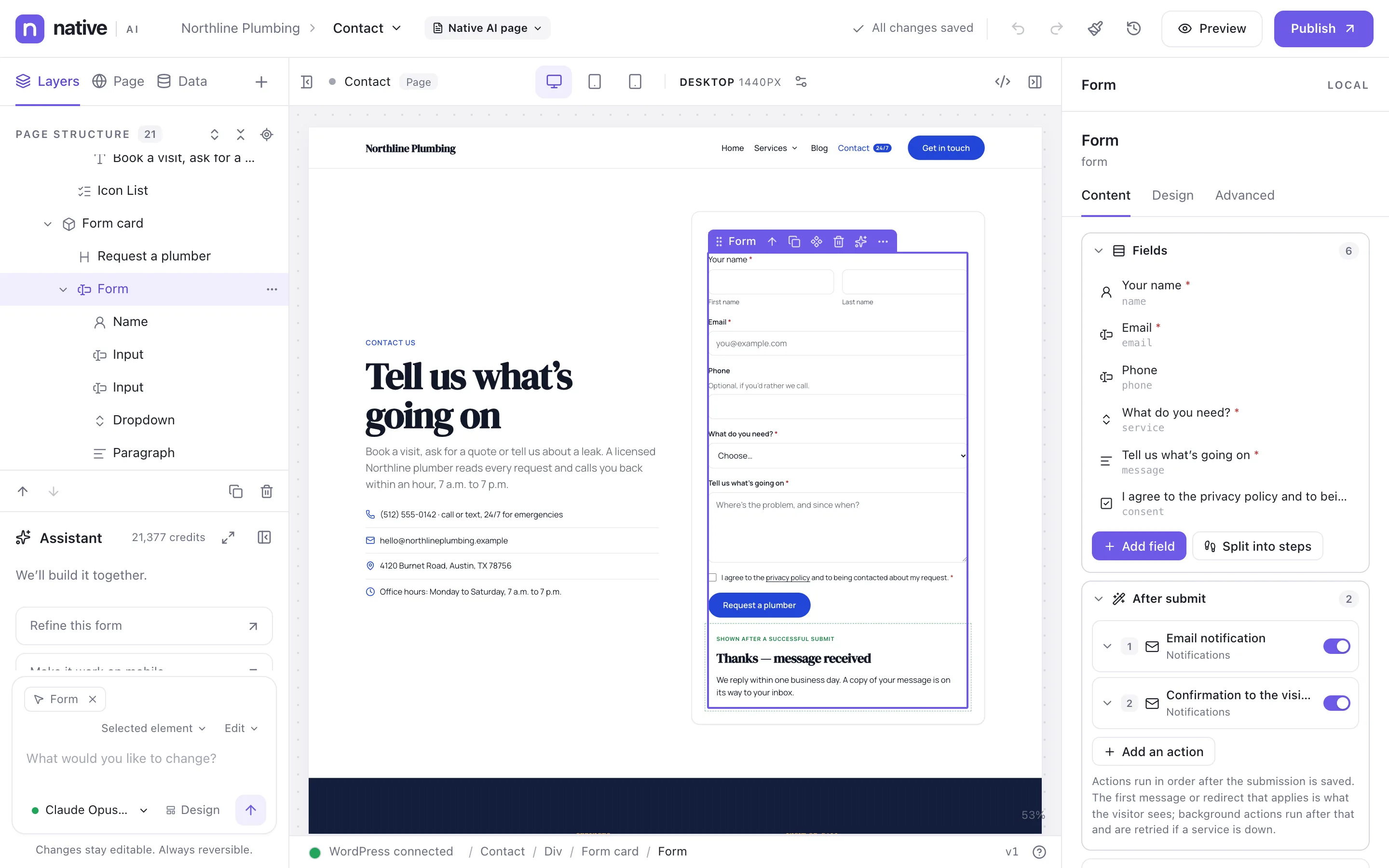
A form in Native AI is made of ordinary elements: a Form container with field elements inside it. Place fields anywhere inside the form — in columns, steps or groups — and style, duplicate and move them like any element.
Start a form#
Open the element library’s Forms tab and pick a template — each inserts a normal form you can change:
- Contact, Lead generation, Newsletter signup, Quote request
- Job application, Event registration, Support request, Booking inquiry
- Multi-step lead form, User registration, Frontend post submission
Or drag a Form from the Forms category and add fields to it.
The form’s settings#
Select the form (not a field) and open its Content tab. It lists the fields by step, adds fields and steps where they belong, and holds:
- Actions — what happens after a submission: emails, messages, redirects, integrations. See What happens after a submit.
- Behavior and messages — what the visitor sees after sending and when something’s wrong.
- Spam protection — see Spam protection.
- Storage — whether submissions are saved in WordPress (on by default).
Structure elements#
| Element | What it does |
|---|---|
| Form | The container, with the form’s actions and settings. |
| Form step | One page of a multi-step form, with its own title and Next / Back buttons. |
| Conditional group | Fields shown or hidden together by logic. |
| Success state | What replaces the form after a successful submit — design it with any elements. |
| Submit button | Sends the form. It uses your button styles. |
| CAPTCHA | Where the reCAPTCHA or Turnstile check appears. |
Fields are described in Form fields; multi-step forms and logic in Conditional logic and multi-step forms.
Styling#
Theme Styles → Forms styles every form’s fields (with focus and error states), labels, descriptions, placeholders, checkboxes and radios, messages, step numbers and the progress bar. Each form and field can still be styled on its own in the Design tab.
Where forms work#
Anywhere: pages, templates, popups (a popup can stop showing once its form is sent), Global Blocks and mega menus.
Related articles
On the features pages
Still have a question? Email us at support.