DocsSite Reports
Scheduled reports by email
Have reports generate themselves and arrive by email as PDFs — a weekly report every Monday, a monthly care report for a client.
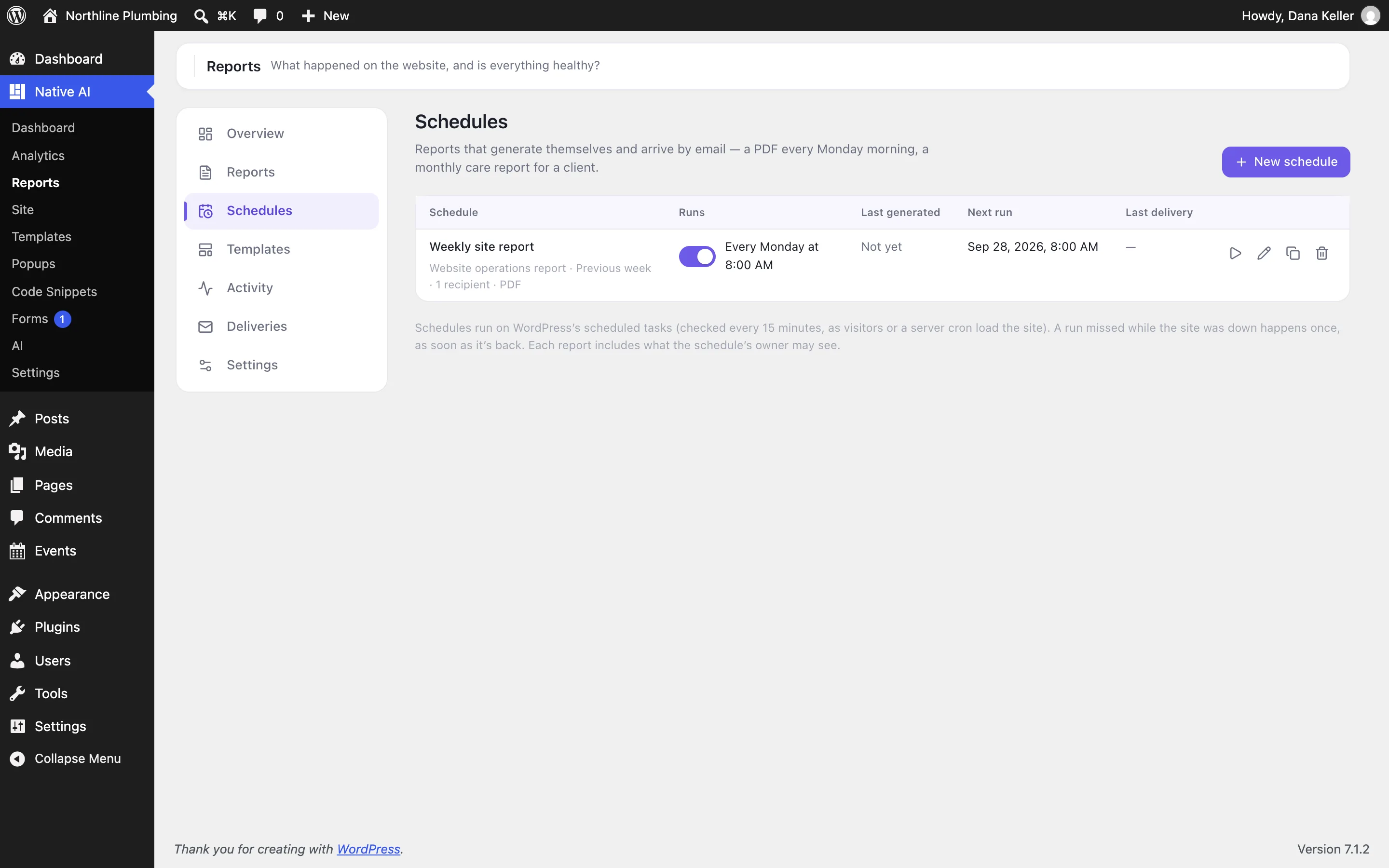
Create a schedule#
In Reports → Schedules, choose:
- How often: every day, every week (on a weekday), every month (a day from 1 to 28, or the last day), or every few days — at a time, in your site’s time zone.
- The period it covers (the previous week, the previous month…) and the comparison.
- The template.
- Recipients (up to 25), the subject and a message. Use
{name},{site},{period},{status}and{title}in them. - Whether to attach the PDF. Without it, the email carries the summary.
The editor previews the next three runs and the days each will cover. Schedules can be switched on and off, duplicated (the copy starts off), run now or deleted, and each shows its last report, next run and last delivery.
The email#
It carries the status and its reasons, the summary, the key numbers, highlights, what needs attention and a link to the full report — as HTML with a plain-text version, sent with WordPress’s own mail so an SMTP plugin delivers it.
Deliveries#
Reports → Deliveries lists every email: pending (while retrying), sent, or failed. A failed send is retried after 1, 5 and 30 minutes; if it still fails it’s marked failed, you get a notification, and the schedule shows the error. Resend makes a new delivery.
Make schedules punctual#
Creating and changing schedules needs the Manage report schedules permission.
Related articles
On the features pages
Still have a question? Email us at support.