DocsAI
AI settings, brand and models
Tell the AI how to write and design for your brand, decide how the agent works on bigger tasks, and choose which models do the work.
AI settings are in Native AI → Settings, under AI: AI Assistant, Agent and Models. Administrators can change them.
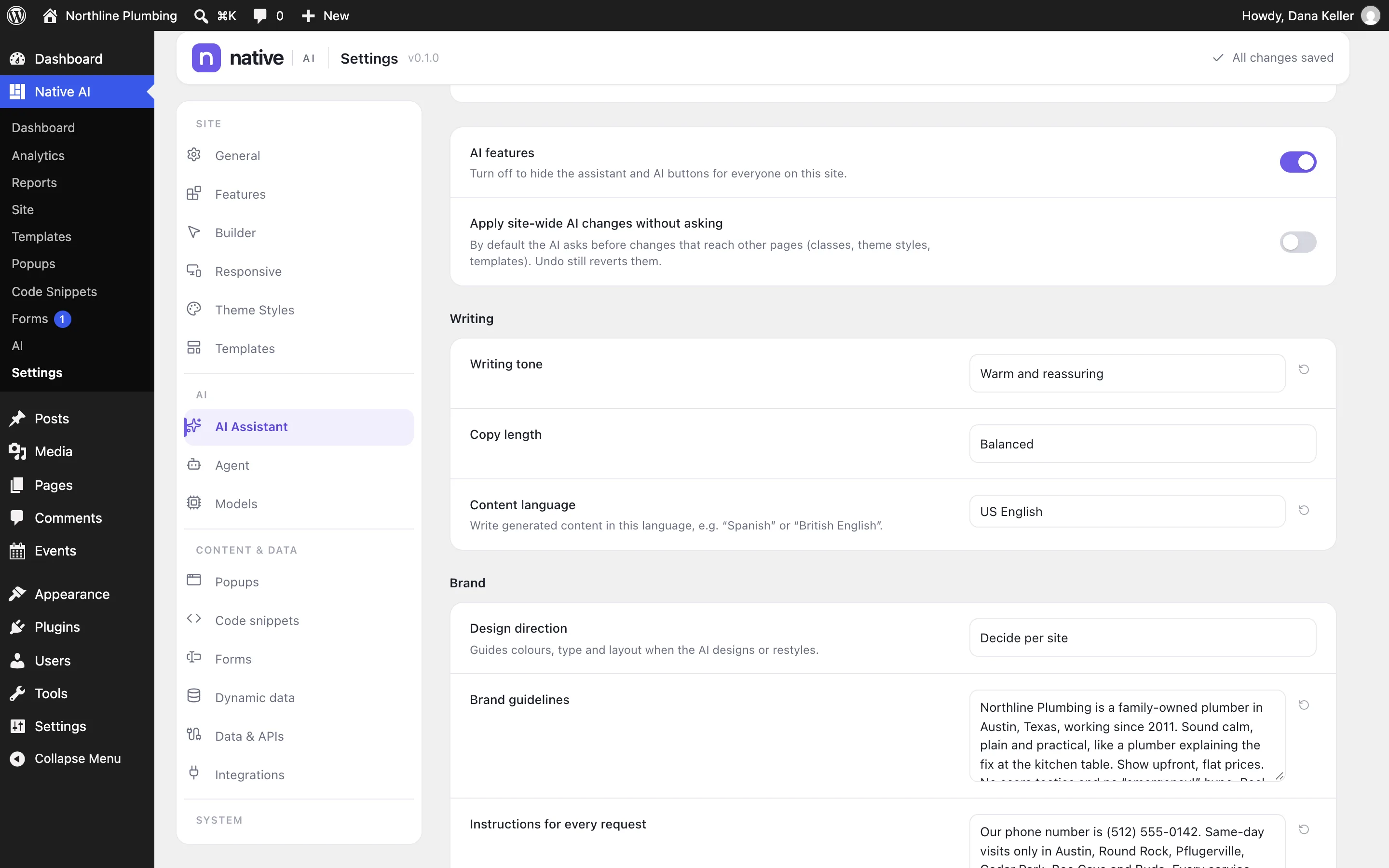
AI Assistant#
| Setting | What it does |
|---|---|
| AI features | Off hides the assistant and every AI button for everyone on the site. |
| Apply site-wide AI changes without asking | Off (the default): the AI asks before changes that reach other pages — classes, Theme Styles, templates. Undo still reverts them either way. |
| Writing tone | Match the site’s voice (default), Friendly, Professional, Warm and reassuring, Bold and confident, Playful, or Formal. |
| Copy length | Concise, Balanced (default) or Detailed. |
| Content language | Write generated content in this language, e.g. “Spanish” or “British English”. |
| Design direction | Decide per site (default), Minimal, Modern, Classic, Bold, Elegant or Playful — guides colors, type and layout when the AI designs. |
| Brand guidelines | Your brand in your words: voice, words to use and avoid, visual rules. |
| Instructions for every request | Standing instructions added to every request (“Always write prices with the currency sign”, “Never use exclamation marks”). |
Agent#
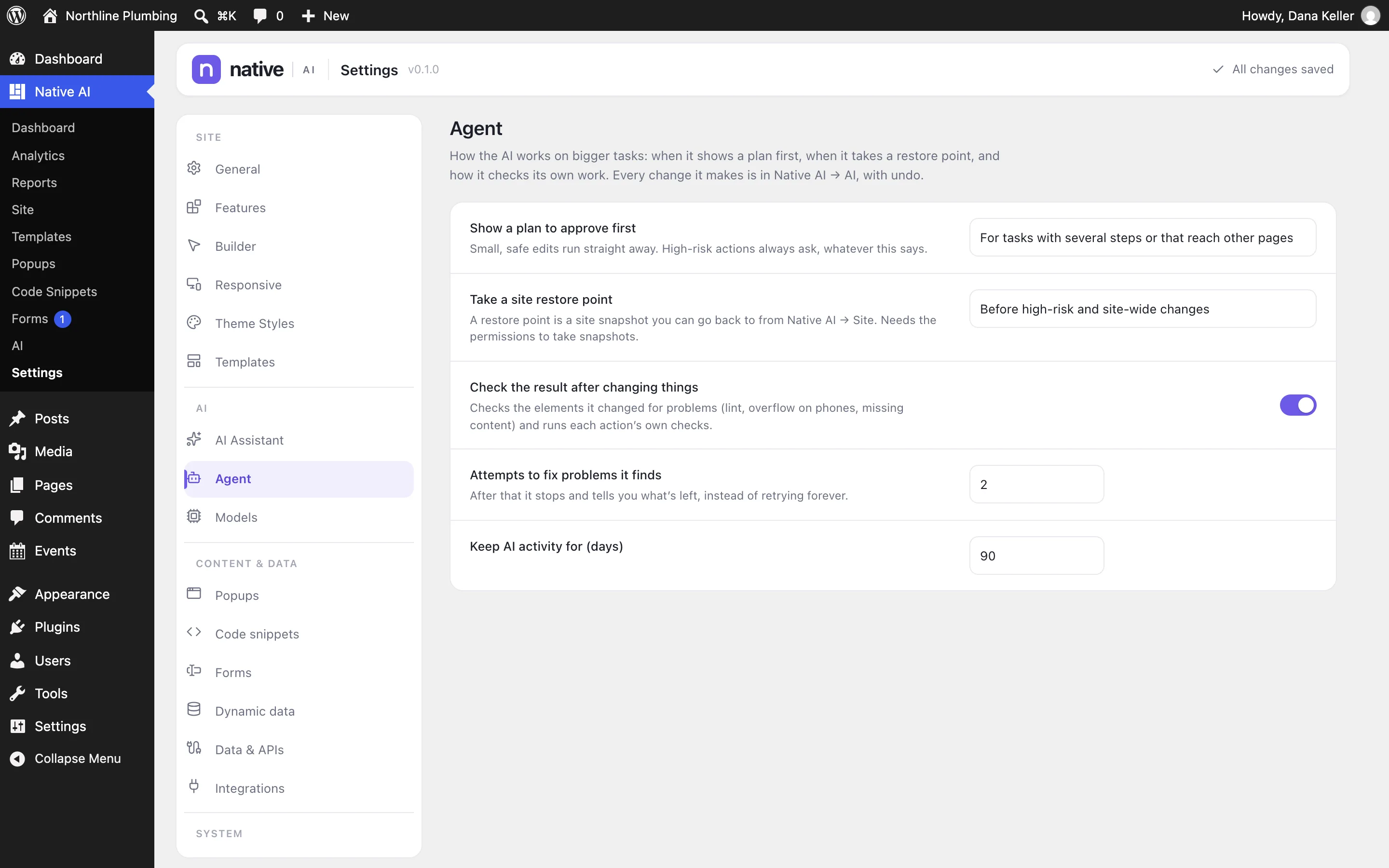
| Setting | Default |
|---|---|
| Show a plan to approve first | For tasks with several steps or that reach other pages — or before any change. High-risk actions always ask. |
| Take a site restore point | Before high-risk and site-wide changes — or before high-risk changes only, or never (undo still works). |
| Check the result after changing things | On |
| Attempts to fix problems it finds | 2 (0–3) |
| Keep AI activity for | 90 days (7–730) |
Models#
Default model — leave it on Service default to always use the recommended model (Claude Opus 5.5). Design mode splits its work into roles, and each can have its own model; each list only offers models that can do that role:
- Design planning — art direction, page architecture and composition.
- Builder generation — turns the approved plan into native elements.
- Visual critique — looks at screenshots of the page; needs a model that can see images.
- Refinement — applies the critique’s fixes.
- Code and debugging — takes over when a design keeps failing validation.
- Content — writes the copy in a separate step (by default the builder writes it).
Design generation mode (Quality by default) and Design complexity (Decide by mode) set Design mode’s defaults. People can still pick a model for each request in the assistant, from the models the Native AI service offers.
Related articles
Still have a question? Email us at support.