DocsTemplates & site structure
Post, archive, search and 404 templates
Design one template for every blog post, product, archive or search page, filled with each post’s own data.
A template for every post#
A Single post template is designed once and shows every post: its title, featured image, author, date, categories, content and more come from each post through dynamic data. Use the dynamic elements — Post Title, Post Content, Post Meta, Featured Image, Author Box, Categories & Tags, Post Navigation, Comments, Share Buttons — or put dynamic data in any text.
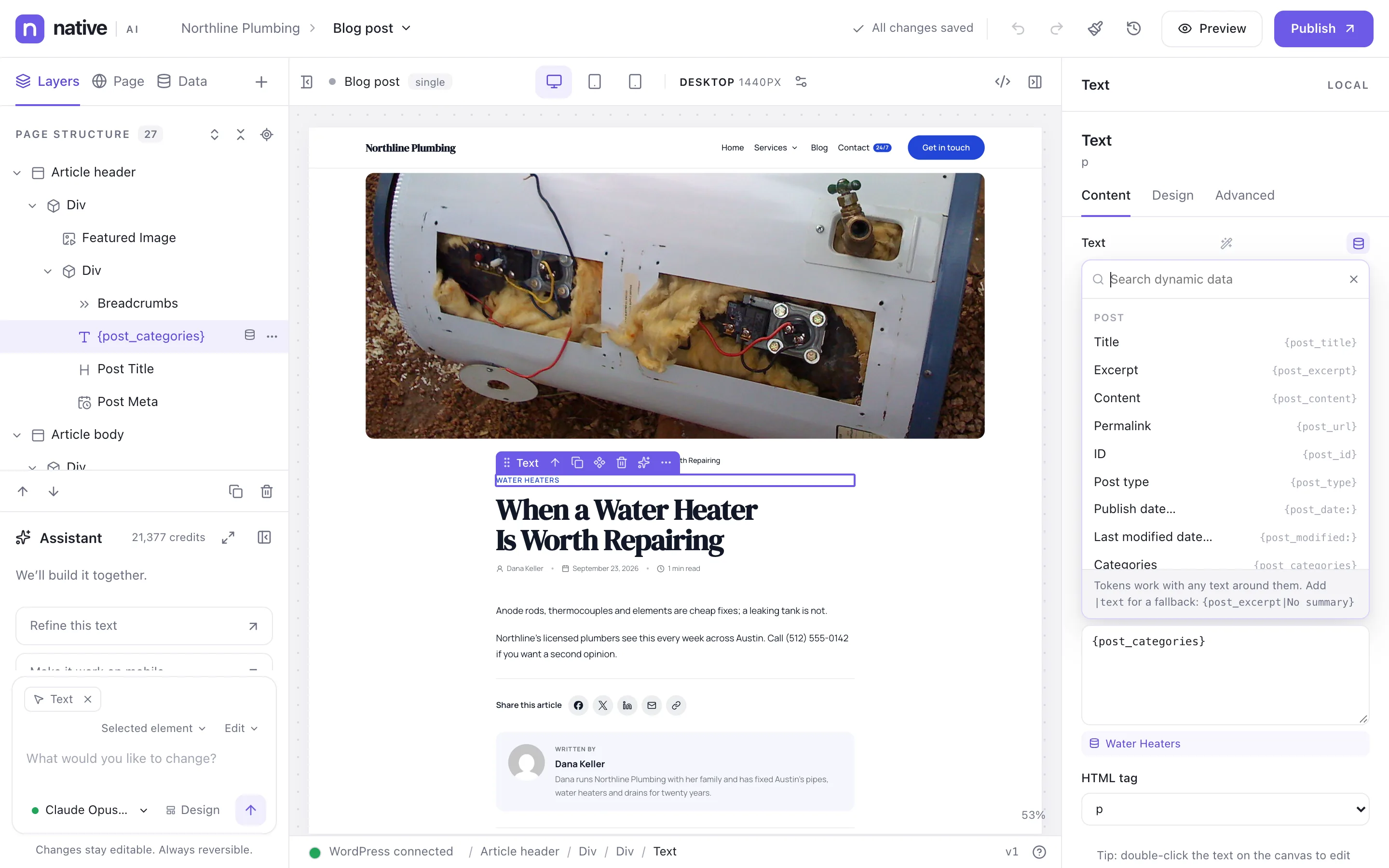
The canvas previews the template with a real post it applies to. To choose the post, set Settings → Dynamic data → Preview templates with post ID.
Archives and search#
An Archive template shows lists of posts: the blog, a category, a tag, an author, a date. Add a Query Loop set to the page’s own posts (the current query), an Archive Title, and Pagination. The Search results template works the same way for searches.
404#
The 404 template is shown for addresses that don’t exist. Give it a helpful message, a search box and links to your most useful pages.
Custom post types#
Any post type registered on the site can have its own template, including its custom fields and ACF fields. Enable the post type in Settings → Builder → Post types to use Native AI with it.
One post, its own design#
A post that needs a different layout can get a custom layout that overrides its template for that post only — without touching its WordPress content — and go back to the template later. See Native AI and WordPress posts.
Related articles
Still have a question? Email us at support.