DocsGetting started
Activate your license
Turn on AI features and plugin updates for a site with your license key, and move a license from one site to another.
A license key looks like NAI-XXXX-XXXX-XXXX-XXXX. It turns on AI features and plugin updates on the sites where it’s active. The builder, templates, forms, popups, analytics, snippets and reports work without one.
Activate a license#
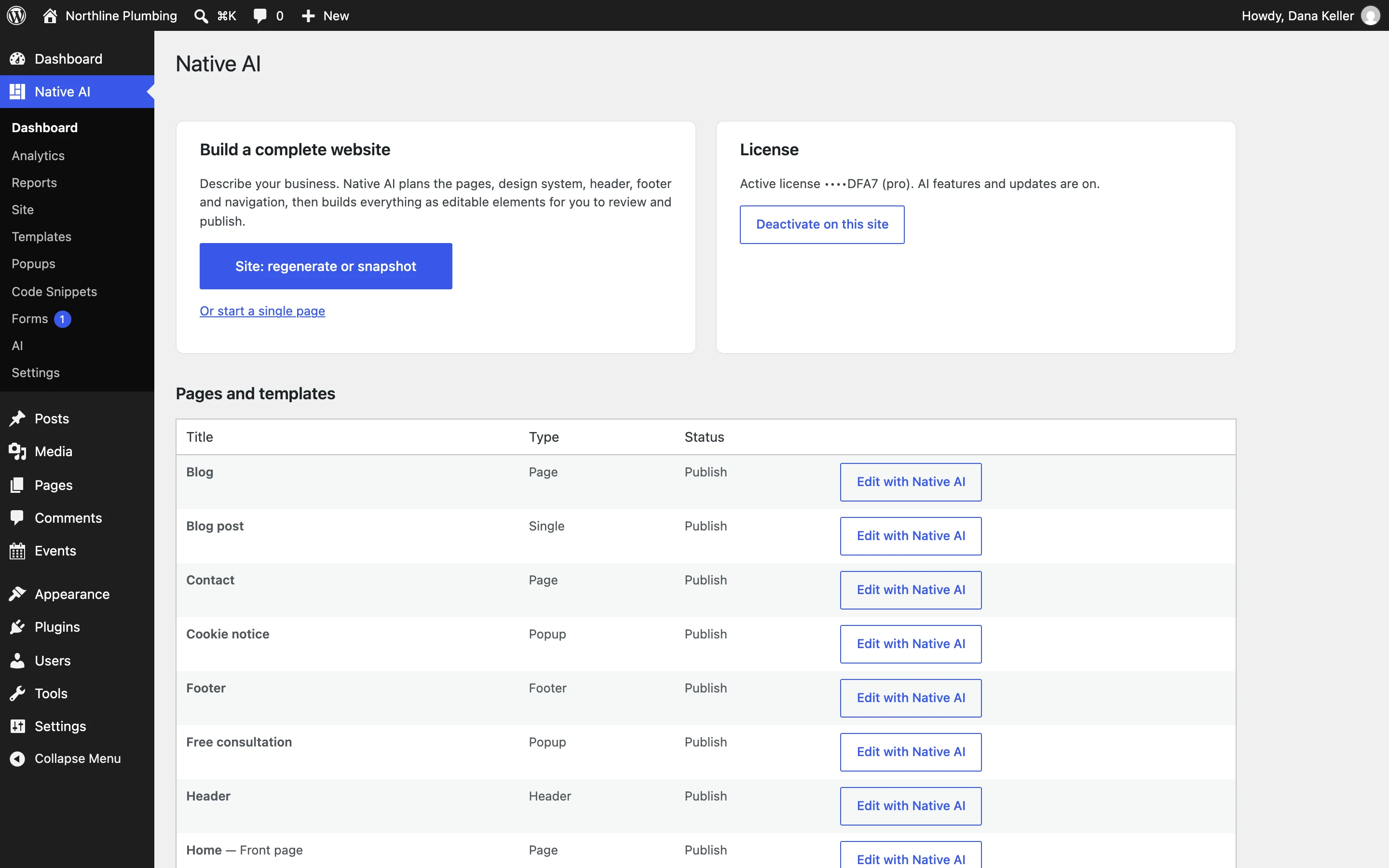
- Open the dashboardIn WordPress, go to Native AI → Dashboard.
- Enter the keyPaste your license key in the License card and click Activate.
- DoneYou’ll see “License activated. AI is ready.” The card now shows the active license (its last characters and the plan) and says “AI features and updates are on.”
How many sites#
Each plan allows a number of websites (see Pricing). A site counts once the license is active on it. A staging copy can use the same key if your plan has room.
Move a license to another site#
- Free the old siteOn the old site, open Native AI → Dashboard and click Deactivate on this site.
- Activate the new siteOn the new site, enter the key and click Activate.
If a license ends#
Your site and the builder keep working, and published pages aren’t affected. AI requests and plugin updates stop until the license is active again; the assistant then says “Your license is expired. Renew it to keep using AI.” (or suspended, or canceled).
If activation fails#
| Message | What to do |
|---|---|
| That license key doesn’t exist. Check for typos. | Copy the key again from your email, with its dashes. |
| This license is already active on 3 sites (the Pro plan allows 3). Deactivate it on another site first. | Deactivate it on a site you no longer use, or move to a plan with more sites. |
| This license is suspended. (or canceled, or expired) | Contact us about the license. |
| Request timestamp is too old. Check the server clock. | Your server’s clock is off by more than five minutes. Ask your host to synchronize it. |
More messages and what they mean: AI and license messages.
Related articles
On the features pages
Still have a question? Email us at support.