DocsForms
Submissions and form analytics
Every submission lands in an inbox in WordPress with its status, notes, files and the actions that ran — and form analytics show where people drop off.
Open Native AI → Forms. It has four tabs: Submissions, Analytics, Action log and Integrations. A badge on the menu counts new submissions.
Submissions#
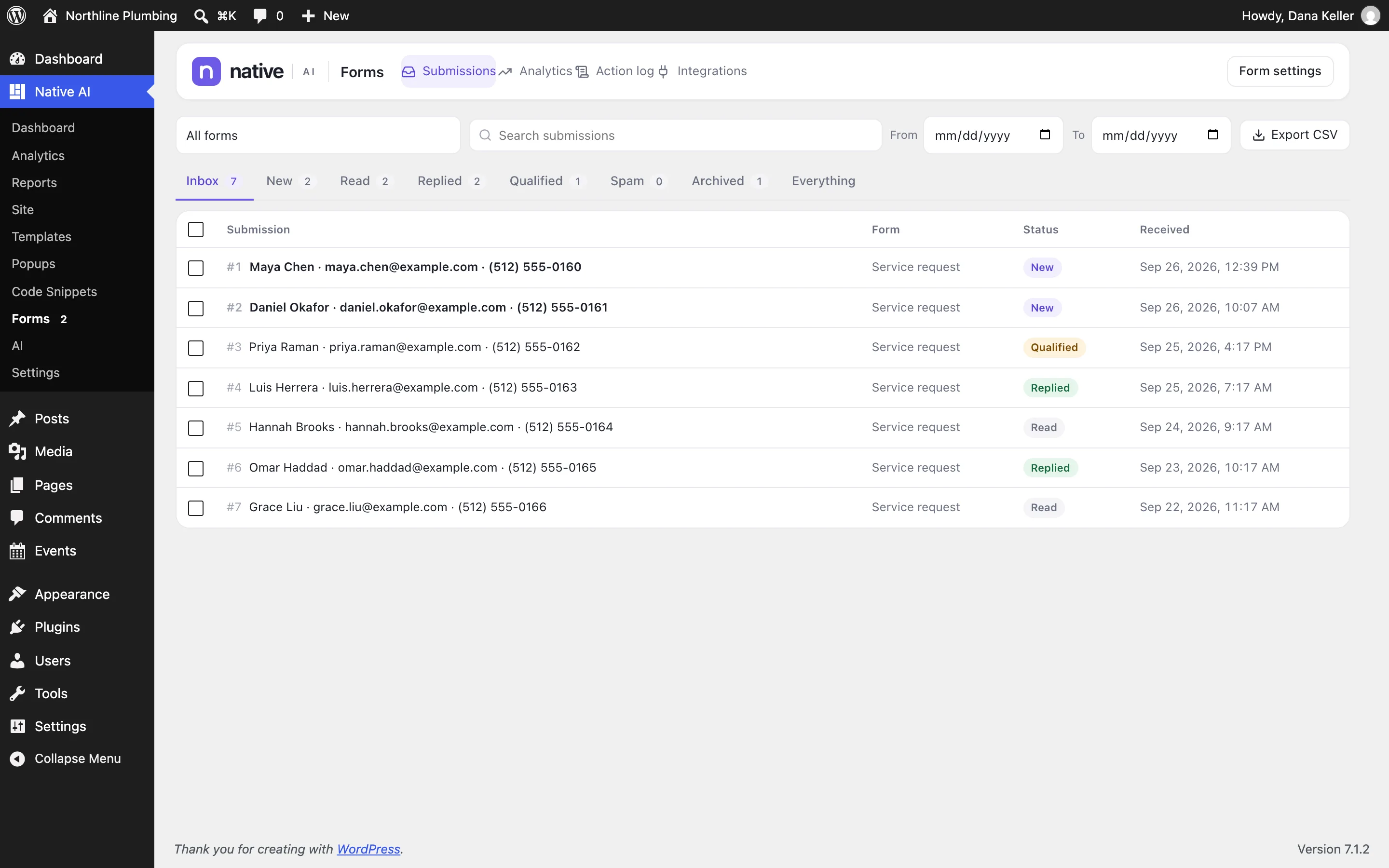
- Search, filter by form, date and status, and use bulk actions.
- Statuses: New, Read, Replied, Qualified, Spam, Archived.
- Export to CSV (cells that look like spreadsheet formulas are neutralized).
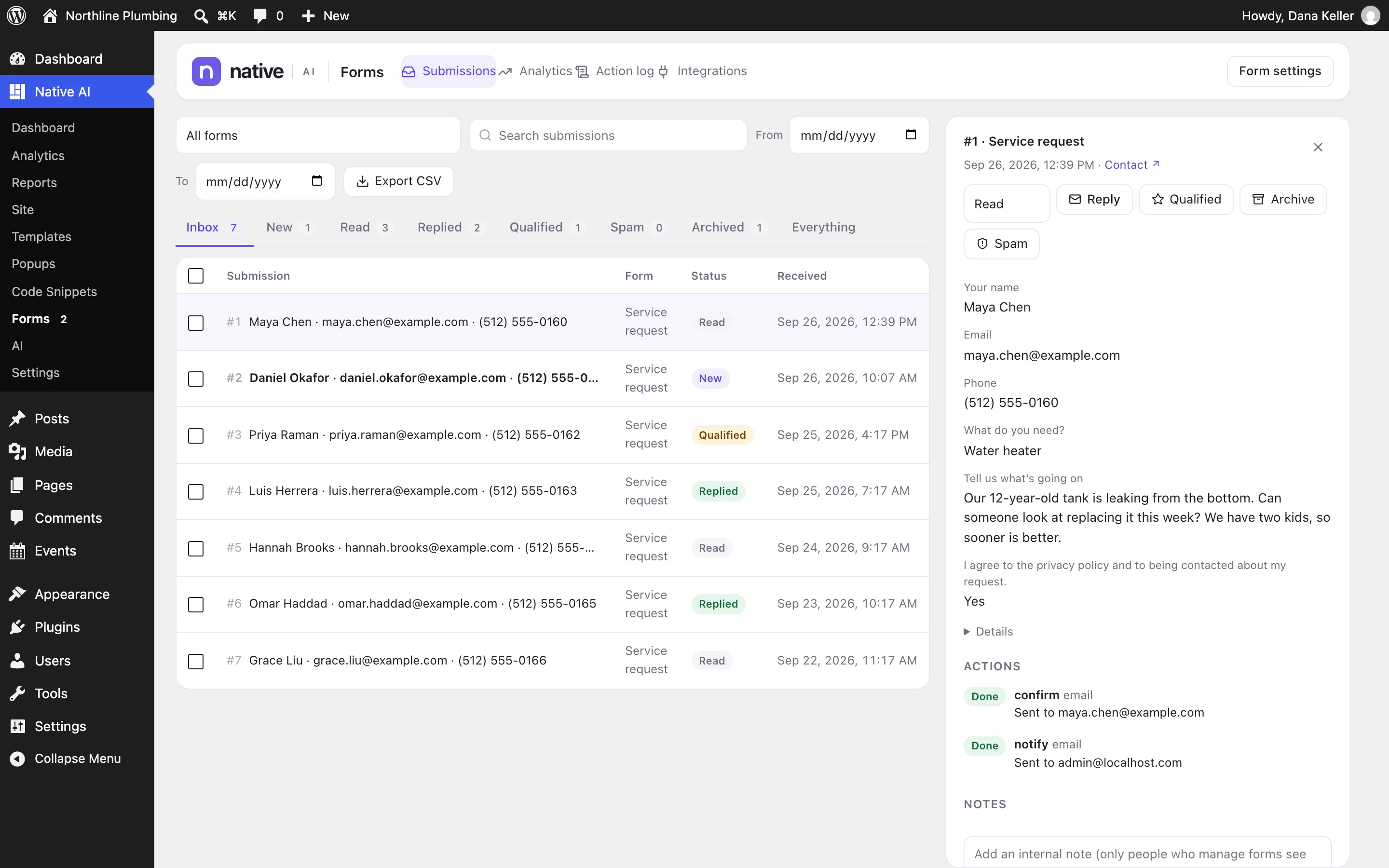
Open a submission to see every field, its files (uploads are private and download through a permission check), internal notes for your team, the page it came from, and the result of every action that ran — with Retry for ones that failed.
Action log#
Everything that went wrong after submissions: API and sign-in failures, timeouts, email failures, mapping problems — with details that never include credentials.
Form analytics#
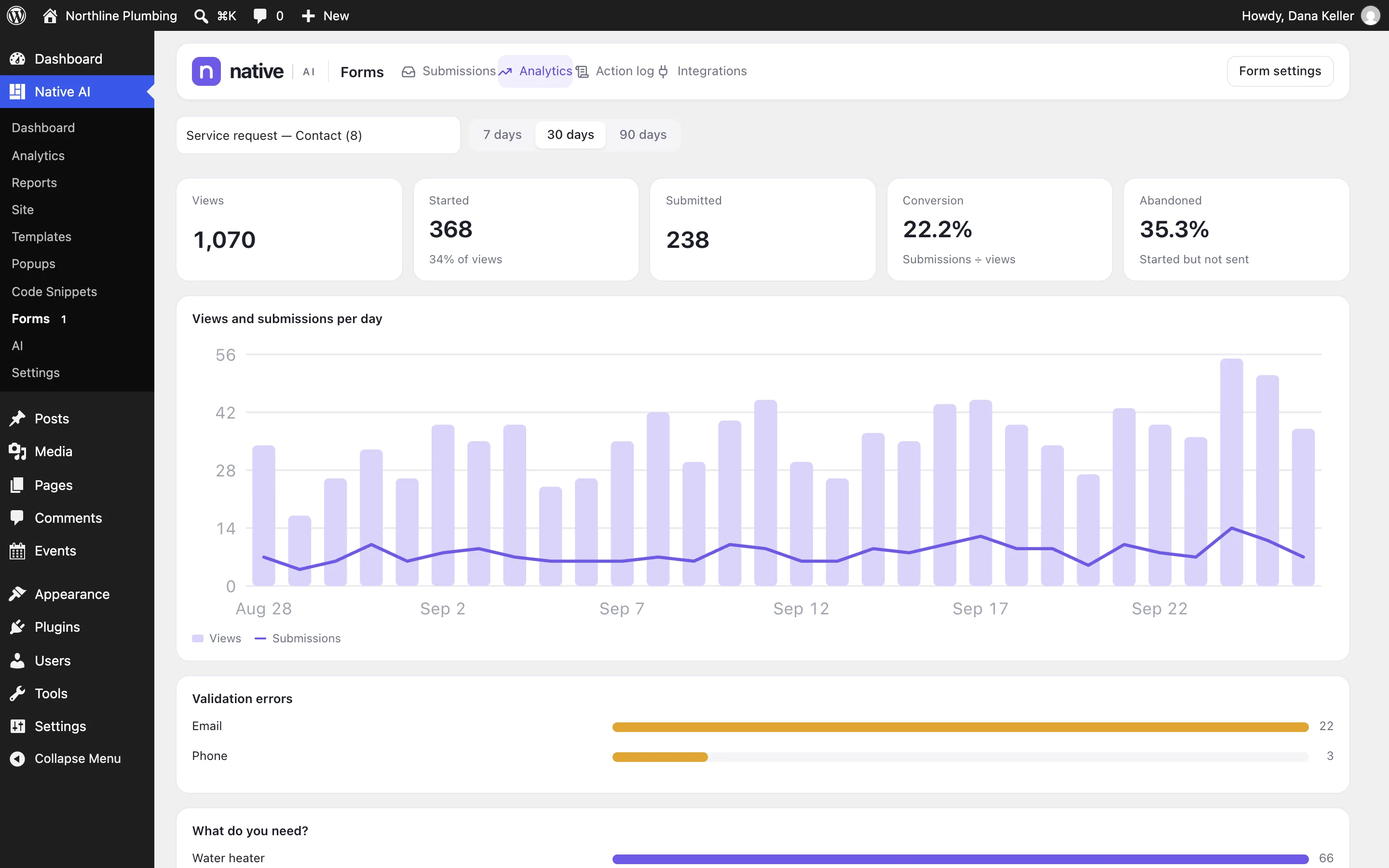
For each form: views, starts, steps reached, submissions and the conversion rate, how many people abandon it, which fields cause validation errors, and how people answered choice questions.
Privacy and retention#
| Setting (Settings → Forms) | Default |
|---|---|
| Delete submissions after (days) | 0 — keep until you delete them |
| Keep action logs for (days) | 30 |
| Save the visitor’s IP address with submissions | Off |
| Form analytics | On |
Each form can also turn off storing submissions altogether. Seeing submissions, analytics and logs needs the Manage forms permission.
Related articles
On the features pages
Still have a question? Email us at support.