DocsForms
Form integrations
Connect your CRM, email platform, spreadsheet, chat or automation tool once, then send any form’s submissions there — with credentials encrypted in WordPress.
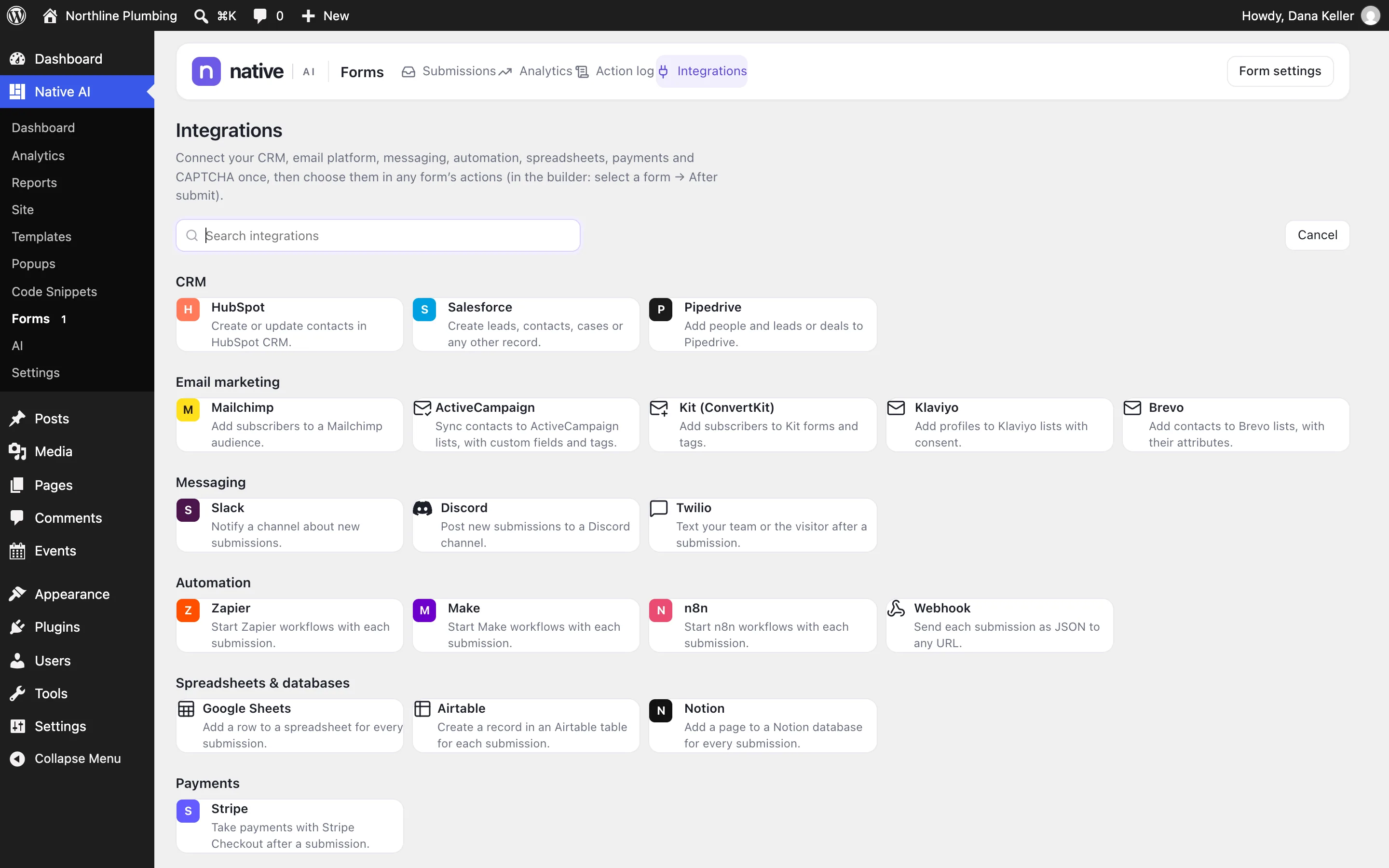
Available integrations#
| Kind | Services |
|---|---|
| CRM | HubSpot, Salesforce, Pipedrive |
| Email marketing | Mailchimp, ActiveCampaign, Kit (ConvertKit), Klaviyo, Brevo |
| Messaging | Slack, Discord, Twilio (SMS) |
| Spreadsheets and databases | Google Sheets, Airtable, Notion |
| Automation | Zapier, Make, n8n, and any webhook |
| Payments | Stripe (Checkout and customers) |
| Spam protection | reCAPTCHA v2 and v3, Cloudflare Turnstile |
Plus the built-in HTTP request action for any other API.
Connect a service#
- Open IntegrationsGo to Native AI → Forms → Integrations (or Settings → Integrations).
- Add a connectionChoose the service, give the connection a name (“Main HubSpot”, “Sales Slack”) and enter its credentials, or sign in (Salesforce uses OAuth). Each service explains what it needs — for Zapier, “Start a Zap with the Webhooks by Zapier → Catch Hook trigger and paste its URL”.
- SaveSaving tests the connection.
- Use it in a formIn the form’s actions, add the service’s action and pick the connection.
Mapping fields#
Map your form’s fields to the service’s own fields — HubSpot properties, Mailchimp merge fields, Salesforce object fields, Airtable columns — picked from lists the service provides. Lists, audiences and channels are looked up the same way. No API names to type.
Credentials stay safe#
- Each secret is encrypted separately in WordPress (with
NATIVE_AI_SECRET_KEYwhen it’s set in wp-config.php — see Install). - After saving, a secret is never shown again — only whether it’s set and its last characters.
- Forms refer to connections by name, so no page or form holds a key, and the AI only ever sees connection names.
- Logs mask secrets, auth headers and key-like values.
- Requests to private or local network addresses are refused.
Webhooks#
A webhook sends every field by name (or the values you choose) plus submission facts as JSON. Add an optional signing secret and each request carries an X-NativeAI-Signature: sha256=… HMAC of the body, so the receiver can check it came from your site.
Related articles
On the features pages
Still have a question? Email us at support.