DocsWooCommerce store
Orders, notes and refunds
Find the orders waiting to ship, change statuses, write to customers and refund — through WooCommerce, with a note on each order saying who did it.
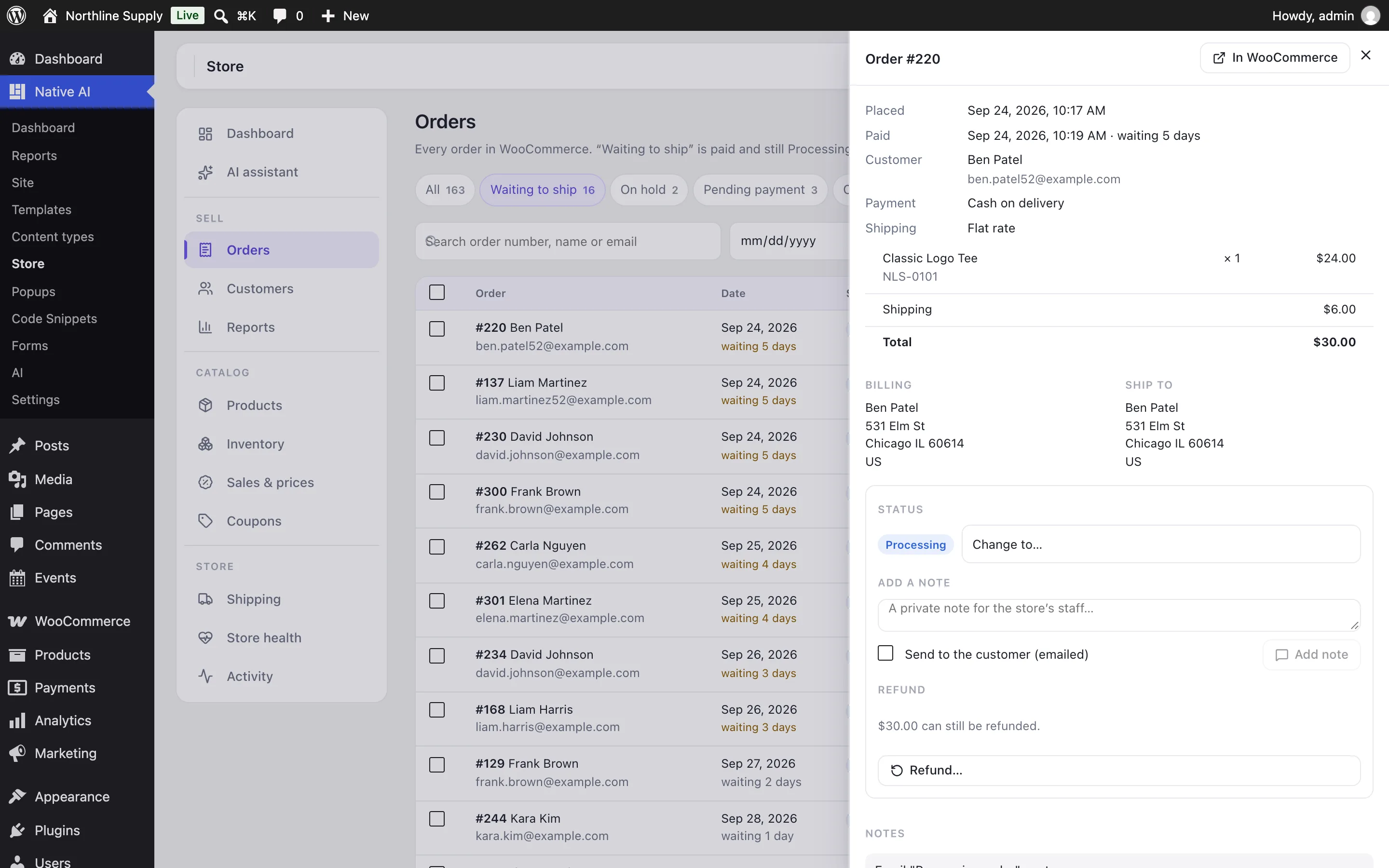
Store → Orders lists every order. The tabs filter by status with a count on each; Waiting to ship is the paid orders still marked Processing, oldest first, with how many days each has waited. Search by order number, name or email, and narrow by date.
Changing the status#
Open an order and choose Change to…, or tick several orders and change them together (up to 50 at a time). You’re asked first, because WooCommerce emails the customer for some statuses — “Your order is complete”, “Your order was cancelled”. A note on each order records who changed it.
Notes#
- Private notes are for the store’s staff only.
- Notes to the customer are emailed to them by WooCommerce and shown in their account, so you confirm the text before it goes.
Refunds#
- Open the order and choose Refund…Pick the items and how many of each (their price and tax are added up), or type an amount.
- Choose howSend the money back through the payment method when it supports refunds (it’s offered only then), or Record it only when you return the money some other way.
- RestockLeave Put refunded items back in stock ticked to add them back to inventory.
- ConfirmThe button shows the exact amount. A refund can’t be undone.
Native AI checks the refund first: never more than is left to refund, only items on the order, and only through a payment method that can refund. The order gets a note with the amount, how it was refunded, the reason and who did it, and WooCommerce emails the customer a refund notice.
Related articles
On the features pages
Still have a question? Email us at support.