DocsWooCommerce store
Products, stock, sales and price changes
Edit products and stock, see what’s running low, put categories on sale with every new price shown first, change prices in bulk — and end or undo any of it exactly.
Products#
Store → Products shows your catalog with price (and sale price), stock and units sold. Filter by category, stock (in stock, running low, out of stock, on backorder), status or On sale, and sort by name, best selling, price, stock or newest. Click a product to change its name, status, SKU, prices and sale dates, stock, categories, short description or whether it’s featured. A variable product’s prices and stock are its variations’, each with its own row.
Every change is saved through WooCommerce and listed in Activity with what it was before.
Stock#
Store → Inventory lists products and variations running low (at or under their low-stock amount — WooCommerce → Settings → Products → Inventory, or the product’s own), out of stock and on backorder, with units sold. Type how many arrived and Save stock: WooCommerce updates the stock status and its low-stock emails follow.
Sales#
A sale sets WooCommerce sale prices — and sale dates, so WooCommerce starts and ends it on its own. Store → Sales & prices → New sale, or pick products on the Products screen and choose Put on sale…:
- Which products — categories, the whole catalog, or the products you picked. Variable products are put on sale through their variations.
- How much — a percentage, a fixed amount off, or a set sale price; optionally rounded to whole numbers or prices ending in .99 or .95 (never above the exact price).
- When — a start day and an end day (the sale runs through that day), or from now until you end it.
- Products already on sale are left alone unless you tick the box to change them too.
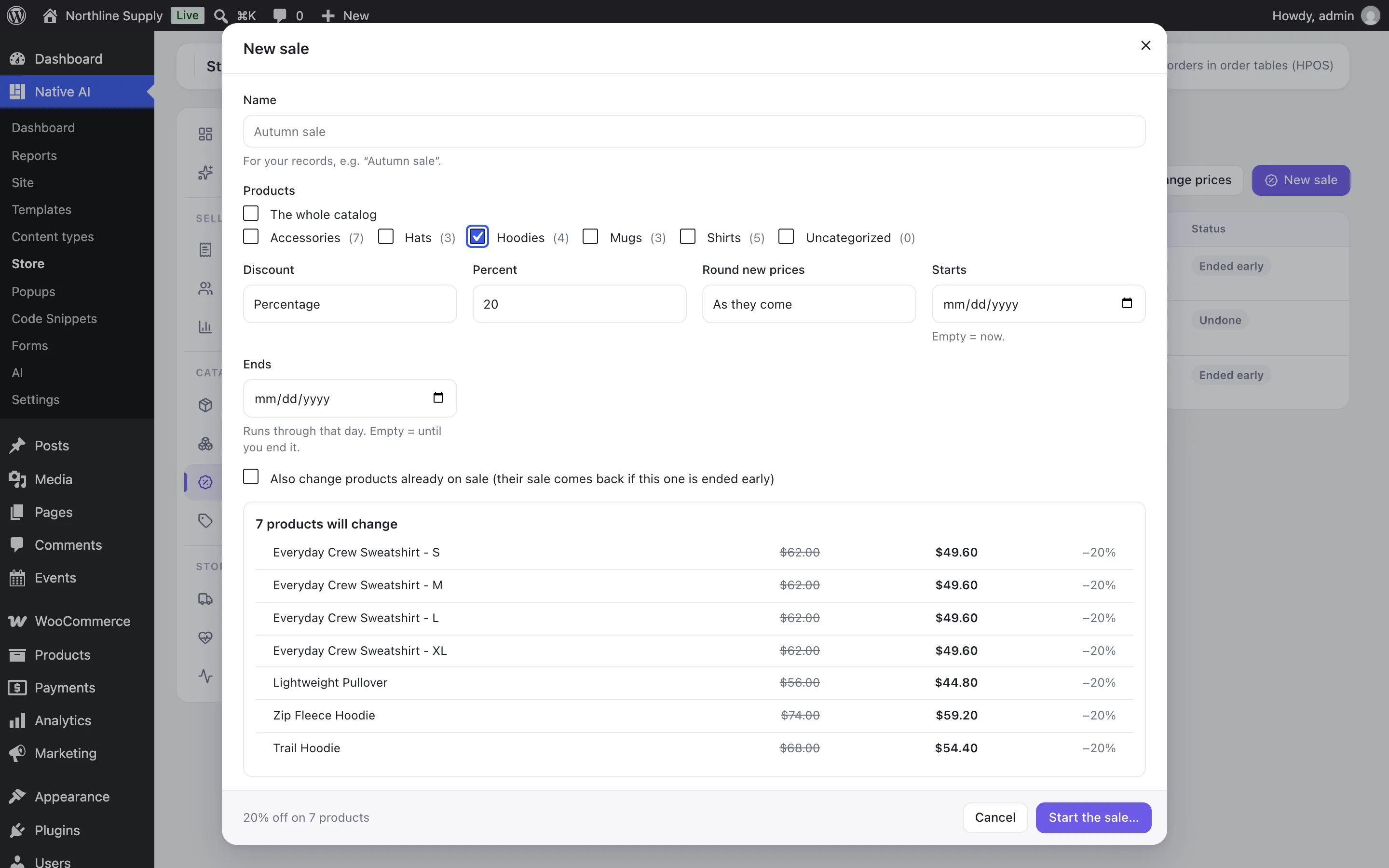
You see every product’s old and new price before anything changes, and confirm. End now puts every product back to the price it had before — including a sale it had before, if you replaced it. A product whose price someone changed since is left as it is and listed.
Bulk price changes#
Change prices raises or lowers regular prices (or current sale prices) by a percentage or an amount, with the same preview and confirmation. Undo puts back exactly the prices it changed. If a new regular price would be at or below a product’s sale price, that sale ends.
Related articles
On the features pages
Still have a question? Email us at support.