DocsContent Studio
Write blog posts with AI
Content Studio writes a post from a sentence — in your voice, with free stock photos, categories, tags and SEO text — as a WordPress draft or scheduled for its day.
Content Studio is an optional feature: an AI blog writer and a content calendar. It writes posts (or pages and your own content types) as ordinary WordPress content that you can edit in the block editor.
- Switch it onGo to Native AI → Settings → Features and switch on Content Studio. A Content Studio screen appears in the Native AI menu.
- Set your voiceContent Studio → Settings → Your voice: how your posts should sound and anything they must or mustn’t say. The AI also uses your business details from Settings → Site.
- Write a postClick Write a post (or the + on a day in the calendar). Say what it should be about, add keywords if you like, choose the length and how many pictures, and click Write it.
- Review itIt appears on the calendar marked Writing… and is done in a minute or two — you can leave the screen. Open it, read it through in WordPress, and schedule it when it’s ready.
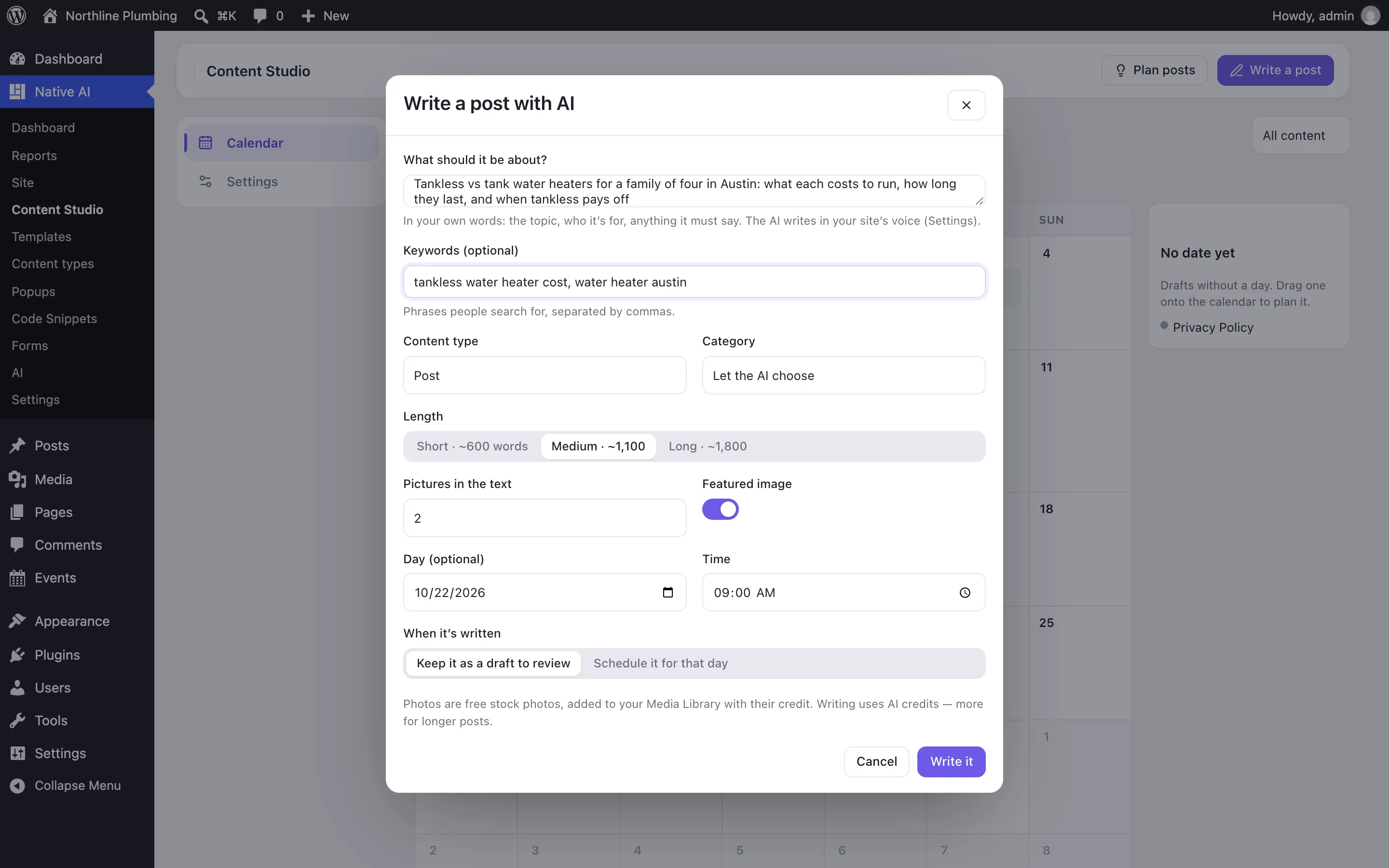
What the AI writes#
| Part | What you get |
|---|---|
| Title and text | A clear title, an opening that meets the reader where they are, short sections with headings, lists where they help, and a natural next step. About 600, 1,100 or 1,800 words. |
| Pictures | Up to four in the text and a featured image: free stock photos found for what each should show, added to your Media Library with alt text and their source. A photo whose license asks for credit gets it under the picture, and isn’t used as a featured image. |
| Excerpt, category and tags | One or two sentences for the excerpt; one of your categories (a new one only when none fits, if you may add categories); a few tags, your existing ones first. Or choose the category yourself. |
| SEO title and description | With SEO switched on, the search title, meta description and focus keyword. |
When it’s written#
- Keep it as a draft to review (the default): it waits as a draft on its day.
- Schedule it for that day: it’s scheduled to publish on its day and time as soon as it’s written. This needs WordPress’s permission to publish, and a time that hasn’t passed; otherwise it stays a draft.
Change the defaults — length, pictures, featured image, SEO text, content type, category, publishing time and what happens when a post is written — in Content Studio → Settings.
Related articles
On the features pages
Still have a question? Email us at support.