DocsCourses
Students, groups, certificates and reports
Enroll people and see each student’s progress step by step; run groups with leaders and join codes; design PDF certificates anyone can check; read the dashboard, where students stop and the gradebook; and the emails students and teachers get.
Students#
Courses → Students lists every enrollment with its progress, status (active, completed, paused, ended, cancelled), how they got in and when they were last active. Filter by course, status and progress, export to CSV, or Enroll people by name or email. Open a student to tick their lessons done or not done, change their access or its end date, reset their progress, or issue a certificate.
Teachers#
A course’s author and its co-teachers see its students, grade their work and read its reports. Give someone the Instructor role (or the Teach courses permission) to write their own courses; Manage courses sees everything.
Groups#
- A group enrolls its members in its courses; removing a course or a member takes those courses away.
- Leaders see their members’ progress and grade their work (and nobody else’s).
- A join code lets people join from their dashboard, up to the group’s seats; products add their buyers.
Certificates#
Courses → Certificates → Designs: choose letter or A4, landscape or portrait, a built-in frame or your own background image, an accent color, and place text anywhere with fields like {student}, {course}, {date}, {score} and {code} — the preview updates as you go. Choose a design for a course (Progression & certificate) or a quiz (for a high score).
Each certificate is a PDF with a code; anyone can check it at yoursite.com/?nai_verify=CODE (or a page with the Certificate check element or [nai_certificate_verify]). Issued lists them all; revoke one if you need to.
Reports#
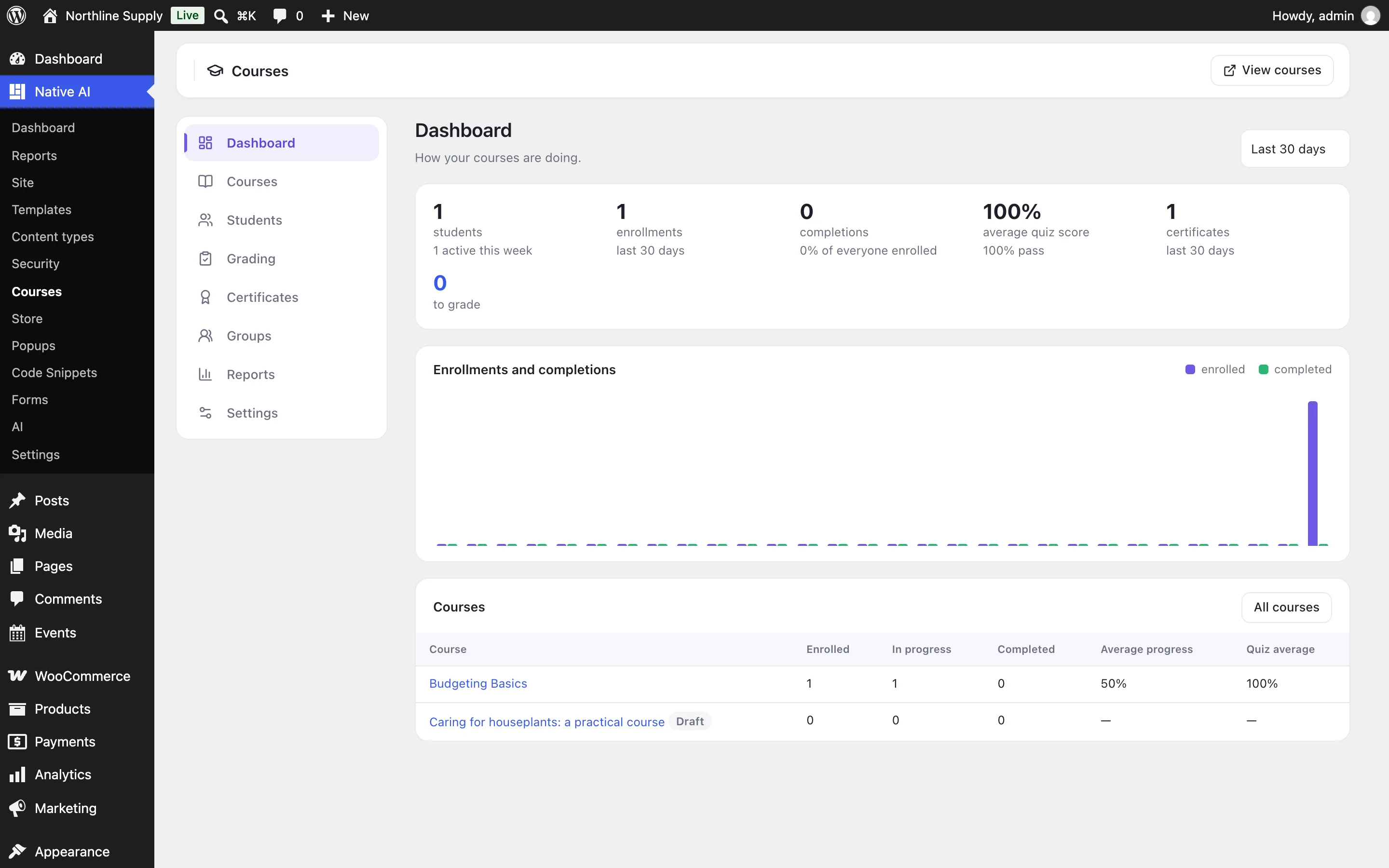
- Dashboard: students (and those active this week), enrollments and completions over time, the average quiz score and pass rate, certificates and work to grade, and each course’s numbers.
- A course’s Report: how many students finished each step — where they stop — and the time they spent, and the gradebook: every student’s progress, best score on each quiz, assignments and average, exported to CSV.
Emails#
Students get emails when they’re enrolled, finish a course (with the certificate), get quiz results, have work graded, see a lesson open, and a week before their access ends; teachers and group leaders get one when work is handed in. Switch each on or off and change its subject and text in Courses → Settings → Emails.
Related articles
On the features pages
Still have a question? Email us at support.