DocsChatbot
Read the chatbot’s conversations and fill its gaps
Every conversation visitors have with the chatbot is kept: what they asked, what it answered and the pages it read, where it couldn’t help, and who left their email.
Chatbot → Conversations lists every conversation, newest first: when it was, the first question, how many questions, who the visitor is if they left their email, and the page it started on. The last 30 days are counted at the top: conversations, questions, how often it couldn’t help, emails left and credits used.
One conversation#
- Every message, with the time.
- Under each answer, the pages it read to write it — the place to look when an answer is wrong.
- Couldn’t help where it offered a person.
- The name, email and question the visitor left, with Email to reply.
Filling the gaps#
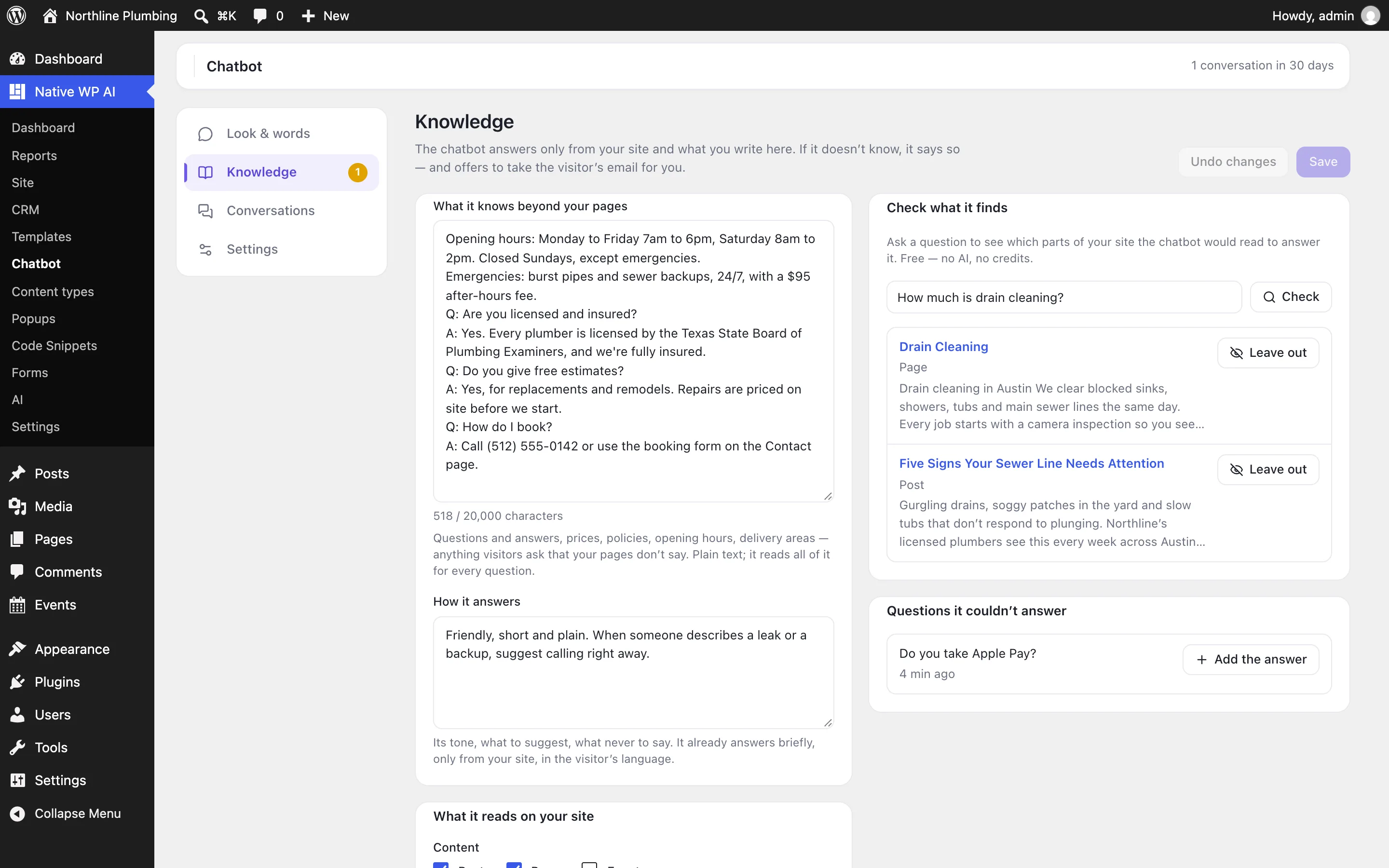
- Find what it’s missingFilter by Couldn’t help, or open Knowledge → Questions it couldn’t answer.
- Add the answerAdd the answer puts the question in your knowledge text; write the answer after it and Save.
- Check itAsk the question again in Try it (Look & words).
When an answer used the wrong page, check the question under Knowledge → Check what it finds and Leave out the page, or make the right page say it more plainly.
How long they’re kept#
Conversations are deleted after Settings → Keep conversations days (90 to start; 0 keeps them all). Delete one from its page. The ones you try on the Look & words screen are kept apart and never counted.
Related articles
On the features pages
Still have a question? Email us at support.